


Cloud Migration Strategy for Startups | The Complete 2026 Playbook
Here is the hard truth: 83% of cloud migration projects fail or exceed their budget, and 38% fail specifically because of unexpected dependencies no one mapped in advance. Yet by 2025, 62% of all business data already lives in the cloud, and 52% of companies have moved the majority of their workloads. For a startup founder or early-stage CTO, those two facts form a razor-sharp mandate — you must migrate, but you must migrate correctly.
A well-designed cloud migration strategy for startups is not a copy-paste of the enterprise playbook. Startups operate on tighter runways, smaller teams, and faster product cycles. The good news: the cloud-migration market is projected to explode from $232.5 billion in 2024 to $806.4 billion by 2029 (CAGR 28.24%), which means providers are competing hard for your business — and offering credits worth up to $350,000 to win it.
This guide covers everything a Series A/B startup needs: a provider comparison, the full 7-step roadmap, real cost numbers, a decision matrix, security checklist, common mistakes, and a 10-question FAQ — so you can stop guessing and start shipping.
Why Your Startup Needs a Cloud Migration Strategy in 2026
The Burn-Rate Reality of Poor Cloud Decisions
Gartner estimates 60% of cloud spend is wasted in 2025, and a typical startup burns roughly $50,000 per month on cloud costs without a governance layer in place. CloudSyntrix The Flexera 2025 State of the Cloud Report found that 84% of organizations struggle to manage cloud spend — and that percentage skews even higher for teams under 50 engineers.
For a seed-stage team, overspending by even $10,000/month shortens your runway by weeks. For a Series B company, the same undisciplined spend can quietly erase a quarter of your annual marketing budget. A deliberate startup cloud migration plan converts chaotic ad-hoc infrastructure into a predictable, scalable cost center.
The Strategic Upside
| Driver | Impact |
| Pay-as-you-go pricing | Eliminate CapEx; match cost to usage |
| Auto-scaling | Handle viral growth without over-provisioning |
| Global reach | Deploy to AWS’s 123 AZs across 39 regions in minutes |
| Startup credit programs | $100k–$350k in free compute to extend runway |
| Compliance acceleration | AWS’s 143 certifications pre-satisfy SOC 2, HIPAA, PCI-DSS audits |
| Developer velocity | Managed services (RDS, Lambda, EKS) eliminate undifferentiated heavy lifting |
Pro Tip: Apply for cloud credits before you start migrating. AWS Activate, Google for Startups, and Microsoft for Startups collectively offer up to $600,000 in total credits across all three providers — money that can fund your entire first year of infrastructure.
AWS vs GCP vs Azure — Choosing the Right Cloud for Your Startup
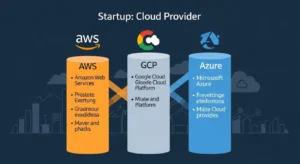
The three major providers share roughly 63% of the $99B cloud infrastructure market (Q4 2025): AWS at 28–30%, Azure at 21–26%, and GCP at 12–14%. Each has distinct strengths, credit programs, and startup ecosystems.
Head-to-Head Startup Comparison Table
| Dimension | AWS | GCP | Azure |
| Market Share (Q4 2025) | ~30% | ~13% | ~22% |
| Regions / AZs | 39 regions / 123 AZs | 43 regions / 130 zones | 40+ regions / 120+ AZs |
| Startup Credits | Up to $100k–$300k (Activate) | Up to $350k over 2 yrs | Up to $150k (Founders Hub) |
| Compliance Certs | 143 | ~98 | ~100 |
| Best For | Breadth, enterprise scale, AI/ML | Data, BigQuery, ML pipelines | Microsoft stack, B2B SaaS |
| Free-Tier Duration | 12 months (most services) | Always-free tier | 12 months + always-free |
| Container Platform | EKS / ECS Fargate | GKE Autopilot | AKS |
| Serverless | Lambda (SnapStart) | Cloud Run / Functions | Azure Functions |
| Database | RDS Aurora / DynamoDB | Cloud SQL / Spanner | Azure SQL / Cosmos DB |
| FinOps Tooling | Cost Explorer, Trusted Advisor | Cloud Billing Reports | Cost Management |
| Ecosystem / Partners | 100k+ partners | Strong ML/data community | Strong enterprise/ISV channel |
Startup Credit Programs Deep-Dive
AWS Activate — aws.amazon.com/startups/credits Offers two tiers: Founders ($1,000 – $10,000) for bootstrapped teams and Portfolio ($25,000 – $300,000+) for accelerator/VC-backed startups. Some cohorts in 2025 received up to $1 million in credits. Credits apply to EC2, RDS, Lambda, S3, and most managed services.
Google for Startups — cloud.google.com/startup Early-stage startups receive up to $350,000 over two years (Year 1: $250k; Year 2: $100k). Strongest for ML/AI workloads using Vertex AI and BigQuery.
Microsoft for Startups Founders Hub — microsoft.com/startups Up to $150,000 in Azure credits, tiered by funding stage (pre-seed to Series A). Includes GitHub Enterprise and Visual Studio subscriptions — meaningful for .NET or enterprise-facing SaaS products.
Pro Tip — Misconception Buster: Many founders assume they must pick one provider forever. In reality, it is perfectly valid to use AWS Activate credits for your core infrastructure while using GCP credits for a separate ML pipeline. Just be mindful of cross-cloud egress fees — transferring 50 TB between clouds can cost $3,500–$7,000 in egress charges alone.
The 7 Rs of Cloud Migration — A Startup Decision Framework
The industry-standard 7 Rs of cloud migration (popularized by AWS and IBM) map every workload to the right migration motion. As a startup, you will rarely need all seven — but knowing them prevents costly over-engineering.
The 7 Rs Explained
| Strategy | What It Means | Startup Use Case | Effort | Cost Impact |
| Rehost (Lift & Shift) | Move VMs as-is to cloud | Legacy monolith, tight deadline | Low | Neutral (optimize later) |
| Relocate | Move without changing OS/app layer (e.g., VMware to AWS) | Datacenter exit | Very Low | Neutral |
| Replatform | Minor cloud optimizations (e.g., move to managed DB) | Heroku → Elastic Beanstalk; self-managed Postgres → RDS | Medium | 20–40% savings |
| Refactor | Re-architect to cloud-native (microservices, serverless) | Monolith → Lambda + ECS for scale | High | 30–60% savings long-term |
| Repurchase | Replace with SaaS (e.g., switch to Salesforce CRM) | Non-core tools | Low | Variable |
| Retire | Decommission unused workloads | Dead microservices, legacy batch jobs | Very Low | Immediate savings |
| Retain | Keep on-prem temporarily | Compliance-bound data, mainframes | None | No change |
Startup Recommendation: A Series A company with a Rails/Node monolith on a VPS should Rehost first (using AWS Application Migration Service), then Replatform the database to Amazon RDS in wave 2, then Refactor high-traffic services to Lambda/ECS in wave 3 — each wave funded by savings from the previous one.
Cloud Migration Roadmap for Startups — 7-Step Process
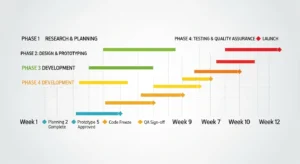
Step 1 — Discovery & Workload Inventory (Week 1–2)
Catalog every service, database, message queue, cron job, and third-party integration. Use AWS Migration Hub (now AWS Transform as of November 2025) or a simple spreadsheet mapping:
- Service name & owner
- Runtime, language, dependencies
- Data size & sensitivity (PII, PHI, PCI)
- Current cost
- Acceptable downtime window
Pro Tip: Tools like AWS Application Migration Service (MGN) include a free agentless discovery mode — install it a week before planning to auto-generate your inventory.
Step 2 — Choose Provider & Apply for Credits (Week 2–3)
Run the decision matrix table above against your stack. If you are Microsoft-stack-heavy, Azure wins. If you have a BigQuery-centric data warehouse, GCP wins. For most startups — especially those building on Linux/Docker/Kubernetes — AWS wins on ecosystem depth, compliance coverage, and tooling maturity.
Apply for credits immediately — approval can take 3–5 business days, and you want them active before you spin up any resources.
Step 3 — Design Your Target Architecture (Week 3–4)
Map every current service to its cloud equivalent using Infrastructure as Code from day one. Use Terraform or AWS CDK to define your VPC, subnets, security groups, and IAM roles before a single VM launches. This is the single highest-ROI investment in the entire migration.
Architecture diagram suggestion: Show on-prem/VPS layer → migration tools layer → target AWS architecture with VPC, ALB, ECS cluster, RDS Multi-AZ, ElastiCache, S3, CloudWatch.
Core Architecture Components for a Typical Startup:
| Layer | AWS Service | Purpose |
| Compute | EC2 / ECS Fargate / Lambda | App servers, workers, functions |
| Load Balancing | Application Load Balancer (ALB) | HTTPS routing, health checks |
| Database | RDS (PostgreSQL/MySQL) or Aurora | Primary OLTP database |
| Cache | ElastiCache (Redis) | Session, queue, rate-limiting |
| Object Storage | S3 + S3 Intelligent-Tiering | Assets, backups, logs |
| CDN | CloudFront | Static assets, API acceleration |
| Secrets | Secrets Manager | DB credentials, API keys |
| IaC | Terraform / AWS CDK | Reproducible infrastructure |
| Observability | CloudWatch + X-Ray | Metrics, traces, alarms |
| Security | GuardDuty + IAM + WAF | Threat detection, access control |
Step 4 — Set Up Your Landing Zone (Week 4–5)
A landing zone is your cloud account structure. Don’t run everything in one AWS account — that is the #1 governance mistake early-stage companies make.
Recommended multi-account structure using AWS Control Tower:
- Management account — billing, SCPs only
- Production account — live customer workloads
- Staging account — pre-prod, integration tests
- Dev account — individual developer sandboxes
- Security/Log archive account — CloudTrail, GuardDuty findings
This structure costs nothing extra and prevents a compromised dev credential from touching production data.
Step 5 — Migrate Data First, Then Compute (Week 5–8)
Data migration is the highest-risk phase. The sequence matters:
- Set up AWS DMS or AWS DataSync for continuous replication.
- Run a full initial load (baseline sync) to the target database (RDS/Aurora).
- Switch to CDC (Change Data Capture) mode — replication lag should stay under 5 seconds.
- Freeze schema changes 48 hours before cutover.
- Put source database in read-only mode, let CDC catch up fully.
- Promote target, update connection strings, smoke-test.
- Only then migrate compute workloads.
Never migrate compute and data simultaneously. This is the mistake that causes 3 AM rollbacks.
Step 6 — Migrate Compute in Waves (Week 7–10)
Use AWS Application Migration Service (MGN) for VM-based workloads:
- Install the MGN replication agent on source servers.
- MGN continuously replicates to a staging area in AWS.
- Launch a test instance — validate behavior without touching production.
- Perform a cutover launch (typically 5–15 minutes of downtime).
- Update DNS via Route 53 weighted routing (10% → 50% → 100%) for zero-downtime switchover on stateless services.
For containerized workloads, containerize with Docker first, push to Amazon ECR, then deploy to ECS Fargate or Amazon EKS.
Step 7 — Optimize, Govern, and Iterate (Week 10–12 and Ongoing)
Migration day is not the finish line — it is the starting line for cost optimization.
- Right-size instances using AWS Compute Optimizer recommendations.
- Purchase Reserved Instances or Savings Plans after 2–4 weeks of actual usage data (up to 72% savings over on-demand).
- Enable S3 Intelligent-Tiering to automatically move cold objects to cheaper storage classes.
- Set up AWS Budgets with hard stop alerts at 80% and 100% of monthly target.
- Run a Well-Architected Review 30 days post-migration to identify security and reliability gaps.
Startup Cloud Migration Cost Breakdown
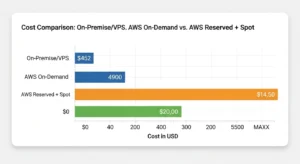
Sample Series A SaaS Stack — Monthly Cost Comparison
| Component | On-Prem / VPS | AWS On-Demand | AWS Reserved + Spot |
| 4× App Servers (4 vCPU, 8 GB) | $400 | $480 (t3.xlarge) | $210 (3-yr RI) |
| PostgreSQL Primary + Replica | $350 | $520 (db.r6g.large Multi-AZ) | $290 (Reserved) |
| Redis Cache (2 nodes) | $80 | $130 (cache.r6g.large) | $80 (Reserved) |
| Object Storage (5 TB) | $150 | $115 (S3 Standard) | $115 |
| CDN / Transfer | $120 | $85 (CloudFront) | $85 |
| Monitoring & Security | $50 | $95 (CloudWatch, GuardDuty) | $95 |
| Total / Month | $1,150 | $1,425 | $875 |
| vs. On-Prem | Baseline | +24% | −24% |
Key insight: On-demand cloud is more expensive than a well-managed VPS — but Reserved Instances + Savings Plans tip the math firmly in cloud’s favor, delivering 24–40% savings versus on-prem plus eliminating hardware refresh cycles, datacenter leases, and ops headcount.
Hidden Costs to Budget
- Data egress: $0.09/GB out of AWS in most regions; 50 TB = ~$4,600 one-time migration fee.
- Data Transfer between AZs: $0.01/GB — adds up inside microservices architectures.
- NAT Gateway: $0.045/GB processed — often the surprise bill item #1 for container-heavy workloads.
- First-year premium: First-year cloud spend typically runs 10–25% higher than steady-state as teams learn to right-size.
- Migration project cost: Small-scale migrations start at ~$40,000; large enterprise-style migrations can exceed $600,000 in professional services. Startups leveraging AWS Activate credits and open-source tools can execute migrations for $5,000–$30,000 in direct costs.
Security & Compliance for Startup Cloud Migrations
Security is not a post-migration checklist item — it is a day-one architectural decision. A misconfigured S3 bucket or over-permissive IAM role created during a rushed migration can become a production breach six months later.
Startup Security Checklist
- IAM Least Privilege: Every service gets its own IAM role with only the permissions it needs — never hardcode AWS credentials in code or environment variables.
- Enable GuardDuty from account creation — it costs ~$4/month per account and detects credential abuse, unusual API calls, and crypto-mining behavior.
- CloudTrail in every region: Immutable audit log for all API activity. Store in a separate log-archive account.
- VPC Design: Private subnets for databases and internal services; public subnets only for load balancers. No 0.0.0.0/0 ingress on security groups except port 443.
- Secrets Manager vs. environment variables: Never store database passwords in .env files or ECS task definitions — use AWS Secrets Manager with automatic rotation.
- Encryption at rest: Enable default encryption on all S3 buckets, RDS instances, and EBS volumes — it is one checkbox and costs nothing.
- Encryption in transit: Enforce TLS 1.2+ on all ALB listeners; use ACM (AWS Certificate Manager) for free, auto-renewing SSL certificates.
Compliance Acceleration
AWS’s 143 compliance certifications — including HIPAA, SOC 2, PCI-DSS, FedRAMP, and GDPR — mean the underlying infrastructure is pre-audited. Startups building in healthcare (HIPAA BAA available from AWS) or fintech (PCI-DSS) can inherit these controls rather than certifying from scratch.
Pro Tip: Use AWS Security Hub with the AWS Foundational Security Best Practices standard enabled. It runs 300+ automated checks against your account and produces a scored security posture report — far faster than a manual audit.
10 Costly Startup Cloud Migration Mistakes (And How to Avoid Them)
- Skipping the inventory phase → Leads to surprise dependencies discovered at cutover. Fix: Spend 2 full weeks on discovery.
- Migrating compute before data → Causes race conditions and data loss. Fix: Always migrate data first with CDC.
- Single AWS account for everything → Dev experiments can impact production; billing is opaque. Fix: Multi-account landing zone from day one.
- No IaC from the start → Manual console changes create configuration drift. Fix: Terraform or CDK before any resource creation.
- Buying Reserved Instances too early → You lock in the wrong instance sizes. Fix: Wait 2–4 weeks of production usage data.
- Ignoring NAT Gateway costs → $0.045/GB adds up fast with microservices. Fix: Use VPC endpoints for S3/DynamoDB; enable IPv6.
- Not setting AWS Budgets → Bills spiral before anyone notices. Fix: Budget alerts at 80% and 100% on day one.
- No rollback plan → Rushing cutover with no tested rollback creates 3 AM incidents. Fix: Dry-run migration at least twice; keep source live for 72 hours post-cutover.
- Neglecting egress costs → Migrating 50+ TB unexpectedly adds thousands to the bill. Fix: Use AWS Snowball for large data sets; budget egress explicitly.
- Treating migration as a one-time project → Infrastructure drifts; costs balloon. Fix: Assign a FinOps owner; run monthly Well-Architected Reviews.
Essential Tools for Startup Cloud Migration
| Tool | Provider | Purpose | Cost |
| AWS Application Migration Service | AWS | VM lift-and-shift, continuous replication | Free (pay for EC2) |
| AWS DMS | AWS | Database migration (heterogeneous & homogeneous) | Pay-per-hour |
| AWS DataSync | AWS | File/object storage transfer (S3, NFS, SMB, GCS) | $0.0125/GB |
| AWS Control Tower | AWS | Multi-account landing zone setup | Free |
| Terraform | HashiCorp | IaC for any cloud resource | Open source |
| AWS CDK | AWS | IaC in TypeScript/Python/Java | Free |
| AWS Compute Optimizer | AWS | Right-sizing recommendations | Free |
| AWS Cost Explorer | AWS | Cost visualization and RI recommendations | Free |
| AWS Trusted Advisor | AWS | Security, cost, performance checks | Free (basic) |
| AWS Pricing Calculator | AWS | Pre-migration cost estimation | Free |
| pglogical / AWS SCT | PostgreSQL / AWS | Logical replication for zero-downtime DB migration | Open source / Free |
| Docker | Docker Inc | Containerization | Open source |
Case Study — How a B2B SaaS Startup Cut Cloud Costs 60% on AWS
Background: A Series A fintech startup (12 engineers, $8M raised) was running a Rails monolith and PostgreSQL database on a managed VPS provider, paying approximately $4,200/month. Compliance requirements (SOC 2 Type II) were blocking enterprise deals.
Migration Approach:
- Week 1–2: Inventory 34 services, 3 databases, 6 cron jobs.
- Week 3: Applied for AWS Activate (received $75k in credits). Set up Control Tower with 4 accounts.
- Week 4: Defined entire infrastructure in Terraform — VPC, ALB, ECS Fargate cluster, RDS Multi-AZ (PostgreSQL 16), ElastiCache Redis.
- Week 5–6: Migrated PostgreSQL via AWS DMS with logical replication — 8 minutes of downtime during final cutover.
- Week 7: Containerized Rails app with Docker, pushed to ECR, deployed to ECS Fargate.
- Week 8: Route 53 weighted cutover (10% → 100% over 4 hours, zero errors).
- Week 10: Purchased 1-year Reserved Instances for RDS and ElastiCache.
Results:
- Monthly infrastructure cost: $4,200 → $1,680 (60% reduction)
- SOC 2 audit prep time: Cut by 40% using AWS Security Hub pre-built controls
- Deployment frequency: 2×/week → 15×/week (CI/CD via GitHub Actions + CodePipeline)
- First-year cloud credits covered approximately $50,000 of AWS spend
Key Takeaway: The FinOps Foundation estimates that startups that implement cloud cost governance within the first 90 days of migration achieve 35% lower steady-state cloud costs than those who address it reactively.
Decision Matrix — Which Cloud Is Right for Your Startup?
| If Your Startup… | Choose |
| Needs the broadest service catalog and largest talent pool | AWS |
| Is building ML/AI pipelines on structured data (BigQuery-heavy) | GCP |
| Sells to enterprise Microsoft shops (Office 365, Active Directory) | Azure |
| Needs highest compliance coverage (FedRAMP High, HIPAA, PCI-DSS) | AWS |
| Is bootstrapped and wants the best always-free tier | GCP |
| Is a .NET / C# shop or Microsoft-first organization | Azure |
| Needs the largest startup credit package (ML/AI focus) | GCP ($350k) |
| Wants the broadest partner and ISV ecosystem | AWS |
| Is already on Heroku and wants the easiest migration path | AWS (Elastic Beanstalk) |
| Is migrating from GCP or Azure | AWS (MGN, DMS, DataSync) |
Frequently Asked Questions
Q1: Why should a startup migrate to the cloud at all? The cloud eliminates capital expenditure on hardware, provides instant global scale, and unlocks compliance certifications that open enterprise sales doors. More tactically, startup credit programs from AWS, GCP, and Azure provide $100k–$350k in free compute — effectively funding your first year of infrastructure while you find product-market fit.
Q2: What is the best cloud migration strategy for an early-stage startup? Start with Rehost (lift-and-shift) to get off legacy infrastructure quickly, then Replatform to managed services (RDS, ElastiCache) in wave 2, and Refactor to serverless/containers in wave 3. This staged approach delivers wins at each phase without requiring a full rewrite before you migrate.
Q3: How long does a startup cloud migration take? A small startup (5–15 services, < 1 TB data) can complete migration in 4–8 weeks with a dedicated engineer. A mid-size Series B company (50+ services, multi-TB databases) should budget 8–16 weeks. Database migrations are the longest-pole item.
Q4: What AWS services should a startup start with? The core five: EC2 or ECS Fargate (compute), RDS (database), S3 (storage), CloudFront (CDN), and Route 53 (DNS). Add Lambda for background jobs, ElastiCache for caching, and GuardDuty + CloudTrail for security from day one.
Q5: How do AWS Activate credits work? AWS Activate credits are applied directly to your AWS account billing and reduce your invoice dollar-for-dollar. Founders tier ($1k–$10k) is available to any registered startup. Portfolio tier ($25k–$300k+) requires application through an AWS Activate partner (accelerator, VC, incubator). Credits typically expire in 2 years and can be used on almost any AWS service. Apply at aws.amazon.com/startups/credits.
Conclusion — Build Once, Scale Forever
A well-defined cloud migration strategy for startups is not about following trends — it is about building a scalable, resilient, and cost-aware foundation from day one. Whether you are moving from on-prem infrastructure or another cloud provider, having the right technical roadmap and execution partner determines how efficiently you scale.
If you are evaluating provider transitions as part of your strategy, you can explore our detailed guide on OVH to AWS migration.
At GoCloud, we help startups design practical migration roadmaps that reduce risk, control costs, and prepare infrastructure for long-term growth.
