


If you run a small business and still rely on a physical server in the back office, a filing cabinet of USB drives, or a spreadsheet to track inventory — this guide is for you. Cloud migration for small business is no longer a luxury reserved for tech giants. By the end of 2025, over 94% of organizations of all sizes use cloud services, and roughly 63% of SMB workloads are already cloud-hosted.
The business case is simple: the average small or medium-sized business saves 36% on IT costs after moving to the cloud, according to ECI Solutions — without hiring a single additional IT person. But getting there requires a plan. This guide walks you through every step, from choosing a cloud provider to avoiding the five hidden costs that trip up most first-time cloud adopters. No IT degree required.
Why Small Businesses Are Moving to the Cloud in 2026
Cloud vs. On-Premise: What’s Really Changing?
“On-premise” means your data lives on a physical server or hard drive that you own and maintain. If it breaks, you fix it. If it floods, it’s gone. If an employee accidentally deletes a file on Friday afternoon, you may spend the entire weekend recovering it.
The cloud stores your data and runs your software on computers managed by providers like Amazon Web Services (AWS), Microsoft Azure, and Google Cloud Platform (GCP) — housed in ultra-secure, climate-controlled data centres around the world. You access everything over the internet, from any device, anywhere.
The shift from on-premise to cloud is essentially a shift from owning infrastructure to renting it — the same way you might lease office space instead of buying a building. You pay a predictable monthly fee (called OPEX, or operating expenditure) instead of a large upfront hardware purchase (CAPEX, or capital expenditure). For cash-flow-conscious small business owners, that distinction alone often makes the decision.
Key Statistics: Cloud Adoption Among Small Businesses
- 94% of businesses now use at least one cloud service (DuploCloud, 2025)
- 63% of SMB workloads are cloud-hosted as of 2024 (Flexera State of the Cloud)
- 36% average IT cost savings for SMBs that migrate to cloud (ECI Solutions)
- 75% of organisations cite lack of internal expertise as their #1 cloud challenge (Flexera 2025)
- The global cloud migration market is projected to grow from $232.5 billion (2024) to $806.4 billion by 2029 — a 28% annual growth rate (AWS Enterprise Strategy)
- Downtime costs businesses an average of $5,600 per minute — cloud-based backup and disaster recovery directly mitigates this risk (Gartner)
What Is Cloud Migration for Small Business?
Featured Snippet Definition: Cloud migration for small business means moving your company’s data, files, software, and IT systems from a physical, on-site server (or an old hosting provider) to a cloud-based platform like AWS, Microsoft Azure, or Google Cloud. It typically takes 2–8 weeks for a small business and can reduce IT costs by 20–40% while enabling your team to work from anywhere.
Top Benefits of Cloud Migration for Small Business
Cost Savings — From Capital Expense to Monthly Subscription
The biggest fear small business owners have about the cloud is cost. Here’s the reality: you stop paying for hardware, maintenance contracts, electricity to power servers, and the IT consultant you call every time something breaks. Instead, you pay a predictable monthly subscription — and you only pay for what you actually use, a model known as pay-as-you-go pricing.
A small retail shop, for example, might currently spend $8,000/year maintaining a local server. The equivalent cloud storage and software might cost $200–$400/month — and include automatic upgrades, 24/7 support, and built-in security.
Pro Tip:
Before migrating, use the AWS Pricing Calculator to model your exact cloud bill. Most small businesses are surprised how affordable it is once they see real numbers.
Work From Anywhere — Remote Access for Your Team
When your data lives in the cloud, your team can access it from the office, from home, or from a client site — on any device. This isn’t just a nice-to-have since the pandemic permanently changed work habits. Tools like Microsoft 365 (Word, Excel, Teams, Outlook) and Google Workspace (Gmail, Docs, Drive, Meet) are built entirely on cloud infrastructure and require zero on-premise hardware to run.
Enterprise-Grade Security Without Enterprise Costs
Here’s a misconception worth addressing head-on: “The cloud is less secure than keeping data on my own server.”
In reality, AWS, Azure, and Google Cloud invest billions of dollars annually in cybersecurity — far more than any small business could. AWS alone holds 143 security and compliance certifications, including HIPAA (for healthcare), PCI-DSS (for businesses that take card payments), GDPR (for UK and EU businesses), and SOC 2. Your local server has none of these.
Cloud platforms also provide multi-factor authentication (MFA) — meaning even if a password is stolen, a hacker still can’t access your data without a second verification step — as well as data encryption (your data is scrambled in transit and at rest so that only authorised users can read it).
Automatic Backups & Disaster Recovery
Traditional backup systems require someone to remember to run them, swap tapes or hard drives, and store copies offsite. Cloud backup is automatic, continuous, and geographically redundant — meaning your data is copied to multiple physical locations without any effort from you.
Small and medium-sized businesses that set up dedicated on-premise disaster recovery spend between $10,000 and $50,000 per year on it. Cloud-based disaster recovery solutions typically cost a fraction of that — and recover data faster. For a small business, this is one of the most compelling reasons to migrate.
Scalability — Grow Without Buying New Hardware
When a small retail business runs a flash sale and website traffic spikes 10×, cloud infrastructure scales automatically to handle the load — then scales back down when the rush passes, so you’re not paying for idle capacity. On-premise servers can’t do that; you’d have to buy enough hardware to handle the peak, meaning you’re overpaying 95% of the time.
Real Example: Small Retail Store Saves 35% on IT
A regional retail chain migrated its point-of-sale system, inventory management, and customer data to AWS. By replacing on-premise servers with cloud infrastructure and switching from desktop accounting software to QuickBooks Online, the business reduced its annual IT spend by 35% and eliminated two emergency server outage incidents that had previously cost them each a full day of lost sales. Staff were trained in under a week.
Cloud Migration Challenges Small Businesses Face (And How to Solve Them)
“I Can’t Afford the Upfront Migration Cost” — Budget Solutions
This is the most common concern — and the most solvable. Migration costs for small businesses typically range from $1,500 to $15,000 depending on the approach you take (see the cost table below). The DIY path — switching email to Microsoft 365 or Google Workspace yourself — costs as little as $6–$22 per user per month with no migration fee at all.
If you have more complex systems (a local database, custom software, a physical file server), a managed migration service through an IT partner typically costs $3,000–$10,000 for a small business — and often pays for itself in the first year of cloud savings.
“I’m Worried About Data Security” — How Cloud Is Safer
Your on-premise server likely has a basic firewall and whatever antivirus software someone installed two years ago. By contrast, cloud providers run dedicated security operations centres 24/7, apply security patches automatically, and encrypt all data by default. The NCSC (UK’s National Cyber Security Centre) explicitly recommends cloud hosting as safer than on-premise for most small organisations.
For US healthcare businesses, AWS and Azure both offer signed HIPAA Business Associate Agreements (BAAs), meaning they’re legally accountable for protecting patient data — something your filing cabinet cannot offer. For UK and EU businesses, both platforms are fully GDPR-compliant with EU data residency options available.
“I Don’t Have an IT Team” — DIY vs. Managed Migration
Not having an IT team is actually a reason to migrate, not a reason to wait. Cloud-based tools like Microsoft 365, Google Workspace, QuickBooks Online, and Shopify are designed to be managed by non-technical business owners. You don’t need to know what a server rack is to use Gmail or Teams.
For more complex migrations (moving a local server, a database, or legacy software), hire a managed service provider (MSP) for a one-time migration project. Once you’re in the cloud, day-to-day management is typically simpler than managing on-premise infrastructure.
“What If Our Internet Goes Down?” — Business Continuity Answer
Internet reliability is a legitimate concern — but it’s becoming less of a cloud-specific problem and more of a general business infrastructure question. Most modern businesses already depend on reliable internet for email, payment processing, and customer communication regardless of whether they’ve migrated to the cloud.
Practical solutions: (1) Use a mobile hotspot as a backup internet connection (under $40/month). (2) Choose cloud tools that have offline modes — Microsoft 365 and Google Workspace both work offline and sync when connectivity returns. (3) Keep a local copy of your most critical daily files as a short-term buffer.
Avoiding Vendor Lock-In From Day One
Vendor lock-in means you’ve become so dependent on one provider’s proprietary features that switching later becomes extremely expensive. The solution is to use open-standard formats for your data (e.g., CSV, PDF, standard SQL databases) and ensure you can export your data at any time. Before signing any cloud contract, confirm that data export is included at no additional charge.
Understanding the 6 Rs — Your Cloud Migration Strategy Options
Not every piece of your business needs the same approach. The “6 Rs” framework helps you choose the right migration strategy for each application or system.
| Strategy | What It Means | Best For SMBs | Real Example |
| Rehost (Lift & Shift) | Move your existing system to the cloud as-is | Businesses with local servers that need to exit quickly | Moving a Windows file server to an AWS virtual machine |
| Replatform | Minor upgrades during the move to take advantage of cloud features | Businesses with older databases or software | Moving a MySQL database to Amazon RDS (managed database) |
| Repurchase (Switch to SaaS) | Replace old software with a cloud-based subscription product | Most SMBs — this is the simplest and fastest option | Replacing desktop QuickBooks with QuickBooks Online; swapping a local email server for Microsoft 365 |
| Refactor | Rebuild software from scratch to be “cloud-native” | Rare for SMBs; mainly relevant for software companies | Rebuilding a custom ordering app as a serverless web app |
| Retain | Keep certain systems on-premise temporarily | Systems that legally can’t be moved yet, or that are being replaced soon | Compliance-sensitive legacy data in a regulated industry |
| Retire | Switch off old systems you no longer need | Any outdated software or server running in the background | Decommissioning an old backup server once cloud backup is live |
Pro Tip for Small Businesses: 80% of small business cloud migrations are simply Repurchase decisions — swapping desktop software for a cloud-based SaaS (Software as a Service) equivalent. You don’t need to touch a server. Just sign up, import your data, and cancel your old licence.
Step-by-Step Cloud Migration Plan for Small Business
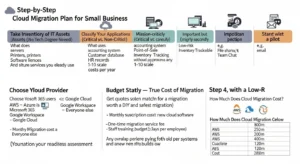
Step 1 — Take Inventory of Your IT Assets (No Tech Degree Needed)
Walk around your business and list every piece of technology: computers, servers, printers, software licences, and cloud services you already use. For each item, write down:
- What it does (e.g., “stores customer invoices”)
- Who uses it
- How critical it is to daily operations (1–10 scale)
- How much it costs per year
This doesn’t have to be a technical document. A simple spreadsheet is perfect. This is your cloud readiness assessment — the foundation everything else builds on.
Step 2 — Classify Your Applications (Critical vs. Non-Critical)
Divide your inventory into three buckets:
- Mission-critical (migrate last, plan carefully): e.g., accounting system, point-of-sale, customer database
- Important but recoverable (migrate second): e.g., inventory tracking, HR records
- Low-risk (migrate first as a pilot): e.g., email, file sharing, team chat
Starting with low-risk applications means you learn the process without any business disruption.
Step 3 — Choose Your Cloud Provider (AWS, Azure, or Google Cloud?)
Use the comparison table in the next section to match your business needs to the right provider. The short version: Microsoft 365 users → Azure is a natural fit. Google Workspace users → Google Cloud. Everyone else → AWS is the safest all-round choice. (See full comparison below.)
Step 4 — Budget Smartly — True Cost of Cloud Migration
Get quotes for both a DIY approach and a managed migration. Factor in:
- Monthly subscription costs for new cloud software
- One-time migration service fee (if using a professional)
- Staff training time (budget 1–2 days per employee)
- Any overlap period where you’re paying for both old and new systems
Use the cost table in the “How Much Does Cloud Migration Cost?” section below for specific ranges.
Step 5 — Start with a Low-Risk Pilot Migration
Before you move anything critical, migrate one low-risk system first — typically email (to Microsoft 365 or Google Workspace) or file storage (to OneDrive, Google Drive, or Dropbox Business). This gives your team hands-on experience with cloud tools and gives you confidence before tackling larger workloads.
Step 6 — Train Your Team Before Going Live
The #1 cause of failed cloud migrations isn’t technical — it’s people resistance. Schedule a half-day training session before you flip the switch. Most Microsoft 365 and Google Workspace tools are intuitive enough that a 2-hour orientation is sufficient for non-technical staff. Document a simple “how to do X” guide for the five tasks your team does most often.
Step 7 — Monitor, Optimize & Control Costs Post-Migration
Once you’re live, set up spending alerts so you never receive a surprise bill. AWS, Azure, and Google Cloud all provide free cost-management dashboards. Review your usage monthly for the first three months — you’ll almost always find unused services you can turn off (known as right-sizing), and subscriptions you can consolidate.
AWS vs. Azure vs. Google Cloud — Best for Small Business in 2026?
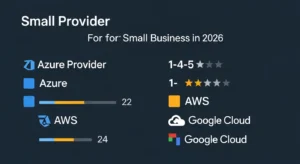
| Factor | AWS | Azure | Google Cloud | SMB Verdict |
| Market Share (2025) | 30% | 20% | 13% | AWS most proven at scale |
| Ease of Use for Non-Technical Users | Moderate | Easy (if using M365) | Easy | Azure/GCP edge for beginners |
| Free Tier | 12 months + always-free | 12 months + always-free | $300 credit + always-free | All comparable |
| Microsoft 365 / Office Integration | Limited | Native ✅ | Limited | Azure wins |
| Google Workspace Integration | Limited | Limited | Native ✅ | Google Cloud wins |
| Compliance (HIPAA, PCI, GDPR) | 143 certs ✅ | ~100 certs | ~98 certs | AWS wins |
| Pricing Simplicity | Complex | Moderate | Simple | GCP easiest to understand |
| Support for Small Business | AWS SMB Hub | Microsoft SMB | Google for SMB | All have SMB-specific teams |
| Best For | Scale, compliance, e-commerce | Microsoft stack, professional services | Data, ML, startups | Depends on your stack |
Best Cloud Provider for Small Retail Business
For a retail business using a cloud POS system (like Shopify or Square), cloud inventory management, and e-commerce — AWS is the strongest choice. Shopify itself runs on Google Cloud, but AWS offers the widest range of integrations with retail-specific software, the best uptime guarantees, and the most SMB-friendly support. For a simple online shop, Shopify itself is the fastest path — no migration project needed at all, just sign up and go.
Best Cloud for Healthcare SMBs (HIPAA Compliant)
For US-based medical practices, dental offices, or health & wellness businesses that handle patient data — choose AWS or Azure. Both offer signed HIPAA Business Associate Agreements, dedicated healthcare compliance documentation, and specific HIPAA-compliant architecture blueprints. The 2025 HIPAA Security Rule updates have expanded obligations for cloud service providers, making it more important than ever to choose a provider with an up-to-date BAA.
Best Cloud for Professional Services (Law, Accounting)
Law firms and accounting practices typically already live inside Microsoft’s ecosystem — Outlook, Word, Excel, Teams. Microsoft Azure + Microsoft 365 is the path of least resistance: email, document storage, video calls, and client collaboration all in one platform, with no migration complexity. According to Aderant, 78% of law firms already store client data in the cloud, and Microsoft 365 is the dominant platform in that sector.
Real Small Business Cloud Migration Case Studies
Case Study 1 — Retail Store Migrates to AWS (35% IT Cost Reduction)
Augusta Hitech led a strategic AWS migration for a retail company, replacing on-premise servers with cloud-based infrastructure. The result: measurable improvements in performance and customer experience, a 35% reduction in IT costs, and the elimination of recurring server maintenance downtime. The migration paid for itself within 14 months.
Case Study 2 — Restaurant Chain Adopts Cloud POS System
A leading US restaurant chain working with Sutherland migrated its operations to Oracle Cloud, achieving 35%+ cost savings and 99.99% uptime — meaning customer-facing systems were essentially never down. The move also eliminated the need for expensive on-premise server maintenance at each restaurant location.
Case Study 3 — Non-Profit Leverages Google Cloud for 10x User Growth
A non-profit organisation that migrated from on-premise infrastructure to Google Workspace and Google Cloud was able to support 10× growth in user accounts without a single hardware purchase or IT hire. Storage costs dropped significantly, and remote collaboration during and after the pandemic continued seamlessly.
Case Study 4 — Law Firm Moves Document Server to Microsoft 365
A mid-size law firm replaced its aging on-premise document management server with Microsoft 365 + SharePoint Online. According to Intapp, the migration enabled lawyers to access client files securely from court, from home, and from client sites — improving responsiveness and winning new clients who required remote collaboration capabilities. Cloud migration also enabled the firm to meet tighter data-security compliance requirements without hiring an in-house security officer.
Hidden Costs of Cloud Migration for Small Business
⚠️ Warning: The 5 Hidden Cloud Costs That Catch Small Businesses Off Guard
- Data Egress Fees — Cloud providers charge you when data leaves their platform. Moving 10 TB of data out of AWS to a new provider, for example, costs roughly $900. Egress fees can represent 10–15% of your total cloud bill according to Gartner — and they’re rarely mentioned upfront.
- Premium Support Tiers — AWS’s free “Basic” support tier does not include access to a human. Useful business support starts at $100/month (Developer tier) or $300/month (Business tier). Budget for this from day one.
- Unused Resource Waste — Forgetting to turn off a test server or a development environment can silently rack up charges. The Flexera 2025 report found that 84% of organisations struggle to manage cloud spend — and budgets are exceeded by an average of 17%.
- Third-Party Integration Costs — Some of your existing business software may charge extra for cloud API connections or data sync features. Check your vendor contracts before migrating.
- Staff Training Costs — Allocate 1–2 days of productivity loss per employee during the transition. For a team of 10, that’s 10–20 days of partial productivity. It’s a real cost, even if it doesn’t appear on an invoice.
Cloud Migration Security Checklist for Small Business
Use this checklist before, during, and after your migration:
☐ Enable multi-factor authentication (MFA) on every cloud account — this single step blocks over 99% of credential-based attacks.
☐ Encrypt all data at rest (stored) and in transit (moving between systems) — all three major providers do this automatically; confirm it’s enabled.
☐ Set up role-based access controls — employees should only access the data their job requires, nothing more.
☐ Enable automatic cloud backup with a minimum 30-day retention period.
☐ Review and remove unused user accounts immediately when an employee leaves.
☐ Set up cloud spending alerts at 80% and 100% of your monthly budget.
☐ Sign a HIPAA BAA if you handle patient health data (US) — required by law.
☐ Confirm GDPR data residency (EU/UK businesses: ensure data stays within the EU/UK if required by your contracts or sector).
☐ Run a phishing simulation for your team within 30 days of going live — human error is the #1 cloud security risk.
☐ Document your disaster recovery plan — who to call, how to restore data, and what the RTO (Recovery Time Objective, i.e., how quickly you can be back up) is for each system.
For UK businesses, the NCSC’s Cloud Security Guidance provides government-backed best practices at no cost. For US businesses, the FTC’s Cybersecurity for Small Business guide is an excellent free resource.
How Much Does Cloud Migration Cost for a Small Business?
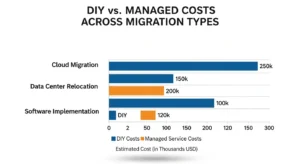
| Migration Type | What’s Included | DIY Cost | Managed Service Cost | Typical Timeline |
| Email only (e.g., to Microsoft 365 or Google Workspace) | Email, calendar, contacts | $6–$22/user/month (no setup fee) | $500–$2,000 one-time | 1–3 days |
| File storage migration (e.g., local server → OneDrive/Google Drive) | Documents, shared folders | Free tools available | $1,000–$3,000 | 1–2 weeks |
| Full SaaS repurchase (replace on-prem software with cloud equivalents) | Accounting, CRM, HR tools | $50–$300/month (subscriptions only) | $2,000–$5,000 | 2–4 weeks |
| Server lift-and-shift (move a physical server to the cloud as-is) | All server data, VMs | Not recommended without IT experience | $3,000–$10,000 | 2–6 weeks |
| Full business migration (servers + databases + custom software) | Everything | Not recommended for most SMBs | $8,000–$25,000 | 4–12 weeks |
Note: Ongoing monthly cloud costs are separate from migration costs. A typical 10-person business running on Microsoft 365 Business Standard pays approximately $1,500–$2,000/month in total cloud subscriptions.
Free Tools to Reduce Migration Costs
- Microsoft 365 Migration Manager — Free built-in tool to migrate files from Google Drive to OneDrive/SharePoint
- Google Workspace Migration Tools — Free official tooling to move from Microsoft to Google
- AWS Free Tier — 12 months of free usage on 100+ services; ideal for piloting your first cloud workloads at no cost
- Azure Migrate — Free assessment and migration guidance for small businesses moving physical servers to Azure
- AWS Pricing Calculator (calculator.aws) — Free tool to model your exact monthly cloud bill before committing
When to Hire a Cloud Migration Specialist
Hire a managed service provider or cloud consultant if:
- You’re moving a physical server or database (not just email and files)
- You have compliance requirements (HIPAA, PCI-DSS, GDPR) that require documentation
- You have custom-built software that needs to be adapted for the cloud
- You have more than 20 employees and cannot afford productivity disruption
- You’ve had a previous migration attempt that didn’t go as planned
Look for a partner with an AWS Small Business competency, a Microsoft Solutions Partner designation, or a Google Cloud Partner badge — these indicate vetted expertise with SMB migrations specifically.
Frequently Asked Questions
Q1: How much does cloud migration cost for a small business? For most small businesses, cloud migration costs between $500 and $10,000 depending on complexity. A simple email migration to Microsoft 365 can be done for as little as $6 per user per month with no setup fee. A full server migration with professional help typically costs $3,000–$10,000. Ongoing monthly cloud costs average $150–$500/month for a 5–10 person business using standard productivity tools.
Q2: How long does cloud migration take for a small business? Most small businesses complete cloud migration in 2 to 8 weeks. Moving email alone takes 1–3 days. A full server migration with a managed service provider takes 4–8 weeks. The biggest variable is data volume and the complexity of your existing software.
Q3: Is the cloud safe for small business data? Yes — and it’s typically safer than on-premise storage. AWS holds 143 security certifications. All major cloud platforms encrypt your data by default and offer multi-factor authentication. Your local server almost certainly doesn’t have this level of protection. For regulated industries (healthcare, legal, finance), cloud providers offer specific compliance frameworks like HIPAA and GDPR.
Q4: Should a small business use AWS, Azure, or Google Cloud? It depends on your existing software stack. If you already use Microsoft products (Outlook, Word, Teams), Azure + Microsoft 365 is the easiest path. If you use Google Workspace, Google Cloud integrates natively. For maximum flexibility, compliance coverage, and a broad service range, AWS is the most versatile choice for small businesses with no existing platform preference.
Q5: Can I do cloud migration myself without an IT team? Absolutely — for email, file storage, and switching to SaaS tools (like QuickBooks Online or Shopify). Microsoft 365 and Google Workspace include free self-service migration tools and step-by-step guides designed for non-technical users. For more complex migrations involving servers or databases, hire a one-time managed migration service rather than attempting it alone.
Conclusion — Your Next Steps to Cloud Migration Success
Cloud migration for small business is not just about reducing IT overhead — it is about building a more agile, secure, and scalable foundation for long-term growth. The companies that act early position themselves to compete faster, operate leaner, and adapt to changing market conditions with confidence.
If your small business is currently running on virtualized infrastructure and considering a transition, you can also read our detailed guide on VMware to AWS migration here: https://go-cloud.io/vmware-to-aws-migration/ to understand the technical and financial considerations involved.
At GoCloud, we help small businesses plan and execute cloud migrations with clear cost visibility, minimal disruption, and a strategy built for sustainable growth.
Your action plan starts with three steps you can take this week:
- Audit your current IT. Spend one hour listing every piece of software and hardware your business relies on, and how much it costs. 2. Start with email. Sign up for a free trial of Microsoft 365 Business or Google Workspace — you’ll have a working cloud email system within an hour, and you’ll immediately understand what cloud migration feels like. 3. Get a free cost estimate. Use the AWS Pricing Calculator or contact an AWS Small Business Partner for a no-obligation assessment.
As AI tools become embedded in business software — from smart invoicing in QuickBooks to AI-generated meeting summaries in Teams — cloud infrastructure will be the foundation every small business needs to access these capabilities. The businesses that migrate now will have a meaningful advantage over those that delay.
