


Why Cloud Storage Has Become a Business Imperative
Over 350 trillion objects are stored in Amazon S3 globally. That single number tells you everything about how central cloud object storage has become to modern digital infrastructure. Every second, millions of files are uploaded, retrieved, and managed through a service that now underpins everything from startup mobile apps to Fortune 500 enterprise systems.
The data challenge organizations face today is fundamentally different from what previous IT generations managed. Storage needs no longer grow in straight lines — they surge unpredictably. A startup might store 10 GB in its first month and 10 TB by the end of its first year. A media company might need to archive decades of broadcast footage in a matter of days. Traditional on-premise storage — with its high capital costs, fixed capacity, and long procurement cycles — simply cannot keep pace with that kind of growth.
Amazon S3, short for Amazon Simple Storage Service, was built to solve exactly this problem. Launched by Amazon Web Services in March 2006, it was one of the first cloud services ever released and remains the most widely adopted object storage solution in the world. Whether you are a developer building a web application, a DevOps engineer managing CI/CD pipelines, a CTO planning disaster recovery, or a data engineer constructing a petabyte-scale data lake, Amazon S3 provides the storage foundation you need — at any scale, in any region, at a fraction of the cost of on-premise alternatives.
This guide covers everything you need to know: how S3 works, its storage classes, pricing, security, top use cases, and how to get started in under five minutes.
What Is Amazon S3?
Amazon S3 (Amazon Simple Storage Service) is a highly scalable, durable, and secure object storage service from Amazon Web Services. Launched in March 2006, it lets individuals and businesses store and retrieve any amount of data from anywhere on the internet, with 99.999999999% (11 nines) durability, unlimited scalability, and a pay-as-you-go pricing model.
Unlike traditional file systems or block storage, S3 stores data as objects inside containers called buckets. Each object consists of the data itself, a set of metadata, and a unique identifier called a key. There are no rigid folder hierarchies, no capacity limits to manage, and no infrastructure to provision. You store what you need, retrieve it when required, and pay only for what you use.
It helps to understand how object storage differs from the other two major storage types:
| Storage Type | Examples | Access Method | Best Use Case | Scalability |
| Object Storage | Amazon S3 | REST API / HTTPS | Web apps, backups, media, data lakes | Unlimited |
| Block Storage | Amazon EBS | Volume attached to EC2 | Databases, OS boot volumes | Up to 64 TB per volume |
| File Storage | Amazon EFS, NAS | NFS file system | Shared file access across instances | Petabytes (auto-scales) |
Object storage is the most scalable and cost-effective model for unstructured data — images, videos, log files, backups, and machine learning datasets. Amazon S3 did not just enter this category in 2006; it defined it.
Key Components: Buckets, Objects, and Keys
Before working with S3, you need to understand its three core building blocks.
Buckets are the top-level containers in S3. Every object you store must live inside a bucket. Bucket names must be globally unique across all of AWS — no two accounts anywhere in the world can share the same bucket name. When you create a bucket, you choose an AWS Region, and all data in that bucket is stored in that region unless you configure replication. By default, AWS allows up to 100 buckets per account, though this can be raised. Buckets themselves have no size limit.
Objects are the files you store inside buckets. S3 is completely format-agnostic — an object can be a JPEG image, a CSV file, a compiled binary, a video, an HTML page, or a database backup. A single object can be up to 5 TB in size. For objects larger than 100 MB, AWS recommends multipart upload, which breaks the file into parallel chunks and reassembles them in S3 for faster, more reliable transfers. Each object has both a data payload and metadata — system-defined properties like content-type and ETag, as well as user-defined custom tags useful for cost allocation, access control, and lifecycle management.
Keys are the unique identifiers for objects within a bucket. S3 has no true folder hierarchy, but keys that include forward slashes simulate one. A key of “reports/2026/january/sales.csv” appears as a nested folder path in the AWS console but is simply a flat string in the underlying system.
When versioning is enabled, each upload creates a new object version with a unique version ID. This protects against accidental overwrites and deletions, giving you a complete, restorable history of every object in the bucket.
How Does Amazon S3 Work?
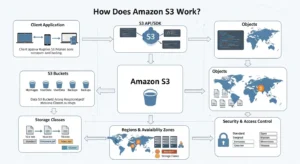
Amazon S3 is a distributed object storage system built on AWS’s global infrastructure. When you store an object, S3 does not save it in a single location. It automatically replicates your data across a minimum of three Availability Zones within your chosen AWS Region. Availability Zones are physically separate data centers with independent power, cooling, and networking. If an entire data center goes offline, your data remains accessible in the others.
Data integrity is enforced through cryptographic checksums. When an object is written, S3 computes a hash value and stores it alongside the object. On every read, S3 revalidates that checksum to confirm the data has not been corrupted. This system delivers 99.999999999% annual durability — a failure rate so low that if you stored 10 million objects, you might expect to lose one object every 10,000 years.
S3 operates across AWS Regions worldwide: US East (N. Virginia), US West (Oregon), EU West (Ireland, London, Frankfurt), Asia Pacific (Singapore, Sydney, Tokyo), Middle East (UAE), South America (São Paulo), and more. This global footprint lets teams store data close to their users for performance, and within specific jurisdictions for data sovereignty requirements like GDPR.
Your application interacts with S3 using the REST API — standard HTTP calls with verbs like PUT (write), GET (retrieve), LIST (enumerate), and DELETE (remove). AWS SDKs for Python (Boto3), JavaScript, Java, Go, .NET, and more abstract this further so you rarely write raw HTTP.
For long-distance uploads, S3 Transfer Acceleration routes data through Amazon CloudFront’s globally distributed edge locations and across AWS’s private backbone network. According to AWS’s own benchmarks, this delivers speed improvements of 50% to 500% for cross-country transfers, with even greater gains for users uploading from Southeast Asia or Australia to US-based buckets.
Step-by-Step: How S3 Stores and Retrieves an Object
Step 1 — Your application sends a PUT request to the S3 endpoint with the object data, bucket name, key, and any metadata or storage class specification.
Step 2 — S3 replicates the data synchronously across at least three Availability Zones before acknowledging the write as successful.
Step 3 — S3 computes a cryptographic hash of the object and stores it as a checksum. If data was corrupted during transmission, S3 rejects the write and returns an error.
Step 4 — The object is now durably stored and accessible via its unique URL: https://[bucket].s3.[region].amazonaws.com/[key]. Access is governed by IAM policies, bucket policies, and ACLs.
Step 5 — On a GET request, S3 retrieves the object from the nearest healthy AZ, revalidates its checksum, and streams the data back to the client.
Amazon S3 Storage Classes Explained
Not all data is created equal. A database backup from this morning needs to be instantly accessible. A compliance archive from 2019 may never be read again but must be kept for seven years. Storing both in the same high-cost tier is wasteful. Amazon S3 addresses this with eight storage classes, each engineered for a specific balance of access frequency, retrieval latency, availability, and cost.
| Storage Class | Best For | Latency | Durability | Availability | Min Duration | Price/GB/mo | Retrieval Fee |
| S3 Standard | Frequently accessed data | Milliseconds | 99.999999999% | 99.99% | None | $0.023 | None |
| S3 Standard-IA | Infrequent access, fast retrieval | Milliseconds | 99.999999999% | 99.9% | 30 days | $0.0125 | Per GB |
| S3 One Zone-IA | Non-critical infrequent data | Milliseconds | 99.999999999%* | 99.5% | 30 days | $0.01 | Per GB |
| S3 Express One Zone | ML/AI, ultra-low latency | Single-digit ms | 99.999999999%* | 99.95% | 1 hour | $0.016 | None |
| S3 Intelligent-Tiering | Variable/unknown access | Milliseconds | 99.999999999% | 99.9% | None | $0.023–$0.0025 | None |
| S3 Glacier Instant | Archive with instant access | Milliseconds | 99.999999999% | 99.9% | 90 days | $0.004 | Per GB |
| S3 Glacier Flexible | Archive, flexible retrieval | Minutes to
hours |
99.999999999% | 99.99% | 90 days | $0.0036 | Per GB |
| S3 Glacier Deep Archive | Cold archive, 7–10yr retention | Up to 12 hours | 99.999999999% | 99.99% | 180 days | $0.00099 | Per GB |
*Single AZ only — data may be permanently lost if that Availability Zone fails.
S3 Standard is the default class for frequently accessed data. It replicates across three AZs, delivers millisecond latency, and charges no retrieval fees. At $0.023/GB/month, it is the most expensive tier, but also the most performant.
S3 Standard-IA offers the same latency and multi-AZ durability as Standard at a lower storage price ($0.0125/GB), but applies a per-GB retrieval fee and a 30-day minimum storage charge. It suits disaster recovery backups and data accessed monthly or less.
S3 One Zone-IA stores data in a single AZ at $0.01/GB. It is appropriate only for data that can be recreated if lost — such as thumbnail images generated from originals stored elsewhere. Never use it for irreplaceable data.
S3 Express One Zone is AWS’s newest, highest-performance class, delivering single-digit millisecond response times up to 10x faster than S3 Standard and request costs up to 80% lower. It is purpose-built for machine learning workloads, high-frequency analytics, and real-time query engines. In April 2025, AWS cut Express One Zone storage pricing by 31% and GET request pricing by 85%.
S3 Intelligent-Tiering automatically moves objects between up to five access tiers based on actual usage, with no retrieval fees and no minimum duration. It is the ideal default for data with unpredictable or variable access patterns. For a complete breakdown, see the full guide to S3 Intelligent-Tiering.
S3 Glacier Flexible Retrieval at $0.0036/GB offers three retrieval options: Expedited (1–5 minutes), Standard (3–5 hours), and Bulk (5–12 hours). It is designed for data retained for years but rarely read.
S3 Glacier Deep Archive is the cheapest storage in the cloud at $0.00099/GB — roughly $1 per terabyte per month — with up to 12-hour retrieval. It is built for seven-to-ten-year compliance archives in healthcare, finance, and government.
S3 Lifecycle Policies let you define rules that automatically transition objects between classes or delete them after a set number of days. A typical policy might move objects to Standard-IA after 30 days, to Glacier Flexible after 90 days, and delete them after 365 days. Well-configured lifecycle policies can reduce storage costs by up to 70% on large datasets with predictable aging patterns.
TIP: Not sure which storage class to pick? Set Intelligent-Tiering as your default and let AWS optimize automatically. You can always refine with lifecycle rules once you understand your access patterns.
Top 5 Use Cases for Amazon S3
- Backup and Disaster Recovery
S3’s 11-nines durability makes it the industry standard for cloud backup. S3 Versioning preserves every object version, allowing you to restore from any point in history. Cross-Region Replication automatically copies buckets to a second AWS Region for geographic redundancy. S3 Object Lock provides WORM (Write Once, Read Many) protection — objects cannot be deleted or overwritten during a defined retention period, satisfying compliance requirements in financial services and healthcare.
- Static Website Hosting
You can host a complete static website directly from an S3 bucket, with no web server required. Enable the “Static website hosting” property, specify your index and error documents, pair with Amazon Route 53 for a custom domain, and front with Amazon CloudFront for global HTTPS delivery. A low-to-medium traffic static site on S3 and CloudFront typically costs just a few dollars per month.
- Big Data and Data Lakes
S3 has become the default storage layer for enterprise data lakes. Raw data — CSV files, JSON logs, Parquet datasets, clickstream events — lands in S3 first, then gets queried or processed by downstream tools. Amazon Athena runs serverless SQL directly against S3 objects. Amazon Redshift Spectrum queries S3 from within Redshift. Apache Hadoop and Spark connect natively via the S3A connector. S3 Select lets you retrieve only the specific rows and columns you need from a large file, reducing data transfer by up to 400%.
- Content Distribution and Media Hosting
S3 combined with Amazon CloudFront delivers a best-in-class content delivery architecture. S3 serves as the origin, and CloudFront caches assets at over 600 edge locations worldwide — dramatically reducing load times for users in every geography. For global uploads, Transfer Acceleration routes data through the nearest CloudFront edge node and across AWS’s private backbone, improving upload speeds by 50% to 500%.
- Application Data and Software Distribution
S3 is the standard backend for web and mobile application file storage. Presigned URLs give users temporary, time-limited access to specific private objects without making the bucket public — the correct pattern for user-facing file downloads. For CI/CD pipelines, S3 integrates natively with AWS CodePipeline and CodeBuild to store versioned build artifacts, Lambda deployment packages, and container images.
Amazon S3 Security and Compliance
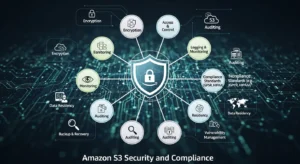
S3 provides layered security controls that give you fine-grained control over data access and protection.
Encryption at rest is supported in three modes. SSE-S3 uses AES-256 encryption managed entirely by AWS at no additional cost and has been enabled by default on all new buckets since January 2023. SSE-KMS uses keys managed through AWS Key Management Service, generating a full audit trail in AWS CloudTrail — who accessed which key, when, and from where. SSE-C lets you provide your own encryption keys; AWS performs the encryption but never stores the key. For a detailed breakdown of all four encryption options including client-side encryption, see the full guide to S3 encryption types.
Encryption in transit is enforced through HTTPS. All S3 endpoints default to TLS. You can add a bucket policy condition using aws:SecureTransport to reject any request made over plain HTTP.
Access control in S3 is managed through three mechanisms: IAM policies define what specific users, groups, or roles can do; bucket policies are JSON resource policies attached directly to a bucket for cross-account access and IP-based restrictions; and S3 Access Analyzer continuously evaluates bucket configurations and flags any bucket accessible from outside your account. Block Public Access — enabled by default on all new buckets — provides four independent settings that override any misconfigured permissive policy and prevent accidental public exposure.
Network isolation is available through S3 Gateway Endpoints and S3 Interface Endpoints via AWS PrivateLink, routing traffic between your VPC and S3 entirely over AWS’s private network without touching the public internet.
S3 holds compliance certifications covering HIPAA, GDPR, PCI-DSS, FedRAMP, ISO 27001, and SOC 1/2/3 — making it a valid foundation for regulated workloads in healthcare, financial services, and government across the US, UK, UAE, and globally.
Amazon S3 Pricing Overview
Amazon S3 uses a pay-as-you-go model with no upfront commitments, no minimum fees, and no termination charges. Your monthly bill is composed of four main components:
Storage is billed per GB per month, varying by storage class. Requests are billed per API call — GET requests cost approximately $0.0004 per 1,000; PUT, COPY, POST, and LIST requests cost approximately $0.005 per 1,000. Data transfer OUT to the internet is free for the first 100 GB per month; tiered pricing applies beyond that. Data transferred between S3 and other AWS services in the same region is always free. Optional features like S3 Replication, S3 Inventory, advanced S3 Storage Lens metrics, and S3 Object Lambda carry their own per-use charges.
Here are the starting storage prices per GB per month in US East (N. Virginia):
| Storage Class | Price per GB/Month |
| S3 Standard | $0.023 |
| S3 Standard-IA | $0.0125 |
| S3 One Zone-IA | $0.01 |
| S3 Express One Zone | $0.016 |
| S3 Intelligent-Tiering | $0.023 (Frequent) → $0.00099 (Deep Archive) |
| S3 Glacier Instant Retrieval | $0.004 |
| S3 Glacier Flexible Retrieval | $0.0036 |
| S3 Glacier Deep Archive | $0.00099 |
The AWS Free Tier includes 5 GB of S3 Standard storage, 20,000 GET requests, and 2,000 PUT requests per month for the first 12 months — enough to build and test a real application at zero cost.
COST TIP: A lifecycle policy that transitions a 10 TB dataset from Standard to Standard-IA at 30 days and Glacier Flexible at 90 days can reduce storage costs by up to 70% annually — with zero manual effort after initial setup. For accurate estimates, use the AWS Pricing Calculator .
Getting Started with Amazon S3: Step-by-Step
Setting up your first S3 bucket takes less than five minutes in the AWS Management Console.
Step 1 — Create a Bucket Sign in at console.aws.amazon.com and navigate to S3. Click “Create bucket.” Enter a globally unique name (lowercase, 3–63 characters, letters/numbers/hyphens only — for example, my-company-assets-2026). Select the AWS Region closest to your users: us-east-1 for North America, eu-west-2 for the UK, me-central-1 for the UAE. Leave “Block all public access” enabled. Click “Create bucket.”
Step 2 — Upload Your First Object Click your new bucket and then “Upload.” Drag and drop files or click “Add files.” Optionally set a specific storage class (default is S3 Standard). Click “Upload.” Your file is now durably stored across multiple AZs and accessible via its unique S3 URL.
Step 3 — Configure Permissions Go to the “Permissions” tab. Verify that Block Public Access is fully enabled. To grant access to specific IAM roles, click “Bucket policy” and add a JSON policy granting s3:GetObject with the relevant IAM role ARN as the principal. Run S3 Access Analyzer to check your bucket’s overall access posture.
Step 4 — Enable Versioning and Lifecycle Rules In “Properties,” enable “Bucket Versioning.” Then in “Management,” create a lifecycle rule — for example: transition to Standard-IA after 30 days, to Glacier Flexible after 90 days, and expire (delete) after 365 days. Save the rule. S3 will manage transitions automatically from that point forward.
Step 5 — Set Default Encryption In “Properties,” go to “Default encryption” and click “Edit.” Choose SSE-S3 (free, automatic, suitable for most workloads) or SSE-KMS (adds a full CloudTrail audit trail for compliance workloads). Optionally add a bucket policy that denies any PUT request missing the correct encryption header.
Amazon S3 Best Practices
Use lifecycle policies. Automatically transitioning data to cheaper storage classes as it ages is the single highest-impact action for reducing S3 costs on large datasets.
Enable default encryption on every bucket. SSE-S3 is free and ensures every object — including those uploaded by automated pipelines or third-party tools — is encrypted at rest.
Apply MFA Delete to critical buckets. This requires a valid MFA token to permanently delete an object version or disable versioning, protecting against both accidental deletion and malicious actors.
Use S3 Storage Lens for visibility. Storage Lens provides organization-wide dashboards covering storage usage, activity trends, and cost optimization recommendations across all accounts and buckets. As of December 2025, AWS added performance metrics and support for billions of object prefixes.
Implement Cross-Region Replication for disaster recovery. Replicating critical buckets to a second AWS Region ensures business continuity during a regional outage and satisfies redundancy requirements in most enterprise compliance frameworks.
Keep Block Public Access enabled at the account level. Accidental bucket exposure is one of the most common causes of cloud security incidents. Do not disable this setting unless you have a specific, controlled reason to do so.
Use presigned URLs instead of public buckets. For sharing user files or downloads, generate time-limited presigned URLs server-side. They provide authenticated, temporary access to private objects without exposing your bucket publicly.
Review S3 Access Analyzer findings weekly. Access Analyzer automatically surfaces bucket policies that unintentionally grant public or cross-account access. Treat its findings as a priority queue for your security backlog.
Amazon S3 vs. Amazon EBS vs. Amazon EFS
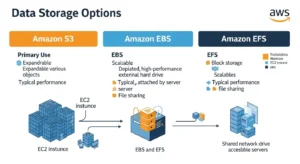
Many teams struggle to choose between AWS’s three storage services. Here is a direct comparison:
| Feature | Amazon S3 | Amazon EBS | Amazon EFS |
| Storage Type | Object | Block | File |
| Access Protocol | REST API / HTTPS | iSCSI (attached to EC2) | NFS v4 |
| Best Use Case | Web assets, backups, data lakes | Databases, OS volumes | Shared file access |
| Scalability | Unlimited | Up to 64 TB per volume | Petabytes (auto-scales) |
| EC2 Required | No | Yes | No (but typical) |
| Latency | Milliseconds | Sub-millisecond | Low milliseconds |
| Durability | 99.999999999% | 99.999% (within AZ) | 99.999999999% |
| Multi-Region | Yes (native CRR) | No (snapshots only) | Limited |
| Starting Price | $0.023/GB | $0.08/GB (gp3) | $0.30/GB (standard) |
Choose S3 for any files accessed via API, the lowest cost per GB, or storage that is not tied to a specific compute instance. Choose EBS for databases or OS volumes requiring block-level, sub-millisecond I/O attached to a single EC2 instance. Choose EFS when multiple EC2 instances or Lambda functions need simultaneous read/write access to a shared file system.
Frequently Asked Questions
Q1: What is Amazon S3 and what is it used for? Amazon S3 is AWS’s scalable, durable cloud object storage service. It is used for backup and disaster recovery, static website hosting, big data and data lake storage, media and content distribution, and software artifact management. Organizations of every size use it — from solo developers on the Free Tier to enterprises storing hundreds of petabytes.
Q2: How much data can I store in Amazon S3? There is no total storage limit. You can store as many objects and as many gigabytes as your workload requires. Individual objects can be up to 5 TB. For objects larger than 100 MB, AWS recommends multipart upload. For objects larger than 5 GB, multipart upload is required.
Q3: Is Amazon S3 a database? No. S3 is object storage, not a database. It has no query engine, no indexing, and no transactional guarantees. For relational databases, use Amazon RDS. For querying S3 data directly with SQL without a database, use Amazon Athena.
Q4: What is an S3 bucket? A bucket is the top-level container for S3 objects. Each bucket has a globally unique name, is created in a specific AWS Region, and can hold an unlimited number of objects of any size. You configure versioning, encryption, access permissions, and lifecycle rules at the bucket level.
Q5: How is data organized in Amazon S3? S3 uses a flat structure — buckets contain objects identified by unique keys. Keys with forward slashes (e.g., “reports/2026/january/sales.csv”) simulate folder hierarchies in the console. Objects also carry system metadata, user-defined metadata, and tags that support filtering, access control, and cost allocation.
Conclusion: Is Amazon S3 Right for You?
Amazon S3 is not just a storage service — it is the foundational data layer of the modern internet. Since March 2006, it has grown to store over 350 trillion objects, serving organizations from two-person startups to the world’s largest enterprises and government agencies.
Its core strengths are difficult to match: 11-nines durability through automatic multi-AZ replication, unlimited scalability with no provisioning required, eight storage classes covering every access pattern from millisecond-hot to decade-cold, deep native integration with over 200 AWS services, enterprise-grade security with multiple encryption options, and a pay-as-you-go pricing model that scales from free to petabyte-scale without any upfront commitment. For expert guidance on leveraging these capabilities, GoCloud helps businesses design, implement, and optimize scalable AWS solutions efficiently.
As data volumes continue to grow — driven by AI model training, IoT telemetry, and unstructured enterprise content — S3 Intelligent-Tiering will increasingly become the default storage class for cost-conscious teams. The organizations that understand S3’s full capabilities today will be better positioned to manage cost, compliance, and performance at scale tomorrow.

