


Why S3 Encryption Is Non-Negotiable in 2026
Data breaches cost businesses an average of $4.88 million in 2024, according to IBM’s Cost of a Data Breach Report — and the number continues to climb. For organizations storing sensitive data in Amazon S3, whether that is personally identifiable information (PII), financial records, healthcare data, or intellectual property, leaving that data unencrypted is not just a security risk — it is a compliance liability that can trigger regulatory penalties under HIPAA, GDPR, PCI-DSS, and FedRAMP frameworks across the US, UK, UAE, and beyond.
Understanding the S3 encryption types available in Amazon Web Services is one of the most important steps any security engineer, DevOps practitioner, cloud architect, or compliance officer can take when designing a data protection strategy on AWS. Amazon S3 offers four distinct encryption methods: SSE-S3, SSE-KMS, SSE-C, and client-side encryption (CSE). Each operates differently, offers different levels of key control, carries different compliance value, and suits different use cases.
This guide explains every S3 encryption type in precise technical detail — how each one works, when to use it, what it costs, and how to enable it. By the end, you will have a clear decision framework for choosing the right encryption method for your workload, your compliance requirements, and your team’s operational capacity.

What Is Encryption and Why Does It Matter for S3?
Amazon S3 encryption is the process of transforming data stored in or transmitted to S3 into an unreadable ciphertext format using cryptographic keys, ensuring that only authorized parties holding the correct decryption key can access the original plaintext data — protecting it from unauthorized access, interception, or exposure.
Encryption in computing is built on mathematical algorithms that transform readable data (plaintext) into scrambled, unreadable output (ciphertext) using a cryptographic key. Symmetric encryption uses the same key for both encryption and decryption — it is fast and efficient for large data volumes. AES-256 (Advanced Encryption Standard with a 256-bit key), the algorithm used by all S3 encryption methods, is a symmetric encryption standard adopted by the US National Security Agency (NSA) for top-secret data and is considered computationally unbreakable with current technology. Asymmetric encryption uses a key pair (public key to encrypt, private key to decrypt) and is typically used for key exchange and digital signatures rather than bulk data encryption.
Encryption at Rest vs. Encryption in Transit
There are two distinct encryption scenarios you need to address when storing data in Amazon S3.
Encryption at rest refers to data that is stored on disk — objects sitting in your S3 buckets when no transfer is occurring. This is covered by the four server-side and client-side encryption methods discussed in this guide.
Encryption in transit refers to data moving between your client (an application, browser, or service) and Amazon S3 over the network. This is covered by HTTPS (HTTP over TLS/SSL). All S3 endpoints support and default to HTTPS. You can enforce HTTPS-only access by adding a bucket policy condition that denies any request made over plain HTTP.
Here is a summary comparison:
| Scenario | Method | Implementation | Who Manages | Use Case |
| Encryption at Rest | SSE-S3, SSE-KMS, SSE-C, CSE | S3 or client-side | AWS or you | Protecting stored objects |
| Encryption in Transit | HTTPS / TLS (SSL) | S3 endpoint + bucket policy | AWS (infrastructure); you (enforcement) | Protecting data during upload/download |
Note: Both encryption at rest and in transit are necessary for complete data protection. Transit encryption alone protects data while moving but leaves it vulnerable at rest. At-rest encryption alone protects stored data but can be intercepted in transit. A comprehensive S3 security strategy requires both.
Overview of All S3 Encryption Types
| Encryption Type | Key Owner | Key Storage | Admin Complexity | Compliance Value | Audit Trail | HTTPS Required | Cost | Best For |
| SSE-S3 | AWS | AWS (S3 service) | Very Low | Baseline | None | No | Free | General-purpose, non-regulated workloads |
| SSE-KMS | AWS or You | AWS KMS | Medium | High | Yes (CloudTrail) | No | KMS API charges | HIPAA, GDPR, PCI-DSS, FedRAMP |
| SSE-C | You | Your systems only | High | Very High | None (AWS) | Yes | Free (development overhead) | Strict key custody requirements |
| Client-Side (CSE) | You | Your systems only | Very High | Maximum | None (AWS) | Recommended | Free (development overhead) | Zero-trust, air-gapped compliance |
SSE-S3 — Server-Side Encryption with Amazon S3-Managed Keys
SSE-S3 Encryption Process
| Step | Description |
| Step 1 | Your application or AWS Console sends a PUT request to upload an object to Amazon S3. No special headers or configuration are required. |
| Step 2 | S3 generates a unique encryption key for each object at the time of upload. Different objects use different keys. |
| Step 3 | S3 encrypts the object using AES-256 (Advanced Encryption Standard with a 256-bit key). |
| Step 4 | The object’s encryption key is encrypted again using an S3-managed master key, which AWS rotates automatically. |
| Step 5 | The encrypted object and encrypted key are stored together in S3. The plaintext key is never stored on disk. |
| Step 6 | When the object is retrieved, S3 decrypts the key with the master key, then decrypts the object and returns the data to the authorized user. |
Key Characteristics of SSE-S3
| Feature | Details |
| Encryption Type | Server-Side Encryption managed by S3 |
| Algorithm | AES-256 |
| Key Management | Fully managed by AWS |
| Cost | Free (included in S3 pricing) |
| Key Rotation | Automatic rotation handled by AWS |
| Configuration | Enabled by default for new S3 buckets (since Jan 2023) |
| Upload Header | x-amz-server-side-encryption: AES256 |
| Best Use | General-purpose workloads and non-regulated environments |
Expert Tip |
| SSE-S3 is a strong baseline encryption option for most workloads. However, organizations requiring compliance audit trails (HIPAA, PCI-DSS, FedRAMP) should use SSE-KMS instead. |
How to Enable SSE-S3 in the AWS Console
Step 1 — Sign in to the AWS Management Console and navigate to the S3 service. Click on the bucket you want to configure.
Step 2 — Click the “Properties” tab. Scroll down to the “Default encryption” section and click “Edit.”
Step 3 — Under “Encryption type,” select “Server-side encryption with Amazon S3 managed keys (SSE-S3).”
Step 4 — Click “Save changes.” All objects subsequently uploaded to this bucket will be automatically encrypted with SSE-S3. This setting does not retroactively encrypt previously uploaded objects — for that, use S3 Batch Operations (covered in the FAQ section).
SSE-KMS — Server-Side Encryption with AWS Key Management Service
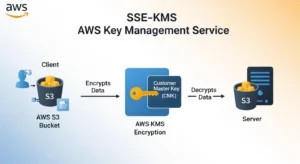
SSE-KMS builds on the foundation of SSE-S3 but introduces AWS Key Management Service (KMS) as the key management layer, giving you substantially more control, visibility, and compliance capability over your encryption keys.
The fundamental difference between SSE-S3 and SSE-KMS is ownership and auditability of keys. With SSE-S3, the encryption keys are owned and managed entirely by the S3 service — you never interact with them, and there is no record of key usage in any log. With SSE-KMS, the encryption keys are Customer Master Keys (CMKs) stored in AWS KMS — and every single use of a CMK to encrypt or decrypt data generates an entry in AWS CloudTrail. This audit trail is what makes SSE-KMS the encryption type of choice for regulated industries.
Here is how SSE-KMS works:
Step 1 — When an object is uploaded, AWS KMS generates a Data Encryption Key (DEK) — a unique key generated specifically for encrypting this object.
Step 2 — KMS encrypts the object’s data using the DEK with AES-256. The DEK is a data key generated by KMS, not the CMK itself — the CMK never leaves KMS.
Step 3 — KMS encrypts the DEK using your selected CMK. The CMK is the master key that you own and configure within KMS.
Step 4 — The encrypted object and the DEK encrypted under your CMK are stored together in S3. The plaintext DEK is never stored anywhere.
Step 5 — On retrieval, S3 calls KMS to decrypt the DEK using your CMK. KMS validates that the requester has permission to use the CMK (via key policies and IAM permissions), decrypts the DEK, and returns it to S3. S3 uses the plaintext DEK to decrypt the object and returns it to the requester. This KMS call is logged in CloudTrail.
SSE-KMS offers two types of CMKs. The AWS managed key (identified by the alias aws/s3) is created automatically by AWS, managed on your behalf, rotated annually at no charge, and costs nothing beyond standard KMS API charges. The customer managed key is a CMK you create and configure yourself in KMS — it gives you full control over key policies, custom rotation schedules, cross-account access grants, and the ability to disable or delete the key. Customer managed keys cost $1 per key per month plus KMS API call charges (approximately $0.03 per 10,000 API calls).
The per-request KMS API charge is worth understanding in context. For most workloads, KMS costs are measured in cents per month. For very high-throughput workloads making millions of S3 GET and PUT requests daily, KMS costs can become significant — in these cases, S3 caches data keys to reduce the number of KMS calls, and you can tune this behavior.
The header to request SSE-KMS on a per-object upload is x-amz-server-side-encryption: aws:kms, optionally accompanied by x-amz-server-side-encryption-aws-kms-key-id specifying your CMK’s key ARN.
How to Enable SSE-KMS in the AWS Console
Step 1 — Navigate to your S3 bucket in the AWS Management Console. Click the “Properties” tab, scroll to “Default encryption,” and click “Edit.” Alternatively, when uploading an individual object, expand “Properties” during the upload wizard.
Step 2 — Under “Encryption type,” select “Server-side encryption with AWS Key Management Service keys (SSE-KMS).”
Step 3 — Under “AWS KMS key,” choose either “AWS managed key (aws/s3)” for zero-management simplicity, or “Choose from your AWS KMS keys” to select a specific customer managed CMK you have already created in the KMS console. You can also enter a CMK’s key ARN directly.
Step 4 — Click “Save changes” to apply as the bucket default, or proceed with the upload to apply at the object level.
SSE-C — Server-Side Encryption with Customer-Provided Keys
SSE-C is the most operationally demanding of the three server-side encryption options, and the most appropriate for organizations with strict regulatory or corporate policies requiring complete key custody — meaning your encryption keys must never reside within AWS infrastructure, even temporarily within KMS.
With SSE-C, you generate and maintain your own encryption keys entirely outside of AWS. AWS performs the encryption and decryption work, but your keys are supplied with each request and discarded by AWS immediately after use. AWS never stores your encryption key in any form.
Here is exactly how SSE-C works:
Step 1 — You generate an AES-256 encryption key using your own key management system, Hardware Security Module (HSM), or cryptographic library.
Step 2 — You make an HTTPS PUT request to upload an object to S3. You must include three specific HTTP headers:
- x-amz-server-side-encryption-customer-algorithm: AES256 (specifying the algorithm)
- x-amz-server-side-encryption-customer-key: [base64-encoded 256-bit key] (your encryption key)
- x-amz-server-side-encryption-customer-key-MD5: [base64-encoded MD5 digest of your key] (for integrity validation)
Step 3 — S3 receives the request, validates the key against the provided MD5 digest, encrypts the object using your key, and stores the encrypted object. Immediately after encryption, S3 discards your plaintext key entirely.
Step 4 — S3 stores only an HMAC (Hash-based Message Authentication Code) of your key alongside the object. This HMAC is used to verify that you are providing the correct key on future requests — S3 cannot use it to reconstruct or recover your key.
Step 5 — To retrieve the object, you must send the same three headers with every GET, HEAD, or COPY request. S3 validates your key against the stored HMAC, decrypts the object using your key, and returns the plaintext data. If you provide the wrong key or omit the headers, the request is rejected with an HTTP 403 error.
Two critical operational points: First, SSE-C requires HTTPS for every request — S3 will reject any SSE-C request made over plain HTTP. This is non-negotiable and cannot be overridden. Second, and most importantly, AWS does not store, back up, or have any ability to recover your encryption key. If you lose the key, the data encrypted with it is permanently and irrecoverably inaccessible. There is no emergency recovery path. Your key management system must be treated as critically important infrastructure.
WARNING: SSE-C transfers all key management responsibility to your team. Before using it, ensure you have a robust, redundant key storage and rotation system — whether that is a dedicated HSM, AWS Secrets Manager used to store keys generated outside of KMS, or an on-premise key management solution. Losing an SSE-C key means permanent, irreversible data loss.
Client-Side Encryption (CSE) — Encrypting Before Upload
Client-side encryption is fundamentally different from all three server-side encryption methods in one critical way: with CSE, your data is encrypted before it ever leaves your infrastructure and before it is transmitted to Amazon S3. S3 receives, stores, and serves only ciphertext — the service never processes your data in plaintext form at any stage.
This makes CSE the appropriate choice for zero-trust security architectures and air-gapped compliance requirements where the policy mandates that no cloud service provider — including AWS — ever has access to unencrypted data, even transiently.
Amazon’s AWS SDKs (available for Java, Python, .NET, Go, JavaScript, and others) include an S3 Encryption Client that handles the client-side encryption workflow. There are two variants:
The first is CSE with an AWS KMS-managed customer master key. Your application uses the AWS SDK’s S3 Encryption Client to request a data key from KMS, encrypt the data locally using that key before upload, and store the encrypted data key as object metadata in S3. On retrieval, the SDK fetches the encrypted data key from object metadata, calls KMS to decrypt it, and uses the plaintext key to decrypt the object locally. This approach benefits from KMS’s key management and CloudTrail audit trail while keeping actual data encryption and decryption entirely on the client side.
The second is CSE with a client-side master key that you provide entirely. In this model, you supply your own master key material to the SDK. The SDK generates a per-object data key, encrypts the data locally, encrypts the data key using your master key, and stores the encrypted data key in object metadata. AWS has no involvement in the key material whatsoever. This is the maximum-security option — AWS processes and stores only encrypted ciphertext from start to finish, and has no visibility into any key material at any stage.
An important note on algorithms: while the SSE methods use AES-256 in CBC or ECB modes, the AWS S3 Encryption Client v2 (the current recommended version) uses AES-256-GCM (Galois Counter Mode) for client-side encryption. AES-256-GCM is an authenticated encryption mode that provides both data confidentiality and data integrity — meaning it not only encrypts your data but also produces an authentication tag that detects any tampering or corruption of the ciphertext. This is a meaningful security improvement over unauthenticated encryption modes, particularly relevant for compliance frameworks that require both confidentiality and integrity guarantees.
The trade-off with CSE is operational complexity. Your application code must integrate the S3 Encryption Client, key management logic must be implemented and maintained, and all data access — including any AWS-native service that reads your S3 data — must be able to handle decryption. Services like Amazon Athena and Amazon Redshift Spectrum cannot natively query CSE-encrypted data without additional configuration.
S3 Encryption Types Comparison — Which Should You Choose?
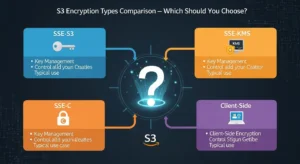
The following table provides a complete decision matrix across ten dimensions for all four S3 encryption types:
| Dimension | SSE-S3 | SSE-KMS | SSE-C | Client-Side (CSE) |
| Key Owner | AWS (S3 service) | AWS KMS (or you for CMKs) | You | You |
| Key Storage | AWS infrastructure | AWS KMS | Your systems | Your systems |
| Encryption Location | S3 (server-side) | S3 (server-side) | S3 (server-side) | Client (before upload) |
| Audit Trail | None | Yes — CloudTrail logs every KMS API call | None (AWS side) | None (AWS side) |
| Key Rotation | Automatic (AWS managed) | Automatic (AWS) or custom schedule (CMK) | You manage entirely | You manage entirely |
| HTTPS Required | No (recommended) | No (recommended) | Yes — mandatory | Recommended |
| Cost | Free | $1/CMK/month + API charges | Free (development overhead) | Free (development overhead) |
| Admin Complexity | Very Low | Medium | High | Very High |
| Compliance Value | Baseline | High (HIPAA, PCI-DSS, GDPR, FedRAMP) | Very High | Maximum |
| AWS Visibility into Plaintext | Briefly during operation | Briefly during operation | No | Never |
When to Choose SSE-S3
Choose SSE-S3 when your primary goal is ensuring all stored data is encrypted at rest with zero management overhead and zero additional cost. It is the right default for general-purpose storage, development and staging environments, internal tools, non-sensitive application data, log archiving, and any workload where a compliance audit trail for key usage is not required. Since SSE-S3 is now the AWS default for all new buckets, most teams already have it enabled without knowing it.
When to Choose SSE-KMS
Choose SSE-KMS when your workload handles regulated data — healthcare records (HIPAA/HITECH), payment card data (PCI-DSS), EU personal data (GDPR), or US government data (FedRAMP). The CloudTrail audit trail that SSE-KMS generates is frequently a specific, auditable requirement in these frameworks. SSE-KMS is also the right choice when you need to control who can use the encryption key — you can configure KMS key policies to restrict decryption access to specific IAM roles, AWS accounts, or services, providing a layer of access control that SSE-S3 cannot offer. For most compliance-driven organizations, SSE-KMS with customer managed CMKs represents the practical optimum between security control and operational simplicity.
When to Choose SSE-C
Choose SSE-C when your organization’s security policy or compliance framework requires that encryption keys never reside within any AWS-managed service — not even AWS KMS. This is common in certain highly regulated financial institutions, government agencies, and defense-sector organizations that maintain dedicated key management infrastructure (HSMs) as a matter of policy. SSE-C delivers the full key custody your policy requires while still offloading the encryption computation to AWS infrastructure. The critical prerequisite is a mature, redundant key management system that your team owns and operates entirely.
When to Choose Client-Side Encryption
Choose client-side encryption when your security model requires that AWS never processes unencrypted data under any circumstances — not during upload, not during storage, and not during retrieval. CSE is appropriate for zero-trust architectures, classified or highly sensitive research data, and environments where regulatory interpretation prohibits reliance on a cloud provider’s encryption implementation regardless of its technical strength. The AES-256-GCM authenticated encryption used by the AWS S3 Encryption Client v2 provides both confidentiality and integrity guarantees, making it technically superior to the server-side options — at the cost of significantly greater implementation complexity.
S3 Encryption Best Practices (Expert Recommendations)
These are the most impactful security recommendations for encryption on Amazon S3, drawn from AWS Security Best Practices and the AWS Well-Architected Framework Security Pillar.
- Enable default bucket encryption on every S3 bucket, at minimum with SSE-S3. Even though SSE-S3 is the default for new buckets, explicitly verify and set default encryption on all existing buckets, including legacy buckets created before January 2023.
- Never rely on transit encryption alone. HTTPS protects data moving between your client and S3, but does nothing for data sitting on disk. Always combine transit encryption with at-rest encryption.
- Use AWS CloudTrail to audit all KMS API calls if you are using SSE-KMS. Configure CloudTrail to log KMS events in every region where you operate, and set up CloudWatch alarms for unexpected key usage patterns — for example, decryption calls from unfamiliar IP addresses or IAM principals.
- Rotate customer managed CMKs annually at minimum, or more frequently for highly sensitive data. AWS KMS supports automatic annual key rotation for CMKs with a single configuration toggle. For SSE-C keys, implement rotation in your own key management system and re-encrypt affected objects using S3 Batch Operations after rotation.
- Enable S3 Block Public Access at the account level. Encrypted data in a publicly accessible bucket is still accessible to anyone — encryption at rest protects against storage-level access, not API-level access. Block Public Access prevents policy misconfigurations from accidentally exposing your data.
- Use Amazon Macie to discover and classify sensitive unencrypted data across your S3 estate. Macie uses machine learning to automatically identify objects containing PII, financial data, healthcare information, and credentials. It can also detect buckets that lack encryption or have overly permissive access policies — making it an essential tool for organizations managing large numbers of buckets across multiple AWS accounts.
- Enforce HTTPS-only access using bucket policies
- with the aws:SecureTransport condition key. This denies any request made over plain HTTP, ensuring encryption in transit is mandatory for all access to your bucket.
- Tag encrypted buckets for compliance tracking and cost allocation. Use consistent tags (for example, DataClassification: PHI, EncryptionType: SSE-KMS) to enable automated compliance reporting and to identify specific buckets in cost explorer and AWS Config rules.
- Use S3 Inventory to identify objects that lack encryption. S3 Inventory generates CSV or Parquet reports listing all objects in a bucket with their metadata, including encryption status. Schedule weekly inventory reports and use Amazon Athena to query for unencrypted objects, then address gaps using S3 Batch Operations.
How to Enforce S3 Encryption with Bucket Policies
Configuring default encryption ensures that new uploads are encrypted. But to truly enforce encryption — ensuring no one can accidentally or intentionally upload an unencrypted object — you need bucket policies that deny non-compliant requests.
The following bucket policy snippet denies any PUT request that does not include a server-side encryption header, effectively making encryption mandatory for all uploads:
{
“Version”: “2012-10-17”,
“Statement”: [
{
“Sid”: “DenyUnencryptedObjectUploads”,
“Effect”: “Deny”,
“Principal”: ““,
“Action”: “s3:PutObject”,
“Resource”: “arn:aws:s3:::your-bucket-name/”,
“Condition”: {
“StringNotEquals”: {
“s3:x-amz-server-side-encryption”: [“AES256”, “aws:kms”]
}
}
},
{
“Sid”: “DenyHTTPAccess”,
“Effect”: “Deny”,
“Principal”: ““,
“Action”: “s3:”,
“Resource”: [
“arn:aws:s3:::your-bucket-name”,
“arn:aws:s3:::your-bucket-name/*”
],
“Condition”: {
“Bool”: {
“aws:SecureTransport”: “false”
}
}
}
]
}
The first statement (DenyUnencryptedObjectUploads) rejects any PUT request that does not include either AES256 (SSE-S3) or aws:kms (SSE-KMS) as the server-side encryption algorithm. The second statement (DenyHTTPAccess) rejects all S3 API calls made over plain HTTP rather than HTTPS, using the aws:SecureTransport condition key. Together, these two policy statements enforce both at-rest and in-transit encryption for all access to the bucket.
To validate encryption compliance across your entire AWS environment programmatically, enable the AWS Config managed rule s3-bucket-server-side-encryption-enabled. This rule continuously evaluates all S3 buckets in your account and flags any bucket that does not have default encryption configured, generating a compliance finding that can be surfaced in AWS Security Hub and integrated into your existing SIEM or compliance reporting workflow.
S3 Encryption and Compliance
HIPAA and Healthcare Data
The Health Insurance Portability and Accountability Act (HIPAA) and the HITECH Act require covered entities and business associates to implement encryption for electronic Protected Health Information (ePHI) both at rest and in transit. Amazon S3 is a HIPAA-eligible service AWS offers a Business Associate Agreement (BAA) for organizations subject to HIPAA. The recommended encryption configuration for HIPAA workloads is SSE-KMS with customer managed CMKs, combined with CloudTrail logging of all KMS API calls. This configuration satisfies the HIPAA Technical Safeguard requirement for access controls and audit controls — the CloudTrail logs demonstrate exactly which IAM principal decrypted which object, at what time, and from what source. Organizations storing ePHI should also enable Amazon Macie to continuously scan for unprotected PHI patterns across their S3 estate.
GDPR and EU Data Privacy
The General Data Protection Regulation (GDPR) applies to any organization processing personal data of EU residents, regardless of where the organization is based — making it directly relevant to teams operating in the UK, Europe, UAE, and any global business serving EU customers. GDPR does not prescribe specific encryption algorithms, but encryption is recognized as an appropriate technical measure under Article 32 and, critically, as a factor that reduces the severity of a personal data breach under Article 34. Organizations that suffer a breach of properly encrypted personal data may not be required to notify affected individuals if the encryption renders the data unintelligible to the unauthorized party. For GDPR, SSE-KMS is the recommended minimum — the audit trail it provides supports the accountability principle and demonstrates the implementation of appropriate technical measures to supervisory authorities.
PCI-DSS for Payment Card Data
The Payment Card Industry Data Security Standard (PCI-DSS) Requirement 3 mandates the protection of stored cardholder data and explicitly requires strong cryptography for data at rest. Requirement 4 mandates encryption of cardholder data in transit. For S3-based workloads handling payment card data (such as transaction logs, receipts, or analytics datasets containing card numbers), SSE-KMS with customer managed CMKs is the required configuration. The KMS key policy must be configured to restrict decryption access to only the specific IAM roles or services that legitimately need to read the data, enforcing the PCI-DSS principle of least privilege. The CloudTrail audit trail satisfies PCI-DSS Requirement 10’s logging and monitoring obligations.
FedRAMP for US Government Workloads
The Federal Risk and Authorization Management Program (FedRAMP) authorizes AWS GovCloud and commercial AWS regions for US federal government workloads. FedRAMP’s security controls require FIPS 140-2 validated cryptographic modules for encryption. AWS KMS uses FIPS 140-2 validated hardware security modules for all key operations, meaning SSE-KMS with either AWS managed or customer managed CMKs satisfies the FedRAMP cryptographic requirements. For FedRAMP High workloads, customer managed CMKs with documented key policies, CloudTrail audit logs, and regular key rotation are required. CSE with the AWS S3 Encryption Client v2 is also FedRAMP-acceptable when implemented using FIPS 140-2 validated libraries.
Frequently Asked Questions — S3 Encryption Types
Q1: What are the S3 encryption types available in AWS?
Amazon S3 offers four encryption types. SSE-S3 is server-side encryption using keys managed entirely by the S3 service — it is the default for all new buckets and requires no configuration. SSE-KMS is server-side encryption using keys managed in AWS Key Management Service, providing an audit trail and fine-grained key access control. SSE-C is server-side encryption where you supply your own encryption key with each request and AWS never stores it. Client-side encryption (CSE) is encryption performed by your application before data is uploaded to S3, so AWS never processes plaintext data at any stage.
Q2: What is the difference between SSE-S3 and SSE-KMS?
Both SSE-S3 and SSE-KMS perform server-side encryption using AES-256 and are transparent to your application. The key differences are ownership and auditability. With SSE-S3, encryption keys are generated and managed entirely by the S3 service — you have no visibility into or control over the keys, and there is no log of key usage. With SSE-KMS, encryption keys are Customer Master Keys stored in AWS KMS — you can create your own CMKs, define key policies, and every use of the key (every encryption and decryption operation) generates an auditable entry in AWS CloudTrail. SSE-KMS carries a small additional cost (KMS API charges) but provides the compliance audit trail required by HIPAA, PCI-DSS, GDPR, and FedRAMP.
Q3: Is Amazon S3 encrypted by default in 2026?
Yes. Since January 2023, Amazon S3 automatically applies SSE-S3 (server-side encryption with Amazon S3-managed keys) as the default encryption setting for all new buckets and all objects uploaded to them. You do not need to configure anything for new buckets. For buckets created before January 2023, you should explicitly verify and set default encryption in the bucket’s Properties tab. Default encryption also does not retroactively encrypt previously uploaded objects — those must be re-encrypted using S3 Batch Operations if encryption is required.
Q4: What is SSE-C in Amazon S3?
SSE-C (Server-Side Encryption with Customer-Provided Keys) is an S3 encryption method where you generate and manage your own AES-256 encryption keys entirely outside of AWS and supply that key as an HTTP header with every PUT and GET request. S3 uses your key to encrypt or decrypt the object, then discards the key immediately. AWS never stores the key in any form — only an HMAC of the key is retained for request validation. SSE-C requires HTTPS for all requests and places the entire burden of key management and key security on you. If you lose the key, the data encrypted with it is permanently and irrecoverably inaccessible.
Q5: What encryption algorithm does S3 use?
All three server-side encryption methods (SSE-S3, SSE-KMS, and SSE-C) use AES-256 — the Advanced Encryption Standard with a 256-bit key — which is the encryption standard approved by the US NSA for top-secret data and is considered computationally unbreakable with current and foreseeable future technology. For client-side encryption using the AWS S3 Encryption Client v2, the algorithm is AES-256-GCM (Galois Counter Mode), an authenticated encryption mode that provides both data confidentiality and data integrity verification — detecting any tampering or corruption of the ciphertext.
Conclusion — Choosing the Right S3 Encryption Type
Amazon S3 offers a thoughtfully layered set of S3 encryption types, each designed for a different point on the spectrum from maximum simplicity to maximum security. SSE-S3 is your zero-effort baseline — it is already enabled by default on every new bucket and costs nothing. SSE-KMS is the right choice for any regulated workload that requires an audit trail and fine-grained key access control — covering HIPAA, GDPR, PCI-DSS, FedRAMP, and most enterprise compliance frameworks. SSE-C is the correct option for organizations whose security policies demand complete key custody with no cloud provider holding any key material. Client-side encryption with AES-256-GCM is the gold standard for zero-trust architectures where AWS must never process unencrypted data under any circumstances.
The most important action you can take today is to verify that default encryption is enabled on every S3 bucket in your account, enforce HTTPS-only access via bucket policies, and assess your compliance requirements to determine whether SSE-S3 is sufficient or whether SSE-KMS’s audit trail is a regulatory necessity. Enable S3 encryption today — start with SSE-S3 as your universal baseline and upgrade specific buckets to SSE-KMS based on the sensitivity of the data they store and the compliance frameworks that govern it. For expert support and guidance in implementing these best practices, GoCloud can help ensure your S3 environment is secure, compliant, and optimized.
