


The Hidden Engine Behind Every Website Click
Over 2 billion websites rely on DNS to function. Before a browser can load a webpage, before an API reaches its server, before a mobile app connects to its backend — DNS runs silently in the background, translating human-readable names into machine-readable IP addresses. Without it, the internet stops working entirely.
For businesses in the UK, USA, and UAE competing in a global digital economy, DNS is not just plumbing — it is a strategic infrastructure decision. The speed of your DNS resolution affects page load time. Your DNS routing policy determines which users reach which servers. Your DNS failover configuration is the difference between a 30-minute outage and zero downtime.
The Amazon DNS Service — officially called Amazon Route 53 — is AWS’s answer to enterprise-grade DNS. It does not just resolve domain names. It routes traffic intelligently, monitors endpoint health, registers domains, and integrates deeply with the entire AWS ecosystem.
This complete 2026 guide covers everything you need to know: how Route 53 works, all 8 routing policies explained, full 2026 pricing, a head-to-head comparison with Cloudflare DNS and Google Cloud DNS, step-by-step setup, and expert best practices.
What Is DNS? The Internet’s Phone Book Explained
Before diving into Route 53, it is worth understanding what DNS actually does — because Route 53 extends far beyond basic DNS resolution.
DNS (Domain Name System) is the internet’s distributed directory service. It translates domain names like www.yourcompany.com into IP addresses like 203.0.113.42 that computers use to communicate.

How DNS Resolution Works — The Four-Step Journey
- Your browser queries a DNS Recursor — A recursive resolver (usually run by your ISP or a public resolver like Google 8.8.8.8) receives your DNS query for example.com.
- Recursor queries a Root Nameserver — The root server does not know the IP but directs the recursor to the correct TLD (Top Level Domain) nameserver for .com.
- Recursor queries the TLD Nameserver — The .com TLD server directs the recursor to the authoritative nameserver responsible for example.com — this is where Route 53 comes in.
- Authoritative Nameserver returns the IP — Route 53 (as the authoritative nameserver) returns the final IP address. The recursor caches it for future queries based on the TTL (Time To Live) value, and your browser connects.
The entire process typically completes in 25–50 milliseconds — but it happens for every new domain lookup across millions of users simultaneously.
DNS Registrar vs DNS Service — Key Difference
| Role | What It Does | Example |
| Domain Registrar | Where you buy/own the domain name | GoDaddy, Namecheap, Route 53 |
| DNS Service (Authoritative) | Where your DNS records are hosted and queried | Route 53, Cloudflare DNS |
You can use GoDaddy to register a domain and Route 53 purely as the DNS service — simply update the NS (nameserver) records at GoDaddy to point to Route 53. Or, for maximum simplicity, do both in Route 53.
What Is Amazon DNS Service?
Amazon DNS Service, officially called Amazon Route 53, is a highly available, scalable, and fully managed Domain Name System (DNS) web service provided by Amazon Web Services (AWS). It translates domain names into IP addresses, manages intelligent traffic routing policies, registers and manages domain names, and monitors endpoint health — all within a single, unified AWS platform with a 100% availability SLA.
In simple terms: Route 53 is AWS’s enterprise DNS that not only resolves your domain names but actively controls where your traffic goes, how it fails over, and how it routes users to the fastest server — globally.

Amazon Route 53 — Core Capabilities and Features
Highly Available and Scalable DNS Resolution
Route 53 provides a 100% uptime SLA — one of only a handful of AWS services that makes this guarantee. This is achieved through:
- Anycast routing — DNS queries are answered by the nearest of Route 53’s globally distributed name servers, minimising latency
- AWS private backbone — traffic rides on the same high-speed private network that powers AWS infrastructure globally
- Automatic scaling — Route 53 handles hundreds of millions of queries per second without manual capacity management
This is not a typical DNS server. It is a globally distributed, auto-scaling DNS platform backed by the same infrastructure that powers Amazon.com itself.
Domain Registration
Route 53 is also an ICANN-accredited domain registrar, meaning you can register, transfer, and renew domains directly within AWS:
| Domain Action | Details |
| Register new domain | Choose from hundreds of TLDs (.com, .co.uk, .io, .ae, etc.) |
| Transfer existing domain | Transfer from GoDaddy, Namecheap, or any registrar |
| Auto-renewal | Prevents accidental domain expiry |
| Privacy protection | WHOIS contact data protection included |
| ICANN compliance | Fully accredited registrar under ICANN governance |
Registering your domain directly in Route 53 means your registrar and DNS are unified — no NS record updates needed when you create hosted zones.
Hosted Zones — Public vs Private
A hosted zone is the container in Route 53 that holds all DNS records for a specific domain. There are two types:
| Hosted Zone Type | Purpose | Use Case |
| Public Hosted Zone | Internet-facing DNS records visible to anyone | Your website, API, email records |
| Private Hosted Zone | Internal DNS resolution within Amazon VPC only | Microservices, internal APIs, databases |
| Cost | $0.50/month each | Both types same price |
Private Hosted Zones are a feature missing from third-party CDN-focused DNS providers like Cloudflare. They allow your EC2 instances, containers, and Lambda functions inside an Amazon VPC to resolve internal domain names like api.internal.company.com without exposing them to the internet. This is critical for microservices architectures and hybrid cloud deployments using AWS Direct Connect.
Pro Tip: Use Private Hosted Zones to give your internal AWS services human-readable names. Instead of hardcoding IPs like 10.0.1.45, use database.prod.internal — making infrastructure changes invisible to application code.
Health Checks and Automated Failover
Route 53 can actively monitor your endpoints and automatically remove unhealthy resources from DNS responses — without any manual intervention.
| Health Check Type | How It Works |
| HTTP | Route 53 sends an HTTP request; expects a 2xx/3xx response |
| HTTPS | Route 53 sends an HTTPS request; validates SSL/TLS and expects 2xx/3xx |
| TCP | Route 53 establishes a TCP connection to verify the endpoint is reachable |
| Calculated Health Check | Monitors multiple other health checks — healthy if N of M endpoints pass |
| CloudWatch Alarm | Health based on a CloudWatch metric threshold |
Health checks can be configured with:
- Check frequency — every 10 or 30 seconds
- Failure threshold — number of consecutive failures before marking as unhealthy
- SNS notifications — alert your team when endpoints fail
- String matching — verify the response body contains a specific string
DNS Record Types Supported
Route 53 supports all standard DNS record types plus the AWS-specific Alias record:
| Record Type | Purpose | Example |
| A | Domain → IPv4 address | example.com → 203.0.113.1 |
| AAAA | Domain → IPv6 address | example.com → 2001:db8::1 |
| CNAME | Domain → another domain name | www.example.com → example.com |
| MX | Mail server routing | mail.example.com with priority |
| TXT | SPF, DKIM, domain verification | v=spf1 include:amazonses.com ~all |
| NS | Authoritative nameserver delegation | ns-1234.awsdns-12.com |
| SOA | Start of Authority — zone metadata | Auto-generated by Route 53 |
| Alias (AWS-specific) | Maps to AWS resources at zone apex | example.com → ELB, CloudFront, S3 |
The Alias record deserves special mention. Unlike a CNAME, an Alias record:
- Works at the zone apex (e.g., example.com not just www.example.com)
- Does not incur query charges when pointing to AWS resources (ELB, CloudFront, S3, API Gateway, Global Accelerator)
- Automatically updates when the underlying AWS resource’s IP changes
Amazon Route 53 Routing Policies — All 8 Explained
This is the most powerful feature differentiating Route 53 from every other DNS provider. Most competitors cover 5–6 policies. Here is the complete set of all 8, with when-to-use guidance for each.
1. Simple Routing
| Attribute | Detail |
| What It Does | Returns a single record (or multiple values at random) for a domain |
| Health Check Support | ❌ No |
| Best For | Single-server setups, basic websites, proof-of-concept deployments |
| Works in Private Hosted Zones | ✅ Yes |
Simple routing is the default — one domain, one destination. If you add multiple values (e.g., multiple IPs), Route 53 returns all values in a random order and the client chooses. No intelligence, no health checking.
2. Weighted Routing
| Attribute | Detail |
| What It Does | Distributes traffic across multiple endpoints by percentage weight |
| Health Check Support | ✅ Yes |
| Example | 80% to Production server, 20% to new version |
| Best For | A/B testing, canary deployments, blue-green deployments |
| Works in Private Hosted Zones | ✅ Yes |
Assign a weight (0–255) to each record. Route 53 distributes traffic proportionally. A weight of 0 removes the endpoint from rotation without deleting the record — useful for maintenance windows.
3. Latency-Based Routing
| Attribute | Detail |
| What It Does | Routes each user to the AWS region with the lowest measured network latency |
| Health Check Support | ✅ Yes |
| Example | London user → eu-west-2 (London), Dubai user → me-south-1 (Bahrain), New York user → us-east-1 (Virginia) |
| Best For | Global SaaS applications, multi-region APIs, e-commerce serving UK/USA/UAE |
| Works in Private Hosted Zones | ✅ Yes |
This is the recommended routing policy for global applications. Route 53 measures actual network latency from the user’s resolver to each AWS region and routes accordingly — not just geographic distance. A user in Ireland might route to us-east-1 if it offers lower latency than eu-west-1 at that moment.
Pro Tip: For a SaaS startup serving users in the UK, USA, and UAE simultaneously, Latency-Based Routing can reduce average page load times by 40–60% compared to single-region deployments.
4. Failover Routing
| Attribute | Detail |
| What It Does | Maintains a Primary endpoint; if it fails health checks, traffic shifts to Secondary |
| Health Check Support | ✅ Yes (required for primary endpoint) |
| Example | Primary: eu-west-2 production ELB → Secondary: S3 static maintenance page |
| Best For | Disaster recovery, high availability, active-passive setups |
| Works in Private Hosted Zones | ✅ Yes |
Route 53 continuously monitors the primary endpoint. When health checks fail beyond the configured threshold, Route 53 automatically updates DNS responses to point to the secondary endpoint — no human intervention required.
5. Geolocation Routing
| Attribute | Detail |
| What It Does | Routes users based on the geographic location of their DNS resolver |
| Health Check Support | ✅ Yes |
| Example | UK users → London server; UAE users → Bahrain server; USA users → Virginia server |
| Best For | Content localisation, language-specific pages, regional regulatory compliance (GDPR) |
| Works in Private Hosted Zones | ✅ Yes |
Unlike latency routing which optimises for speed, geolocation routing gives you precise control over where specific countries or continents are routed — regardless of latency. This is essential for:
- Serving language-specific content (Arabic for UAE, English for UK/USA)
- GDPR compliance — ensuring EU users’ data stays in EU regions
- Regional pricing or product availability differences
6. Geoproximity Routing
| Attribute | Detail |
| What It Does | Routes based on geographic proximity with adjustable bias weights |
| Health Check Support | ✅ Yes |
| Requires | Route 53 Traffic Flow (visual policy editor — $50/policy record/month) |
| Best For | Fine-grained geographic load distribution, shifting traffic between regions |
| Works in Private Hosted Zones | ✅ Yes |
Geoproximity extends geolocation by allowing you to bias traffic towards or away from a resource. Setting a bias of +50 for a London region pulls more users toward it from neighbouring regions. Setting -50 pushes them away. This is the most granular geographic control available in any DNS service.
7. IP-Based Routing
| Attribute | Detail |
| What It Does | Routes traffic based on the client’s IP address (CIDR block ranges) |
| Health Check Support | ✅ Yes |
| Example | Corporate office IP range → internal staging server; public IPs → production |
| Best For | ISP-based routing, corporate network segmentation, split-horizon DNS |
| Works in Private Hosted Zones | ✅ Yes |
IP-Based routing was added to give teams control over routing by known IP ranges — not geographic inference. If you know your office network uses 192.168.0.0/16, you can route those users to a different endpoint than public internet users. Note: storage of up to 1,000 CIDR blocks is free; beyond that, $0.0015/month per block.
8. Multivalue Answer Routing
| Attribute | Detail |
| What It Does | Returns up to 8 healthy records, selected at random, with health check filtering |
| Health Check Support | ✅ Yes (filters out unhealthy endpoints from responses) |
| Example | 5 web servers behind a domain — only healthy ones returned |
| Best For | Simple load distribution across multiple servers without a load balancer |
| Works in Private Hosted Zones | ✅ Yes |
Multivalue is not a true load balancer — it is client-side random selection from a pool of healthy IPs. Route 53 returns up to 8 healthy IP addresses and the client picks one. Unhealthy endpoints (per health checks) are excluded automatically.
Routing Policy Quick-Reference Table
| Policy | Health Checks | Traffic Flow Needed | Best Use Case |
| Simple | ❌ | ❌ | Single endpoint, basic setup |
| Weighted | ✅ | ❌ | A/B testing, canary deploys |
| Latency-Based | ✅ | ❌ | Global multi-region apps |
| Failover | ✅ | ❌ | Disaster recovery |
| Geolocation | ✅ | ❌ | Regional compliance, localisation |
| Geoproximity | ✅ | ✅ Required | Fine-grained geographic bias |
| IP-Based | ✅ | ❌ | CIDR/ISP-based segmentation |
| Multivalue Answer | ✅ | ❌ | Simple multi-server load spread |
Amazon Route 53 Pricing 2026 — Complete Breakdown
Route 53 has no upfront costs and no minimum commitments. You pay only for what you use.
Full Pricing Table
| Component | Cost |
| Hosted Zone (first 25 zones/month) | $0.50 per zone/month |
| Hosted Zone (beyond 25 zones/month) | $0.10 per zone/month |
| Records beyond 10,000 per zone | $0.0015 per record/month |
| Standard DNS Queries (first 1B/month) | $0.40 per million queries |
| Standard DNS Queries (over 1B/month) | $0.20 per million queries |
| Latency-Based Routing Queries (first 1B) | $0.60 per million queries |
| Latency-Based Routing Queries (over 1B) | $0.30 per million queries |
| Geolocation & Geoproximity Queries (first 1B) | $0.70 per million queries |
| Geolocation & Geoproximity Queries (over 1B) | $0.35 per million queries |
| IP-Based Routing Queries (first 1B) | $0.80 per million queries |
| IP-Based Routing Queries (over 1B) | $0.40 per million queries |
| Alias Queries → AWS Resources | Free |
| Private Hosted Zone Queries | Free |
| Health Check (AWS endpoint) | $0.50/month per check |
| Health Check (non-AWS endpoint) | $0.75/month per check |
| Domain Registration (.com) | From $15/year |
| DNSSEC signing | $0.05/month per hosted zone |
| Traffic Flow Policy Record | $50.00/month per policy record |
✅ Free Alias queries are a significant saving. DNS queries to Alias records pointing at Elastic Load Balancers, CloudFront distributions, S3 website endpoints, API Gateway, Global Accelerator, and more are completely free of charge.
✅ Private Hosted Zone queries are also completely free — you only pay the $0.50/month zone fee.
Estimating Your Route 53 Bill — A Real Example
Scenario: A SaaS startup with 5 domains, serving 50 million DNS queries/month using latency-based routing, with 10 health checks on AWS endpoints.
| Line Item | Calculation | Cost/Month |
| Hosted Zones (5 zones × $0.50) | 5 × $0.50 | $2.50 |
| Latency queries (50M × $0.60/M) | 50 × $0.60 | $30.00 |
| Health checks (10 × $0.50) | 10 × $0.50 | $5.00 |
| Total Estimated Monthly Cost | $37.50/month |
For a global SaaS application serving users in the UK, USA, and UAE — $37.50/month for enterprise-grade DNS with intelligent routing, failover, and health monitoring is exceptional value.
Use the AWS Pricing Calculator to estimate your specific scenario.
Route 53 vs Cloudflare DNS vs Google Cloud DNS — Comparison 2026
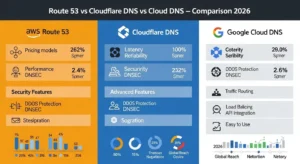
Here is the head-to-head comparison across all three major DNS platforms — a table missing from every competitor’s article.
| Feature | Amazon Route 53 | Cloudflare DNS | Google Cloud DNS |
| Availability SLA | 100% | 100% (Enterprise) | 100% |
| Average Query Speed | ~25ms globally | ~11ms globally | ~22ms globally |
| Hosted Zone Cost | $0.50/zone/month | Free | $0.20/zone/month |
| Per-Query Cost | $0.40/million | Free | $0.40/million |
| Free Tier | No (low cost) | ✅ Unlimited free DNS | No |
| Domain Registration | ✅ Yes ($15+/year for .com) | ✅ Yes (at-cost, ~$8-10) | ✅ Via Cloud Domains |
| Routing Policies | ✅ 8 built-in policies | Via paid Load Balancing add-on | Limited |
| Health Checks | ✅ Built-in ($0.50–$0.75/check) | Via paid Load Balancing ($5/origin) | ❌ No native |
| Failover Routing | ✅ Native, built-in | Via paid add-on | Manual only |
| Weighted Routing | ✅ Native | Via paid add-on | Basic round-robin |
| Latency-Based Routing | ✅ Native | Via Argo + paid add-on | ❌ No |
| Geolocation Routing | ✅ Native | Via paid add-on | ✅ Yes |
| Private DNS (VPC) | ✅ Private Hosted Zones | ❌ Not available | ✅ Yes |
| Hybrid DNS (on-prem + cloud) | ✅ Route 53 Resolver | ❌ No | Limited |
| AWS Integration | ✅ Native deep integration | Via third-party connectors | ❌ No |
| DNSSEC | ✅ Supported | ✅ One-click, fully managed | ✅ Automated |
| DDoS Protection | AWS Shield Standard (free) | ✅ Built-in, free tier | Google infrastructure |
| DNS Firewall / Filtering | ✅ Route 53 Resolver DNS Firewall | Via Cloudflare Gateway (paid) | ✅ Response Policy Zones |
| Best For | AWS-native workloads, traffic management | Multi-cloud, speed, cost savings | GCP-native workloads |
Key Insight: Cloudflare DNS is the fastest and cheapest purely for DNS resolution — and is free at any scale. However, all of Cloudflare’s traffic management features (health checks, failover, weighted, geo routing) require a paid Load Balancing add-on starting at $15/month. Route 53 includes all 8 routing policies and health checks natively. For AWS workloads with complex routing requirements, Route 53 delivers significantly more value at lower total cost.
Setting Up Amazon Route 53 — Step-by-Step Overview
HowTo Schema Section
Step 1 — Access Route 53 in the AWS Console
Sign in to your AWS Console and search for Route 53 in the services menu. If you do not have an AWS account, create a free one — Route 53 usage costs are minimal even during testing.
Step 2 — Create a Hosted Zone for Your Domain
In the Route 53 dashboard, click Hosted zones → Create hosted zone. Enter your domain name (e.g., yourdomain.com), select Public hosted zone for internet-facing DNS, and click Create. Route 53 automatically generates NS and SOA records.
Step 3 — Add DNS Records (A, CNAME, MX, TXT)
Click Create record to add your DNS records:
- A record pointing your root domain to your server IP or Elastic Load Balancer
- CNAME for www pointing to your root domain (or use an Alias record)
- MX records for email routing (e.g., Google Workspace or Microsoft 365)
- TXT record for domain verification and SPF/DKIM email authentication
Step 4 — Configure Routing Policy
When creating each record, select your routing policy from the dropdown:
- For a single server: Simple
- For global multi-region: Latency-Based
- For disaster recovery: Failover
- For A/B testing: Weighted
For policies beyond Geoproximity, no additional setup is needed — they are built-in at no extra cost.
Step 5 — Set Up Health Checks for Failover
Navigate to Health checks → Create health check. Specify your endpoint (IP or domain name), protocol (HTTP, HTTPS, or TCP), port, and path. Set the failure threshold and optionally configure SNS notifications to alert your team when endpoints go unhealthy.
Step 6 — Test DNS Propagation with nslookup / dig
Once your NS records are updated at your domain registrar, test resolution using:
nslookup yourdomain.com 8.8.8.8
or on Linux/Mac:
dig yourdomain.com @8.8.8.8
DNS changes in Route 53 typically propagate within 60 seconds on the AWS anycast network. Full global propagation depends on your TTL values and can take up to 48 hours for resolvers caching old records.
Migrating to Amazon Route 53 from Another DNS Provider
Before You Begin — Preparation Checklist
| Task | Why It Matters |
| Export all existing DNS records | Ensure nothing is missed during migration |
| Note all current TTL values | Lower TTL before migration to speed propagation |
| Identify all email records (MX, SPF, DKIM) | Email outages are the most common migration mistake |
| Confirm your domain registrar login | You will need to update NS records |
| Schedule during low-traffic hours | UK/UAE: early morning UTC is typically lowest traffic |
Export Existing DNS Records from Current Provider
Most DNS providers (GoDaddy, Namecheap, Cloudflare) allow export of a BIND zone file. Download this before proceeding. If not available, manually document every A, AAAA, CNAME, MX, TXT, and NS record.
Import Records to Route 53 Hosted Zone
Create your hosted zone in Route 53. Manually recreate each DNS record, or use the Route 53 API / AWS CLI to bulk import from a BIND zone file format. For Alias records pointing at AWS resources (CloudFront, ELB, S3), replace standard A/CNAME records with the appropriate Alias targets.
Update NS Records at Your Domain Registrar
Route 53 assigns four NS records to your hosted zone (e.g., ns-1234.awsdns-12.com). Log in to your domain registrar (GoDaddy, Namecheap, or wherever the domain is registered) and replace the existing nameservers with these four Route 53 NS records.
Wait for DNS Propagation (24–48 hours)
DNS propagation time depends on the TTL of your old NS records. If the previous TTL was 86,400 seconds (24 hours), you may need to wait a full day for all resolvers globally to pick up the new nameservers. Use a tool like whatsmydns.net to track global propagation.
Post-Migration Verification Steps
| Check | Tool |
| Verify A records resolve correctly | dig yourdomain.com |
| Verify email records (MX) | dig yourdomain.com MX |
| Send and receive test emails | Gmail, Outlook send/receive test |
| Verify SSL/TLS certificate validity | Browser padlock icon or SSL Labs |
| Monitor Route 53 health check dashboard | AWS Console → Route 53 → Health checks |
Best Practices for Amazon DNS Service in Production
| # | Best Practice | Why It Matters |
| 1 | Always use Alias records for AWS resources | Free queries + auto-updates when resource IPs change |
| 2 | Set low TTL (60–300s) before migrations | Speeds up propagation during changes, reduce after stability |
| 3 | Enable DNSSEC for domain integrity | Prevents DNS spoofing and cache poisoning attacks at $0.05/month |
| 4 | Use Private Hosted Zones for internal VPC services | Security + no internet exposure for internal microservices |
| 5 | Monitor health checks with SNS alerts | Instant notification when endpoints degrade, before users notice |
| 6 | Use Latency-Based routing for global SaaS apps | Automatically routes UK/USA/UAE users to optimal region |
| 7 | Combine Failover + Health Checks | Achieves 99.99%+ uptime with automatic disaster recovery |
| 8 | Audit hosted zones monthly | Unused zones at $0.50/month add up — delete orphaned zones |
Honest Limitation: Route 53 is not the right DNS choice if your infrastructure is entirely outside AWS and you need the most cost-effective DNS at massive scale. In that scenario, Cloudflare’s free unlimited DNS hosting is the better financial decision. Route 53’s value is maximised when your infrastructure is AWS-native.
Frequently Asked Questions About Amazon DNS Service
FAQ Schema Section
Q1: What is the Amazon DNS service called?
Amazon’s DNS service is called Amazon Route 53. It is a highly available, scalable DNS web service by AWS that provides domain registration, intelligent DNS routing via 8 policy types, health checking, and seamless integration with the broader AWS ecosystem — all under a 100% availability SLA.
Q2: Is Amazon Route 53 free?
Amazon Route 53 is not free, but costs are very low. Hosted zones cost $0.50/month each, and standard DNS queries start at $0.40 per million. Alias record queries to AWS resources (ELB, CloudFront, S3) are free. Private Hosted Zone queries are also free. New AWS accounts receive Route 53 coverage under the standard AWS free tier for initial testing.
Q3: What is the difference between Route 53 and a regular DNS service?
Unlike basic DNS services, Route 53 offers 8 intelligent routing policies (including geolocation, latency, weighted, and failover), built-in health checks, deep AWS-native integration, Private Hosted Zones for VPC DNS, and a 100% availability SLA — making it enterprise-grade traffic management DNS, not just name resolution.
Q4: Can I use Amazon Route 53 with non-AWS hosting?
Yes. Route 53 can manage DNS for any website or application, regardless of host. You can register your domain with Route 53 or use it purely as a DNS service while hosting on DigitalOcean, Hetzner, Azure, or any provider. Just update NS records at your registrar to point to Route 53’s nameservers.
Q5: What is a hosted zone in Amazon Route 53?
A hosted zone is a container for DNS records for a specific domain in Route 53. Public hosted zones serve internet-facing DNS queries. Private hosted zones serve internal DNS resolution within Amazon VPC environments. Both types cost $0.50/month per zone — private zone queries are free.
Conclusion — Why Amazon Route 53 Is the Best DNS for AWS Workloads
Amazon Route 53 is more than a DNS service — it’s a globally distributed, intelligent traffic management platform built on AWS infrastructure. It offers a 100% availability SLA, multiple routing policies like latency and failover, private hosted zones for VPC DNS, and automated health checks for fast disaster recovery.
With simple pricing that often costs startups $5–$50 per month, Route 53 provides reliable enterprise-grade DNS worldwide. For businesses looking to implement and optimize AWS DNS solutions, GoCloud helps design scalable and efficient cloud architectures.

