


The Cost of Unprotected Cloud Infrastructure
Over 80% of data breaches in recent years have involved cloud misconfiguration. Not sophisticated zero-day exploits. Not nation-state attacks. Simple, preventable misconfigurations in cloud network settings — exposed storage buckets, open ports, publicly accessible databases.
Amazon VPC (Virtual Private Cloud) is the first and most critical line of defense for any serious AWS deployment. Understanding the benefits of Amazon VPC is not just a technical exercise — it is a business imperative for startups, enterprises, and regulated industries in the UK, USA, and UAE that must protect their infrastructure, meet compliance requirements, and scale confidently in the cloud.
This complete 2026 guide covers all 12 key benefits of Amazon VPC, its core architecture components, full pricing breakdown, a comparison against Azure VNet and Google Cloud VPC, expert security best practices, and real-world use cases that go far deeper than any competing article.
What Is Amazon VPC?
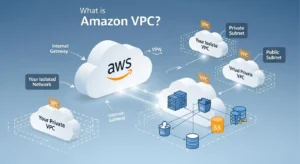
Amazon VPC (Virtual Private Cloud) is a logically isolated virtual network within the AWS cloud. It enables businesses to launch AWS resources — such as Amazon EC2, Amazon RDS, and AWS Lambda — in a private, customizable network they fully control, with complete authority over IP address ranges, subnet configurations, routing rules, and multi-layered security policies.
In simple terms: Amazon VPC gives you the networking power of a private data center, delivered as cloud infrastructure — without the hardware, maintenance costs, or physical footprint.
Default VPC vs Custom VPC
| Type | What It Is | When to Use |
| Default VPC | Auto-created per AWS region with pre-configured public subnets and internet gateway | Learning, testing only |
| Custom VPC | Manually designed to match your security architecture and application topology | All production workloads |
Critical Warning: Never use the default VPC for production workloads. It has open public subnets by default — any EC2 instance launched there gets a public IP automatically. Always design a custom VPC for real deployments.
VPC vs Traditional Private Cloud
| Attribute | Amazon VPC | Traditional Private Cloud |
| Infrastructure | AWS-managed hardware | Your own physical servers |
| Setup time | Minutes | Weeks to months |
| Cost | Pay-as-you-go | Large CapEx investment |
| Isolation | Logical (software-defined) | Physical |
| Scalability | Instant, elastic | Limited by hardware |
| Maintenance | AWS handles all hardware | Your team manages everything |
Amazon VPC delivers 90%+ of the isolation and control benefits of a true private cloud, at a fraction of the cost and with none of the hardware maintenance burden.
Core Components of Amazon VPC
Before diving into benefits, understanding the building blocks of a VPC reveals why each benefit exists.
Subnets — Public vs Private
Subnets divide your VPC’s IP address range (CIDR block) into smaller network segments, each mapped to a specific Availability Zone (AZ):
| Subnet Type | Internet Access | Use Case |
| Public Subnet | Direct via Internet Gateway | Web servers, load balancers, bastion hosts |
| Private Subnet | Outbound only via NAT Gateway | Application servers, databases, internal APIs |
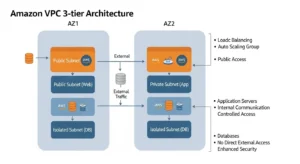
A well-designed VPC uses a 3-tier architecture — separating web, application, and database layers across subnets for maximum security and resilience.
Internet Gateway and NAT Gateway
| Component | Direction | Purpose |
| Internet Gateway (IGW) | Bidirectional (in + out) | Allows public subnet resources to receive and send internet traffic |
| NAT Gateway | Outbound only | Allows private subnet resources to reach the internet (updates, APIs) without being reachable from the internet |
This distinction is fundamental to VPC security. Your database servers can download OS patches via NAT Gateway — but no attacker on the internet can reach them directly.
Security Groups and Network ACLs (NACLs)
Amazon VPC provides two independent layers of firewall control, designed to be used together:
| Feature | Security Groups | Network ACLs (NACLs) |
| Level | Instance level | Subnet level |
| State | Stateful (return traffic auto-allowed) | Stateless (must define both directions) |
| Rules | Allow rules only | Allow and Deny rules |
| Evaluation | All rules evaluated | Rules evaluated in number order |
| Best For | Fine-grained per-resource control | Broad subnet-level traffic blocking |
Using both creates defense-in-depth — even if a security group is misconfigured, the NACL provides a subnet-wide safety net.
Route Tables
Route tables control how traffic flows within and out of your VPC:
- Local route — enables communication between all resources within the VPC
- Internet Gateway route — directs public traffic out to the internet
- NAT Gateway route — routes private subnet outbound traffic through NAT
- VPN / Direct Connect route — directs on-premises-bound traffic through secure tunnels
Each subnet is associated with exactly one route table, giving you precise control over traffic paths at the subnet level.
VPC Endpoints — Gateway and Interface
VPC Endpoints allow your resources to access AWS services privately, without leaving the AWS network — no internet, no NAT Gateway required:
| Endpoint Type | Supported Services | Cost |
| Gateway Endpoint | Amazon S3, Amazon DynamoDB | Free |
| Interface Endpoint (PrivateLink) | 100+ AWS services (SQS, SNS, ECR, etc.) | $0.01/hour + $0.01/GB |
Pro Tip:
Always use a Gateway Endpoint for S3 traffic from private subnets. This eliminates NAT Gateway data processing charges for S3 traffic — potentially saving hundreds of dollars per month for data-heavy workloads.
VPC Peering and Transit Gateway
| Feature | VPC Peering | AWS Transit Gateway |
| What It Does | Direct connection between two VPCs | Central hub connecting hundreds/thousands of VPCs |
| Cross-account | ✅ Yes | ✅ Yes |
| Cross-region | ✅ Yes | ✅ Yes |
| Topology | Point-to-point (1:1) | Hub-and-spoke (1:many) |
| Routing | Manual per-pair | Centralized route tables |
| Best For | 2-5 VPC connections | Large multi-VPC / multi-account architectures |
The 12 Key Benefits of Amazon VPC in 2026
Benefit 1 — Complete Network Isolation and Logical Segmentation
Every Amazon VPC is logically isolated from all other VPCs in AWS by default — including VPCs belonging to other AWS customers on the same physical hardware. Your network traffic does not mix with anyone else’s, even when running on shared EC2 host infrastructure.
You can further segment within your own VPC by creating multiple subnets per tier — web, application, database — each with its own security rules. This isolation is enforced at the AWS hypervisor level, not just by firewall rules.
For businesses in the UAE handling financial data or the UK managing healthcare records, this hard isolation boundary is a foundational compliance requirement.
Benefit 2 — Granular Security Control at Every Layer
Amazon VPC provides a multi-layer security architecture that no single firewall can match:
| Layer | Tool | What It Controls |
| Edge | Amazon CloudFront + AWS WAF | HTTP/HTTPS request filtering, OWASP Top 10, DDoS |
| Subnet | Network ACLs | IP range blocking, subnet-wide rules |
| Instance | Security Groups | Port/protocol rules per resource |
| Application | AWS WAF Web ACL | Application-layer attack filtering |
| DDoS | AWS Shield Standard/Advanced | Layer 3/4/7 DDoS mitigation |
Example for a UK e-commerce platform:
- Web tier security group: allow port 443 from internet only
- App tier security group: allow port 8080 from web tier security group only
- Database tier security group: allow port 3306 from app tier security group only
- No direct path from internet to database — ever
Benefit 3 — Customizable Network Architecture
Unlike traditional hosting or basic cloud environments, Amazon VPC gives you full network design freedom:
- Define your own CIDR blocks (e.g., 10.0.0.0/16 for 65,536 IP addresses)
- Create as many subnets as needed per AZ
- Configure complex routing for multi-tier applications, microservices, and hybrid connectivity
- Support IPv4 and IPv6 dual-stack for future-proof addressing
This means your cloud network topology can precisely mirror your application architecture — whether that is a simple 3-tier web app or a complex microservices mesh with 50 services across 10 teams.
Benefit 4 — Seamless Hybrid Cloud Connectivity
Amazon VPC supports two methods of connecting your cloud environment to existing on-premises data centers — a critical benefit for enterprises in the UK, USA, and UAE that cannot migrate everything to the cloud overnight:
| Connectivity Method | Speed | Cost | Use Case |
| Site-to-Site VPN | Variable (internet-dependent) | $0.05/hour per connection | Secure encrypted tunnel, lower cost |
| AWS Direct Connect | 1 Gbps to 10 Gbps dedicated | Usage-based + port fee | High-bandwidth, consistent-latency production workloads |
AWS Direct Connect is particularly valuable for UAE enterprises running latency-sensitive trading platforms or UK financial services firms with regulatory requirements for dedicated connectivity — providing a private fiber link from their data center directly into their VPC.
Benefit 5 — High Availability with Multi-AZ Deployment
By deploying subnets across multiple Availability Zones (AZs), you architect true fault tolerance into your VPC:
| Component | Multi-AZ Configuration | Result |
| EC2 instances | Auto Scaling group across 2+ AZs | Instance failure in one AZ → traffic reroutes automatically |
| Amazon RDS | Multi-AZ standby replica | Database failure → automatic failover in ~60-120 seconds |
| Elastic Load Balancer | Distributes traffic across AZs | Single AZ outage → no user impact |
| NAT Gateway | One per AZ for resilience | AZ failure → other AZs unaffected |
A properly designed multi-AZ VPC can achieve 99.99% availability — equivalent to roughly 52 minutes of downtime per year. For businesses in the UK with SLAs requiring 99.9%+ uptime, Multi-AZ VPC architecture is the path to meeting those commitments.
Benefit 6 — Scalability and Elastic Resource Management
Amazon VPC was designed to scale seamlessly with your workload — no network reconfiguration required as you grow:
- Auto Scaling groups launch new EC2 instances directly into your VPC subnets based on traffic demand
- IPv6 support provides an effectively unlimited address space — no IP exhaustion concerns as your fleet grows
- Elastic Load Balancers automatically scale to handle traffic spikes without pre-provisioning
- VPC subnets can span thousands of instances — from a 2-instance startup to a 10,000-instance enterprise fleet
A SaaS startup in Dubai can begin with 3 EC2 instances in their VPC and scale to 3,000 without changing a single line of network configuration.
Benefit 7 — Cost Efficiency and Resource Optimization
One of the most underappreciated benefits of Amazon VPC is its cost structure:
| Component | Cost |
| VPC creation | Free |
| Subnets | Free |
| Route tables | Free |
| Security groups | Free |
| Network ACLs | Free |
| Internet Gateway | Free (only data transfer charged) |
| VPC Peering (same AZ) | Free |
| S3 Gateway Endpoint | Free |
You only pay for the active services: NAT Gateways, VPN connections, traffic mirroring, and data transfer. Smart VPC architecture directly reduces costs — using Gateway Endpoints for S3 and DynamoDB traffic eliminates significant NAT Gateway processing charges.
Benefit 8 — Compliance and Data Sovereignty
For businesses in the UK, EU, and UAE, data sovereignty is not optional — it is a legal requirement. Amazon VPC supports this through AWS region selection:
| Region | Jurisdiction | Compliance Relevance |
| eu-west-2 (London) | United Kingdom | UK GDPR, NHS requirements |
| eu-central-1 (Frankfurt) | European Union | EU GDPR, data residency |
| me-south-1 (Bahrain) | Middle East | UAE PDPL, regional data laws |
| us-east-1 (Virginia) | United States | HIPAA, PCI-DSS, FedRAMP |
When you deploy resources in a specific AWS region’s VPC, data never leaves that region by default without explicit configuration. Combined with:
- Dedicated tenancy for single-tenant physical isolation
- Encryption at rest (AWS KMS) and encryption in transit (TLS)
- AWS IAM for access control and audit trails
- VPC Flow Logs for network forensics
Amazon VPC supports compliance with GDPR, HIPAA, PCI-DSS, SOC 2, and ISO 27001 standards.
Pro Tip:
UK businesses subject to UK GDPR should deploy their VPC in eu-west-2 (London), confirm data residency in AWS Artifact, and combine VPC Flow Logs with AWS CloudTrail for a complete audit trail that satisfies ICO requirements.
Benefit 9 — Enhanced Observability with VPC Flow Logs
VPC Flow Logs capture metadata about all IP traffic entering and leaving your VPC, subnet, or individual network interface:
| Flow Log Field | Information Captured |
| Source / Destination IP | Which systems are communicating |
| Source / Destination Port | Which protocols and services are in use |
| Action (ACCEPT/REJECT) | Security group and NACL decisions |
| Bytes transferred | Data volume per connection |
| Start / End time | Connection timing |
Flow logs can be streamed to:
- Amazon CloudWatch Logs — real-time monitoring and alerting
- Amazon S3 — long-term storage and Athena SQL queries
- Amazon Kinesis Data Firehose — real-time analytics pipelines
They are indispensable for security forensics (post-breach investigation), compliance auditing (demonstrating network controls), and cost optimisation (identifying unexpected data transfer charges).
Benefit 10 — Secure Serverless and Container Integration
Amazon VPC integrates with AWS’s modern compute services to ensure even serverless and container-based workloads maintain proper network isolation:
| Service | VPC Integration |
| AWS Lambda | Run Lambda functions inside a VPC to access private RDS, Elasticache, or internal APIs |
| Amazon ECS / EKS | Deploy containers in private subnets — no public exposure needed |
| Amazon RDS | Always deploy in private subnet — zero public internet access |
| Amazon ElastiCache | Cache clusters in private subnet, accessible only from app tier |
| Amazon SageMaker | ML workloads in VPC for data science on sensitive datasets |
This means your entire compute stack — EC2, Lambda, containers, ML models, and databases — can operate in a network environment with zero public internet exposure while still functioning fully.
Benefit 11 — Advanced Traffic Management and Inspection
Beyond basic firewalling, Amazon VPC provides enterprise-grade traffic management tools:
| Tool | What It Does | Cost |
| Traffic Mirroring | Copies raw ENI traffic to inspection appliances for deep packet analysis | $0.015/hour per ENI session |
| AWS Network Firewall | Stateful, managed firewall for east-west and north-south traffic with IDS/IPS | Per-hour + per-GB |
| Gateway Load Balancer | Inserts third-party virtual network appliances (Palo Alto, Fortinet) transparently | Per-hour + per-GB |
| VPC Reachability Analyzer | Validates network paths without sending actual traffic | $0.10 per analysis |
For enterprise security teams in the UK and USA running PCI-DSS environments, Traffic Mirroring enables full packet capture for forensic analysis — a requirement that many compliance frameworks mandate.
Benefit 12 — Single-Tenant Dedicated Instances
For industries with the strictest isolation requirements — financial services, defence, healthcare — Amazon VPC supports Dedicated Tenancy:
| Tenancy Model | What It Means | Use Case |
| Shared (Default) | EC2 on multi-tenant host hardware | Standard workloads, cost-optimised |
| Dedicated Instance | EC2 on single-tenant hardware, no sharing with other accounts | Regulated industries |
| Dedicated Host | Physical server allocated to your account exclusively, full visibility and control | BYOL licensing, compliance mandates |
This satisfies regulatory requirements that explicitly prohibit shared hardware — common in UK financial services, US government, and UAE banking sector compliance frameworks.
Amazon VPC Architecture — Real-World 3-Tier Example
Here is how a production-grade 3-tier architecture looks inside a custom Amazon VPC, deployed across two Availability Zones for high availability:
Web Tier — Public Subnet
| Component | Configuration |
| Subnets | 10.0.1.0/24 (AZ-1), 10.0.2.0/24 (AZ-2) |
| Resources | Application Load Balancer (ALB), optionally EC2 web servers |
| Internet Gateway | Attached — bidirectional internet access |
| Security Group | Inbound: port 80, 443 from 0.0.0.0/0; Outbound: all |
| Amazon CloudFront | Sits in front of ALB for global caching and DDoS protection |
Application Tier — Private Subnet
| Component | Configuration |
| Subnets | 10.0.11.0/24 (AZ-1), 10.0.12.0/24 (AZ-2) |
| Resources | EC2 app servers in Auto Scaling group, or ECS containers |
| Internet Access | Outbound only via NAT Gateway in public subnet |
| Security Group | Inbound: port 8080 from Web Tier security group ID only |
| IAM Role | Instance profile for S3, Secrets Manager access |
Database Tier — Isolated Private Subnet
| Component | Configuration |
| Subnets | 10.0.21.0/24 (AZ-1), 10.0.22.0/24 (AZ-2) |
| Resources | Amazon RDS Multi-AZ (PostgreSQL/MySQL) |
| Internet Access | None — no route to internet gateway or NAT gateway |
| Security Group | Inbound: port 3306 or 5432 from App Tier security group ID only |
| Encryption | At-rest (AWS KMS), in-transit (SSL/TLS) |
This architecture ensures that no path exists from the internet to your database the attacker would need to breach the web tier, then the app tier, then the database tier, each with independent security controls.
Amazon VPC Pricing — Full 2026 Breakdown
What Is Free in Amazon VPC
| Free Component | Notes |
| VPC creation and management | Unlimited VPCs (default 5 per region, raisable) |
| Subnets, route tables | Unlimited per VPC |
| Security groups and NACLs | Unlimited |
| Internet Gateway | Free; only data transfer costs apply |
| VPC Peering (same AZ data transfer) | Free within same AZ |
| Gateway Endpoints (S3, DynamoDB) | Free — no hourly or per-GB charge |
| VPC Flow Logs creation | Free; charges are for CloudWatch/S3 storage |
What You Pay For — Full Pricing Table
| Component | Cost |
| NAT Gateway — Hourly | $0.045/hour per gateway |
| NAT Gateway — Data Processing | $0.045/GB processed |
| Traffic Mirroring (per ENI session) | $0.015/hour per ENI |
| Site-to-Site VPN | $0.05/hour per connection |
| VPC Peering — Cross-AZ Data Transfer | $0.01/GB (both directions) |
| Interface VPC Endpoint (PrivateLink) | $0.01/hour + $0.01/GB |
| Public IPv4 Address (in-use) | $0.005/hour per address |
| Public IPv4 Address (idle) | $0.005/hour per address |
| Reachability Analyzer | $0.10 per analysis run |
| Network Access Analyzer | $0.002 per ENI analyzed |
| VPC Encryption Controls (new 2026) | $0.15/hour per non-empty VPC |
| IPAM Advanced Tier | $0.00027/hour per active IP |
Important 2026 Note: AWS introduced VPC Encryption Controls pricing starting March 1, 2026 — $0.15/hour per non-empty VPC in monitor or enforce mode. This is a new cost to factor into enterprise security budgets.
Cost Optimization Tips
| Strategy | Saving |
| Use S3/DynamoDB Gateway Endpoints | Eliminates NAT Gateway data processing charges for all S3/DynamoDB traffic — potentially $50–$500/month for data-heavy apps |
| Keep traffic within the same AZ | Cross-AZ data transfer costs $0.01/GB both ways — AZ-local traffic is free |
| Delete unused NAT Gateways | A forgotten NAT Gateway costs $32.40/month in hourly charges even with zero traffic |
| Use NAT Instance for dev/test | A t3.nano NAT instance costs ~$3.40/month vs $32.40+ for a NAT Gateway |
| Enable Flow Logs selectively | Enable in production for compliance; disable in dev to avoid CloudWatch ingestion costs |
| Release idle Elastic IPs | Idle public IPv4 addresses cost $0.005/hour ($3.60/month) each — release unused ones |
Amazon VPC vs Azure VNet vs Google Cloud VPC — 2026 Comparison
| Feature | Amazon VPC | Azure VNet | Google Cloud VPC |
| Isolation Scope | Per-region | Per-region | Global (single VPC spans all regions) |
| Subnet Scope | AZ-level | Regional (spans AZs) | Regional |
| Default Network | Default VPC (pre-created) | No default VNet | Auto-mode VPC (pre-created) |
| VPC/VNet Peering | ✅ Same + cross-account | ✅ Yes | ✅ Yes |
| Private DNS | Route 53 Private Hosted Zones | Azure DNS Private Zones | Google Cloud DNS |
| Hybrid Connectivity | VPN + AWS Direct Connect | VPN + Azure ExpressRoute | VPN + Cloud Interconnect |
| Flow Logs | ✅ VPC Flow Logs | ✅ NSG Flow Logs | ✅ VPC Flow Logs |
| Firewall Service | AWS Network Firewall | Azure Firewall | Cloud Armor (HTTP-focused) |
| Free Tier | VPC free, pay for services | VNet free, pay for services | VPC free, pay for services |
| Security Model | Security Groups + NACLs | NSGs + Azure Firewall | Firewall Rules (global) |
| DNS Integration | Amazon Route 53 (deep) | Azure DNS | Google Cloud DNS |
| Traffic Inspection | Traffic Mirroring | Azure Monitor (limited) | Packet Mirroring |
| Compliance | GDPR, HIPAA, PCI-DSS, SOC 2 | GDPR, HIPAA, ISO 27001 | GDPR, HIPAA, SOC 2 |
| Best For | AWS-native, complex routing, multi-AZ HA | Microsoft/Azure stack, Active Directory integration | Global networking simplicity, GCP workloads |
Key Differentiator: Google Cloud VPC’s global architecture is unique — one VPC can span all regions without complex peering. However, AWS VPC’s depth of security features, routing policies (via Route 53), and compliance tooling make it the strongest choice for regulated industries and complex enterprise architectures.
VPC Security Best Practices — Expert Recommendations
| # | Best Practice | Why It Matters |
| 1 | Never use the default VPC in production | Default VPC has public subnets and open security groups — a compliance and security risk |
| 2 | Follow least privilege for security groups | Every rule that is not explicitly needed is an attack surface — remove it |
| 3 | Enable VPC Flow Logs in all production environments | GDPR, HIPAA, and PCI-DSS audits require network traffic evidence |
| 4 | Use private subnets for all databases and internal services | Databases should never have a route to the internet — ever |
| 5 | Use AWS Systems Manager Session Manager instead of bastion hosts | Eliminates SSH port exposure entirely; no port 22 open anywhere |
| 6 | Enable AWS Network Firewall for east-west traffic inspection | Prevents lateral movement within the VPC if one layer is breached |
| 7 | Use AWS Config rules to detect VPC compliance drift | Automated checks alert you when security groups are opened too broadly |
| 8 | Apply VPC endpoint policies to restrict S3 bucket access | Prevent exfiltration via S3 from within the VPC |
| 9 | Deploy NAT Gateways per AZ for high availability | A single NAT Gateway is a single point of failure for private subnet outbound access |
| 10 | Use dedicated tenancy for regulated workload EC2 instances | Required by some financial and healthcare compliance frameworks |
Pro Tip (Zero Trust): In 2026, the Zero Trust security model is becoming the enterprise standard — never trust, always verify. AWS Systems Manager Session Manager, combined with VPC private subnets, IAM-based access controls, and CloudTrail logging, enables a complete zero-trust network architecture with no open inbound ports anywhere in your infrastructure.
Frequently Asked Questions About Amazon VPC Benefits
FAQ Schema Section
Q1: What are the main benefits of Amazon VPC?
The main benefits of Amazon VPC include complete network isolation, granular multi-layer security control, customisable network architecture, seamless hybrid cloud connectivity via VPN or Direct Connect, multi-AZ high availability, compliance support for GDPR/HIPAA/PCI-DSS, elastic scalability, cost efficiency, VPC Flow Log observability, and native integration with the entire AWS service ecosystem.
Q2: Is Amazon VPC free to use?
Creating a VPC and its foundational components subnets, route tables, security groups, and NACLs is completely free. Charges only apply to specific active services: NAT Gateways ($0.045/hour + $0.045/GB), Site-to-Site VPN ($0.05/hour), Traffic Mirroring ($0.015/hour per ENI session), cross-AZ data transfer ($0.01/GB), and Interface VPC Endpoints ($0.01/hour + $0.01/GB).
Q3: How does Amazon VPC improve security?
Amazon VPC improves security through layered defense-in-depth: Security Groups provide stateful instance-level firewalls; Network ACLs provide stateless subnet-level blocking; private subnets eliminate internet exposure for databases and internal services; VPC Flow Logs enable network forensics; and integrations with AWS WAF, Shield, and AWS Network Firewall add application and DDoS protection at every layer.
Q4: What is the difference between a security group and a NACL in VPC?
Security groups are stateful firewalls at the EC2 instance level — return traffic is automatically permitted. NACLs are stateless subnet-level controls where both inbound and outbound rules must be explicitly defined. Use security groups for fine-grained per-instance control and NACLs as an additional subnet-wide safety net. Together they create defense-in-depth.
Q5: Can Amazon VPC connect to my on-premises data centre?
Yes. Amazon VPC supports Site-to-Site VPN for encrypted IPSec tunnels over the internet ($0.05/hour per connection), and AWS Direct Connect for dedicated 1–10 Gbps private fibre connections with consistent latency — ideal for UK, USA, and UAE enterprises with existing data centres that need reliable, high-bandwidth hybrid cloud connectivity.
Conclusion — Maximising Business Value with Amazon VPC Benefits
Amazon VPC provides far more than basic network isolation. In 2026, it forms the foundation of secure, scalable AWS architectures. Every VPC is logically isolated by default, while layered security tools like Security Groups, NACLs, Network Firewall, WAF, and Shield create strong defense-in-depth protection.
Core components such as VPCs, subnets, route tables, and security groups are free, making it cost-efficient to build secure networks that scale from small startups to large enterprise workloads. As Zero Trust networking becomes the standard, Amazon VPC’s private subnet isolation and deep AWS integration make it essential for modern cloud infrastructure. Businesses looking to design and optimize secure AWS networking can implement these best practices with guidance from GoCloud.

