
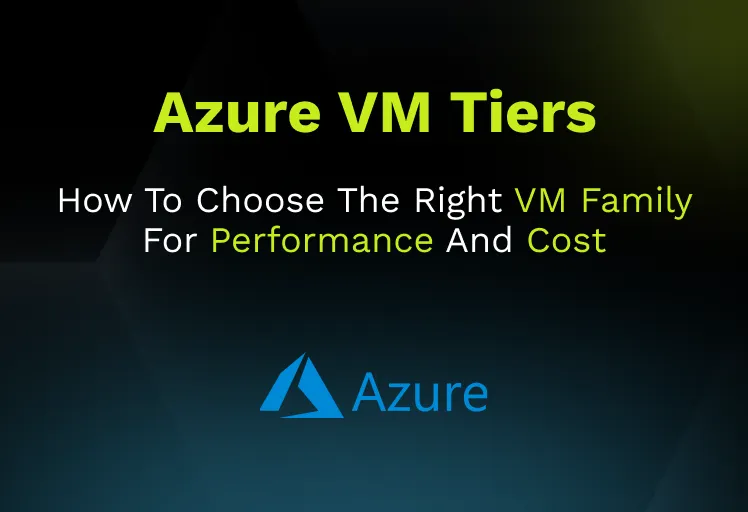


Choosing azure vm tiers is not really about memorizing family names. It is about matching a workload’s bottleneck profile to the right combination of CPU, memory, storage, local disk, and networking while keeping licensing and pricing models under control. Most teams over-focus on vCPU count and RAM, then discover later that the real limit was Premium SSD throughput, local NVMe behavior, network PPS, quota constraints, or Windows licensing.
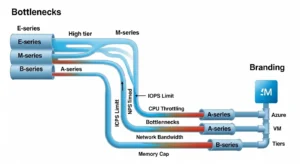
For cloud architects, infrastructure engineers, and technical buyers, the right Azure VM decision is rarely “pick the cheapest D-series.” A better question is: what fails first under load? If the answer is CPU, you should think differently than if the answer is cache pressure, disk latency, transaction log write rate, network packet processing, or GPU memory. That is the lens this guide uses to evaluate Azure VM tiers.
Why Azure VM Tiers Are Really About Bottlenecks, Not Branding:
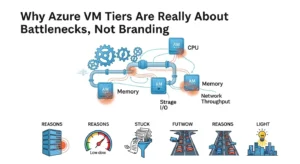
Azure groups VMs into familiar categories: general purpose, compute optimized, memory optimized, storage optimized, GPU accelerated, FPGA accelerated, and HPC. Those labels are useful, but they are only starting points. The real buying decision sits underneath them: what ratio of compute, memory, storage performance, and network capability does the application need, and which Azure VM family expresses that ratio best?
This is where many VM purchasing mistakes begin. A team sees high CPU during an incident and assumes a larger compute SKU will solve the issue. But the workload may actually be stalled on storage throughput or waiting on network calls. Azure’s own storage guidance makes clear that every VM size has independent caps for IOPS and throughput. That means a powerful disk configuration can still be throttled by the VM itself.
A practical Azure infrastructure review should always ask five questions before choosing a VM tier:
- Is the workload CPU-bound?
- Is it memory-bound?
- Is it IOPS-bound?
- Is it throughput-bound?
- Is it network-bound?
That bottleneck-first method is better than comparing family descriptions in isolation. It also creates better FinOps outcomes because it reduces the tendency to overspend on the wrong dimension.
How To Choose Azure VM Tiers By Workload Pattern:
The fastest way to make Azure VM choices more accurate is to start from workload shape.
Balanced Business Apps And Web Tiers:
If the workload is a conventional application server, internal business app, medium-traffic web application, or mixed-use VM with no extreme memory or storage needs, start with general purpose families such as D-series. These usually offer the most practical CPU-to-memory balance and are often the default landing zone for migrated enterprise applications.
Spiky, Low-Average Workloads:
If the average CPU profile is low but periodic bursts occur, B-series can be cost-effective. This is where dev/test environments, utility servers, jump hosts, and light internal services often fit well. The mistake is treating B-series as a universal low-cost production family. Burstable economics work only when CPU usage stays below baseline often enough for credits to accumulate.
CPU-Bound App Logic, APIs, And Batch Processing:
If the code path is compute-heavy and not especially memory- or IO-intensive, compute optimized families such as F-series deserve attention. These tend to fit application servers, batch processing, network virtual appliances, and high-CPU microservices better than general-purpose families.
Memory-Heavy Relational Databases And Caches:
If the workload is constrained by buffer cache, large in-memory datasets, heavy relational databases, or analytics that benefit from high RAM-per-core ratios, memory optimized families such as E-series and M-series are usually the better match. General-purpose VMs often appear cheaper until memory pressure causes paging, poor cache hit rates, or a need to scale out inefficiently.
Storage-Intensive Transactional And Analytical Systems:
If the workload is dominated by disk throughput, local NVMe usage, log-heavy writes, large SQL/NoSQL datasets, or big data-style ingestion patterns, storage optimized families such as L-series should be evaluated first. These are not simply “bigger disks.” They are intended for high-throughput and low-latency storage paths.
AI, Rendering, And Visualization:
When the constraint is GPU compute or graphics acceleration, Azure’s N-family matters. NC and ND families focus on compute-intensive GPU workloads such as training and inference, while NV families are typically better aligned to visualization and graphics workloads. Buyers should think beyond the VM family label and validate software stack compatibility, drivers, and actual GPU memory requirements.
Scientific Simulation And Tightly Coupled Parallel Jobs:
For computational fluid dynamics, finite element analysis, molecular dynamics, weather modeling, risk simulation, and other HPC patterns, H, HB, HC, and HX families are the right part of the portfolio. These are not just “faster compute” VMs; they are designed for high-performance computing patterns and often matter where interconnect and low-latency parallel behavior define success.
Azure VM Sizes And Families That Matter Most:
The simplest way to think about Azure VM tiers is to map them to workload intent.
General Purpose: A-Series, B-Series, D-Series:
General-purpose Azure VM sizes balance vCPU and memory and fit the broadest set of business workloads. D-series is the practical default for many production servers. B-series is the value play for burstable usage. A-series is more legacy and low-end oriented in today’s environment.
Compute Optimized: F-Series:
F-series is the right conversation when the workload needs more CPU density relative to RAM. This often fits application logic, CI agents, batch workers, and some network appliances better than D-series.
Memory Optimized: E-Series, M-Series, Mv2:
E-series is the mainstream memory-optimized family. M-series and Mv2 go much further for very large memory requirements. These families matter when the cost of insufficient RAM is higher than the cost of the VM itself for example, database stalls, poor cache locality, or oversized clusters built just to accumulate memory.
Storage Optimized: L-Series:
L-series exists for workloads where throughput and low-latency local storage matter more than balanced compute ratios. This family is often misread as “database only,” but it is really about high-throughput data paths and local-disk-oriented patterns.
GPU: NC, ND, NV:
NC and ND are for compute-oriented GPU scenarios. NV is usually for graphics and visualization. The technical buyer should validate GPU software dependencies and model-memory requirements early, because GPU family selection errors are expensive.
HPC: H, HB, HC, HX:
These families belong in specialized architectures. They are not cost-efficient substitutes for general enterprise compute. Use them when the workload is genuinely HPC-shaped and the application can exploit the capabilities.
CPU, RAM, Local Disk, IOPS, Throughput, And Network:
The Real Sizing Model:
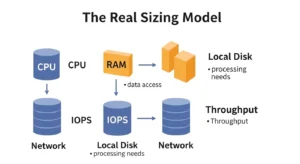
A VM family decision is only correct if the entire performance path is sized together. Azure documents a crucial point: VM-level storage caps and disk-level caps are independent. If you attach premium disks whose combined potential exceeds the VM’s own IOPS or throughput ceiling, the VM throttles first.
This leads to a common anti-pattern: buying expensive disks for a modest VM and expecting premium storage performance. For example, a disk may be provisioned for higher IOPS than the VM can ever deliver. The result is extra spend with no measurable gain.
Network design matters the same way. Accelerated Networking uses SR-IOV to reduce latency, jitter, and CPU overhead by bypassing the host virtual switch in the main data path. For packet-heavy or latency-sensitive systems, this can materially change the effective performance of the same VM size.
Technical buyers should also separate three storage concepts:
- Managed Disk Type: Standard HDD, Standard SSD, Premium SSD, Premium SSD v2, Ultra Disk
- Local Temporary Or NVMe Storage: ephemeral and performance-oriented, but not a replacement for durable disks
- Host Or Disk Caching: useful, but workload-specific and dangerous if misunderstood
Benchmarking should therefore measure the whole path:
- CPU pressure
- memory consumption
- disk latency
- IOPS
- MBps throughput
- queue depth
- packets per second
- application-level response time
Anything less tends to produce misleading size choices.
Burstable Vs. Sustained Performance:
When B-Series Is Smart And When It Is Not:
B-series is one of the most misunderstood parts of the Azure VM portfolio. It is attractive because the price looks much lower than D-series, but the economic model assumes the workload spends enough time below baseline CPU to accumulate burst credits. That makes it well-suited to intermittent or office-hours-type loads.
Where B-series works well:
- dev/test servers
- low-traffic internal apps
- jump hosts
- utilities
- low-average web services with occasional spikes
Where B-series usually disappoints:
- always-busy app servers
- sustained data processing
- latency-sensitive production APIs
- workloads needing consistently high CPU
- environments where network capability or advanced options are more important than raw cost
Azure Advisor can even flag some workloads as candidates for burstable SKUs when the utilization pattern supports it. That is useful, but it is still only a recommendation, not a substitute for application knowledge. A system may be deliberately oversized for upcoming peaks, DR posture, or operational homogeneity.
Storage And Network Dependencies That Silently Break VM Sizing:
The storage tier often matters as much as the VM family.
- Standard HDD: fits large, sequential, latency-tolerant workloads such as archival or infrequent access.
- Standard SSD: fits lower-IOPS production or non-production workloads.
- Premium SSD: is the established choice for many mission-critical production applications.
- Premium SSD v2: adds more granular and flexible performance characteristics for IO-intensive enterprise use cases.
- Ultra Disk: is the top-end choice for the most demanding low-latency, high-IOPS workloads.
A buyer’s guide should be blunt here: not every database needs Ultra Disk. Ultra Disk is excellent for top-tier transactional and SAP/HANA-style patterns, but it has design constraints, including support limits, no OS-disk role, no disk caching, and redundancy trade-offs. For many production systems, Premium SSD or Premium SSD v2 produces the better cost/performance outcome.
Caching and striping also matter. Azure’s performance guidance notes that:
- smaller I/O sizes drive higher IOPS
- larger I/O sizes drive higher throughput
- ReadOnly caching can materially improve read-heavy workloads
- striping multiple disks can aggregate performance
- incorrect stripe size or queue depth can create latency and inefficiency
One of the most valuable warnings for technical buyers is this: what looks like a disk problem may actually be a network problem. If the VM supports accelerated networking and it is not enabled, or if network throughput is the actual choke point, buying faster disks may not fix anything.
Pricing Models For Azure VM Tiers:
PAYG, Reserved, Savings Plan, Spot, And Hybrid Benefit:
Azure VM pricing is not just a SKU price. It is a portfolio of commercial models.
Pay-As-You-Go:
PAYG is the default for flexibility. It is appropriate when workloads are short-lived, uncertain, or likely to change quickly. The cost is higher, but the commitment risk is lowest. Communication Square Flexera
Reserved Instances:
Reserved VM capacity is best when the VM footprint is stable and predictable. It fits core line-of-business systems, known regional deployments, and long-lived infrastructure where demand certainty is high. Quota planning matters here too, because reservations interact with deployability and family availability.
Savings Plan:
Savings Plan is more flexible than classic reservations when the compute estate is persistent but its exact mix changes over time. Microsoft recommends sizing commitment amounts from historical hourly PAYG usage and warns against buying multiple commitment products too quickly without allowing recommendation engines to catch up.
Spot VMs:
Spot VMs can be excellent for interruptible workloads. They are not just “cheap VMs”; they are capacity opportunism with eviction risk. Azure can evict them with about 30 seconds’ notice, and buyers need to choose between deallocate and delete eviction policies and think carefully about max-price behavior.
Azure Hybrid Benefit:
For Windows-heavy estates, Azure Hybrid Benefit can materially reduce TCO by applying existing eligible licensing entitlements. This is especially important because Windows OS cost can make two technically identical VMs have meaningfully different monthly economics. Hybrid Benefit belongs in every enterprise Windows VM buying conversation.
Azure VM Tier TCO: What Hourly Pricing Misses:
Hourly rate comparisons are useful, but incomplete. The actual TCO of an Azure VM includes:
- operating system licensing
- managed disk choice
- snapshots and backup
- DR replicas or standby design
- monitoring and logging
- network egress
- underutilization
- commitment mismatch
- management overhead
There are also enterprise constraints that pricing pages often hide:
- not all sizes are available in every region
- family quotas and total regional vCPU quotas can block deployment
- previous-generation sizes may still exist but are poor standardization targets
- reservations and right-sizing recommendations can conflict if ignored
That is why the better buyer question is not “what does this VM cost per hour?” but “what does this workload cost to run well for twelve months, including storage, OS, resiliency, and operations?”
Right-Sizing Methodology For Azure VM Tiers:
A defensible Azure VM sizing process starts before migration.
1. Baseline The Source Workload:
Capture CPU, memory, disk latency, IOPS, throughput, network behavior, and application response time in the source environment. If possible, baseline under high-stress conditions, not just average usage.
2. Choose The Likely Family By Bottleneck Type:
Use workload shape to narrow the family: D for balanced, F for compute, E for memory, L for storage, N for GPU, H-family for HPC. Then validate the exact SKU by storage and network needs.
3. Size The Storage Path With The VM, Not After It:
Select disk type and count so disk performance and VM caps align. If the workload needs more throughput, decide whether striping, Premium SSD v2, or Ultra Disk is appropriate before assuming the VM itself is too small.
4. Use Azure Advisor, But Treat It As Evidence, Not Truth:
Azure Advisor can recommend resize or shutdown based on CPU, memory, and outbound network. It is useful for finding clear underutilization and even burstable opportunities, but it does not understand every business constraint, future spike, licensing condition, or architectural dependency.
5. Reassess After Deployment:
Review at 7, 30, and 90 days. Many migrated workloads exhibit different behavior in Azure due to storage, latency, caching, and network changes. The first VM size is often only the starting hypothesis.
Common Azure VM Sizing Mistakes:
The most common enterprise mistakes are predictable.
Buying General-Purpose SKUs For Storage-Bound Databases:
If the real problem is transaction log or storage latency, a balanced D-series VM with more vCPU will not fix it.
Overspending On Memory When IOPS Is The Actual Limit:
A bigger E-series VM may still disappoint if the managed disks and VM caps are the real bottleneck.
Ignoring Accelerated Networking:
For network-sensitive workloads, missing Accelerated Networking can waste both compute and engineering time.
Using Spot VMs For The Wrong Workloads:
Spot should not back critical systems that cannot tolerate interruption. The eviction model is the design point, not an edge case.
Standardizing On One Family For Everything:
Uniformity can simplify operations, but over-standardization creates silent waste. Different workloads need different VM economics.
Ignoring Region And Quota Reality:
A family that looks perfect on paper may not be available where you need it, or you may not have enough family quota to deploy at scale.
When Not To Use Azure VMs At All:
A mature Azure architecture does not default everything to IaaS. Microsoft’s compute decision logic is clear: VMs provide the most control and portability, but they also create the most management overhead. If the workload does not need OS-level control, a managed service may be the better operational and financial answer.
Examples:
- web apps may fit App Service better
- event-driven code may belong on Functions
- containerized services may belong on AKS or Container Apps
- databases often belong on managed database services
Use VMs when control, compatibility, or migration constraints justify them. Do not use VMs just because they feel familiar.
FAQs:
What Are Azure VM Tiers?
Azure VM tiers are the broad categories of Azure VM families optimized for different workload types, such as general purpose, compute optimized, memory optimized, storage optimized, GPU, and HPC. They are a useful starting point, but the final choice depends on storage, network, licensing, and operational requirements too.
Which Azure VM Tier Is Best For A General Application Server?
For many application servers, D-series is the default place to start because it balances CPU and memory well. But if your bottleneck is not balanced such as memory pressure or high disk throughput another family may be cheaper and faster overall.
When Should I Use B-Series Instead Of D-Series?
Use B-series when the workload has low average CPU usage with occasional bursts. If the VM is busy most of the time, D-series or another sustained-performance family is usually safer.
Is Premium SSD Always Enough For Production?
No. Premium SSD is a strong default for many production workloads, but Premium SSD v2 or Ultra Disk may be better for IO-intensive enterprise systems. The right answer depends on IOPS, throughput, latency, and whether the VM can actually consume that performance.
What Is The Main Difference Between E-Series And M-Series?
Both are memory optimized, but M-series is for much larger memory footprints and more extreme enterprise workloads. E-series is the mainstream memory-optimized choice, while M-series is where very large in-memory requirements start to dominate the design.
Conclusion:
The best azure vm tiers decision is not the one with the lowest hourly price or the most recognizable family name. It is the one that matches the workload’s actual bottleneck profile, aligns disk and network performance with compute, uses the right purchasing model for demand stability, and avoids paying VM-level complexity where a managed service would do better. Many organizations work with cloud-migration . GoCloud cloud migration experts to assess Azure VM sizing, optimize infrastructure architecture, and improve workload performance before deployment. If you evaluate Azure VM tiers through workload fit, sustained versus burst performance, storage and network dependencies, and total cost realism, you make better infrastructure choices and far fewer expensive re-platforming corrections later.
