


If you are evaluating AWS G4 explained for inference, VDI, graphics rendering, cloud gaming, or video workloads, the real question is not whether G4 is “good.” It is whether EC2 G4dn gives you the right mix of NVIDIA T4 GPU performance, CPU balance, memory headroom, storage behavior, and hourly cost for your workload shape. AWS positions G4 as a cost-effective GPU family for machine learning inference and graphics-intensive applications, which is directionally true, but production buyers need a more practical answer than that.
This guide explains where AWS G4 fits in the EC2 GPU lineup, what the NVIDIA T4 really means in deployment terms, which g4dn sizes map to which workloads, how to think about AWS G4 vs G5, and where teams commonly waste money by treating GPU buying as a spec-sheet exercise.
What AWS G4 Is And Where It Fits In The EC2 GPU Lineup:
AWS G4 sits in the middle of the AWS accelerated computing story. It is not the newest graphics family and it is not the heavyweight training family. In practical terms, G4dn is the “good enough GPU” tier for organizations that need a real GPU, but do not need the cost profile of larger training-focused systems. AWS explicitly positions G4dn for machine learning inference, small-scale training, remote workstations, game streaming, and graphics rendering. For buyers comparing families, the lineup is easier to understand if you think in terms of workload intent. G4 is the value-oriented T4 generation for balanced graphics and inference. G5 is the next jump up with A10G for more demanding ML and graphics. G6/G6e move further forward with L4 and L40S-era positioning, while P-series is for serious model training and high-end accelerated computing. AWS’s own DLAMI guidance reflects that broader GPU ladder.
Best Practices:
- Use G4 when your workload needs a GPU but not premium GPU memory or top-tier training throughput.
- Treat G4 as an economics-first family, not a “future-proof everything” family.
- Evaluate G4 in terms of cost per inference, cost per stream, or cost per workstation seat, not only hourly price.
Common Mistakes:
- Assuming all GPU workloads need G5 or better.
- Assuming any GPU workload automatically fits G4.
- Ignoring non-GPU bottlenecks like preprocessing CPU, model load time, or storage performance.
Cost/Performance Note:
If your workload is small enough to live comfortably within T4 limits, G4 often wins because the cheaper hourly rate matters more than the newer GPU generation. Once you need more memory headroom or materially faster throughput, G5 often becomes the better economic choice despite the higher sticker price.
EC2 G4dn Hardware Profile: What You’re Really Buying:
The heart of AWS G4dn is the NVIDIA T4 Tensor Core GPU. NVIDIA positions T4 as a flexible accelerator for inference, graphics, video, analytics, and moderate training. The key hardware facts are still relevant: 16 GB GDDR6, 320+ GB/s memory bandwidth, 2,560 CUDA cores, 320 Tensor Cores, 8.1 FP32 TFLOPS, 65 FP16 TFLOPS, 130 INT8 TOPS, and 260 INT4 TOPS. That makes T4 especially attractive for inference stacks that can exploit lower precision and for media or graphics pipelines that benefit from the GPU’s broad feature profile.
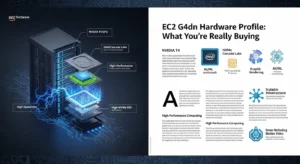
Across the family, AWS pairs T4 with Intel Xeon processors, varying amounts of memory, local NVMe SSD, and up to 100 Gbps networking on the largest sizes. Official AWS specs list these core patterns: g4dn.xlarge starts at 4 vCPUs, 16 GiB RAM, 1 T4, and 125 GB local NVMe; g4dn.2xlarge and 4xlarge retain 1 T4 while increasing CPU and RAM; g4dn.8xlarge and 16xlarge keep 1 T4 but add far more host-side resources; g4dn.12xlarge jumps to 4 T4 GPUs; and g4dn.metal exposes 8 T4 GPUs with 96 vCPUs, 384 GiB memory, and 100 Gbps networking.
That shape matters. The single-GPU sizes are not simply “bigger GPU boxes”; they are often CPU-heavy and RAM-heavy wrappers around the same 16 GB T4. That makes them useful when your bottleneck is host-side decode, preprocessing, stream orchestration, workstation session density, or application memory footprint rather than pure GPU silicon.
The EBS Nuance Most Articles Miss:
AWS documentation shows that smaller G4dn sizes are EBS-optimized, but g4dn.xlarge and g4dn.2xlarge rely on burst behavior for peak EBS performance, with maximum throughput available for limited periods before falling back to baseline. For inference systems that pull large model artifacts from EBS at startup, or media pipelines that hit storage hard, this nuance can materially change cold-start times and tail latency. Larger sizes sustain higher performance more consistently.
Driver Choices Shape Workload Fit:
One of G4dn’s practical strengths is driver flexibility. AWS documents support for Tesla drivers for compute, GRID drivers for professional visualization and VDI-style use, and Gaming drivers for cloud gaming scenarios. That is a major reason G4 remains attractive: a single instance family can support deep learning inference, remote workstation, and game streaming patterns without changing hardware families.
Optimization Tips:
- For stable performance, AWS recommends enabling persistence mode and setting G4dn GPU clocks to the documented maximum application clocks where supported.
- On Linux, use nvidia-smi and CloudWatch GPU telemetry to verify the GPU is actually running at intended clocks under sustained load.
Common Mistakes:
- Buying larger single-GPU sizes expecting more GPU memory or more GPU count.
- Ignoring EBS behavior on smaller nodes.
- Using the wrong driver branch for the workload.
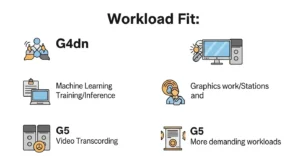
Best Workloads For AWS G4:
GPU Inference And Deep Learning Inference:
This is the cleanest G4 use case. AWS explicitly positions G4dn for inference, and T4 is built for mixed-precision inference with strong INT8 and FP16 characteristics. If your model fits inside 16 GB GPU memory and your latency target is not forcing you into a newer accelerator, G4 can be an efficient serving tier for image classification, object detection, speech workloads, recommendation components, and moderate LLM-adjacent tasks such as embeddings or smaller fine-tuned transformers. For businesses looking to optimize these deployments, GoCloud Managed Cloud Services can help streamline GPU infrastructure management, scaling, and performance monitoring for AI-powered workloads.
Deployment Guidance:
- Start with one model per GPU if memory pressure is unclear.
- Use TensorRT or other graph/runtime optimization for inference-heavy paths.
- Treat CPU preprocessing as a first-class design concern.
- Cache models on local NVMe when startup latency matters.
Common Mistakes:
- Packing too many models into 16 GB and then blaming “GPU underperformance.”
- Using CPU-only autoscaling metrics.
- Comparing G4 and G5 without matching precision mode or batch size.
VDI And Remote Workstations:
G4dn remains a strong option for virtual desktop infrastructure and graphics workstations because AWS supports GRID drivers and explicitly markets the family for remote workstations and graphics rendering. Teams running CAD review, DCC workflows, or GPU-accelerated visualization often find that the balance of 1 T4 plus adequate CPU/RAM on midrange sizes is more financially efficient than overbuying a newer family for users whose sessions are interactive but not extreme.
Best Practices:
- Size by concurrent user behavior, not named seats.
- Test session density under realistic display, codec, and application profiles.
- Monitor GPU memory, encoder metrics, and CPU contention together.
Cloud Gaming And Interactive Graphics:
AWS also positions G4dn for game streaming, and the driver stack supports gaming scenarios. Here, the technical question is less about tensor performance and more about frame consistency, encoder throughput, latency, and CPU scheduling. G4 works well when the title or application profile does not require a materially stronger GPU, and when economics per session is more important than max visual settings.
Video Transcoding And AI Video Pipelines:
NVIDIA states that T4 includes dedicated hardware transcoding capability and can decode up to 38 full-HD video streams, making it attractive for video analytics and transcoding pipelines. In practice, G4 is often a strong fit for media workflows that combine decode/encode with modest inference on the same GPU estate, such as video understanding, moderation, or real-time stream processing.
Optimization Tips:
- Track encoder session count, average FPS, and encoder latency, not only GPU core utilization.
- Separate pure transcode services from AI-enriched video services if one path starves the other.
- Use local NVMe or high-throughput storage when ingest and scratch I/O are heavy.
Rendering And Moderate ML Pipelines:
G4 can also make sense for batch rendering or moderate ML pipelines where “good enough, cheaper” beats “latest and fastest.” AWS positions G4dn for graphics rendering and small-scale training, but this should be read narrowly: not large distributed training, but prototyping, fine-tuning smaller models, or running modest render queues with clear budget constraints.
AWS G4 Sizing Guide By G4dn Variant:
Below is the practical way to think about the family.
| Instance | Raw Shape | Best Fit | Watch-Outs |
|---|---|---|---|
| g4dn.xlarge | 1 T4, 4 vCPU, 16 GiB RAM, 125 GB NVMe | Entry inference, dev/test, single-user graphics, light transcoding | CPU and RAM can limit pipelines before GPU saturates |
| g4dn.2xlarge | 1 T4, 8 vCPU, 32 GiB RAM | Slightly heavier inference, modest workstation use, more preprocessing | Same 16 GB GPU memory ceiling |
| g4dn.4xlarge | 1 T4, 16 vCPU, 64 GiB RAM | CPU-heavy inference, richer graphics apps, heavier media prep | Still only one T4 |
| g4dn.8xlarge | 1 T4, 32 vCPU, 128 GiB RAM | Orchestration-heavy serving, high CPU-side pipelines, larger app footprint | Easy to overpay if GPU remains lightly used |
| g4dn.16xlarge | 1 T4, 64 vCPU, 256 GiB RAM | Specialized CPU-heavy graphics/inference stacks | Often worse economics than scaling out |
| g4dn.12xlarge | 4 T4, 48 vCPU, 192 GiB RAM | Multi-GPU inference density, heavier rendering, consolidated GPU fleets | Software stack must use all GPUs efficiently |
| g4dn.metal | 8 T4, 96 vCPU, 384 GiB RAM | Niche cluster designs, bare-metal control, high GPU density | Operationally heavier and not for casual use |
Raw specs above are based on AWS accelerated computing documentation.
Sizing Guidance That Actually Works:
For most inference teams, the starting decision is not xlarge vs 16xlarge. It is scale out one-GPU nodes or consolidate onto multi-GPU nodes. If you care about failure domains, deployment simplicity, and granular autoscaling, smaller one-GPU nodes usually win. If you care about density, internal GPU packing, or fewer large nodes to manage, g4dn.12xlarge becomes more interesting.
For workstation and graphics workloads, size by session profile. Some users are mostly idle with bursts of interaction; others are constantly active with heavy viewport work. The right answer comes from measuring session density and encoder load, not from buying the largest instance you can justify.
Common Mistakes:
- Jumping from xlarge straight to 16xlarge instead of scaling horizontally.
- Forgetting that 8xlarge and 16xlarge still have one T4.
- Sizing only by vCPU/RAM and never validating GPU memory pressure.
AWS G4 Vs G5: How To Choose:
At a hardware level, the decision is simple: G4dn = T4, G5 = A10G. AWS positions G5 as the newer, stronger family for graphics-intensive applications and for training/deploying larger, more sophisticated ML models. AWS also claims G5 can deliver up to 3x better performance for graphics-intensive applications and inference, up to 3.3x higher ML training performance, and up to 40% better price/performance than G4dn in some scenarios. Those are useful directional signals, but they are not universal truth for every workload.
The more important point is workload headroom. T4 gives you 16 GB GPU memory. A10G gives you more room and more modern performance behavior. If your models, scenes, or pipelines are already uncomfortable on 16 GB, stop trying to “optimize your way out” of a capacity problem. That is usually the point where G5 becomes the better business decision.
Example Price Snapshots:
Public comparison pages currently show g4dn.xlarge around $0.526/hour and g5.xlarge around $1.006/hour. Higher in the range, example snapshots show g4dn.12xlarge around $3.912/hour and g5.12xlarge around $5.672/hour. These snapshots vary by region and OS, but they illustrate the core buying pattern: G5 costs more per hour, yet may still be cheaper per outcome if it materially reduces latency, fleet size, or model compromises.
When G4 Wins:
- Your inference workload fits comfortably in 16 GB.
- You are cost-sensitive and can tolerate lower absolute throughput.
- You need VDI, remote workstation, game streaming, or video pipelines more than large-model ML.
- Your application is constrained by CPU orchestration, storage, or encoder behavior more than by GPU math.
When G5 Wins:
- You need more GPU memory headroom.
- You are deploying larger CV/NLP/recommendation models.
- Graphics fidelity or rendering throughput is materially higher.
- You can reduce node count enough to offset the price premium.
Common Mistake:
Choosing G4 because it is cheaper per hour, then spending months working around memory ceilings, lower throughput, or fleet sprawl. Hourly price is not total economics.
Deployment Patterns For AWS G4:
A production G4 deployment is not just “launch an instance with a GPU.” AWS provides several paths to get the software stack right, including AMIs with drivers preinstalled, public drivers, and instance-family-specific GRID and gaming driver options. DLAMIs remain the fastest path when the goal is getting a GPU ML environment up quickly and consistently.
For inference fleets, containers are usually the safer long-term pattern. Keep CUDA, cuDNN, TensorRT, runtime libraries, and application versions pinned so that horizontal scale does not become a dependency lottery. NVIDIA also positions T4 alongside accelerated containerized software stacks through NGC, which fits well with this approach.
Autoscaling And Observability:
AWS’s own guidance is clear: CPU, memory, and disk metrics alone are not enough for GPU capacity planning. Use CloudWatch and Systems Manager to collect GPU-native telemetry such as GPU utilization, GPU memory utilization, memory used/free, temperatures, clocks, PCIe state, and encoder statistics. For inference, autoscale on a blend of business metrics and GPU-aware metrics, such as queue depth, request latency, and GPU memory saturation.
Best Practices:
- Bake or reference tested AMIs and container images.
- Put model artifacts close to compute; use local NVMe for cache when practical.
- Use mixed-instance fleets only when the scheduler and application are instance-aware.
- Treat Spot as an availability tier, not just a discount tier.
Common Mistakes:
- Launching GPU instances with the wrong drivers.
- Scaling on CPU alone.
- Ignoring model warmup and artifact download time in autoscaling tests.
Pricing And Cost Optimization For AWS G4:
AWS’s official EC2 pricing model gives you three primary levers: On-Demand, Spot, and commitment-based discounts such as Savings Plans. On-Demand is best for unpredictable or short-lived demand. Spot is ideal for interruption-tolerant batch and elastic fleets. Commitment models are the right move once the GPU baseline is stable.
Public instance comparison pages also show how large the discount delta can be. On the cited g4dn.xlarge page, the example view shows about $0.526/hour On-Demand, $0.213/hour Spot, and lower effective rates under longer commitments. That difference is large enough that any G4 buyer should have a clear answer to one question: what part of this workload truly needs guaranteed capacity?
Cost Optimization Playbook:
- Use On-Demand for baseline interactive or stateful capacity.
- Layer Spot on top for batch inference, asynchronous media jobs, rendering, and dev/test.
- Scale out smaller G4s only if the application can exploit granularity without causing orchestration waste.
- Measure cost per successful inference, cost per active stream, or cost per workstation hour, not just cost per instance hour.
Rightsizing Mistakes That Destroy Economics:
- Running CPU-heavy preprocessing on an undersized xlarge and blaming the GPU.
- Running a barely loaded single-user graphics workload on a large G4 node.
- Using G4 for large models that repeatedly page, fail, or require awkward fragmentation workarounds.
- Choosing commitment discounts before validating steady-state utilization.
How To Benchmark AWS G4 Properly:
Most GPU buying mistakes come from bad benchmarking. A fair G4 benchmark needs three layers: application outcome, system bottleneck visibility, and cost normalization.
For inference, measure:
- throughput at fixed latency targets
- p95 and p99 latency
- GPU utilization and GPU memory utilization
- CPU utilization in preprocessing and postprocessing
- model load and cold-start time
- EBS or artifact-read bottlenecks
- cost per 1,000 or 1,000,000 requests
For VDI, gaming, and graphics, measure:
- frame consistency and interactive latency
- encoder FPS and encoder latency
- session density
- GPU memory consumption per session
- host CPU contention
For media workloads, measure:
- stream density
- decode/encode throughput
- queue delay
- storage and network movement
- cost per rendered or transcoded minute
AWS’s CloudWatch GPU guidance is especially useful here because it calls out the blind spot many teams have: the system can look healthy on CPU and RAM while the GPU is either idle or constrained in a completely different way.
Questions Buyers Should Ask:
- Does the model fit fully in 16 GB with realistic concurrency?
- Is the real bottleneck GPU math, GPU memory, CPU preprocessing, encoder density, storage, or network?
- Can we use INT8 or FP16 safely?
- Are we benchmarking warm and cold starts separately?
- What is the cost per business outcome on G4 vs G5, not just the raw throughput delta?
- If we moved to G5, would we reduce fleet size enough to offset the higher rate?
When Not To Use AWS G4:
Do not use G4 when the workload is fundamentally asking for more than a T4 can reasonably provide. That includes larger training jobs, memory-hungry inference, demanding real-time rendering, or environments where consolidating onto newer GPUs simplifies the stack and improves utilization. AWS’s own family positioning makes that line fairly clear: G4 is for cost-effective inference and graphics, while G5 and beyond cover heavier ML and graphics requirements.
A second reason to skip G4 is organizational, not technical: if your team cannot monitor GPU-level metrics, handle driver discipline, benchmark properly, or separate stateful from interruptible capacity, you may not realize G4’s economic upside. Cheaper infrastructure does not stay cheap if it creates persistent operational inefficiency.
Quick Decision Checklist:
Use G4 if:
- the model fits in 16 GB
- inference, VDI, gaming, transcoding, or moderate rendering is the target
- cost sensitivity is high
- horizontal scale is acceptable
Use G5 or newer if:
- you need more GPU headroom
- you want fewer nodes for the same outcome
- graphics or training intensity is higher
- “good enough” is no longer good enough
Frequently Asked Questions:
Is AWS G4 Still Relevant In 2026?
Yes. It is still relevant where cost-efficient GPU inference, VDI, video pipelines, and graphics workloads matter more than getting the newest GPU generation. Relevance depends on workload fit, not release date alone.
Is EC2 G4dn Good For LLM Inference?
For smaller models, embeddings, rerankers, distilled models, and carefully optimized quantized deployments, it can be. For larger contemporary LLM serving, the 16 GB T4 ceiling is often the deciding constraint.
What Makes NVIDIA T4 Attractive?
Its strength is versatility. T4 supports inference-friendly precision modes, graphics workloads, and video acceleration, which is why G4 can support such a wide mix of production patterns.
Can I Use AWS G4 For Kubernetes-Based Inference?
Yes. G4 works well as GPU worker capacity in EKS or ECS-backed fleets, especially when smaller one-GPU nodes help with granular autoscaling and fault isolation.
Does AWS G4 Support Cloud Gaming?
Yes. AWS documents gaming driver support for G4dn and positions the family for game streaming workloads.
Conclusion:
AWS G4 remains a smart buy when your workload aligns with what EC2 G4dn and NVIDIA T4 are actually good at: cost-conscious GPU inference, VDI, cloud gaming, video transcoding, and moderate graphics rendering. It is not the best answer for every GPU problem, but it does not need to be. If your models fit, your pipeline is balanced, and your deployment is instrumented properly, AWS G4 can deliver excellent economics. If you are fighting 16 GB memory limits, consolidating too many compromises, or benchmarking around a capacity problem, move up to G5 or newer. The winning decision is not “cheapest GPU” or “fastest GPU”; it is the instance family that produces the best business outcome per dollar.
