


Every engineer who has used AI coding assistants has felt the gap. You describe what you want to build in a prompt. The AI generates code that is syntactically correct, technically plausible, and wrong for your actual requirements. You iterate through three or four rounds of corrections. By the end, you have spent more time steering the AI than you would have writing the code yourself.
This gap between intent and implementation is not a model quality problem. It is an information problem. Current AI coding tools lack structured context about what you are trying to achieve, the constraints your solution must satisfy, the architecture decisions that govern your system, and the acceptance criteria the output must pass. They are powerful engines operating without a map.
This is where Kiro takes a different approach. If you’re wondering what is Kiro, it is a spec-driven AI IDE designed to provide AI with structured context and clear requirements before code generation begins, helping reduce the gap between intent and implementation.
Kiro is AWS’s answer to this problem. Rather than making the AI smarter at guessing intent from unstructured prompts, Kiro introduces a structured context layer — specs — that gives AI agents a precise, persistent, version-controlled description of what needs to be built and how it must behave. The result is an AI-assisted development workflow that is less about prompt engineering and more about specification engineering.
Kiro is not an incremental improvement to Amazon Q Developer. It is a rethinking of the relationship between developer intent, AI agent execution, and software artifacts. Understanding what Kiro is requires understanding this architecture — not just its feature list.
What Kiro Is: Architecture and Core Concepts
Kiro is an agentic AI IDE (Integrated Development Environment) built on the VS Code engine and deeply integrated with AWS. It was developed by AWS and launched in 2025 as the successor to Amazon Q Developer, expanding from an AI coding assistant into a spec-driven autonomous development platform.
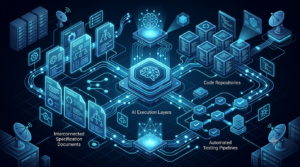
The definition of Kiro has three distinct layers that are worth separating clearly:
Layer 1: The IDE Shell
Kiro’s outer layer is a full-featured IDE built on the VS Code engine. This means:
- The VS Code extension marketplace is compatible your existing VS Code extensions install in Kiro.
- Keybindings, themes, and settings.json configurations import from VS Code with one click.
- The interface is familiar to any VS Code user — editor tabs, file explorer, integrated terminal, split panes.
- Language server protocols (LSP) for IntelliSense, linting, and debugging are identical to VS Code.
The IDE shell is not the innovation. It is the delivery mechanism. The innovation lives in the two layers beneath it.
Layer 2: The Agentic Engine
Inside Kiro’s IDE runs an AI agent powered by Amazon Bedrock — specifically Claude models with extended context and tool-use capabilities. This agent is qualitatively different from the autocomplete and chat assistants in tools like GitHub Copilot or the original Amazon Q Developer:
- Autonomous multi-step execution: The Kiro agent can receive a task and execute it across multiple files, creating new files, modifying existing ones, running tests, and validating its own output — without requiring manual human approval at each step (configurable).
- Tool-use integration: The agent has access to the file system, terminal, git, AWS SDK, and external MCP servers as native tools. It does not just suggest code — it executes actions.
- Context persistence: Agent context persists across sessions through spec files and memory — unlike chat-based assistants where context resets every conversation.
- Reasoning transparency: Kiro’s agent shows its reasoning chain before execution — the implementation plan is visible and editable before the agent acts.
Layer 3: The Spec-Driven Context System
The spec system is Kiro’s foundational architectural innovation. Specs are structured markdown files stored in .kiro/specs/ that capture the intent, requirements, acceptance criteria, and technical constraints for a feature or component. They serve as:
- Context for the AI agent: The agent reads specs before executing any task, ensuring generated code matches actual requirements rather than inferred intent.
- Living documentation: Specs update as implementation progresses, maintaining accurate design documentation without manual effort.
- Review scaffolding: PRs can reference specs, giving reviewers immediate context on what the code is supposed to do and what criteria it must pass.
- Onboarding material: New engineers read specs to understand design decisions without archaeological digging through commit history.
Kiro’s Five Core Systems: A Technical Breakdown
Understanding what Kiro is at the engineering level requires understanding its five core systems and how they interact.
System 1: Spec Engine
The spec engine is responsible for creating, maintaining, and syncing spec files with the actual state of the codebase. It operates in three modes:
- Creation mode: Engineer writes a spec from scratch or uses kiro spec create template to scaffold from a predefined template. The spec engine validates spec structure and suggests missing acceptance criteria based on the requirement description.
- Inference mode: Engineer runs kiro spec infer on an existing codebase component. The spec engine reads the code and generates a retrospective spec documenting what the component does and its implicit acceptance criteria. Useful for legacy code documentation.
- Sync mode: After an agent task completes, the spec engine marks completed acceptance criteria, updates the technical approach section if implementation diverged from the plan, and flags criteria that tests are not yet covering.
| # Create a new spec from template
kiro spec create feature-name –template rest-api # Infer a spec from existing code kiro spec infer src/services/UserService.ts
# Validate spec completeness kiro spec validate .kiro/specs/feature-name.md
# Sync spec with implementation state kiro spec sync .kiro/specs/feature-name.md
# List all specs and their completion status kiro spec list |
System 2: Agent Runtime
The agent runtime orchestrates multi-step task execution. When an engineer runs kiro agent task, the agent runtime:
- Reads the relevant spec (if present) and workspace context.
- Generates a structured implementation plan a numbered list of concrete actions.
- Presents the plan for review (configurable: auto-approve or human-approve per step).
- Executes each action: file creation, code modification, test execution, git operations.
- Validates its own output against spec acceptance criteria after each significant step.
- Reports completion status and any remaining criteria not yet satisfied.
The agent runtime has three execution modes:
- Interactive: Agent presents plan and waits for approval before each step. Best for production codebases where agent changes need human review.
- Semi-automatic: Agent executes low-risk actions (creating new files, writing tests) automatically but pauses for high-risk actions (modifying existing files, running database migrations). Configurable by file type and directory.
- Autonomous: Agent executes the full plan without human approval. Best for sandboxed environments, CI/CD pipelines, or well-defined tasks with clear success criteria.
System 3: Hook Automation Layer
Hooks are event-driven automations that trigger agent tasks on developer workflow events. They are defined in .kiro/hooks.yaml and execute without manual invocation:
| Event Trigger | Example Hook Action | Developer Benefit |
| File saved | Run type-check and suggest fixes inline | Instant feedback without leaving editor |
| Pre-commit | Generate conventional commit message from diff | Consistent commit history without manual formatting |
| Post-commit | Update spec acceptance criteria status | Spec stays synchronized with implementation |
| Test failure | Diagnose failing test and propose fix | Faster red-green cycle without context-switching |
| File created (pattern match) | Generate test stub for new service file | Test coverage starts at file creation, not as afterthought |
| PR opened | Generate PR description from spec + diff | Consistent, high-quality PR context for reviewers |
| Dependency updated | Check breaking change impact on dependent files | Proactive compatibility awareness |
System 4: Steering Files
Steering files are team-level configuration documents stored in .kiro/steering/ that define standards, conventions, and constraints that the agent must follow across all tasks. They are the mechanism for encoding your team’s engineering culture into Kiro:
- .kiro/steering/code-style.md — Coding conventions: naming patterns, file structure, preferred libraries, forbidden patterns.
- .kiro/steering/architecture.md — Architectural constraints: which services can call which, data flow rules, forbidden dependencies.
- .kiro/steering/security.md — Security baseline: required input validation, forbidden insecure patterns, required auth checks.
- .kiro/steering/aws.md — AWS-specific standards: required resource tagging, approved services list, IAM patterns, region constraints.
When the agent executes any task, it reads all steering files in .kiro/steering/ and applies their constraints to every generated artifact. A steering file saying ‘never use console.log — use the structured logger from src/lib/logger.ts’ will be enforced in every piece of agent-generated code, across every engineer’s workstation, without code review intervention.
System 5: Memory and Context Persistence
Kiro maintains a project memory layer that persists context across sessions. This memory includes:
- Architectural decisions captured from spec technical approach sections.
- Common patterns identified from the codebase (how errors are handled, how auth is implemented, preferred data access patterns).
- Team conventions learned from steering files and previous agent task feedback.
- Integration points documented in specs (which external services are called, which databases are used, which message queues are subscribed to).
This persistent memory is what allows Kiro to make accurate completions on Monday morning without re-establishing context that existed at the end of Friday’s session a problem every engineer recognizes in session-based AI tools.
Kiro in Practice: Real Engineering Workflows
Abstract architectural descriptions are less useful than concrete workflow examples. The following scenarios show how Kiro works in the daily reality of software engineering.

Workflow 1: Building a New Feature End-to-End
Scenario: A backend engineer needs to implement a rate-limited API endpoint for user profile updates.
| # 1. Create a spec for the feature
kiro spec create user-profile-update –template rest-api
# 2. Edit the spec to fill in requirements # .kiro/specs/user-profile-update.md # Requirements: PUT /users/{id}/profile, auth required, rate limit 10/minute # Acceptance criteria: 200 on valid update, 422 on invalid fields, # 429 on rate limit exceeded, 403 on updating another user’s profile
# 3. Generate an implementation plan from the spec kiro agent –spec .kiro/specs/user-profile-update.md –task ‘implement’ –plan-only
# 4. Review the plan, then execute kiro agent –spec .kiro/specs/user-profile-update.md –task ‘implement’
# 5. Generate acceptance tests from spec criteria kiro agent –spec .kiro/specs/user-profile-update.md –task ‘generate-tests’
# 6. Verify tests pass npm test — user-profile-update
# 7. Sync spec status (marks criteria as complete) kiro spec sync .kiro/specs/user-profile-update.md |
Workflow 2: Debugging a Production Incident
Scenario: A CloudWatch alarm fires for elevated 5xx error rate on a Lambda function. The on-call engineer opens Kiro:
- Engineer opens Kiro chat with the incident context: ‘Lambda function payments-processor is returning 5xx errors at 12% rate since 14:32 UTC. CloudWatch alarm ARN: arn:aws:…’
- Kiro’s AWS-integrated agent queries CloudWatch Logs via the CloudWatch MCP server to retrieve recent error patterns.
- Agent reads the relevant spec in .kiro/specs/payments-processor.md to understand the function’s expected behavior and error handling design.
- Agent identifies the root cause from log analysis correlated against the spec’s documented error handling patterns.
- Agent proposes a fix with explanation of why the fix satisfies the spec’s acceptance criteria.
- Engineer reviews, approves, and deploys via the integrated terminal.
Workflow 3: Infrastructure as Code Generation
Scenario: A DevOps engineer needs to provision a DynamoDB table with specific access patterns, backup configuration, and tagging.
| # .kiro/specs/user-events-table.md
## DynamoDB Table: user-events
## Access Patterns # Primary: userId (partition) + timestamp (sort) — get events by user, time range # GSI-1: eventType (partition) + timestamp (sort) — get events by type, time range # GSI-2: sessionId (partition) — get all events in a session
## Capacity # Billing mode: PAY_PER_REQUEST # Point-in-time recovery: enabled # TTL: attribute ‘expiresAt’, events expire after 90 days
## Security # Encryption: AWS managed key # VPC endpoint: required for Lambda access
# Generate CDK TypeScript stack from spec kiro agent –spec .kiro/specs/user-events-table.md –task ‘generate-cdk-stack’
# Output: src/infrastructure/stacks/UserEventsTableStack.ts # Includes: table definition, GSI configurations, IAM policies, # VPC endpoint, backup policy, cost tags |
Workflow 4: Code Review Acceleration
Scenario: A tech lead reviews a PR for a new authentication module. They open the PR in Kiro:
- kiro review –pr 247 reads the diff alongside the spec referenced in the PR description.
- Kiro agent checks each acceptance criterion in the spec against the implementation, flagging criteria not covered by the PR changes.
- Agent identifies three inline issues: missing input validation on one endpoint, a test that only covers the happy path for a criterion requiring both happy and error paths, and a logging statement that includes a field marked sensitive in the security steering file.
- Tech lead sees the agent’s review in a structured format: spec coverage status, security flags, test coverage gaps — all before reading a single line of code manually.
- Engineer addresses the three flags and updates the PR. Final review is focused on design decisions, not mechanical correctness checks.
Kiro vs. The Competition: Where It Stands in 2025
Understanding what Kiro is requires understanding where it fits relative to the established AI coding tools that engineers are already using. The comparison is not straightforward because Kiro occupies a different position in the landscape than its closest competitors.
Full Comparison: Kiro vs GitHub Copilot vs Cursor vs Amazon Q Developer
| Dimension | Kiro | GitHub Copilot | Cursor | Amazon Q Developer |
| Core paradigm | Spec-driven agentic IDE | AI coding assistant | AI-first code editor (VS Code fork) | AI coding assistant (AWS-native) |
| Spec/context system | Native spec files, steering files, memory | None — prompt-only context | Custom rules file (.cursorrules) | None — workspace index only |
| Agent autonomy | High — multi-step autonomous execution | Low — suggestions only | Medium — Composer multi-file edits | Low — /dev tasks, limited autonomy |
| IDE requirement | Kiro IDE (VS Code engine) | Any IDE (VS Code, JetBrains, Vim) | Cursor IDE (VS Code fork) | VS Code, JetBrains, CLI |
| AWS integration | Deep native — Bedrock, CDK, CloudWatch, IAM | None native | Via MCP servers (manual setup) | Deep native — full AWS service awareness |
| Hook automation | Native — file, git, CI/CD event hooks | None | None | None |
| IaC generation | Spec-driven CDK/Terraform/CloudFormation | Generic code generation | Generic code generation | CDK/CloudFormation via chat |
| Inline completions | Yes — spec-context-aware | Yes — industry-leading quality | Yes — strong quality | Yes — good quality |
| Free tier | Limited free tier | Limited free (Copilot Free) | Free tier available | Free tier available |
| Pricing (Pro) | ~$19/month | ~$10/month | ~$20/month | ~$19/month |
| Best for | AWS teams, spec-driven development | General programming, GitHub users | Power users wanting more AI control | AWS-heavy teams pre-Kiro |
Where Kiro Leads
Kiro has a clear competitive advantage in four areas:
- Spec-driven context quality: No other mainstream AI IDE has a structured context layer equivalent to Kiro’s spec system. This makes Kiro the most accurate tool for building features that must match specific requirements.
- Hook-driven automation: Kiro is the only major AI IDE with a native event-driven automation layer. This enables workflow automation that other tools require external CI/CD tooling to achieve.
- AWS-native depth: Kiro’s Bedrock, CloudWatch, CDK, and IAM integrations are native and deeply contextual — not bolted-on MCP configurations.
- Team-level steering: The steering file system allows engineering leaders to encode architectural and security standards into the AI agent at the team level. No other tool provides this governance layer.
Where Kiro Lags
Kiro has genuine gaps relative to its competitors as of 2025:
- Inline completion quality at non-spec context: GitHub Copilot’s inline completions are marginally more accurate when working outside of spec context — for quick edits and exploratory coding without a spec, Copilot’s training data advantage is noticeable.
- IDE ecosystem lock-in: Kiro requires the Kiro IDE — engineers cannot use Kiro in JetBrains, Neovim, or Emacs. This is a significant constraint for teams with diverse editor preferences. The Kiro JetBrains extension partially addresses this but with reduced capability.
- Community and ecosystem maturity: GitHub Copilot and Cursor have larger communities, more third-party tutorials, and more established integration patterns. Kiro’s ecosystem is younger.
- Non-AWS cloud contexts: Kiro’s AWS-native integration is a strength for AWS teams but adds no value for teams on GCP or Azure.
Getting Started with Kiro: From Installation to First Agent Task
This section provides a concrete path from zero to a working Kiro environment with your first spec and agent task running within an hour.
Installation
| # macOS — Homebrew
brew install –cask kiro
# macOS — direct download (Apple Silicon + Intel) # Download from https://kiro.dev/download
# Linux — Debian/Ubuntu curl -fsSL https://kiro.dev/install.sh | sh
# Linux — RPM-based sudo rpm -i https://kiro.dev/releases/latest/kiro.rpm
# Windows winget install Kiro.Kiro
# Verify installation kiro –version |
Authentication
Kiro authenticates via AWS IAM Identity Center (SSO) for enterprise use or via AWS Builder ID for individual developers:
| # Individual developer — AWS Builder ID (free tier)
kiro auth login –builder-id
# Enterprise — AWS IAM Identity Center (SSO) kiro auth login –sso-start-url https://your-org.awsapps.com/start
# Verify authentication kiro auth whoami
# Check connected AWS profile kiro config get aws.profile |
Importing VS Code Settings
If you are migrating from VS Code or have team settings to standardize:
| # Import all VS Code settings
kiro settings import –from vscode
# Import specific VS Code profile kiro settings import –from vscode –profile team-profile
# Sync team settings from shared repository kiro settings sync –remote git@github.com:your-org/kiro-team-settings.git |
Initializing Kiro in a Project
| # Navigate to your project root
cd /path/to/your/project
# Initialize Kiro project structure kiro init
# This creates: # .kiro/ # specs/ — feature specification files # steering/ — team standards and conventions # hooks.yaml — event-driven automation config # memory.json — persistent agent context (auto-managed) # templates/ — spec templates for your team
# Add Kiro project files to git git add .kiro/ git commit -m “chore: initialize Kiro project configuration”
# .kiro/memory.json should be gitignored (developer-specific) echo ‘.kiro/memory.json’ >> .gitignore |
Writing Your First Spec
| # Scaffold a spec from the REST API template
kiro spec create get-user-profile –template rest-api
# Edit .kiro/specs/get-user-profile.md # Minimum viable spec:
## Overview # GET /users/{id}/profile endpoint returning public profile data.
## Requirements # – Authenticated users can fetch any public profile # – Response includes: id, username, bio, avatarUrl, joinedAt # – Non-existent users return 404
## Acceptance Criteria # – [ ] GET /users/123/profile returns 200 with profile object # – [ ] GET /users/unknown/profile returns 404 # – [ ] Unauthenticated request returns 401 # – [ ] Response matches ProfileDto schema |
| # Run your first agent task
kiro agent –spec .kiro/specs/get-user-profile.md –task ‘implement’ –plan-only
# Review the plan output, then execute kiro agent –spec .kiro/specs/get-user-profile.md –task ‘implement’ |
Kiro for AWS-Native Teams: Deep Integration Capabilities
Kiro’s most differentiated capabilities are in its AWS integration layer. For teams building on AWS, these integrations reduce the friction between code and cloud infrastructure.
Amazon Bedrock Integration
Kiro’s agent engine runs on Amazon Bedrock and provides direct access to foundation models from within the development workflow:
- Primary agent model: Claude Sonnet (or configurable to Claude Haiku for cost-sensitive high-frequency use cases, Claude Opus for complex architectural reasoning tasks).
- Model routing: Kiro can route different task types to different Bedrock models — code generation to Sonnet, security analysis to Opus, quick inline completions to Haiku.
- Bedrock Knowledge Bases: Connect Kiro to your organization’s Bedrock Knowledge Base for RAG-powered answers grounded in your internal documentation, runbooks, and architecture records.
- Custom fine-tuned models: Enterprise teams can configure Kiro to use Bedrock custom models fine-tuned on their codebase for higher-accuracy completions in domain-specific languages or internal frameworks.
AWS CloudFormation, CDK, and Terraform Integration
Infrastructure as Code generation in Kiro is spec-driven, not prompt-driven. The difference is significant:
- Prompt-driven IaC generation (Amazon Q Developer, GitHub Copilot): ‘Generate a CDK stack for an S3 bucket with versioning’ produces a technically correct but context-free artifact. It does not know your naming conventions, tagging standards, account structure, or approved service list.
- Spec-driven IaC generation (Kiro): The same request in a Kiro spec — with your steering file specifying tagging requirements, your architecture steering specifying approved regions, and your security steering specifying encryption requirements — produces infrastructure code that is immediately compliant with your team’s standards.
Kiro supports CDK (TypeScript and Python), CloudFormation YAML/JSON, and Terraform HCL for IaC generation. The target framework is specified in your aws.md steering file.
AWS Security Hub and IAM Policy Generation
Kiro integrates with AWS Security Hub findings and can generate IAM policies from spec-described permission requirements:
- IAM policy generation: Describe what a Lambda function or ECS task needs to do in a spec, and Kiro generates a least-privilege IAM policy. The agent knows not to generate wildcard permissions because the security steering file says so.
- Security Hub review: kiro review –security-hub runs the current codebase against active Security Hub findings and correlates findings with spec acceptance criteria, identifying which specs need security-related updates.
- CodeGuru equivalent: Kiro’s security analysis agent detects the same vulnerability classes as Amazon CodeGuru Reviewer (SQL injection, secrets exposure, insecure cryptography) plus additional checks informed by your security steering file.
MCP Server Integration for Extended AWS Coverage
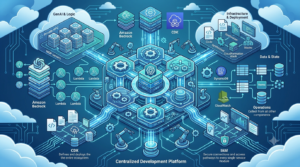
For AWS services not natively covered by Kiro’s built-in integrations, Kiro supports MCP (Model Context Protocol) servers. AWS Labs maintains an expanding catalog of official AWS MCP servers at github.com/awslabs/mcp that cover CloudWatch, DynamoDB, S3, Lambda, Cost Explorer, and more.
Adding an MCP server to Kiro extends the agent’s ability to query and interact with those AWS services from within development workflows — without leaving the IDE.
| # .kiro/mcp.yaml — configure MCP servers
servers: cloudwatch: command: uvx args: [awslabs.cloudwatch-mcp-server@latest] env: AWS_REGION: us-east-1 AWS_PROFILE: prod-readonly
s3: command: uvx args: [awslabs.s3-mcp-server@latest] env: ALLOWED_BUCKETS: ‘data-bucket,logs-bucket’
cost-explorer: command: uvx args: [awslabs.cost-explorer-mcp-server@latest] |
Kiro for Teams: Governance, Standards, and Organizational Configuration
Kiro is not just a developer productivity tool — it is an engineering governance tool. The features that matter most at the team and organization level go beyond individual developer productivity.
Steering Files as Engineering Policy
Steering files are the most powerful team-level feature in Kiro, yet they are the most underutilized. A complete steering file setup for an enterprise team covers:
| Steering File | Content Scope | Who Writes It | Review Cadence |
| code-style.md | Naming conventions, file structure, library preferences, anti-patterns | Senior engineer or tech lead | Quarterly |
| architecture.md | Service boundaries, data flow rules, forbidden cross-service dependencies, API design patterns | Principal engineer or architect | On major architecture changes |
| security.md | Required input validation, forbidden insecure patterns, required auth checks, secret handling rules | Security engineer | Monthly or after incidents |
| aws.md | Approved services list, required resource tags, IAM patterns, regional constraints, cost guardrails | Cloud architect or FinOps lead | Quarterly |
| testing.md | Required test types, coverage targets, test naming conventions, mock patterns | QA or senior engineer | Quarterly |
| documentation.md | Required docstring format, changelog conventions, ADR format, README standards | Tech lead | Annually or as needed |
Spec Templates for Consistency at Scale
Teams that standardize spec templates eliminate 80% of the ‘what goes in a spec?’ friction that slows early adoption. Recommended template set for a backend engineering team:
- rest-api-endpoint.md — HTTP method, path, auth requirements, request/response schema, error codes, rate limiting.
- background-job.md — Trigger, schedule/event, input processing, failure handling, idempotency, monitoring.
- database-migration.md — Schema change description, rollback plan, data backfill requirements, performance impact.
- infrastructure-change.md — Resource type, configuration, IAM requirements, cost estimate, rollback procedure.
- bug-fix.md Reproduction steps, root cause, proposed fix, regression test requirement.
- integration.md External service, authentication, rate limits, error handling, circuit breaker pattern.
Commit your spec templates to .kiro/templates/ in your monorepo. Engineers run kiro spec create <name> –template <template-name> to scaffold from any template, ensuring every spec starts with the right structure for its context.
CI/CD Integration: Kiro in Pipelines
Kiro CLI integrates into CI/CD pipelines to extend AI-assisted quality gates beyond individual developer workstations:
| # GitHub Actions workflow — Kiro CI integration
name: Kiro Quality Gate
on: [pull_request]
jobs: kiro-review: runs-on: ubuntu-latest steps: – uses: actions/checkout@v4
– name: Install Kiro CLI run: curl -fsSL https://kiro.dev/install.sh | sh
– name: Authenticate Kiro run: kiro auth login –aws-role ${{ secrets.KIRO_CI_ROLE_ARN }}
– name: Spec coverage check run: kiro spec check –require-spec-for-feature-prs
– name: Security review run: kiro review –security –output-sarif kiro-security.sarif
– name: Upload SARIF results uses: github/codeql-action/upload-sarif@v3 with: sarif_file: kiro-security.sarif |
Pricing, Plans, and Cost Considerations for Kiro
Engineering leaders evaluating Kiro for team adoption need a clear picture of the cost model, including the subscription cost and the underlying Bedrock API costs that heavy agent use generates.
Subscription Tiers
| Tier | Target User | Price | Key Capabilities | Limits |
| Free | Individual developers evaluating Kiro | $0/month | Inline completions, basic chat, basic spec system | Limited agent tasks/month, no hooks, no CI integration |
| Pro | Individual professional developers | ~$19/month | Unlimited completions, full agent tasks, all hooks, MCP servers | Fair use policy on agent tasks |
| Team | Engineering teams | ~$19/user/month | Pro + team steering files, shared spec templates, admin console | Volume pricing available |
| Enterprise | Large organizations | Custom pricing | Team + SSO/SAML, compliance controls, VPC deployment, SLAs | Custom limits |
Understanding Bedrock API Costs
Kiro’s agent tasks run on Amazon Bedrock models. The subscription fee covers standard usage, but very heavy agent use — running dozens of multi-step spec-driven implementations per day — can generate Bedrock API costs beyond the subscription:
- Inline completions: Covered by subscription — these use smaller, faster models with minimal token consumption.
- Chat queries: Covered by subscription for standard usage volumes.
- Agent tasks: Each agent task consumes significant tokens (plan generation + implementation + validation passes). 5–10 agent tasks per developer per day is standard subscription usage. 50+ agent tasks per day per developer may generate additional Bedrock costs.
- Monitoring: Use AWS Cost Explorer with the tag kiro:session to track Bedrock costs attributable to Kiro usage. Set a Bedrock budget alert at 120% of your baseline to catch unexpectedly heavy usage.
Conclusion: What Kiro Is, and Why It Matters for Engineering Teams
Kiro is not another AI autocomplete tool. It is a spec-driven agentic IDE that changes the fundamental unit of AI-assisted development from ‘prompt and correct’ to ‘specify and verify.’ For engineering teams building on AWS, it combines this workflow innovation with the deepest native AWS integration available in any development tool.
What Kiro is, in concrete terms: an IDE built on VS Code, powered by Amazon Bedrock agents, structured around spec files that provide persistent context, governed by steering files that encode team standards, automated by hooks that trigger agent actions on developer workflow events, and integrated natively with AWS services from CDK to CloudWatch to IAM.
Whether Kiro is the right tool for your team depends primarily on two factors: how much of your development targets AWS (high AWS investment = strong fit), and how willing your team is to invest in writing specs (reluctant to write specs = limited gains). Teams that embrace both factors consistently report qualitative workflow improvements that go beyond productivity metrics — fewer review cycles, better documentation, more consistent code quality, and faster onboarding.
The engineers who will get the most from Kiro are not those who use it as a smarter autocomplete — they are those who use it as a system for translating precise intent into verified implementation, with AI as the execution layer and specs as the contract between the two.
