


If you run logs, search, or AI retrieval on AWS, you have almost certainly crossed paths with AWS OpenSearch. It is the managed engine behind product search bars, security dashboards, observability pipelines, and the retrieval layer inside a growing number of retrieval augmented generation systems. The service sits at an unusual intersection: it is a full text search engine, a time series analytics store, and a vector database, all wrapped in a managed AWS control plane.
That flexibility is also what makes it easy to get wrong. Teams over provision clusters, pick the wrong deployment model, misjudge storage tiers, and end up with a bill that grows faster than the value they get from it. This guide is written for the people who actually make those calls: CTOs, DevOps engineers, cloud architects, and engineering leaders who need to decide not just what AWS OpenSearch is, but whether and how to build on it.
We will cover the architecture, the two deployment models, instance and storage choices, vector and AI capabilities, security, pricing, and the operational practices that separate a stable cluster from a 2 a.m. incident. The goal is a clear mental model you can act on, not a feature list.
What Is AWS OpenSearch?
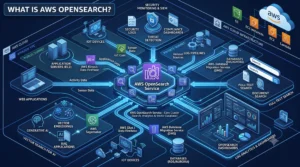
| AWS OpenSearch, formally Amazon OpenSearch Service, is a fully managed service for deploying, operating, and scaling OpenSearch, an open source search and analytics suite licensed under Apache 2.0. It handles full text search, log and event analytics, observability, security analytics, and vector search for AI applications. AWS runs the provisioning, patching, backups, scaling, and high availability, and offers two ways to consume it: provisioned managed domains, where you choose instances and storage, and OpenSearch Serverless, which scales compute automatically based on demand. |
OpenSearch itself began in 2021 as a community fork of Elasticsearch 7.10 and Kibana 7.10, created after Elastic moved those projects off the permissive Apache 2.0 license. AWS renamed its own managed offering from Amazon Elasticsearch Service to Amazon OpenSearch Service and has developed the engine steadily since, with recent versions in the 3.x line adding stronger vector search, hybrid retrieval, and agentic AI building blocks.
Core Use Cases: What Teams Actually Build on AWS OpenSearch
Understanding the workload categories matters, because each one pushes the architecture in a different direction. Most real deployments blend two or three of these.
1. Log Analytics and Observability
This is the classic use case and still the most common. Application logs, infrastructure metrics, VPC flow logs, and traces flow in continuously, get indexed, and are explored through dashboards. These are time series, write heavy workloads where recent data is queried often and older data rarely. Storage tiering and retention policy become the dominant cost levers here.
2. Full Text and Application Search
Ecommerce catalogs, content management systems, internal knowledge bases, and site search all rely on lexical ranking. OpenSearch tokenizes text and scores results with BM25, the same relevance model that has powered search boxes for years. These workloads are read heavy and latency sensitive, and they reward careful analyzer, mapping, and shard design.
3. Vector Search and AI Retrieval
OpenSearch doubles as a vector database. It stores high dimensional embeddings generated from text, images, or audio and finds nearest neighbors using approximate algorithms such as HNSW. This is the retrieval layer behind semantic search and RAG chatbots, and it is where a large share of new adoption is coming from. Hybrid search, which blends lexical and vector scoring, is increasingly the default for production quality relevance.
4. Security Analytics and SIEM
Security teams use OpenSearch to centralize logs, run detection rules, and investigate incidents. Anomaly detection, alerting, and correlation features ship with the service, so teams can build a working security data lake without buying separate detection tooling. Long retention requirements make cold storage particularly relevant for this pattern.
How AWS OpenSearch Works: The Architecture You Need to Understand
Whether you run a small internal search tool or a petabyte scale log platform, the same building blocks apply. Getting these right early prevents most of the pain later.
Domains, Nodes, and Roles
In the provisioned model, your deployment is a domain, which is a cluster of nodes. Nodes take on roles:
- Data nodes hold the shards, index incoming documents, and answer queries. This is where most of your compute and storage spend lives.
- Dedicated master nodes manage cluster state, shard allocation, and health. They do not serve data. Running three dedicated masters is a baseline for any production cluster, because it protects against split brain and keeps the cluster stable under load.
- UltraWarm and cold nodes provide cheaper tiers for older data, which we cover below.
Spreading nodes across multiple Availability Zones is what gives you resilience. AWS offers a Multi-AZ with Standby configuration that adds a standby set of nodes and backs a 99.99 percent availability commitment, versus a lower target for single AZ setups.
Indices, Shards, and Replicas
Data lives in indices, and each index is split into shards that distribute across data nodes. Every primary shard can have one or more replicas, which serve two jobs at once: redundancy and read throughput.
Shard sizing is the single most common mistake in OpenSearch. Too many small shards waste heap and slow cluster coordination. Too few oversized shards create hotspots and slow recovery. A practical target for most log and search workloads is roughly 30 to 50 GB per shard, adjusted for your query pattern. Design shard count from expected data volume and retention, not from a default you copied from a tutorial.
Storage Tiers: Hot, UltraWarm, and Cold
OpenSearch lets you move data through tiers as it ages, which is the foundation of cost control for any high volume workload.
| Tier | Backing | Cost profile | Query behavior |
| Hot | Local or EBS on data nodes | Highest cost per GB | Fastest, for active data |
| UltraWarm | S3 with local caching | Roughly 90 percent cheaper than hot | Interactive, slightly higher latency |
| Cold | S3, indices detached | Lowest cost, pay compute only on access | Must be attached before querying |
A well designed lifecycle policy might keep the most recent data hot, shift the last several weeks to UltraWarm, push months old data to cold, and delete beyond the retention window. Index State Management automates these transitions so you are not moving data by hand. For log heavy platforms, this tiering routinely cuts storage spend by well over half.
The Newer Storage Optimized Instances
AWS has introduced OpenSearch Optimized instance families that change the storage math. Rather than storing replica shards on expensive EBS, these families keep replica data on S3 backed managed storage, which removes a large chunk of replica storage cost on multi node clusters.
- OR1 and OR2 are compute and memory balanced families aimed at indexing heavy workloads such as logs, with OR2 delivering meaningfully higher indexing throughput than earlier options.
- OM2 is memory optimized, well suited to read heavy search over large indices that benefit from more RAM.
- OI2 is I/O optimized and notable for supporting a writable warm tier, unlike traditional UltraWarm, which is read only.
For most new provisioned deployments in 2026, an OpenSearch Optimized family is the sensible default because the S3 backed replica model lowers total storage cost without sacrificing durability.
Deployment Models: Managed Domains vs OpenSearch Serverless
This is the most consequential architectural decision you will make with AWS OpenSearch, and it comes down to one question: how predictable is your workload?
Provisioned Managed Domains
With managed domains you choose instance types, node counts, storage volumes, and tier configuration. You get full control over sizing, dedicated master nodes, custom plugins, advanced tiering, and features like cross cluster replication. The tradeoff is that you own capacity planning. You have to size for peak, monitor utilization, and adjust as the workload evolves.
This model wins for steady, high throughput, always on workloads, especially when you commit to reserved capacity. It also wins when you need functionality that serverless does not expose.
OpenSearch Serverless
OpenSearch Serverless removes capacity planning. You create a collection, which is a group of indices for a specific workload, and the service scales compute up and down automatically. It separates the indexing and search paths so each scales independently, and it uses S3 as the primary data store, which decouples compute from the volume of data you hold.
The newest generation of Serverless is a significant rework. It provisions resources in seconds, autoscales dramatically faster than the previous version, and, most importantly, supports true scale to zero. When a collection has no traffic for about ten minutes, compute drops to zero and you pay only for stored data. When a request arrives, capacity comes back in roughly ten seconds, and queued requests are served rather than dropped. Compute is measured in OpenSearch Compute Units, where each OCU bundles memory, vCPU, and I/O.
| A serverless cost trap worth knowing
Older serverless collections carried a minimum billing floor because they could not scale to zero. A common surprise: deleting a vector store created by another AWS service does not always delete the underlying serverless collection, which can keep billing quietly in the background. Always confirm the collection itself is removed, and prefer the newest serverless generation when scale to zero matters for cost. |
Managed Domains vs Serverless: Side by Side
| Dimension | Managed Domains | OpenSearch Serverless |
| Capacity management | You size and tune nodes | Automatic, scales to zero on newest generation |
| Best for | Steady, predictable, high throughput | Bursty, intermittent, or new workloads |
| Cost model | Instance hours plus storage | OCU hours plus managed storage |
| Control | Full: instances, tiers, plugins | Simplified, fewer knobs |
| Cost efficiency | Best with reserved capacity at scale | Best when traffic idles or spikes |
| Collection or index types | All features and tiers | Search and vector types on newest generation |
How to Choose
- Choose managed domains when the workload runs continuously at meaningful scale, when you can commit to reserved instances, or when you need tiering, plugins, or cross cluster features.
- Choose serverless for unpredictable traffic, development and test environments, multi tenant SaaS patterns, agent driven vector workloads that idle between bursts, and new projects with no usage baseline.
The crossover point is real. Once a serverless workload consistently needs a large, steady amount of compute, provisioned instances with reserved pricing almost always cost less. Serverless earns its premium when your usage is genuinely variable.
Instance Types and Sizing for Managed Domains
On managed domains, instance choice drives both performance and cost. The families map to workload shape.
| Instance family | Best suited for | Key characteristic |
| General purpose (M) | Balanced dev and mixed workloads | Even CPU to memory ratio |
| Compute optimized (C) | Query heavy, lighter storage | More CPU per dollar |
| Memory optimized (R) | Large indices, heavy aggregations | High RAM for caching and heap |
| Storage optimized (I) | Very large hot datasets | Dense local storage |
| OpenSearch Optimized (OR2, OM2, OI2) | Production logs and search at scale | S3 backed replicas cut storage cost |
Graviton based instances generally offer better price to performance than equivalent x86 options, so prefer them where available. Sizing discipline matters more than family choice, though. Use actual CPU, memory, and JVM heap pressure from monitoring to right size, rather than guessing. Most teams provision two to three times the capacity they actually use, and that gap is where the easiest savings hide.
A Simple Sizing Approach
- Estimate daily ingest volume and multiply by retention to get raw data size.
- Add replica overhead, then apply index overhead for the inverted index and doc values.
- Divide by your target shard size to get shard count, then map shards to nodes.
- Add three dedicated master nodes for any production cluster and spread data nodes across Availability Zones.
- Validate against real query load with a representative test before committing to reserved capacity.
Vector Search and the Shift Toward AI Workloads
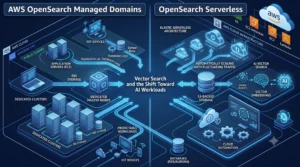
The fastest growing reason teams adopt AWS OpenSearch today is AI retrieval. The engine has evolved from a lexical search tool into a full vector store that plugs directly into generative AI pipelines.
How Vector Search Works Here
You generate embeddings from your content using a model, store those vectors in an index, and query for nearest neighbors. OpenSearch supports approximate nearest neighbor search through algorithms such as HNSW, which trades a small amount of recall for large gains in speed at scale. You can tune the balance between accuracy and latency through index parameters.
Hybrid and Neural Search
Pure vector search misses exact keyword matches, and pure lexical search misses meaning. Hybrid search combines both and normalizes the scores, which is why it has become the practical default for production relevance. Neural search integrations let OpenSearch call embedding models through connectors, so you can run semantic queries without building the embedding step into your application layer.
Retrieval for RAG and Agents
For RAG systems, OpenSearch is the retrieval backbone. It stores the knowledge base as vectors, returns the most relevant chunks for a query, and feeds them to a language model as context. The newest serverless generation is explicitly built for this pattern, with fast scaling to handle agents that fire bursts of concurrent vector queries and then go quiet, plus GPU acceleration for vector indexing. Recent engine versions add conversation memory and context management features aimed squarely at agentic applications.
| Design tip for vector workloads
Vector indices are memory hungry because HNSW graphs live in RAM. Budget memory optimized capacity for large vector datasets, keep dimensionality reasonable, and use hybrid search rather than expecting vectors alone to solve relevance. On serverless, remember that a warm collection responds instantly while a cold one pays a short start latency, so send a lightweight warm up query before a known traffic burst. |
Security, Compliance, and Access Control
For enterprise buyers, security posture is often the deciding factor. AWS OpenSearch ships a broad security model at no additional license cost, which is a meaningful contrast to platforms that gate security behind premium tiers.
Network and Identity
- VPC isolation keeps your domain off the public internet and reachable only from within your network boundary.
- IAM policies control who and what can call the service, and integrate with the rest of your AWS access model.
- Fine grained access control uses the OpenSearch security plugin to set permissions down to the index, document, and field level, with support for multi tenant dashboards.
- SAML and Amazon Cognito provide single sign on and federated authentication for dashboard users.
Encryption and Compliance
Data is encrypted at rest with keys you can manage through AWS Key Management Service, and in transit with TLS, including node to node encryption inside the cluster. Serverless collections are always encrypted, with no option to disable it. The service carries the compliance credentials most regulated workloads require, including HIPAA eligibility and alignment with PCI DSS, SOC, ISO, and FedRAMP frameworks, which lets teams build compliant applications without assembling the controls from scratch.
AWS OpenSearch Pricing Explained
Pricing is where good architecture pays off, and where careless setups get expensive. AWS OpenSearch does not behave like a simple pay per query service. Cost is driven mostly by always on infrastructure choices, not raw usage, so the decisions you make about instances, storage, and availability define the bill.
The Pricing Dimensions
| Dimension | What you pay for | Notes |
| Instance hours | Each node running in your domain | Usually the largest line item |
| Storage | EBS on hot nodes, managed storage for warm, cold, and S3 replicas | Second largest cost, driven by retention |
| Serverless compute | OCU hours for indexing and search | Newest generation scales to zero when idle |
| Data transfer | Cross AZ and internet egress | Same AZ traffic is free |
| Ingestion and Direct Query | OCU hours for pipelines and S3 queries | Charged only while running |
Managed Domain Costs
You pay per instance hour for every node, including dedicated masters, plus storage for your EBS volumes and any warm or cold tiers. Provisioned IOPS storage adds throughput charges. On multi AZ deployments, cross AZ data transfer adds up, so replica placement and availability design have a direct cost impact. There is no minimum fee and no upfront requirement on demand, which makes managed domains easy to start small and grow.
Serverless Costs
Serverless bills compute and storage separately. Compute is metered in OCU hours for indexing and search independently, and storage is billed per GB month of managed storage on S3. The older serverless generation carried a minimum floor of a few OCUs even when idle, which surprised teams running small or intermittent workloads. The newest generation removes that floor for idle collections through scale to zero, which changes the economics for development environments and bursty traffic.
Commitments and Discounts
- Reserved Instances cut managed domain costs substantially for steady workloads, with one year and three year terms and no upfront, partial upfront, and all upfront options. Longer terms and more upfront payment mean deeper discounts.
- Database Savings Plans now apply across both deployment models in exchange for an hourly usage commitment, which gives serverless users a path to committed discounts too.
- Only reserve your baseline. Commit to the capacity you always need and absorb peaks with on demand, rather than reserving for the maximum.
Cost Optimization Best Practices for AWS OpenSearch
These are the levers that reliably reduce spend without hurting performance.
- Right size from real metrics. Use CPU, memory, and heap utilization to cut the two to three times overprovisioning most clusters carry.
- Enforce retention and tiering. Automate hot to warm to cold to delete with Index State Management. This is the biggest single lever for log workloads.
- Prefer OpenSearch Optimized instances. The S3 backed replica model removes a large replica storage cost on multi node clusters.
- Use gp3 over older volume types and provision IOPS only where a workload genuinely needs it.
- Match the model to the traffic. Move idle or bursty workloads to serverless with scale to zero, and keep steady heavy workloads on reserved managed capacity.
- Watch cross AZ transfer. High availability is worth paying for, but understand that replica and query patterns generate inter AZ traffic charges.
- Clean up orphaned resources. Vector collections created by other services can linger and bill silently. Audit them.
Getting Data In: Ingestion and Integration
Data does not arrive in your indices by magic. How you get it there affects both reliability and cost.
OpenSearch Ingestion
OpenSearch Ingestion is a managed, serverless data collector built on Data Prepper. It receives, filters, transforms, enriches, and routes data into your domains or collections, and it scales on OCU hours. It removes the need to run and patch your own ingestion fleet, which is a common source of operational toil.
Direct Query and Zero ETL
Direct Query lets you run OpenSearch queries against data sitting in Amazon S3 without ingesting it first, billed in OCU hours only while queries run. Zero ETL integrations connect sources such as S3, DynamoDB, and security data lakes so you can analyze operational data without building and maintaining custom pipelines. For large, infrequently queried datasets, querying in place can be far cheaper than indexing everything into hot storage.
A Unified Analytics Experience
Recent releases add a single analytics surface that can query across multiple managed clusters, serverless collections, and S3 sources from one endpoint, plus shared workspaces for teams to collaborate on dashboards and investigations. This reduces the friction of stitching together observability and security data that lives in different places.
Operational Best Practices for Production
A cluster that runs well in a demo can fall over in production. These practices keep it healthy.
- Run three dedicated master nodes. Separate cluster coordination from data work so a query spike cannot destabilize the whole cluster.
- Deploy across Availability Zones. Use Multi-AZ with Standby for workloads that need the highest availability commitment.
- Get shard sizing right. Aim for roughly 30 to 50 GB per shard, keep shard counts proportional to node heap, and avoid the over sharding that quietly wastes memory.
- Automate index lifecycle. Let Index State Management handle rollover, tier transitions, and deletion so retention is enforced consistently.
- Snapshot regularly. The service takes automated snapshots to S3, but confirm your retention meets recovery requirements and test restores.
- Monitor the right signals. Track JVM memory pressure, cluster status, indexing and search latency, and queue rejections. These predict problems before users feel them.
- Plan upgrades. The service offers in place version upgrades, but validate mappings and query behavior in a non production domain first, especially across major versions.
AWS OpenSearch vs Self-Managed and Elastic Cloud
The build versus buy question comes up constantly. Here is an honest comparison across the three realistic paths.
| Factor | AWS OpenSearch Service | Self-managed OpenSearch | Elastic Cloud |
| Operations | AWS handles patching, backups, scaling | You own everything, including on call | Vendor managed |
| Features included | Alerting, anomaly detection, security at no license cost | All open source features, self assembled | Advanced features gated by tier |
| Sticker cost | Higher than raw hardware | Lowest raw infra cost | Tier based, rises with features |
| Total cost of ownership | Usually lower once ops time is counted | Hidden ops cost often 2 to 3x infra | Predictable but feature gated |
| Lock in | AWS ecosystem | None, full control | Elastic ecosystem, multi cloud |
| Best fit | AWS native teams wanting managed scale | Teams with deep search ops expertise | Teams wanting Elastic specific features |
The pattern most teams land on: self managed looks cheaper on paper but the operational burden of patching, upgrades, scaling, and incident response usually erases the savings. Managed AWS OpenSearch trades a higher sticker price for reclaimed engineering time and a broad feature set without license upsells. Elastic Cloud is compelling when you specifically need Elastic proprietary capabilities or true multi cloud portability.
Migrating to AWS OpenSearch from Elasticsearch
Many teams arrive at AWS OpenSearch from a legacy Elasticsearch deployment, whether self managed or on the older Amazon Elasticsearch Service. The path is well travelled, but a few realities are worth planning for before you commit to a cutover date.
- Version lineage. OpenSearch forked from Elasticsearch 7.10, so clients and index formats from that era migrate cleanly. Moving from newer proprietary Elasticsearch versions takes more care, because the APIs and features have diverged since the fork.
- Migration methods. You can restore from a snapshot into a new domain, reindex from a remote cluster, or replay data through an ingestion pipeline. Snapshots are fastest for large datasets, while reindexing gives you a chance to fix mappings and shard counts on the way in.
- Client compatibility. Confirm your application uses OpenSearch clients or compatible settings. Some official Elasticsearch clients past a certain version refuse to connect to OpenSearch, which is a common surprise during cutover.
- Validate before you switch. Run both systems in parallel, compare query results and latency, and confirm that dashboards, alerts, and access policies carry over. Treat the migration as a chance to right size shards and tidy up retention, not just a lift and shift.
Planned this way, most migrations are low drama. The engine is familiar, the query language is close to what your team already knows, and the managed control plane removes much of the operational risk that made the old cluster painful in the first place.
When AWS OpenSearch Is, and Is Not, the Right Choice
AWS OpenSearch is a strong fit when:
- You are already invested in AWS and want tight integration with IAM, VPC, S3, and CloudWatch.
- You need one engine to cover logs, search, security analytics, and vector retrieval.
- You want managed scaling and high availability without staffing a dedicated search operations team.
- You are building RAG or agentic AI retrieval and want vector search close to your other AWS services.
Look harder at alternatives when:
- Your workload is tiny and static, where a small managed database or a lightweight search library may be simpler and cheaper.
- You need a specific Elastic proprietary feature or genuine multi cloud portability.
- You have deep in house search expertise and a strong reason to self manage for control or cost at very large scale.
- Your relevance requirements are narrow enough that a specialized hosted search product covers them with less operational surface.
Conclusion: Making the AWS OpenSearch Decision
AWS OpenSearch has grown from a managed Elasticsearch replacement into a versatile platform that spans log analytics, full text search, security analytics, and AI retrieval in a single engine. That breadth is its biggest strength and the main reason it shows up across so many production stacks.
The decisions that matter are not really about whether to use it, but about how. Pick the deployment model that matches your traffic: managed domains with reserved capacity for steady, heavy workloads, and the newest serverless generation with scale to zero for bursty, intermittent, or AI agent driven ones. Design your shards and storage tiers deliberately, prefer OpenSearch Optimized instances for new clusters, and treat retention and lifecycle policy as first class cost controls rather than afterthoughts.
Do that, and AWS OpenSearch becomes a dependable backbone for search and analytics that scales with you. Skip it, and the same flexibility that makes the service powerful will show up as an oversized bill and an unstable cluster. Architect it with intent, measure against real usage, and revisit the model as your workload changes. That is how technical teams get durable value out of AWS OpenSearch instead of just running it.