


Navigating Your VMware to AWS Cloud Journey
Is your organization among the 73% of enterprises planning to migrate VMware workloads to public cloud by 2026? VMware to AWS migration represents one of the most strategic technology transformations for organizations seeking to modernize infrastructure, reduce data center costs, and accelerate innovation through cloud-native capabilities.
The VMware to AWS migration decision involves more than simply moving virtual machines from on-premises vSphere environments to Amazon EC2 instances. It requires careful planning around migration strategies (rehost, replatform, refactor), tooling selection, network architecture, security compliance, cost optimization, and organizational change management.
For CTOs, cloud architects, and infrastructure teams evaluating VMware cloud migration to AWS, the journey impacts application performance, operational efficiency, disaster recovery capabilities, and total cost of ownership. Organizations running hundreds of VMware VMs face different considerations than those managing thousands of workloads across multiple data centers in regions like the United States, United Kingdom, and United Arab Emirates.
Understanding VMware Infrastructure
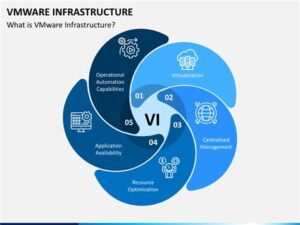
VMware vSphere represents the industry-leading virtualization platform, powering over 500,000 enterprise data centers globally. Organizations have invested heavily in VMware technology including ESXi hypervisors, vCenter management, NSX networking, and vSAN storage, creating sophisticated virtual infrastructure that’s proven reliable over decades.
Key VMware Components
VMware vSphere Foundation:
- ESXi Hypervisor: Bare-metal hypervisor running directly on physical servers
- vCenter Server: Centralized management platform for VMware environments
- vMotion: Live migration of running VMs between hosts without downtime
- DRS (Distributed Resource Scheduler): Automatic workload balancing across clusters
- HA (High Availability): Automatic VM restart on surviving hosts after failure
- vSAN: Software-defined storage pooling local storage across hosts
Advanced VMware Features:
- NSX: Network virtualization and micro-segmentation platform
- vRealize Suite: Cloud management, automation, and operations tools
- Site Recovery Manager (SRM): Disaster recovery orchestration and testing
- Horizon: Virtual desktop infrastructure (VDI) for remote workspaces
Why Organizations Migrate from VMware to AWS
Cost Reduction: Organizations report 20-40% infrastructure cost savings migrating from VMware to AWS through pay-as-you-go pricing, elimination of hardware refresh cycles, and reduction of data center footprint. AWS’s elastic scaling eliminates overprovisioning required in traditional VMware environments.
Agility and Innovation: AWS provides access to 200+ cloud services including advanced capabilities in machine learning (SageMaker), containers (EKS), serverless computing (Lambda), and data analytics (Redshift, Athena) unavailable in traditional VMware infrastructure.
Scalability: AWS offers virtually unlimited capacity with ability to scale from 10 to 10,000 instances in minutes. VMware environments require months of hardware procurement, data center space planning, and capacity management to achieve similar scale.
Disaster Recovery: AWS enables cost-effective disaster recovery with cross-region replication, automated failover, and pay-only-for-active-DR models. Traditional VMware DR requires duplicate infrastructure maintained continuously at secondary sites.
Data Center Exit: Organizations reduce or eliminate costly data center leases, power and cooling expenses, and facilities management overhead. Global enterprises consolidate multiple regional data centers to AWS infrastructure spanning 32 regions including US East (Virginia), EU West (London), and Middle East (UAE).
AWS Cloud Infrastructure Overview
Amazon Web Services (AWS) provides comprehensive cloud computing infrastructure serving over 1 million active customers globally. AWS offers elastic compute, storage, networking, databases, and 200+ additional services with 99.99% availability SLAs and global presence across 32 geographic regions with 102 Availability Zones.
Core AWS Services for VMware Migration
Compute Services:
- Amazon EC2 (Elastic Compute Cloud): Virtual servers with 500+ instance types ranging from general-purpose to specialized workloads
- AWS Lambda: Serverless compute for event-driven applications without managing infrastructure
- Amazon ECS/EKS: Container orchestration with Docker and Kubernetes
- AWS Graviton: ARM-based processors offering 40% better price-performance than x86
Storage Solutions:
- Amazon S3: Object storage with 11 nines of durability for backups, archives, data lakes
- Amazon EBS: Block storage volumes attached to EC2 instances (SSD and HDD options)
- Amazon EFS: Shared file storage accessible from multiple EC2 instances
- AWS Storage Gateway: Hybrid cloud storage integrating on-premises with AWS
Networking:
- Amazon VPC (Virtual Private Cloud): Isolated network environments with subnets, routing tables, gateways
- AWS Direct Connect: Dedicated 1-100 Gbps network connections between data centers and AWS
- AWS Transit Gateway: Hub connecting VPCs and on-premises networks
- Elastic Load Balancing: Distribute traffic across multiple targets with health checks
Database Services:
- Amazon RDS: Managed relational databases (MySQL, PostgreSQL, Oracle, SQL Server, Aurora)
- Amazon DynamoDB: NoSQL database with single-digit millisecond performance
- Amazon Redshift: Petabyte-scale data warehouse for analytics
- AWS Database Migration Service: Continuous database replication with minimal downtime
Migration Tools:
- AWS Application Migration Service (MGN): Automated lift-and-shift migrations with continuous replication
- AWS Migration Hub: Centralized tracking of migrations across AWS tools
- AWS DataSync: Automated data transfer between on-premises and AWS storage
- AWS Snowball: Physical data transfer devices for petabyte-scale offline migrations
VMware to AWS Migration Strategies
Organizations approach VMware to AWS migration through five primary strategies, each with different complexity, timeline, cost, and business impact considerations. The 7 R’s framework—Rehost, Replatform, Refactor, Repurchase, Relocate, Retain, Retire—guides migration planning.
1. Rehost (Lift and Shift)
Definition: Migrate VMware VMs to AWS EC2 instances with minimal or no modifications. This approach moves applications “as-is” from vSphere to AWS infrastructure.
Migration Process:
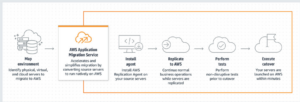
- Discover and inventory VMware workloads using AWS Migration Hub
- Install AWS Application Migration Service (MGN) replication agents on source VMs
- Continuous block-level replication to AWS staging environment
- Validate replicated instances in AWS test environment
- Execute cutover window switching production to AWS instances
Advantages:
- Fastest migration approach (weeks to months vs. months to years)
- Minimal application changes reducing migration risk
- Quick cloud benefits realization including elasticity and pay-as-you-go pricing
- Preserve existing application architecture and operations knowledge
Disadvantages:
- Doesn’t leverage cloud-native capabilities (serverless, managed services)
- May carry forward technical debt and inefficiencies from legacy architecture
- Potentially higher ongoing costs without cloud optimization
- Licensing complexity for Windows/SQL Server/Oracle in cloud environments
Best For:
- Large-scale migrations requiring rapid data center exit
- Applications with limited technical documentation or expertise
- Meeting urgent compliance or lease expiration deadlines
- Initial migration phase before subsequent optimization
Pro Tip: Use AWS Optimization and Licensing Assessment (OLA) to right-size instances and optimize licensing costs before migration, achieving 25-40% cost savings.
2. Replatform (Lift, Tinker, and Shift)
Definition: Migrate VMware workloads making minor cloud optimizations without changing core application architecture. Replace VM-hosted databases with Amazon RDS, or implement Elastic Load Balancing.
Key Optimizations:
- Migrate SQL Server/MySQL databases to Amazon RDS for managed operations
- Replace file servers with Amazon EFS or FSx for Windows File Server
- Implement Auto Scaling groups for dynamic capacity management
- Deploy behind Application Load Balancers for high availability
- Migrate static content to Amazon S3 with CloudFront CDN
Advantages:
- Achieves cloud benefits with moderate effort and risk
- Reduces operational overhead through managed services (RDS, EFS, ELB)
- Improves availability, scalability, and disaster recovery
- 20-30% cost reduction compared to pure rehost approach
Disadvantages:
- Requires deeper application understanding than pure rehost
- Increases migration complexity and timeline (2-4 months per application)
- Potential application compatibility issues with managed services
- Database migration may require schema modifications or testing
Best For:
- Applications with separable database tiers suitable for RDS
- Web applications benefiting from elastic load balancing
- Workloads with predictable auto-scaling patterns
- Organizations ready for incremental cloud optimization
3. Refactor (Re-architect for Cloud)
Definition: Redesign applications leveraging cloud-native architectures including microservices, containers, serverless computing, and managed services. Complete architectural transformation.
Transformation Approaches:
- Decompose monolithic applications into microservices on Amazon ECS/EKS
- Migrate batch processing to AWS Lambda serverless functions
- Implement event-driven architecture with Amazon EventBridge and SQS
- Replace traditional databases with purpose-built services (DynamoDB, Aurora Serverless)
- Deploy container-based applications on Kubernetes (EKS) with auto-scaling
Advantages:
- Maximum cloud benefits including agility, scalability, and innovation
- 40-60% cost optimization through serverless and managed services
- Improved developer productivity with modern development practices
- Enhanced application resilience and performance
Disadvantages:
- Significant development effort (6-18 months per major application)
- Requires specialized cloud-native skills and expertise
- Higher upfront costs and organizational change management
- Risk of scope creep and extended timelines
Best For:
- Strategic applications requiring competitive differentiation
- Applications with performance, scalability, or reliability issues
- Organizations committed to cloud-native transformation
- Greenfield opportunities or major application rewrites
4. VMware Cloud on AWS (Hybrid Approach)
Definition: Run native VMware vSphere, vCenter, NSX, and vSAN on dedicated AWS infrastructure. Maintain existing VMware tools and processes while leveraging AWS infrastructure and services.
Architecture:
- VMware SDDC running on AWS bare-metal servers
- Seamless workload mobility between on-premises vSphere and VMware Cloud on AWS
- Integration with AWS services (S3, RDS, Lambda) via native VPC connectivity
- Unified management through existing vCenter and vRealize tools
- Elastic scaling of VMware clusters in AWS
Advantages:
- Zero application changes required—run VMware workloads as-is on AWS
- Preserve VMware skills, tools, and operational processes
- Rapid migration using vMotion from on-premises to AWS (hours per VM)
- Hybrid cloud flexibility with workload portability
- Simplified disaster recovery with cloud-based DR infrastructure
Disadvantages:
- Higher costs than native AWS EC2 (dedicated bare-metal infrastructure)
- Doesn’t provide full cloud-native transformation benefits
- VMware licensing requirements in addition to AWS infrastructure costs
- Still requires VMware management and patching overhead
Best For:
- VMware-committed organizations requiring consistent hybrid cloud operations
- Data center evacuations requiring rapid, low-risk migration
- Applications with VMware dependencies (vSAN, NSX, specific vSphere features)
- Bridge strategy before longer-term cloud-native transformation
VMware to AWS Migration Process and Tools
Successful VMware to AWS migration requires structured methodology, appropriate tooling, and phased execution. AWS provides comprehensive migration services and third-party integrations supporting discovery, planning, migration, and optimization phases.
Migration Process Framework
Phase 1: Discovery and Assessment (2-4 weeks)
Inventory existing VMware environment and analyze migration readiness:
- Discovery Tools:
- AWS Migration Hub with Application Discovery Service
- CloudScape (formerly TSO Logic) for cost modeling
- Partner tools (Carbonite Migrate, Zerto, CloudEndure)
- Assessment Activities:
- Document VM inventory (CPU, memory, storage, OS, applications)
- Identify dependencies between VMs and applications
- Catalog databases, middleware, custom applications
- Evaluate network connectivity requirements
- Document compliance and regulatory requirements
- Calculate current TCO and projected AWS costs
Phase 2: Migration Planning (3-6 weeks)
Develop detailed migration strategy and execution plans:
- Wave Planning:
- Group applications into migration waves (typically 50-500 VMs per wave)
- Prioritize based on business value, complexity, and dependencies
- Define success criteria and rollback procedures
- Schedule migration windows minimizing business impact
- Architecture Design:
- Design AWS landing zone with multi-account structure
- Configure VPCs, subnets, security groups, routing
- Establish hybrid connectivity (Direct Connect or VPN)
- Define IAM roles, policies, and access controls
- Design disaster recovery and backup strategies
Phase 3: Pilot Migration (4-8 weeks)
Execute small-scale pilot validating processes and tools:
- Migrate 5-10 non-critical applications
- Test AWS Application Migration Service (MGN) replication
- Validate application functionality post-migration
- Measure performance compared to on-premises baseline
- Refine migration runbooks based on lessons learned
Phase 4: Production Migration (3-12 months)
Execute full-scale migration in planned waves:
- Deploy AWS MGN replication agents to source VMs
- Continuous replication maintaining < 10-minute RPO
- Perform test cutovers validating application functionality
- Execute final cutover during scheduled maintenance window
- Monitor applications and optimize performance post-migration
Phase 5: Optimization (Ongoing)
Continuously improve cloud architecture and costs:
- Right-size instances based on CloudWatch metrics
- Implement Auto Scaling for variable workloads
- Purchase Reserved Instances or Savings Plans for steady workloads
- Migrate databases to Amazon RDS for reduced operational overhead
- Refactor applications leveraging cloud-native services
AWS Migration Tools Comparison
| Tool | Use Case | Migration Type | Downtime | Best For |
| AWS Application Migration Service (MGN) | VM replication and cutover | Rehost | Minutes (final cutover) | Large-scale server migrations |
| AWS Database Migration Service (DMS) | Database migration with continuous replication | Database rehost/replatform | Near-zero | Heterogeneous database migrations |
| AWS DataSync | File data transfer to S3/EFS | Storage migration | Continuous sync | File server migrations |
| AWS Snowball/Snowmobile | Offline data transfer | Large-scale data migration | Days-weeks | 10TB-100PB data migrations |
| CloudEndure Migration | Continuous replication (legacy, now MGN) | Rehost | Minutes | Physical/virtual server migrations |
| VMware Cloud on AWS | vMotion to AWS VMware SDDC | Hybrid cloud | Zero (live migration) | VMware workload mobility |
Security, Compliance, and Governance
VMware to AWS migration requires maintaining or enhancing security posture while transitioning to cloud infrastructure. AWS provides comprehensive security services, compliance certifications, and shared responsibility model defining customer and AWS security obligations.
Security During Migration
Network Security:
- Establish AWS Direct Connect for encrypted, dedicated connectivity
- Configure VPC security groups allowing only required traffic
- Implement network segmentation with public/private subnets
- Enable VPC Flow Logs for network monitoring and forensics
- Deploy AWS Network Firewall for advanced threat protection
Data Protection:
- Encrypt data in transit using TLS 1.2+ for all replication
- Enable EBS encryption for all volumes (AES-256)
- Configure S3 bucket encryption for backup and archive data
- Implement AWS Key Management Service (KMS) for encryption key management
- Enable versioning and MFA delete for critical S3 buckets
Identity and Access Management:
- Design least-privilege IAM policies for users and roles
- Enforce multi-factor authentication (MFA) for all privileged users
- Implement AWS Organizations for multi-account governance
- Configure AWS Single Sign-On integrating with Active Directory
- Enable CloudTrail logging for comprehensive audit trails
Compliance Frameworks: AWS maintains compliance certifications supporting regulated industries:
- HIPAA: Healthcare applications handling PHI
- PCI DSS: Payment card processing and e-commerce
- SOC 1/2/3: Financial controls and security practices
- ISO 27001: Information security management
- GDPR: EU data protection regulations (UK and EU regions)
- FedRAMP: US government cloud security standards
Pro Tip: Use AWS Audit Manager to automate evidence collection for compliance audits, reducing audit preparation time by 50-70%.
Frequently Asked Questions (FAQ)
1. What are the key prerequisites for VMware to AWS migration?
Before starting a VMware to AWS migration, organizations should assess application dependencies, network architecture, security requirements, and compliance needs. A detailed inventory of VMs, storage, and licensing ensures accurate planning, cost estimation, and a smoother migration process.
2. Can I migrate VMware VMs to AWS without downtime?
Yes. AWS Application Migration Service (MGN) enables near-zero downtime, with final cutover typically requiring 5–15 minutes.
3. What happens to VMware licenses after AWS migration?
VMware licenses are not needed for EC2 VMs. Windows/SQL Server licensing can use AWS License Included or BYOL models.
4. How do I handle networking during VMware to AWS migration?
Use AWS Direct Connect or Site-to-Site VPN. Configure VPC with subnets, routing, and security groups, then gradually move to AWS-native IPs.
5. Should I use AWS Application Migration Service or CloudEndure?
Use AWS Application Migration Service (MGN). CloudEndure is deprecated and replaced by MGN for better performance and simpler AWS integration.
Conclusion: Your VMware to AWS Migration Roadmap
VMware to AWS migration represents a transformative opportunity for organizations to modernize infrastructure, reduce costs, and accelerate innovation through cloud-native capabilities. At GoCloud, we guide businesses with expert planning, the right tooling, phased execution, and continuous optimization to ensure a smooth and successful cloud transition.
