

The global CDN market is on track to hit $164.9 billion by 2033 — a trajectory that tells you everything about how central content delivery has become to the modern internet. And while CloudFront is AWS’s answer to that demand, Amazon CloudFront pricing is surprisingly non-trivial. Your monthly bill doesn’t come from a single dial you can turn. It’s the product of how much data you push, which regions you serve it from, how many requests you process, and which optional features — edge compute, real-time logging, advanced security — you’ve switched on.
This guide gives you the complete picture for 2026: the three CloudFront pricing paths and when each one wins, every major rate table you’ll need, a breakeven analysis of flat-rate versus pay-as-you-go, eight cost optimization tactics more thorough than anything nOps or CloudZero have published, and a direct CloudFront vs. Cloudflare cost comparison you won’t find in any competitor’s article.
Let’s start with how CloudFront actually delivers content — because that explains why the bill looks the way it does.
What Is Amazon CloudFront?
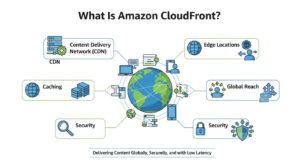
Amazon CloudFront is AWS‘s fully managed content delivery network, running across 750+ edge locations (Points of Presence) in over 440 cities worldwide. Every request for your content — a React app bundle, a video segment, an API response — gets routed to the nearest edge location first, dramatically reducing round-trip latency and protecting your origin servers from having to serve the same bytes over and over.
Understanding the delivery flow is essential for reading your bill intelligently, because every hop in the chain maps to a line item.
- Edge Locations & Request Routing When a user in Frankfurt requests your application, CloudFront’s anycast routing directs them to the nearest PoP in that region. The closer the edge, the lower the latency — and the more requests that get served locally rather than bouncing across continents to your origin.
- Cache Hits vs. Cache Misses A cache hit means the requested object already lives at the edge — it gets served immediately with no origin call. A cache miss means CloudFront doesn’t have it yet; it fetches from your origin, stores a copy, and serves the response. You pay data transfer charges on both, but misses add origin load and latency. This is why cache hit ratio is the single most impactful cost lever you can control.
- Regional Edge Caches Between your PoPs and your origin sits an intermediate caching tier: regional edge caches. These hold objects that aren’t popular enough to live at every edge location. They collapse redundant origin fetches from multiple PoPs in the same geography, keeping your origin quieter and your costs lower.
- Edge Compute Options CloudFront can execute custom logic at the edge via two mechanisms. CloudFront Functions are lightweight JavaScript that runs on every request for millisecond-latency operations — URL rewrites, header manipulation, simple access checks, A/B routing logic. Lambda@Edge is the more powerful option, running full Node.js or Python in AWS Lambda regions for deeper workloads: device-based personalization, cookie/geo-based routing, JWT authentication. The two options differ dramatically in cost, which Section 4 covers in detail.
The Three CloudFront Pricing Models
Three Ways to Pay for CloudFront
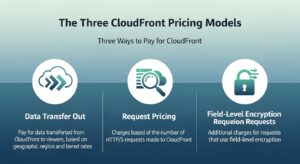
| Pricing Model | How It Works | Best For |
| Pay-As-You-Go (default) | Billed per GB transferred + per request volume | Variable/unpredictable traffic; need Lambda@Edge or real-time Kinesis logs; want full feature access |
| Flat-Rate Plans | Fixed monthly fee with bundled allowances (CDN + WAF + Route 53 + CloudWatch + S3 credits) | Predictable traffic; want WAF + DDoS + CDN in one bill |
| Security Savings Bundle | ~30% discount on WAF + ~10% on CloudFront with a 1-year commit | High WAF usage + steady CloudFront traffic |
| Committed Use Discount | 10 TB+/month committed for 12 months → tiered discount | Large-scale, consistent CDN workloads |
Always-Free Tier
🟢 AWS Always Free (every account, every month, no expiry):
- 1 TB data transfer out (DTO)
- 10,000,000 HTTP/HTTPS requests
- 2,000,000 CloudFront Function invocations
(Does NOT apply to China edge locations)
This isn’t a 12-month trial credit. These allowances reset monthly and never expire, which means a startup SaaS app or small blog with under 1 TB/month of traffic and under 10M requests can run entirely on CloudFront at zero cost indefinitely.
Flat-Rate Plans Deep Dive
This is the angle that most competitors have barely scratched — and it matters because AWS introduced these plans in November 2025, fundamentally changing the value equation for a large portion of CloudFront customers.
Instead of receiving a separate bill for CloudFront DTO, another for AWS WAF, another for Route 53, and another for CloudWatch Logs, a flat-rate plan consolidates all of those into a single monthly price per distribution. There are four tiers:
| Plan | Monthly Price | DTO Allowance | Requests Allowance | WAF Rules | Cache Behaviors | Key Extras Included |
| Free | $0 | 100 GB | 1,000,000 | 5 | 5 | TLS cert, basic DDoS, S3 5 GB credit |
| Pro | $15/month | 50 TB | 10,000,000 | 25 | 10 | WAF, Route 53, CloudWatch Logs, S3 50 GB credit |
| Business | $200/month | 50 TB | 125,000,000 | 50 | 50 | Bot management & analytics, advanced DDoS, VPC origins, S3 1 TB credit |
| Premium | $1,000/month | 50 TB | 500,000,000 | 75 | 100 | Origin Shield, origin failover, mTLS, S3 5 TB credit |
Four critical rules you need to understand before subscribing:
- No overage charges — throttling instead. If you exceed your monthly allowances, AWS will not add extra charges. Instead, it may reduce performance (serving from fewer or more distant edge locations, throttling throughput). You’ll receive email notifications at 50%, 80%, and 100% of your allowance so you can upgrade before throttling kicks in. If your baseline usage exceeds 500M requests or 50 TB/month, contact AWS for custom pricing.
- Blocked requests are free. DDoS attacks and requests blocked by AWS WAF never count against your allowance. This is significant: a site under active bot or DDoS attack won’t burn through its quota on illegitimate traffic.
- Lambda@Edge is supported but billed separately. Lambda@Edge can be used alongside any flat-rate plan tier, but its invocations are charged at standard pay-as-you-go rates ($0.60/M requests + duration). It is not covered by the plan’s flat-rate price. Real-time logs via Kinesis Data Streams (the separate real-time log feature) are not supported — but CloudFront access logs and WAF logs delivered via CloudWatch are included at no extra cost.
- Route 53 hosted zone attachment. Attach your Route 53 hosted zone to your plan and ALIAS queries pointing to your CloudFront distribution become unlimited at no cost. Non-ALIAS DNS queries draw from a monthly allowance (1M for Free, 5M for Pro, 20M for Business, 100M for Premium).
- Plans are per distribution, not per account. Each plan covers one CloudFront distribution with up to one apex domain. You can select different plan tiers for different distributions based on their individual traffic profiles.
Decision guide: Choose flat-rate if you want one predictable bill, built-in security, and your traffic fits within the tier’s allowances. Choose pay-as-you-go if you need Kinesis-based real-time logs, highly variable traffic patterns (where you’d overpay during low months), or if you’re under the Always Free threshold entirely.
Pay-As-You-Go — Complete Rate Tables
Data Transfer Out (DTO) Rates by Region
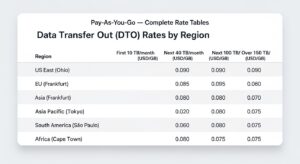
Data transfer out — the bytes CloudFront sends from edge locations to your end users — is the #1 cost driver for virtually every CloudFront workload. Rates vary significantly by region and decrease as monthly volume climbs.
| Region | First 10 TB/mo | Next 40 TB/mo | Next 100 TB/mo | Next 350 TB/mo | Over 5 PB/mo |
| United States, Canada, Europe | $0.085/GB | $0.080/GB | $0.060/GB | $0.040/GB | $0.020/GB |
| South Africa, Kenya, Middle East | $0.110/GB | $0.105/GB | $0.090/GB | $0.070/GB | $0.060/GB |
| Australia, New Zealand | $0.114/GB | $0.109/GB | $0.090/GB | $0.070/GB | $0.060/GB |
| India | $0.109/GB | $0.104/GB | $0.090/GB | $0.070/GB | $0.060/GB |
| South America | $0.170/GB | $0.163/GB | $0.140/GB | $0.120/GB | $0.100/GB |
Note: First 1 TB/month is covered by the Always Free tier and not billed.
Rates as of 2026 — verify current prices at https://aws.amazon.com/cloudfront/pricing/
South America stands out at $0.170/GB for the first tier — exactly 2× the US/EU rate. If you’re paying South America rates for traffic you don’t actually have (more on Price Classes in a moment), you’re leaving money on the table every single month.
HTTP/HTTPS Request Charges by Region
Request charges are the second major billing component. Every time an end user’s browser sends a request to CloudFront — whether it’s a cache hit or a miss — you’re charged per 10,000 requests.
| Region | HTTP (per 10,000 req) | HTTPS (per 10,000 req) |
| US, Europe, Canada | $0.0075 | $0.0100 |
| Asia Pacific, Japan | $0.0090 | $0.0120 |
| South America | $0.0160 | $0.0220 |
| Australia, New Zealand | $0.0090 | $0.0120 |
| India | $0.0090 | $0.0120 |
Note: First 10,000,000 requests/month are free (Always Free tier). In practical terms: $1.00 per million HTTPS requests in US/EU; $2.20 per million in South America.
Rates as of 2026 — verify current prices at https://aws.amazon.com/cloudfront/pricing/
Since virtually all modern web traffic is HTTPS, use the HTTPS column as your default for estimates. Note that HTTPS charges are consistently ~33% higher than HTTP across all regions.
Additional Feature Costs
| Feature | Rate | Free Tier |
| CloudFront Functions | $0.10 per 1M invocations | 2M/month free |
| Lambda@Edge – requests | $0.60 per 1M invocations | None |
| Lambda@Edge – duration | $0.00005001 per GB-second | None |
| Origin Shield | $0.0075–$0.016 per 10,000 requests (US: $0.0075) | None |
| Cache Invalidation | First 1,000 paths/mo free; then $0.005/path | 1,000 paths/mo |
| Dedicated IP SSL cert | $600/month per certificate | SNI SSL = free |
| Real-Time Logs (Kinesis) | $0.01 per 1,000,000 log lines | None |
| Field-Level Encryption | $0.02 per 10,000 requests | None |
The Lambda@Edge vs. CloudFront Functions cost gap is striking: $0.60/M vs. $0.10/M on requests alone — a 6× difference. Add Lambda@Edge duration charges (which depend on your function’s execution time and allocated memory) and the gap widens further. See the optimization section for when to use each.
Origin-to-Edge Transfer
One of CloudFront’s most important billing rules is one that often gets missed in cost estimates:
Data transferred from any AWS origin (S3, EC2, ALB, ELB, API Gateway) to CloudFront edge locations is completely free. You only pay for CloudFront-to-end-user (DTO) transfer. This makes the CloudFront + S3 architecture one of the highest-value setups in AWS — you eliminate origin egress costs entirely. See our S3 pricing guide for the full picture on pairing these two services.
If you’re using a non-AWS origin (an on-premises server, a third-party host), your provider’s egress charges still apply — they just won’t appear on your AWS bill.
Price Classes — Limit Edge Locations to Cut Costs
Price Classes are a distribution-level setting that restricts which CloudFront edge locations can serve your content. Since regional rates vary so significantly, this is one of the fastest cost-cutting switches you can flip.
| Price Class | Regions Included | DTO Rate Range | Best For |
| All (default) | All global edge locations | $0.085–$0.170/GB | Global audience; maximum performance everywhere |
| 200 | US, EU, Asia, Middle East, Africa | $0.085–$0.140/GB | Broad reach without South America premium |
| 100 | US + Europe only | $0.085/GB | NA/EU-only audience; lowest cost |
Full Price Class documentation →
Price Class 100 is the simplest cost lever in CloudFront. If 90%+ of your users are in North America or Europe, switching from Price Class All to Price Class 100 immediately stops you from paying $0.170/GB South American rates or $0.109/GB Indian rates for traffic you simply don’t have. Check CloudFront’s geo distribution metrics in CloudWatch before switching — but for most US/EU-focused SaaS products, Price Class 100 is the right default.
Flat-Rate vs Pay-As-You-Go: When Does Each Win?
This is the analysis no competitor has published in full detail, and it’s the most important calculation you can do before choosing a pricing path.
The Pro Plan Math ($15/month)
At face value, the Pro plan’s $15/month allowances sound expensive for small traffic. But that comparison ignores what you’d pay for the bundled services separately under PAYG:
- PAYG cost to match Pro’s DTO allowance: 50 TB × $0.085/GB = $4,250 in data transfer
- PAYG requests: 10M requests × ($0.0100/10,000) = $10
- AWS WAF (pay-as-you-go): ~$5/month minimum (web ACL fee) + rule costs + request charges
- Route 53 hosted zone: $0.50/month + query fees
- CloudWatch Logs ingestion: variable
PAYG equivalent of what Pro bundles: roughly $4,265+/month at full utilization.
That comparison is deliberately extreme — most customers won’t hit 50 TB/month. The real breakeven question is: at what traffic level does the Pro plan beat PAYG when you factor in the bundled security services?
| Monthly Traffic | PAYG Estimated Cost | Flat-Rate Pro Cost | Winner |
| < 1 TB, < 10M req | ~$0 (Always Free tier) | $15 | Pay-As-You-Go |
| ~2 TB, ~20M req | ~$143 DTO + $20 req + ~$6 WAF = ~$169 | $15 (all bundled) | Flat-Rate Pro |
| 10 TB, 30M req | ~$850 DTO + $30 req + WAF = ~$890+ | $15 (within limit) | Flat-Rate Pro |
Important caveat: Flat-rate Pro’s 10M request allowance is the binding constraint for high-traffic sites. If you’re serving 30M requests/month with only 2 TB DTO (e.g., an API-heavy app with small payloads), you’d exceed the Pro request allowance. In that case, consider Business ($200/month, 125M requests) — still dramatically cheaper than PAYG for most workloads.
The flat-rate Pro plan beats PAYG for almost any site that has meaningful traffic (above ~2 TB/month or above ~10M requests/month) and that can benefit from the bundled WAF and logging. The break-even for Pro versus PAYG+WAF occurs at roughly 150 GB/month once you include AWS WAF costs.
Flat-rate excludes: Kinesis-based real-time logs, and Lambda@Edge is billed separately at PAYG rates even on flat-rate plans. If you rely heavily on either, calculate whether the combined flat-rate + Lambda@Edge cost still beats full PAYG.
CloudFront Cost Examples: 2 Scenarios
Scenario A — Startup SaaS App (Low Traffic)
Setup: 500 GB DTO/month, 5M HTTPS requests, Price Class 100 (US/EU only)
- DTO: 500 GB → fully covered by 1 TB Always Free tier = $0.00
- Requests: 5M → fully covered by 10M Always Free tier = $0.00
- Total: $0/month
Recommendation: Stay on PAYG free tier. Subscribing to any flat-rate plan would be wasteful — the Always Free tier covers this workload completely. Monitor traffic; once you approach 1 TB/month or you want WAF protection, that’s when to evaluate the flat-rate Free or Pro plan.
Scenario B — Media Streaming Platform (North America + Europe)
Setup: 10 TB DTO/month, US/EU audience, Price Class 100, with logging and edge functions
- DTO: 10,000 GB × $0.085/GB = $850.00
- HTTPS requests: 30M = (30,000,000 / 10,000) × $0.0100 = $30.00
- Real-time logs: 5M log lines = (5M / 1M) × $0.01 = $0.05
- CloudFront Functions: 10M invocations (first 2M free, charged on 8M) = 8 × $0.10 = $0.80
- Total: ~$880.85/month
Recommendation: The flat-rate Pro plan at $15/month covers only 10M requests — this workload’s 30M requests exceeds it. The Business plan ($200/month) covers 125M requests and 50 TB DTO, representing a ~77% savings versus PAYG here ($880 → $200). The Business plan also adds bot management, which is valuable for a media platform. Alternatively, stay on PAYG and enable gzip/Brotli compression to reduce DTO before evaluating plans.5
5 Proven Ways to Reduce Your CloudFront Bill
This section goes deeper than both CloudZero’s six tips and nOps’s optimization framework.
1. Maximize Cache Hit Ratio (The #1 Lever)
Every cache miss means a round-trip to your origin — extra latency, extra origin load, and no reduction in DTO billing since you still transfer the bytes. A low cache hit ratio means you’re effectively paying for CloudFront’s network without getting its primary benefit.
Target a cache hit ratio above 90% for static content workloads. To get there: set long TTLs for versioned assets (days, weeks, even months are appropriate for a CSS file with a hashed filename). Ruthlessly audit your cache key configuration — headers, cookies, and query strings that vary per-request force CloudFront to treat each variation as a distinct object, fragmenting the cache. Remove from the cache key anything that doesn’t actually affect the response. Check your cache hit ratio in CloudWatch under the CacheHitRate metric for each distribution and behavior.
2. Enable Gzip/Brotli Compression
Every byte you compress is a byte you don’t pay to transfer. CloudFront supports both Gzip and Brotli compression at the edge — enable it in your distribution’s behavior settings under “Compress Objects Automatically.”
Brotli compresses 15–25% better than Gzip on text-based assets (HTML, CSS, JavaScript). For a workload transferring 10 TB/month of mostly text content, switching from uncompressed to Brotli-compressed delivery can reduce DTO by 60–80%, translating to hundreds of dollars in monthly savings. CloudFront automatically serves Brotli to browsers that support it (virtually all modern browsers) and falls back to Gzip for older clients.
3. Use Price Class 100 When Possible
If 90% or more of your users are in North America or Europe, you’re paying South American ($0.170/GB) and Indian ($0.109/GB) rates for traffic you don’t have every time CloudFront routes a stray request to a distant PoP.
Switch from Price Class All to Price Class 100 in your distribution settings. This one change immediately removes South America, Asia, India, and Australia from your edge footprint, capping your DTO rate at the US/EU price of $0.085/GB — half the South America rate. Check the geographic breakdown of your CloudFront traffic in CloudWatch or Cost Explorer first; if even 5% of your requests come from Asia or LATAM, you’ll want to evaluate whether Price Class 200 is a better fit than 100.
4. Version Assets Instead of Invalidating
Cache invalidation sounds clean but it’s an operational debt that accumulates cost. Beyond the first 1,000 paths/month, every invalidation costs $0.005/path. For teams deploying frequently with broad wildcard invalidations (/static/*), this adds up.
The better pattern is asset versioning: include a content hash or build ID in every static asset filename (app.abc123.js, styles.8f2d91.css). When the file changes, the filename changes, CloudFront sees it as a new object, and old caches expire naturally at TTL. Unchanged files stay perfectly warm in every edge cache. This keeps your cache hit ratio high, eliminates invalidation costs, and actually improves your deployment correctness since users never get a partially-invalidated asset set.
5. Use CloudFront Functions Instead of Lambda@Edge for Simple Logic
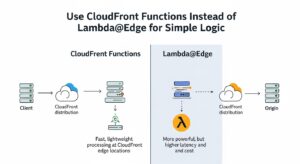
As Scenario C demonstrates, Lambda@Edge duration charges can dominate your bill. The cost comparison is stark:
- Lambda@Edge: $0.60/M requests + $0.00005001/GB-second duration
- CloudFront Functions: $0.10/M invocations (2M/month free)
For anything that runs in under 1ms — URL rewrites, header manipulation, simple A/B testing flags, JWT signature checks, geographic redirects — CloudFront Functions are the right tool. They run at every edge location, execute in sub-millisecond time, and cost 6× less on requests alone with no duration charges.
Reserve Lambda@Edge for workloads that genuinely need it: complex authentication logic that calls external APIs, device-type personalization that requires multiple API lookups, or server-side rendering patterns that need longer execution time and access to the full Node.js/Python runtime.
See the full Lambda pricing comparison →
CloudFront vs Cloudflare: Which Is Cheaper?
This is the comparison that nOps and CloudZero haven’t published in depth — and it’s one that comes up in every CDN evaluation.
The framing matters: CloudFront and Cloudflare are both leading CDNs, but they’re designed around fundamentally different pricing philosophies. Cloudflare charges a flat subscription and includes unlimited bandwidth. CloudFront charges for what you consume but offers native integration with the rest of AWS.
| Factor | Amazon CloudFront (PAYG) | Cloudflare Pro | Cloudflare Business |
| Monthly base cost | $0 (PAYG) / $15 flat-rate | $20/month | $200/month |
| Data transfer cost | $0.085/GB (US/EU) | $0 (unmetered) | $0 (unmetered) |
| Request charges | $0.0075–$0.022/10k | $0 (included) | $0 (included) |
| WAF | Separate PAYG or bundled w/ flat-rate | Included | Included |
| DDoS protection | AWS Shield Standard (free) | Included | Included |
| AWS service integration | Native (S3, EC2, Lambda, etc.) | Requires extra config | Requires extra config |
| Edge compute | CloudFront Functions / Lambda@Edge | Cloudflare Workers | Cloudflare Workers |
| Bot management | WAF Bot Control add-on / bundled (Business+) | Pro includes basic | Business includes full |
| Best for | AWS-native stacks | High-traffic sites wanting simple flat billing | Enterprise multi-CDN |
The honest verdict:
Cloudflare wins on pure CDN cost simplicity for non-AWS architectures. If you’re serving 50 TB/month from a non-AWS origin, Cloudflare Pro at $20/month (unmetered bandwidth) is dramatically cheaper than CloudFront PAYG at ~$4,250/month at that volume.
CloudFront wins when you’re running an AWS-native stack. Free origin transfer from S3, EC2, and ALB flips the math entirely. A CloudFront + S3 static site serving 50 TB/month has zero origin egress cost; on Cloudflare, you’d still pay your S3 egress to Cloudflare’s edge. Pair that with the new flat-rate Pro at $15/month (cheaper than Cloudflare Pro at $20/month, including WAF), and CloudFront is now price-competitive on the subscription itself while offering deeper AWS integrations.
Bottom line: For AWS-native teams, CloudFront is almost always the better economic choice. For multi-cloud or non-AWS architectures, Cloudflare’s unmetered bandwidth model deserves a serious look at high traffic volumes.
Tools to Track and Control Your CloudFront Spending
Knowing your rate schedule is one thing. Catching unexpected spending in real time is another. These tools should be in every FinOps practitioner’s CloudFront toolkit.
AWS Pricing Calculator is the right starting point before you deploy or significantly change a CloudFront distribution. Model your expected monthly GB by region, request volume, and optional features before you’re surprised by the first bill. The calculator supports CloudFront natively and lets you compare flat-rate versus PAYG costs side by side.
AWS Cost Explorer gives you historical spend broken down by service, region, and linked account. For CloudFront, filter by “Amazon CloudFront” as the service and use the “Usage Type” dimension to separate DTO charges from request charges — this tells you exactly which cost driver is growing.
AWS Budgets lets you set spend alerts so that when your CloudFront line item crosses a threshold (say, $500/month), you’re notified before the end of the billing cycle rather than after the bill arrives. Set separate budgets for DTO and requests if you want granular alerting.
[Your Tool] — [Replace this with your product’s 2-sentence description and CTA. Example: “Acme Cloud gives you real-time CloudFront cost dashboards broken down by distribution, region, and request type, with anomaly detection that fires before your monthly spend materializes. Start your free trial and connect your AWS account in under 5 minutes.]
Frequently Asked Questions About CloudFront Pricing
Q1: Is Amazon CloudFront free?
Yes. It has an Always Free tier with 1 TB data transfer, 10M requests, and 2M function runs every month. Small sites can pay $0/month.
Q2: How much does CloudFront cost per GB?
For the US and Europe, it starts at $0.085/GB. Prices drop with higher usage. South America is the most expensive at $0.170/GB.
Q3: What is a CloudFront Price Class?
Price Class controls which regions serve your content. Limiting regions (like US + Europe only) helps reduce CDN costs.
Q4: CloudFront Functions vs Lambda@Edge — what’s cheaper?
CloudFront Functions are faster and about 6× cheaper. Use them for simple logic like redirects or headers.
Q5: Does CloudFront charge for data from AWS origins?
No. Data from AWS services to CloudFront is free. You only pay when content is delivered to users.
Conclusion
Amazon CloudFront pricing in 2026 offers flexibility—but real savings come from choosing the right pricing model and optimizing continuously. Small websites can run entirely on the Always Free tier, while growing teams often benefit most from the new flat-rate Pro or Business plans that bundle CDN, WAF, DNS, and logging into one predictable monthly cost. Pay-as-you-go still fits workloads with highly variable traffic or advanced edge compute needs, but it requires closer monitoring.
At GoCloud, we consistently see that teams who already understand one AWS pricing layer make better decisions on the next. If you’re also evaluating generative AI costs, our earlier guide on Amazon Bedrock pricing explains how to control model usage, inference spend, and scaling costs across AWS AI services—making it a natural next read alongside this CloudFront pricing breakdown.