


When AWS rebranded and extended Amazon Q Developer into Kiro, engineers expecting a simple find-and-replace migration encountered something more significant: a fundamentally different philosophy for AI-assisted development. Amazon Q Developer was a capable AI coding assistant — contextually aware, deeply AWS-integrated, excellent at inline completions and chat-based code generation. Kiro is a spec-driven AI IDE built on the premise that the biggest productivity gains come not from faster code generation, but from eliminating the gap between intent and implementation.
The Amazon Q Developer to Kiro migration is not technically complex in terms of CLI commands or installation steps. But engineering teams that treat it as a pure tooling swap — without understanding the new workflow model will underuse Kiro’s most powerful capabilities and carry over habits that limit their return on the migration.
This guide is written for teams who want to migrate correctly, not just migrate fast. It covers the architecture-level differences between the two tools, the exact migration steps, how to rethink your development workflow around Kiro’s spec-driven model, how to configure Kiro for production engineering environments, and how to roll out the change across a team without disrupting delivery velocity.
Architecture Comparison: Amazon Q Developer vs Kiro
Before touching a terminal, engineers benefit from understanding the architectural differences. These differences explain the migration steps and inform which Kiro features require a workflow change versus which are direct replacements.
Core Design Philosophy
| Dimension | Amazon Q Developer | Kiro |
| Primary model | Reactive assistant — responds to prompts and inline triggers | Proactive spec-driven agent — works from structured specifications |
| Interaction paradigm | Chat + inline completion | Spec files + hooks + agent tasks + chat |
| Context model | Conversation context + file context | Project specs + persistent memory + file context |
| AWS integration depth | Deep — Q answers AWS questions natively | Deep — inherits all Q AWS integration + adds IaC generation |
| Agent autonomy | Limited — assistant suggests, human implements | High — agents can execute multi-step changes from a spec |
| IDE support | VS Code, JetBrains, CLI, AWS Console | Kiro IDE (VS Code engine) + CLI |
| Pricing model | Per-developer subscription or free tier | Per-developer subscription (similar tier structure) |
The Spec-Driven Development Model
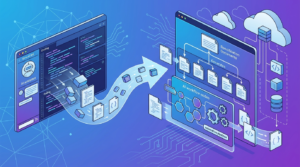
The defining architectural difference in Kiro is the concept of specs — structured markdown files that capture requirements, design decisions, and implementation tasks for a feature or component. Specs are the primary interface between developer intent and AI agent execution. Understanding this model is essential before migration because it changes how engineers initiate AI-assisted work.
In Amazon Q Developer, a typical workflow was:
- Developer writes a comment or opens chat.
- Q Developer generates code inline or in chat response.
- Developer reviews, modifies, and integrates.
- Context is lost at end of session.
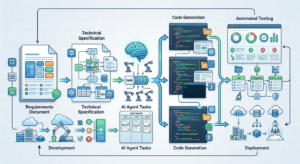
In Kiro, the equivalent spec-driven workflow is:
- Developer creates a spec file describing the feature — requirements, acceptance criteria, technical approach.
- Kiro agent reads the spec and generates an implementation plan with granular tasks.
- Agent executes tasks autonomously — creating files, writing code, updating tests.
- Spec persists as living documentation that remains accurate to the implementation.
Hook System: Kiro’s Automation Layer
Kiro introduces hooks — event-driven automations that trigger AI agent actions on file changes, git events, or task completions. This has no direct equivalent in Amazon Q Developer and represents Kiro’s most powerful differentiation for DevOps workflows:
- File save hooks: Trigger code analysis, linting suggestions, or test generation when a file is saved.
- Git commit hooks: Automatically generate commit messages, update changelogs, or run pre-commit spec validation.
- Test failure hooks: When tests fail, trigger an agent task to diagnose and propose a fix.
- CI/CD hooks: Integrate Kiro agent tasks into pipeline stages for automated code review and documentation updates.
Pre-Migration Assessment: What to Audit Before You Switch
Rushing the Amazon Q Developer to Kiro migration without a baseline assessment creates friction that slows adoption. Spend one sprint on this assessment before any engineer changes their tooling.
Amazon Q Developer Usage Audit
Before migrating, catalogue how your team actually uses Amazon Q Developer today:
| Usage Pattern | Frequency | Kiro Equivalent | Migration Complexity |
| Inline code completion | Daily | Kiro inline completions (same trigger) | None — works identically |
| Chat-based code generation | Daily | Kiro chat panel | Low — same interface, richer context |
| AWS CLI command generation | Weekly | Kiro CLI + /aws command | Low — same capability |
| CloudFormation/CDK generation | Weekly | Kiro IaC spec + agent task | Medium — workflow change |
| Unit test generation | Weekly | Kiro agent task from spec | Medium — workflow change |
| Code explanation/review | Daily | Kiro chat + spec context | None — enhanced capability |
| Security scanning (CodeGuru) | Monthly | Kiro security hook | Medium — configure hook |
| /dev agent tasks | Monthly | Kiro agent tasks | Low — similar capability |
| Amazon Q CLI (q chat) | Weekly | Kiro CLI (kiro chat) | Low — command mapping available |
IDE and Environment Inventory
Kiro is built on the VS Code engine and is available as a standalone IDE. JetBrains support in Kiro is available via extension but is less feature-complete than the Kiro IDE itself. Before migration, inventory:
- Which IDEs your team uses (VS Code, JetBrains IntelliJ/PyCharm/WebStorm, other).
- Which VS Code extensions your team relies on — Kiro supports the VS Code extension marketplace, so most extensions carry over.
- Your current Amazon Q Developer subscription tier (Free/Pro) and which tier maps to Kiro.
- Any CI/CD pipeline integrations with Amazon Q Developer CLI that will need reconfiguration.
- SSO/IAM Identity Center configurations used for Amazon Q Developer authentication.
Team Readiness Scoring
Rate your team’s readiness across four dimensions before starting the migration:
| Dimension | Not Ready (1) | Partially Ready (2) | Ready (3) |
| Documentation culture | No specs or RFCs today | Some ADRs/RFCs, inconsistent | Strong spec/RFC culture already |
| Git workflow maturity | No consistent conventions | Conventional commits partially | Full conventional commits + PR templates |
| Test coverage | < 40% coverage | 40–70% coverage | > 70% coverage with CI enforcement |
| IaC adoption | Manual AWS console changes | Partial CDK/Terraform | Full IaC with GitOps pipeline |
Teams scoring 9–12: Ready for full migration. Teams scoring 6–8: Migrate in phases, starting with engineers on greenfield projects. Teams scoring below 6: Invest in workflow foundations first — Kiro will magnify both good and bad engineering practices.
Amazon Q Developer to Kiro Migration: Step-by-Step CLI and IDE Transition
With the assessment complete, the following steps cover the complete technical migration from Amazon Q Developer to Kiro for individual developers and teams.
Step 1: Uninstalling Amazon Q Developer CLI
| # Remove Amazon Q Developer CLI
# macOS (installed via package) sudo rm /usr/local/bin/q sudo rm -rf ~/.local/share/amazon-q
# macOS (installed via Homebrew) brew uninstall amazon-q
# Linux sudo rm /usr/local/bin/q rm -rf ~/.local/share/amazon-q
# Verify removal which q # Should return: q not found
# Remove Amazon Q VS Code extension # In VS Code: Extensions panel > Amazon Q > Uninstall # Or via CLI: code –uninstall-extension amazonwebservices.amazon-q-vscode |
Step 2: Installing Kiro CLI
| # macOS — install via Homebrew
brew install kiro-dev/tap/kiro
# macOS — install via direct download curl -fsSL https://kiro.dev/install.sh | sh
# Linux curl -fsSL https://kiro.dev/install.sh | sh
# Windows (PowerShell) irm https://kiro.dev/install.ps1 | iex
# Verify installation kiro –version
# Authenticate with AWS IAM Identity Center (SSO) kiro auth login –use-device-code
# Or authenticate with AWS credentials kiro auth login –profile your-aws-profile |
Step 3: CLI Command Mapping — Amazon Q to Kiro
The Kiro CLI provides a compatibility layer for the most common Amazon Q Developer CLI commands. The following mapping covers the full daily-use command surface:
| Amazon Q Developer CLI | Kiro CLI Equivalent | Behaviour Change |
| q chat | kiro chat | Same interactive chat; richer spec context awareness |
| q chat –no-interactive | kiro chat –no-interactive | Identical — pipe-friendly non-interactive mode |
| q translate | kiro translate | Same natural language to shell command translation |
| q dev | kiro agent | Renamed; expanded with spec-aware task execution |
| q dev –task ‘X’ | kiro agent –task ‘X’ | Same interface; Kiro agent reads spec context if present |
| q inline | kiro inline | Identical inline completion trigger |
| q review | kiro review | Enhanced — reads spec for acceptance criteria context |
| q login | kiro auth login | Auth command restructured under auth subcommand |
| q logout | kiro auth logout | Same restructuring |
| q whoami | kiro auth whoami | Same |
| q diagnose | kiro doctor | Renamed; covers Kiro-specific diagnostics |
Step 4: Installing and Configuring Kiro IDE
Kiro IDE is a standalone application built on the VS Code engine. It is not a VS Code extension — it is a separate IDE that can coexist with VS Code during the transition period.
| # Download Kiro IDE from https://kiro.dev/download
# Available for macOS (Apple Silicon + Intel), Linux (deb/rpm/AppImage), Windows
# macOS — install via Homebrew Cask brew install –cask kiro
# After installation, import VS Code settings # Kiro IDE > Settings > Import from VS Code # This imports: keybindings, settings.json, extensions list
# Install your existing VS Code extensions in Kiro # Kiro supports the Open VSX marketplace + VS Code Marketplace
# Configure AWS profile in Kiro IDE # Kiro IDE > Settings > AWS > Profile: your-aws-profile # Kiro IDE > Settings > AWS > Region: us-east-1 |
Step 5: Migrating Amazon Q Developer VS Code Extension Settings
If your team has customized Amazon Q Developer VS Code settings (inline suggestion frequency, code lens preferences, security scan settings), map them to Kiro equivalents in settings.json:
| // Amazon Q Developer settings (remove these)
// “amazonQ.workspaceIndex”: true, // “amazonQ.shareContentWithAWS”: false, // “amazonQ.inlineSuggestionsEnabled”: true,
// Kiro equivalent settings (add these to settings.json) { “kiro.inline.enabled”: true, “kiro.inline.triggerMode”: “automatic”, “kiro.inline.delay”: 300, “kiro.agent.autoApprove”: false, “kiro.agent.confirmBeforeEdit”: true, “kiro.hooks.enabled”: true, “kiro.specs.directory”: “.kiro/specs”, “kiro.telemetry.enabled”: false, “kiro.aws.profile”: “your-aws-profile”, “kiro.aws.region”: “us-east-1” } |
Adopting Kiro’s Spec-Driven Workflow: The Workflow Transformation
Installing Kiro is a 20-minute task. Adopting the spec-driven workflow is a 2–4 week team transition that delivers the bulk of the productivity gains. This section covers the workflow change in engineering practice terms.
Anatomy of a Kiro Spec File
Kiro specs live in .kiro/specs/ within your project directory and follow a structured markdown format. A well-written spec is the difference between an agent that executes your intent precisely and one that produces plausible but incorrect code.
| # .kiro/specs/user-authentication.md
## Overview Implement JWT-based user authentication for the REST API. Replaces the current session-based auth with stateless tokens.
## Requirements – Users can authenticate via POST /auth/login with email + password – Successful auth returns access_token (15min TTL) + refresh_token (7d TTL) – Access tokens are validated on all protected endpoints via middleware – Refresh tokens are stored in DynamoDB with user ID and expiry – Failed auth attempts are rate-limited to 5/minute per IP
## Technical Approach – JWT library: jose (Web Crypto API compatible, no native deps) – Token signing: RS256 with keys stored in AWS Secrets Manager – Rate limiting: AWS WAF rule on API Gateway – Refresh token store: DynamoDB table auth_refresh_tokens
## Acceptance Criteria – [ ] POST /auth/login returns 200 + tokens on valid credentials – [ ] POST /auth/login returns 401 on invalid credentials – [ ] Protected endpoints return 401 on missing/expired token – [ ] POST /auth/refresh returns new access token on valid refresh token – [ ] Rate limiting returns 429 after 5 failed attempts in 60 seconds
## Out of Scope – OAuth2/OIDC integration (separate spec) – MFA (separate spec) |
Running Your First Kiro Agent Task from a Spec
| # Navigate to your project root
cd /path/to/your/project
# Create the specs directory mkdir -p .kiro/specs
# Create your first spec (or let Kiro scaffold it) kiro spec create user-authentication
# Run an agent task from the spec kiro agent –spec .kiro/specs/user-authentication.md –task ‘implement’
# Review the implementation plan before execution kiro agent –spec .kiro/specs/user-authentication.md –task ‘implement’ –plan-only
# Execute a specific acceptance criterion only kiro agent –spec .kiro/specs/user-authentication.md –criterion “POST /auth/login returns 200”
# Generate tests from spec acceptance criteria kiro agent –spec .kiro/specs/user-authentication.md –task ‘generate-tests’ |
Configuring Kiro Hooks for Your Engineering Workflow
Hooks are defined in .kiro/hooks.yaml and run automatically on configured triggers. Start with these three hooks that deliver immediate value for most teams:
| # .kiro/hooks.yaml
hooks: # Auto-generate commit messages from staged changes – name: commit-message-generator trigger: pre-commit action: generate-commit-message options: format: conventional-commits scope: true
# Update spec acceptance criteria status after implementation – name: spec-sync trigger: post-task-complete action: sync-spec-criteria options: auto-check: true
# Generate test stubs when new service files are created – name: test-scaffolding trigger: file-created pattern: ‘src/services/**/*.ts’ action: generate-test-stub options: framework: jest coverage-target: 80 |
Migrating Amazon Q Developer /dev Tasks to Kiro Agent Tasks
Amazon Q Developer’s /dev command allowed chat-based task execution with limited autonomy. Kiro agent tasks are more powerful but require understanding the autonomy model:
| Amazon Q Developer /dev Pattern | Kiro Agent Equivalent | Key Difference |
| /dev ‘add error handling to getUserById’ | kiro agent –task ‘add error handling to getUserById’ | Kiro reads spec context; better understands intent |
| /dev ‘write unit tests for AuthService’ | kiro agent –spec auth.md –task ‘generate-tests’ | Spec-driven tests match acceptance criteria exactly |
| /dev ‘refactor this class to use dependency injection’ | kiro agent –task ‘refactor: DI’ (in context) | Kiro can execute multi-file refactors autonomously |
| /dev ‘generate CDK stack for DynamoDB table’ | kiro agent –spec dynamo-table.md –task ‘generate-iac’ | Spec captures table design; CDK output is reproducible |
AWS Service Integration: What Changes After Migration
Amazon Q Developer’s deepest value for AWS teams was its native understanding of AWS services — it could explain IAM policies, generate CloudFormation, suggest cost optimizations, and answer AWS-specific questions with high accuracy. This capability carries over to Kiro with meaningful enhancements.
AWS IaC Generation: From Q Chat to Kiro Spec
In Amazon Q Developer, generating CloudFormation or CDK code typically involved a chat prompt like ‘Generate a CDK stack for a Lambda function with DynamoDB trigger.’ The output quality depended heavily on how much context you provided in the prompt.
In Kiro, the equivalent workflow uses a spec that captures the full infrastructure requirement, including naming conventions, tagging strategy, security baseline, and integration points. The agent then generates IaC that is consistent with your spec standards — not just technically correct, but aligned with your team’s patterns.
| # .kiro/specs/lambda-dynamo-pipeline.md (excerpt)
## Infrastructure Requirements – Lambda function: data-processor (Python 3.12, 512MB, 30s timeout) – DynamoDB stream trigger: batch size 100, starting position TRIM_HORIZON – IAM role: least-privilege, only dynamodb:GetRecords on stream ARN – Dead letter queue: SQS FIFO with 3 retry attempts – X-Ray tracing: enabled – Reserved concurrency: 50
## Tagging Standards – Environment: ${var.environment} – Team: data-engineering – CostCenter: DE-001
# Run IaC generation from spec kiro agent –spec lambda-dynamo-pipeline.md –task ‘generate-cdk-stack’ |
Amazon CodeWhisperer Security Scanning Equivalent in Kiro
Amazon Q Developer included CodeWhisperer’s security scanning capability that detected OWASP Top 10 vulnerabilities, secret exposure, and AWS-specific security misconfigurations. Kiro provides security analysis through its agent task system and configurable security hooks:
- Inline security warnings: Kiro flags potential issues (hardcoded credentials, SQL injection vectors, insecure random) inline during code completion, similar to Q Developer.
- Security review task: kiro agent –task ‘security-review’ performs a structured OWASP-aligned code review on the current file or directory.
- Pre-commit security hook: Configure a pre-commit hook to run Kiro’s security analysis on staged changes before every commit — effectively replacing Q Developer’s on-demand scan with continuous enforcement.
- IaC security: Kiro’s IaC generation tasks apply AWS Security Hub and CIS AWS Foundations benchmark controls by default when specs include a security baseline requirement.
Amazon Q Developer Chat vs Kiro Chat: Capability Comparison
| Capability | Amazon Q Developer Chat | Kiro Chat |
| AWS service questions | Native — answers with AWS documentation context | Native — same AWS documentation corpus |
| Code generation from chat | High quality inline | High quality + spec-aware context |
| Multi-file refactoring | Limited — chat-suggested, manual implementation | Agent-executed — directly edits files from chat |
| Workspace-wide questions | Workspace index (opt-in) | Spec + workspace context always active |
| AWS console actions | Via chat commands | Via Kiro CLI AWS integration |
| Cost optimization advice | AWS Compute Optimizer integration | Kiro agent + Cost Explorer MCP server |
| Persistent context across sessions | Limited — session-based | Spec files provide persistent cross-session context |
Team Migration Strategy: Rolling Out Kiro Across an Engineering Organization
Individual developer migration takes an afternoon. Rolling out the Amazon Q Developer to Kiro migration across a team of 20–200 engineers requires a phased strategy that maintains delivery velocity, builds internal expertise, and avoids the ‘new tool, no adoption’ failure mode.
Phase 1: Pilot Group (Weeks 1–2)
Select 3–5 engineers who are enthusiastic about the migration and are working on greenfield features or services. Their mandate:
- Complete full individual migration following this guide.
- Write specs for every feature they build during the pilot. No shortcuts.
- Document one win and one frustration per week in a shared migration log.
- Identify which Amazon Q Developer habits translate cleanly and which require genuine workflow change.
At week 2, the pilot group presents findings to the broader team. Real examples from your own codebase are far more persuasive than external case studies.
Phase 2: Cohort Rollout (Weeks 3–6)
Based on pilot learnings, roll out to the full team in cohorts by service ownership or team structure:
- Week 3: Backend API teams — highest leverage from spec-driven development.
- Week 4: Infrastructure/DevOps teams — highest leverage from hooks and IaC generation.
- Week 5: Frontend teams — leverage inline completions and spec-driven component generation.
- Week 6: Data engineering teams — spec-driven pipeline definitions and DynamoDB/S3 integration.
Each cohort gets a half-day migration workshop, a pre-populated spec template library for their domain, and the ability to ask questions in a dedicated Slack channel monitored by the pilot group.
Spec Template Library: The Fastest Migration Accelerator
The single highest-ROI investment for a team migration is a library of spec templates for your most common work patterns. Templates remove the friction of ‘what do I put in a spec?’ for engineers who are new to the format.
Recommended initial spec templates:
- REST API endpoint spec template — requirements, HTTP contracts, auth, validation, error codes.
- DynamoDB table spec template — access patterns, GSI design, capacity settings, backup policy.
- Lambda function spec template — trigger, runtime, environment variables, IAM, DLQ, monitoring.
- CDK stack spec template — resources, tagging, environment variables, deployment order.
- Bug fix spec template — reproduction steps, root cause hypothesis, proposed fix, regression test requirement.
Store templates in .kiro/spec-templates/ and commit them to your monorepo or shared tooling repository. Use kiro spec create –template rest-api new-feature to scaffold from a template.
Measuring Migration Success
Define success metrics before the migration to avoid post-hoc rationalization:
| Metric | Measurement Method | Target (After 8 Weeks) |
| Spec adoption rate | % of PRs with accompanying spec file | > 70% of feature PRs |
| First-pass PR approval rate | PRs approved without revision / total PRs | +10% vs pre-migration baseline |
| Time from spec creation to PR | Git timestamps: spec commit to PR open | Track trend — expect 15-25% reduction |
| AI code acceptance rate | Kiro telemetry: accepted vs rejected suggestions | > 45% acceptance rate |
| Hook coverage | % of repos with hooks.yaml configured | > 80% of active repos |
| Inline completion retention | Developer survey: ‘do you find completions useful?’ | > 75% positive |
Security and IAM Configuration for Kiro in Enterprise AWS Environments
Enterprise teams running Amazon Q Developer in controlled AWS Organizations environments have specific security configurations that must be replicated or improved in Kiro.
IAM Identity Center (SSO) Configuration
Kiro uses AWS IAM Identity Center for enterprise authentication, the same as Amazon Q Developer. The migration steps:
- Ensure your AWS IAM Identity Center instance is accessible from developer workstations (check HTTPS access to the start URL).
- Create a Kiro application in IAM Identity Center or verify that the Kiro CLI uses the existing AWS CLI SSO configuration.
- Assign the appropriate permission set to developers — Kiro requires read access to the services it integrates with and write access only for IaC deployment tasks.
- Configure the start URL in kiro auth login –sso-start-url https://your-org.awsapps.com/start.
- Test authentication with kiro auth whoami to verify the correct identity and permission set is active.
Network and Proxy Configuration
Teams operating behind corporate HTTP proxies or in VPC-isolated environments need additional configuration:
| # Configure HTTP proxy for Kiro CLI
export HTTPS_PROXY=https://proxy.your-corp.com:8080 export NO_PROXY=localhost,127.0.0.1,.your-corp.com
# Or configure in Kiro settings kiro config set proxy.https https://proxy.your-corp.com:8080 kiro config set proxy.noProxy ‘localhost,127.0.0.1,.your-corp.com’
# For VPC-isolated environments, configure VPC endpoints # Required endpoints for Kiro to function offline from internet: # – com.amazonaws.region.bedrock-runtime # – com.amazonaws.region.codewhisperer # – com.amazonaws.region.sso
# Verify connectivity kiro doctor –check network |
Data Residency and Telemetry Controls
Enterprise teams that disabled Amazon Q Developer telemetry and data sharing must apply equivalent controls in Kiro:
- Disable telemetry: Set kiro.telemetry.enabled: false in Kiro settings or set the KIRO_TELEMETRY_DISABLED=1 environment variable.
- Code sharing controls: kiro.shareCodeWithAWS: false prevents code snippets from being used for model improvement.
- Region lock: Configure kiro.aws.region to your organization’s approved AWS region to ensure all Bedrock API calls stay within your data residency boundary.
- Service Control Policies: Apply SCPs in AWS Organizations to restrict Kiro’s Bedrock API calls to approved regions only — this enforces data residency at the infrastructure level, independent of client configuration.
Performance, Cost, and Productivity Impact of the Migration
Engineering leadership making the Amazon Q Developer to Kiro migration decision needs quantitative framing for the investment. The following analysis is based on published benchmarks and community-reported experiences.
Inline Completion Performance Comparison
| Metric | Amazon Q Developer | Kiro | Notes |
| Suggestion latency (p50) | ~250ms | ~200ms | Kiro uses Bedrock streaming; marginally faster |
| Suggestion acceptance rate | ~35% | ~45% | Spec context improves suggestion relevance |
| Multi-line completion quality | Good | Better with spec context | Spec provides intent signal |
| Language coverage | 15+ languages | 15+ languages | Identical base coverage |
| Offline capability | Limited (Q local model) | Limited (Kiro local mode beta) | Both require connectivity for full capability |
Pricing and Cost Comparison
| Tier | Amazon Q Developer | Kiro | Key Differences |
| Free | Basic completions + chat, limited agents | Basic completions + chat, limited spec/agent | Similar free tier scope |
| Pro / Individual | ~$19/month per developer | ~$19/month per developer | Comparable pricing |
| Enterprise | Custom pricing via AWS | Custom pricing via AWS | Enterprise has additional governance controls |
| API/model costs | Included in subscription | Bedrock API costs for heavy agent use | Heavy spec/agent use may incur additional Bedrock costs |
Where the Productivity Gains Actually Come From
The productivity narrative for AI coding assistants is often oversimplified as ‘code faster.’ The real productivity gains from Kiro’s spec-driven approach are more specific:
- Reduced review cycles: Specs give reviewers context before they read the code. PR review time drops because reviewers understand intent upfront.
- Better test quality: Tests generated from spec acceptance criteria test the right behavior, not just lines of code. Acceptance-criteria-driven tests catch regressions that coverage-driven tests miss.
- Onboarding acceleration: New engineers can read specs to understand system design and then ask Kiro agents to explain implementation decisions. Spec + code is better documentation than code alone.
- Architecture consistency: Specs encode your team’s patterns. Agent-generated code from specs reflects those patterns, reducing the style and structure variance that accumulates in fast-moving codebases.
- Reduced context-switching cost: When an engineer returns to a feature after two weeks, the spec provides re-entry context immediately. No archaeological digging through commit history.
Common Migration Mistakes and How to Avoid Them
After reviewing dozens of team migrations from Amazon Q Developer to Kiro, the following mistakes account for the majority of adoption failures and productivity regressions.
Mistake 1: Treating Kiro as a Better Amazon Q Developer
Teams that use Kiro purely as an upgraded version of Q Developer — relying only on inline completions and chat without ever writing a spec or configuring a hook — achieve modest gains. They will notice slightly better completions and a cleaner interface, but miss the 10x productivity potential that comes from the spec-driven model. Set a clear expectation: Kiro is a different workflow, not a faster version of the previous one.
Mistake 2: Writing Vague Specs
The most common technical mistake is writing specs that are too high-level to guide agent execution. ‘Implement user authentication’ is not a spec — it is a task title. A spec needs enough precision that a competent external contractor could implement it correctly without asking clarifying questions. If your spec doesn’t specify HTTP status codes, error handling behavior, database schema, and edge cases, the agent will make those decisions — sometimes incorrectly.
Mistake 3: Setting Agent Auto-Approve to True Immediately
Kiro’s agent can execute multi-file changes autonomously. Setting kiro.agent.autoApprove: true before your team understands the agent’s behavior leads to unexpected changes in production code paths. Start with manual approval on all agent tasks, build confidence through observation, then selectively enable auto-approve for specific low-risk task types (test generation, commit message generation, changelog updates).
Mistake 4: Skipping the Hook Configuration
Hooks are where Kiro’s workflow automation value lives. Teams that install Kiro but never configure hooks miss the equivalent of installing CI/CD tooling but never writing a pipeline. Invest one hour in configuring the three highest-value hooks for your workflow within the first week — the commit message generator, the spec-sync hook, and a pre-commit security check. These three hooks deliver visible daily value that builds team buy-in for deeper adoption.
Mistake 5: Not Updating CI/CD Pipelines That Used Amazon Q Developer CLI
Teams using Amazon Q Developer CLI in CI/CD pipelines for code review, security scanning, or documentation generation need to update those pipeline steps for Kiro CLI. The q commands in pipeline YAML files will fail silently or loudly after the Q Developer CLI is removed. Audit your .github/workflows/, .gitlab-ci.yml, and Jenkinsfile configurations for q invocations before removing the Q Developer CLI from your CI runners.
Conclusion: Making the Amazon Q Developer to Kiro Migration Count
The Amazon Q Developer to Kiro migration is low-friction at the tooling level and high-impact at the workflow level. The CLI commands are well-mapped, the IDE settings carry over, and the AWS integration capabilities are equivalent or improved. The genuine work of the migration is adopting the spec-driven development model — and that work pays dividends far beyond faster code generation.
Teams that make this migration successfully share three characteristics: they invest in spec quality from day one, they configure hooks in the first week, and they measure adoption with real metrics rather than assuming behavior change from installation alone.
The engineering teams building the most efficient software development workflows in 2025 are not the ones with the fastest AI completions — they are the ones where intent is captured precisely, where AI agents execute autonomously against well-defined specs, and where the gap between ‘what we need to build’ and ‘what is in production’ is measured in hours instead of weeks. The Amazon Q Developer to Kiro migration, done correctly, is a step toward that outcome.

