


RDS handles backups, patching, Multi-AZ failover, and storage scaling automatically, but “fully managed” does not mean “cheaply managed.” Amazon RDS pricing can quickly become inefficient without deliberate configuration decisions. Without deliberate configuration decisions, your RDS bill can run 2–5× higher than it needs to. Teams routinely absorb Oracle License Included rates when BYOL would cut the bill in half, run Multi-AZ on development environments, keep io1 volumes where gp3 performs just as well at a fraction of the cost, and—most expensively stay on end-of-life engine versions until Extended Support charges quietly double their monthly spend.
This guide is the complete antidote to all of that. You’ll get:
- All 7 database engines with per-instance hourly and annual rates
- 10 billing factors explained with concrete numbers
- Full storage type comparison including the gp2 → gp3 migration analysis no competitor covers
- Reserved Instance savings math across every payment option
- Aurora Serverless v2 ACU model with a real breakeven calculation
- Hidden costs — Multi-AZ, read replicas, Extended Support, RDS Proxy — that most teams discover on their bill, not before it
- 3 real-world cost scenarios from weekend project to enterprise analytics
- 8 optimization tactics with the exact commands and dollar impact behind each one
The trade-off for managed convenience is a multi-variable pricing model. Let’s break every variable down.
What Is Amazon RDS?
Amazon RDS (Relational Database Service) is AWS‘s fully managed relational database platform. You provision a DB instance, choose your engine and storage configuration, and AWS takes care of the rest: automated daily backups with point-in-time recovery, OS and engine patching, Multi-AZ standby provisioning, storage auto-scaling, and CloudWatch metrics integration.
RDS supports seven database engines:
- Open-source: MySQL, PostgreSQL, MariaDB
- Amazon-built: Aurora (MySQL-compatible and PostgreSQL-compatible editions)
- Commercial: Oracle, Microsoft SQL Server, IBM Db2 — available as License Included or Bring Your Own License (BYOL)
You can run RDS instances in any AWS region, in single or Multi-AZ configurations, with one or more read replicas for horizontal read scaling. Aurora extends the model further with a distributed, six-way replicated storage layer, a serverless capacity option (Aurora Serverless v2), and a Global Database feature for sub-second cross-region replication.
RDS is also deployable on AWS Outposts for teams that need managed database operations on on-premises hardware, billed at the same per-instance rates as cloud deployments.
What Determines Your Amazon RDS Cost?
Your monthly RDS invoice is the sum of up to ten distinct cost components. Understanding which ones apply to your workload is the foundation of controlling the bill.
- Database engine — The licensing tier is the largest single per-hour variable. Open-source vs. commercial License Included vs. BYOL determines whether you pay $0.016/hr or $0.977/hr for the same vCPU count.
- Instance type and size — vCPU and RAM determine the base compute rate. Instance family (T-series burstable, M-series general purpose, R-series memory-optimized) determines price-performance tier.
- AWS Region and Availability Zone — Rates vary 10–20% across regions. Same-AZ data transfer is free; cross-AZ is not.
- Storage type — gp2, gp3, io1, io2, or magnetic. The storage type determines both your per-GB cost and how IOPS are billed.
- Provisioned IOPS — A separate line item on io1/io2 and on gp3 volumes above their included baseline. This can exceed compute cost on high-throughput databases.
- Payment model — On-Demand vs. Reserved Instance (1-year or 3-year). Reserved pricing can cut effective hourly rates by up to 53%.
- Single-AZ vs. Multi-AZ deployment — Multi-AZ adds a synchronous standby replica that exactly doubles compute and storage charges.
- Backup storage and automated snapshots — Free up to 100% of your provisioned DB storage size; charged beyond that.
- Snapshot export — Exporting to S3 in Parquet format is billed per GB exported.
- Data transfer — Intra-AZ is free; inter-AZ, internet egress, and cross-region replication are all charged at different tiered rates.
Let’s go through each one with concrete pricing numbers.
Amazon RDS Free Tier
Before spending a dollar, check whether your use case fits within the free tier.
- 750 hours/month of db.t2.micro, db.t3.micro, or db.t4g.micro — Single-AZ only — for MySQL, PostgreSQL, or MariaDB
- 750 hours/month of db.t2.micro Single-AZ for Oracle BYOL or SQL Server Express Edition
- 750 hours/month of db.t3.micro Single-AZ for Oracle BYOL
- 20 GB of General Purpose SSD (gp2) database storage
- 20 GB of automated backup storage + user-initiated DB snapshots
Amazon RDS Pricing by Database Engine (US East – N. Virginia)
Engine choice is the single most impactful pricing decision you make. SQL Server License Included can cost 5–6× more per hour than MySQL for an identical instance size. Here is the full per-engine rate table for Single-AZ, On-Demand pricing in US East (N. Virginia):
| Engine | Instance Type | vCPU | RAM | Hourly Rate | Annual On-Demand Cost |
| MySQL | db.t4g.micro | 2 | 1 GiB | $0.016/hr | ~$140/yr |
| MySQL | db.m5.large | 2 | 8 GiB | $0.171/hr | ~$1,499/yr |
| PostgreSQL | db.t4g.micro | 2 | 1 GiB | $0.016/hr | ~$140/yr |
| PostgreSQL | db.m5.large | 2 | 8 GiB | $0.178/hr | ~$1,559/yr |
| MariaDB | db.t4g.micro | 2 | 1 GiB | $0.016/hr | ~$140/yr |
| MariaDB | db.m5.large | 2 | 8 GiB | $0.171/hr | ~$1,499/yr |
| Aurora (MySQL-compatible) | db.r5.large | 2 | 16 GiB | $0.290/hr | ~$2,540/yr |
| Aurora (PostgreSQL-compatible) | db.r5.large | 2 | 16 GiB | $0.290/hr | ~$2,540/yr |
| Oracle (License Included) | db.r5.large | 2 | 16 GiB | $0.482/hr | ~$4,222/yr |
| SQL Server (License Included) | db.m5.large | 2 | 8 GiB | $0.977/hr | ~$8,558/yr |
| IBM Db2 (BYOL) | db.t3.small | 2 | 2 GiB | $0.036/hr | ~$315/yr |
Rates shown for US East (N. Virginia), Single-AZ, On-Demand. Verify current prices at https://aws.amazon.com/rds/pricing/
How to use this table for your engine selection:
MySQL, PostgreSQL, and MariaDB occupy the lowest cost tier at every instance size. They cover the vast majority of web applications, SaaS backends, and API data layers. If you have no hard dependency on a commercial engine’s specific features, start here — the cost difference is not marginal.
Aurora runs approximately 40–70% more expensive per instance than equivalent RDS MySQL/PostgreSQL. But that comparison strips out what Aurora actually includes: a six-way replicated distributed storage layer that’s intrinsically durable across three AZs, sub-30-second failover (vs. 60–120 seconds for standard Multi-AZ RDS), automatic storage scaling without a maintenance window, and up to 15 read replicas all sharing the same cluster storage (rather than each replica maintaining an independent copy). For production workloads where availability and read scalability matter, the Aurora premium typically pays for itself in reduced operational complexity.
Oracle and SQL Server carry their commercial software license in the hourly rate under License Included pricing. If your team already owns licenses through Microsoft or Oracle Enterprise Agreements, BYOL pricing drops the instance rate to near open-source compute levels — typically a 40–50% reduction. The license is literally consuming half your per-hour cost under LI pricing.
IBM Db2 is BYOL-only with the lowest compute rate among commercial engines. It’s relevant primarily for teams running legacy IBM stack applications.
RDS instance families mirror EC2 families directly — db.m5 maps to m5, db.r5 to r5, db.t4g to t4g. See our EC2 pricing guide → for the newer Graviton3 families (db.m7g, db.r7g) that offer up to 15% better price-performance than x86 equivalents at the same or lower per-hour rate.
RDS On-Demand vs. Reserved Instances: How Much Can You Save?
On-Demand Pricing
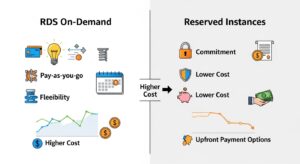
On-Demand is the default: pay per second, with a 10-minute minimum charge following a billable state change (creating, starting, or modifying an instance type). There’s no commitment, no upfront payment, and you can delete the instance at any time. It’s the right choice for dev and staging environments, new workloads you’re still sizing, and anything that runs intermittently.
The downside is pure unit cost. On-Demand is the most expensive way to run a database that operates 24/7. Any instance running more than 60–70% of the time is a candidate for Reserved pricing.
Reserved Instances
A Reserved Instance is a 1-year or 3-year pricing commitment on a specific instance family, engine, and region. The underlying instance behaves identically to On-Demand — same performance, same features, same failover behavior. AWS automatically applies the Reserved rate to any eligible running instance without you having to do anything special at launch.
Here are the savings across all payment options for a MySQL db.m5.large, Single-AZ, US East (N. Virginia):
| Payment Option | Upfront | Monthly | Effective Hourly | Savings vs On-Demand |
| On-Demand | $0 | ~$124.50 | $0.171/hr | — |
| 1-yr No Upfront | $0 | ~$88.40 | $0.121/hr | ~29% |
| 1-yr Partial Upfront | ~$533 | ~$44.20 | ~$0.114/hr | ~33% |
| 1-yr All Upfront | ~$1,004 | $0 | ~$0.115/hr | ~34% |
| 3-yr No Upfront | $0 | ~$58.40 | $0.080/hr | ~53% |
| 3-yr All Upfront | ~$1,650 | $0 | ~$0.063/hr | ~53% |
Rates shown for US East (N. Virginia). Verify current prices at https://aws.amazon.com/rds/pricing/
The breakeven rule: A Reserved Instance only makes financial sense if the instance runs continuously enough to offset the commitment. For the 1-year No Upfront option, the breakeven versus On-Demand is roughly when the instance runs more than ~70% of the time. Below that threshold — typical of dev/staging environments that get stopped nights and weekends — On-Demand is cheaper precisely because you’re not paying for idle hours.
Practical recommendation: Start with 1-year No Upfront for any production database that has been running for at least 2–3 months with stable sizing. It requires no cash outlay, saves 29% immediately, and leaves you the flexibility to modify (instance family changes are permitted within the same family) or sell the RI on the AWS Marketplace if your workload changes before the term ends. Commit to 3-year All Upfront only for databases with proven, stable workloads where the 53% savings justifies locking in for three years.
Note for Aurora: Aurora Reserved Instances offer even steeper discounts — up to 45% on 1-year and up to 66% on 3-year terms — reflecting Aurora’s higher On-Demand base rates. If you’re running Aurora in production, Reserved Instances are especially high-leverage. See AWS Aurora pricing →
Amazon RDS Storage Types: Costs, Performance, and Use Cases
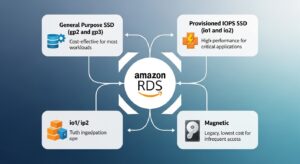
Storage is typically the second-biggest RDS cost driver after compute — and it’s where many teams overpay silently. Choosing gp3 over gp2 or io1 can save 20–40% on storage costs for most workloads without any performance downgrade.
| Storage Type | $/GB-month | IOPS Pricing | Max IOPS | Max Storage | Best For |
| gp2 (SSD) | $0.115 | Included (3 IOPS/GB, burst to 3,000) | 16,000 | 64 TiB | Legacy general-purpose; migrate away |
| gp3 (SSD) | $0.115 | $0.02/IOPS-mo above baseline | 64,000 | 64 TiB | Best default choice for new volumes |
| io1 (SSD) | $0.125 | $0.10/IOPS-mo | 64,000 | 64 TiB | High-IOPS production databases |
| io2 (SSD) | $0.125 | $0.10/IOPS-mo | 256,000 | 64 TiB | Mission-critical; 99.999% durability |
| Magnetic | $0.10 | $0.10 per 1M I/O requests | 1,000 | 3 TiB | Legacy only; never for new deployments |
Rates shown for US East (N. Virginia). Verify current prices at https://aws.amazon.com/rds/pricing/
Worked Cost Examples
Example 1 — gp2, 100 GiB
- Storage: 100 × $0.115 = $11.50/month
- Included IOPS: up to 3,000 burst; 300 IOPS baseline
- No IOPS line item
Example 2 — gp3, 500 GiB, 15,000 IOPS, 600 MB/s throughput
- Storage: 500 × $0.115 = $57.50
- Extra IOPS above baseline: (15,000 − 12,000) × $0.02 = $60.00 (For volumes ≥ 400 GiB, gp3 baseline = 12,000 IOPS and 500 MB/s included free)
- Extra throughput: (600 − 500 MB/s) × $0.08 = $8.00
- TOTAL: $125.50/month
Example 3 — io1, 100 GiB, 10,000 IOPS
- Storage: 100 × $0.125 = $12.50
- IOPS: 10,000 × $0.10 = $1,000.00
- TOTAL: $1,012.50/month
The io1 example makes the cost structure viscerally clear: provisioned IOPS can cost 80× more than the storage itself. Before provisioning io1 or io2, verify that your workload actually needs guaranteed IOPS at that level — and whether gp3 can match it at a fraction of the price.
The gp2 → gp3 Migration: A Savings Angle Competitors Miss

💡 gp2 → gp3 Migration Tip gp3 delivers 3,000 IOPS + 125 MB/s throughput at the same $0.115/GB-month price as gp2 — with no burst bucket, no credit accumulation, and no performance ceiling from storage size. For volumes under 400 GiB, the entire IOPS baseline is included at zero extra cost. For volumes above 400 GiB, the baseline scales to 12,000 IOPS and 500 MB/s — still included.
If your gp2 volume was hitting burst limits (which happens when a database’s demand exceeds the earned burst credits), migrating to gp3 removes that ceiling entirely at no additional storage cost. If you were previously using io1 for consistent IOPS guarantees, gp3 can now deliver up to 64,000 IOPS — at $0.02/IOPS-month vs. io1’s $0.10/IOPS-month. That’s an 80% reduction in IOPS cost for the same throughput.
Migration is a single AWS CLI call with zero downtime:
Copy
aws rds modify-db-instance \
–db-instance-identifier mydb \
–storage-type gp3 \
–apply-immediately
RDS handles the conversion online. There’s no snapshot restore, no maintenance window required, and no application-visible downtime.
Multi-AZ, Backups, and Data Transfer: The Costs Teams Often Miss
Multi-AZ Pricing
Multi-AZ deployment runs a synchronous standby replica in a second Availability Zone and provides automatic failover in the event of an instance or AZ failure. The operational benefit is real — but so is the cost: Multi-AZ exactly doubles both compute and storage charges.
| Configuration | MySQL db.m5.large | Monthly Cost (720 hrs) |
| Single-AZ | $0.171/hr | ~$123/month |
| Multi-AZ (one standby) | $0.342/hr | ~$246/month |
The rule is simple: enable Multi-AZ for every production database. Turn it off for every dev, staging, and QA environment. The cost difference — $123/month for a db.m5.large — adds up to $1,476/year per non-production instance you’re unnecessarily protecting with a standby you’ll never fail over to.
Read Replicas
A read replica for MySQL, PostgreSQL, or MariaDB is billed at the same hourly On-Demand rate as an equivalent standalone instance. Aurora read replicas are different — they share the cluster’s distributed storage layer, so you pay only for the additional compute, not for a separate copy of the data.
When placing read replicas, always deploy them in the same Availability Zone as your application tier. Cross-AZ data transfer is billed at $0.01/GB in each direction — a cost that compounds quickly on read-heavy reporting workloads running across AZ boundaries.
Backup and Snapshot Costs
- Automated backups: free up to 100% of your provisioned DB storage size. A 500 GB database gets 500 GB of backup storage included.
- Backup storage beyond the provisioned size: $0.095/GB-month
- Manual snapshots: stored in Amazon S3 at standard S3 rates — $0.023/GB-month for the first 50 TB, $0.022/GB for the next 450 TB, $0.021/GB beyond 500 TB. See our S3 pricing guide → for the full storage tier breakdown.
- Snapshot export to S3 (Parquet format): $0.010/GB exported. Parquet is up to 6× more storage-efficient and 2× faster to query than text formats, making it the right choice for any snapshot you plan to analyze with Athena, EMR, or SageMaker.
Data Transfer Costs
| Transfer Type | Cost |
| Within the same AZ | Free |
| Between AZs (same region) | $0.01/GB each direction |
| RDS to internet — first 1 GB/month | Free |
| RDS to internet — next 10 TB/month | $0.09/GB (Tier 1) |
| RDS to internet — next 40 TB/month | $0.085/GB (Tier 2) |
| RDS to internet — over 150 TB/month | $0.070/GB (Tier 3) |
| Cross-region replication or transfer | $0.02/GB |
Rates shown for US East (N. Virginia). Verify current prices at https://aws.amazon.com/rds/pricing/
Quick example: 500 GB of internet egress per month = 1 GB free + 499 GB × $0.09 = $44.91/month. For teams with application servers in a different AZ from their RDS instance, add $0.01/GB in each direction for every byte of query traffic — a cost that accelerates fast on high-QPS workloads.
RDS Add-On Services: What They Cost and When They’re Worth It
RDS Proxy
RDS Proxy is a fully managed connection pooler that sits between your application and your RDS or Aurora database. It maintains a pool of persistent connections to the database and multiplexes thousands of application-level connections onto a smaller set of database connections.
Pricing: ~$0.015 per vCPU-hour of the underlying RDS instance.
ROI calculation for db.m5.large (2 vCPU):
- Monthly cost: 2 vCPU × $0.015 × 720 hrs = $21.60/month
The ROI case for RDS Proxy is strongest when you’re running Lambda functions against RDS. Lambda can spin up thousands of concurrent execution environments, each attempting to open its own database connection. Standard RDS connection limits (typically 500–2,000 depending on instance size and RAM) get exhausted instantly under Lambda-scale concurrency, causing connection timeouts and application errors that are expensive to diagnose and fix. RDS Proxy absorbs all those Lambda connections and presents a small, stable connection pool to the database.
For $21.60/month on a db.m5.large, RDS Proxy eliminates an entire class of production incidents. For any Lambda-backed application hitting RDS, that’s one of the highest-ROI line items on your AWS bill. See our Lambda pricing guide → for a full breakdown of Lambda concurrency costs and how Proxy changes the economics.
RDS Extended Support
⚠️ Extended Support Warning If you’re running a database engine version that has passed its standard end-of-life date, AWS automatically enrolls your instance in Extended Support and begins charging at the following rates on top of your normal instance cost:
- Years 1 & 2 of Extended Support: $0.10/vCPU-hour (US East)
- Year 3 of Extended Support: $0.20/vCPU-hour (US East)
Real dollar impact on a db.m5.large (2 vCPU) at Year 3: 2 × $0.20 × 720 hrs = $288/month extra — on top of the $123/month instance cost. That’s your bill more than tripling.
For multi-vCPU enterprise instances (db.r5.2xlarge = 8 vCPU), Year 3 Extended Support adds 8 × $0.20 × 720 = $1,152/month in pure overhead. Reserved Instance discounts do not apply to Extended Support charges.
The action: Build a DB engine upgrade roadmap and allocate engineering sprints well before the end-of-life date. Use AWS RDS Extended Support pricing → to check which versions and deadlines apply to your fleet.
Enhanced Monitoring
Enhanced Monitoring delivers real-time OS-level metrics (CPU, memory, disk I/O, network) at configurable granularity — down to 1-second intervals. Metrics are sent to CloudWatch Logs.
Pricing: ~$0.015/instance-hour at 1-second granularity. Longer intervals (5s, 10s, 15s, 30s, 60s) cost proportionally less. Enable 1-second granularity for production; use the free basic CloudWatch metrics for dev and staging.
Performance Insights
Performance Insights visualizes your database load by SQL query, wait event, user, and host — making slow-query diagnosis and index optimization dramatically faster than reading raw logs.
Pricing:
- First 7 days of retention: free for all instances
- Beyond 7 days: ~$0.015/vCPU-hour/month
- For a db.m5.large (2 vCPU): 2 × $0.015 × 720 = $21.60/month for long-term retention
Enable Performance Insights on all production instances and keep it at 7-day retention unless you have active slow-query investigations that require historical look-back.
Aurora Serverless v2: When Variable Workloads Make Sense
Aurora Serverless v2 is a unique compute model that no competitor article covers with the depth it deserves. Instead of provisioning a fixed instance type, you define a minimum and maximum Aurora Capacity Unit (ACU) range. Aurora scales compute capacity in increments as small as 0.5 ACU between your configured min and max — instantly, without any disruption to active connections.
1 ACU ≈ 2 GiB RAM + proportional CPU and networking, similar to the compute used in equivalent Aurora provisioned instances.
ACU Pricing (US East – N. Virginia):
- Aurora MySQL Serverless v2: $0.10/ACU-hour
- Aurora PostgreSQL Serverless v2: $0.12/ACU-hour
- Billed per-second with a 10-minute minimum
Real-world breakeven example:
A development database that averages 4 ACUs during business hours (8 hrs/day, 22 working days/month) and idles at 0.5 ACU overnight and on weekends:
| Period | ACUs | Hours | ACU-Hours | Cost ($0.12/ACU-hr) |
| Business hours | 4 | 176 | 704 | $84.48 |
| Off-hours | 0.5 | 544 | 272 | $32.64 |
| Monthly total | — | 720 | 976 | $117.12 |
Compare that to a provisioned Aurora db.r5.large at $0.29/hr × 720 hrs = $208.80/month. Aurora Serverless v2 saves approximately 44% for this variable workload pattern while providing full Aurora feature compatibility including Multi-AZ, read replicas, and Global Database.
Choose Aurora Serverless v2 when:
- Running dev, test, or staging environments with sporadic usage patterns
- Your production traffic has large, unpredictable spikes where you’d otherwise over-provision
- You want the ability to scale toward zero during truly idle periods
Don’t choose Aurora Serverless v2 when:
- Running a steady, predictable 24/7 production workload — here, provisioned Aurora + Reserved Instances is almost always cheaper at scale
- You have strict latency SLAs — the scale-up latency (even at Aurora Serverless v2’s “instant” speed) adds measurable milliseconds compared to a pre-warmed provisioned instance
See the Aurora Serverless v2 documentation → for ACU capacity planning guidance.
RDS vs. Aurora: Which Is Cheaper for Your Workload?
This is the question every team hits when evaluating their database architecture — and the answer is always “it depends,” but the factors that drive the answer are concrete.
| Factor | RDS MySQL (db.m5.large) | Aurora MySQL (db.r5.large) | Winner |
| On-Demand hourly rate | $0.171/hr | $0.290/hr | RDS (~40% cheaper compute) |
| Storage rate | $0.115/GB-month | $0.10/GB-month (auto-scales) | Aurora (slightly cheaper) |
| Storage auto-scaling | Manual (requires modify + maintenance) | Automatic | Aurora |
| Multi-AZ failover time | 60–120 seconds | < 30 seconds | Aurora |
| Read replica storage | Independent copy per replica | Shared cluster storage | Aurora (lower replica cost) |
| Serverless option | ❌ No | ✅ Yes (v2) | Aurora |
| Max read replicas | 5 | 15 | Aurora |
| Best for | Predictable OLTP; strict cost-first | High availability; scale-first | Depends on workload |
Rates shown for US East (N. Virginia). Verify current prices at https://aws.amazon.com/rds/pricing/ and https://aws.amazon.com/rds/aurora/pricing/
The honest verdict: For workloads running 1–2 instances with predictable traffic, RDS MySQL/PostgreSQL is almost always cheaper — compute is 40% less expensive per hour and there’s no architectural complexity overhead. At scale — where you need 3+ read replicas, sub-30-second failover, or the ability to burst with Serverless v2 — Aurora’s total cost of ownership often matches or beats standard RDS once you factor in the shared storage savings across replicas and the reduced DBA operational time for storage management.
3 RDS Cost Scenarios: From Prototype to Production
Scenario A — Weekend Side Project / Dev Environment
Config: MySQL db.t3.micro, Single-AZ, 20 GB gp3, no backups beyond free tier, no enhanced monitoring
| Line Item | Calculation | Monthly Cost |
| Instance | $0.017/hr × 720 hrs | $12.24 |
| Storage | 20 GB × $0.115 | $2.30 |
| Total | ~$14.54/month |
If your AWS account is within its first 12 months and you haven’t exhausted the 750-hour free tier, this runs at $0/month. Either way, the real optimization here is stopping the instance on nights and weekends. A 5-day work week running 9 AM–6 PM = ~45 hours/week = ~180 hours/month. At $0.017/hr, that’s $3.06/month in compute vs. $12.24 for 24/7 — a 75% compute reduction with zero architectural change.
Scenario B — Mid-Size SaaS Production Database
Config: PostgreSQL db.m5.large, Multi-AZ, 500 GB gp3, 6,000 IOPS, automated backups (1,000 GB total), Performance Insights (7-day free), 50 GB internet egress
| Line Item | Calculation | Monthly Cost |
| Instance (Multi-AZ) | $0.178 × 2 × 720 hrs | $256.32 |
| Storage (gp3) | 500 GB × $0.115 | $57.50 |
| Extra IOPS (gp3) | (6,000 − 3,000) × $0.02 | $60.00 |
| Backup overage | 500 GB free + 500 GB × $0.095 | $47.50 |
| Performance Insights | 7-day retention = free | $0.00 |
| Data transfer (50 GB egress) | 49 GB × $0.09 | $4.41 |
| Total | ~$425.73/month |
Optimization: Switch to a 1-year No Upfront Reserved Instance → saves ~29% on compute = ~$74/month = $888/year saved with zero risk and no upfront cash.
Scenario C — Enterprise Analytics Database (High-IOPS)
Config: Oracle License Included db.r5.2xlarge, Multi-AZ, 2 TB io1, 20,000 IOPS, 1 read replica, Enhanced Monitoring (1-second), Performance Insights (1-month retention)
| Line Item | Calculation | Monthly Cost |
| Instance (Multi-AZ) | $0.964/hr × 2 × 720 hrs | $1,388.16 |
| Storage (io1) | 2,000 GB × $0.125 | $250.00 |
| Provisioned IOPS | 20,000 × $0.10 | $2,000.00 |
| Read replica (Single-AZ) | $0.964/hr × 720 hrs | $694.08 |
| Enhanced Monitoring | $0.015/hr × 720 hrs | $10.80 |
| Performance Insights (long-term) | 8 vCPU × $0.015 × 720 hrs | $86.40 |
| Total | ~$4,429.44/month |
Critical optimization: Migrate from Oracle License Included to Oracle BYOL. The BYOL compute rate for db.r5.2xlarge Multi-AZ drops to approximately $0.48/hr — cutting the compute line item from $1,388 to roughly $691/month. Annual saving: ~$8,364/year on compute alone, before any Reserved Instance commitment.
Secondary optimization: Evaluate whether all 20,000 IOPS are genuinely needed at peak. CloudWatch’s ReadIOPS and WriteIOPS metrics will show your actual utilization. If average IOPS usage is under 10,000, reduce provisioned IOPS to 12,000 and save $800/month immediately.
3 Ways to Reduce Your Amazon RDS Bill
1. Right-Size Your Instances
Over-provisioned instances are the #1 source of wasted RDS spend, and they’re also the easiest to identify. Pull up CloudWatch’s CPUUtilization and FreeableMemory metrics for your instances over the past 30 days. If average CPU utilization is consistently below 20% and freeable memory stays above 50% of total RAM, you’re running a bigger instance than your workload needs.
Drop one instance class (e.g., db.m5.xlarge → db.m5.large) and monitor for a week. If performance holds, the downsize is permanent — and the savings are immediate. Also check the EC2 pricing guide → for Graviton3 instance options (db.m7g, db.r7g) that deliver up to 15% better price-performance than x86 equivalents, often at the same or lower per-hour rate.
2. Buy Reserved Instances for Production Databases
Any database with >70% uptime is leaving money on the table at On-Demand rates. The 1-year No Upfront option saves ~29% with zero cash outlay — start there. For workloads running for 2+ years with stable sizing, the 3-year All Upfront option at 53% savings delivers the strongest total return. Reserved Instances apply automatically to matching running instances, require no operational changes, and can be modified across instance sizes within the same family if you need to resize.
3. Migrate gp2 Storage to gp3
gp3 provides the same $0.115/GB-month cost as gp2, but with a guaranteed 3,000 IOPS and 125 MB/s throughput baseline included at no extra charge — no burst credits, no size-dependent performance scaling. For volumes ≥ 400 GiB, the free baseline jumps to 12,000 IOPS and 500 MB/s. If you were previously using io1 to get consistent IOPS, gp3 delivers the same guaranteed performance at $0.02/IOPS-month vs. io1’s $0.10/IOPS-month — an 80% reduction in IOPS cost. Migration is zero-downtime and takes a single CLI command.
Quick Reference: RDS Pricing at a Glance
The five numbers every RDS user should have memorized:
| # | Key Rate | What It Means |
| 1 | $0.016/hr | db.t4g.micro — cheapest open-source engine entry point |
| 2 | $0.115/GB-month | gp3 storage with 3,000 IOPS included free |
| 3 | 2× | Multi-AZ cost multiplier vs. Single-AZ on compute and storage |
| 4 | Up to 53% | Reserved 3-yr All Upfront savings vs. On-Demand |
| 5 | +$0.20/vCPU-hr | Extended Support Year 3 surcharge on top of instance cost |
Frequently Asked Questions About Amazon RDS Pricing
Q1: Is Amazon RDS free?
Yes — there is a free tier. New AWS accounts get 750 hours/month of db.t2/t3/t4g.micro Single-AZ, 20 GB of gp2 storage, and 20 GB of backup/snapshot storage for the first 12 months. This applies to MySQL, PostgreSQL, and MariaDB. Once the 12-month window expires, standard On-Demand rates apply automatically.
Q2: How much does RDS cost per month?
It varies enormously. A dev MySQL db.t3.micro = ~$12–15/month. A production PostgreSQL db.m5.large Multi-AZ with 500 GB gp3 = ~$425/month. A high-IOPS Oracle LI enterprise setup (db.r5.2xlarge Multi-AZ, io1, read replica) can exceed $4,000/month. Use the AWS Pricing Calculator → to model your specific configuration.
Q3: Is RDS cheaper than running your own database on EC2?
Not on raw compute cost — RDS carries a roughly 20–30% “managed service” premium over an equivalent EC2 instance. But when you factor in the engineering time for manual patching, backup management, Multi-AZ HA setup, and monitoring configuration, RDS almost always has a lower total cost of ownership for teams without dedicated DBAs. See our EC2 pricing guide → for a direct compute cost comparison.
Q4: How much do Reserved Instances save on RDS?
Between ~29% (1-year No Upfront) and ~53% (3-year All Upfront) versus On-Demand rates for standard RDS engines. Aurora Reserved Instances offer even greater savings: up to 45% on 1-year and up to 66% on 3-year terms.
Q5: Is Aurora more expensive than RDS?
Per instance, yes — Aurora db.r5.large at $0.290/hr versus MySQL db.m5.large at $0.171/hr is a ~70% premium at the compute level. But Aurora’s storage is slightly cheaper ($0.10/GB vs. $0.115/GB), auto-scales automatically, is shared across all read replicas, and provides sub-30-second failover. At scale with multiple replicas, Aurora’s total cost often matches or beats standard RDS. For single-instance workloads, standard RDS is almost always the cheaper choice.
Conclusion
Amazon RDS pricing in 2026 isn’t expensive by default—it becomes expensive when it’s not planned intentionally. Your total RDS cost is driven by a few key decisions: database engine, instance size, storage type, Multi-AZ usage, backup retention, and whether you use On-Demand or Reserved Instances. Teams that regularly review and right-size these choices can reduce costs significantly without sacrificing performance or reliability.
At GoCloud, we always emphasize that database pricing doesn’t exist in isolation. Your RDS bill is closely connected to how your applications deliver and consume data at scale. If you’re also managing application traffic and content delivery, our earlier guide on Amazon CloudFront pricing explains how CDN, data transfer, and edge features impact overall AWS spend making it a valuable companion to this RDS pricing breakdown.

