


If you are weighing the pros and cons of AWS Elastic Beanstalk, the real question is not whether the service is “good” or “bad.” It is whether your team wants faster AWS application deployment with less infrastructure management, or deeper control over servers, containers, and platform design. AWS Elastic Beanstalk automates provisioning, load balancing, auto scaling, health monitoring, and platform operations, but it still leaves your team responsible for application code, configuration quality, security decisions, and production discipline.
For startups, SaaS teams, and lean DevOps organizations, that trade-off can be extremely attractive. For teams building container-heavy microservices, compliance-sensitive platforms, or deeply customized cloud environments, Elastic Beanstalk can feel like an awkward middle ground. This guide breaks down where it shines, where it frustrates, and when another AWS deployment model is the better call.
What Is AWS Elastic Beanstalk?
AWS Elastic Beanstalk is a managed platform as a service on AWS that lets you deploy web applications and worker applications by uploading code while AWS provisions the underlying environment. According to AWS, it handles Amazon EC2 provisioning, load balancing, health monitoring, and dynamic scaling for supported platforms.
It supports common runtimes including Go, Java, .NET, Node.js, PHP, Python, and Ruby, plus Docker-based deployments. AWS also provides both web server environments for HTTP applications and worker environments for asynchronous processing backed by Amazon SQS.
In practical terms, Elastic Beanstalk sits between raw infrastructure and higher-abstraction platforms. It is less hands-on than manually managing Amazon EC2, but it gives you more visibility and customization than a fully abstracted PaaS model.
How Elastic Beanstalk works :
The workflow is conceptually simple: you create an application, upload an application version, and deploy it to an environment. Elastic Beanstalk then creates and configures the AWS resources required to run that code. AWS makes application metrics, events, and environment status available through the console, APIs, AWS CLI, and EB CLI.
Elastic Beanstalk also supports multiple deployment policies including all at once, rolling, rolling with an additional batch, immutable, traffic splitting, and blue/green style deployments via environment swap. That means teams can choose between speed, stability, and rollback safety depending on the workload.
What AWS manages vs what you still Manage :
The biggest misunderstanding around Elastic Beanstalk is that it is “fully managed.” It is managed, but not magic.
| Area | AWS helps manage | Your team still manages |
| Infrastructure provisioning | EC2 instances, scaling setup, load balancing, health monitoring | Architecture decisions, capacity rules, resource choices |
| Platform operations | Platform updates, patching support, managed environment orchestration | App dependencies, deployment quality, config validation |
| Deployment tooling | EB CLI, application versions, deployment policies | Release process, rollback discipline, CI/CD pipeline logic |
| Visibility | Console events, health views, CloudWatch integrations | Alerting strategy, root-cause analysis, operational response |
| Security baseline | Integrated AWS controls and IAM support | IAM design, secrets handling, network policy, compliance controls |
This is why Elastic Beanstalk works best for teams that want managed infrastructure, not zero-responsibility operations.
Supported languages, platforms, and deployment Models :
Elastic Beanstalk is strongest when your application fits a relatively standard deployment pattern: monolithic web app, API backend, internal dashboard, or small Dockerized service. AWS explicitly positions it for full-stack application migration, simple Docker-based deployment, and teams new to AWS that want faster time to production.
That positioning matters. Elastic Beanstalk is not trying to be Amazon ECS or Amazon EKS. It is trying to reduce DevOps automation overhead for common applications.
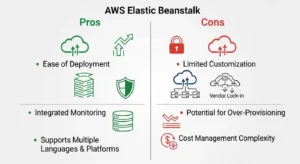
Pros and Cons of AWS Elastic Beanstalk at a Glance :
Before getting into details, here is the short version.
| Pros | Why it matters | Cons | Why it matters |
| Fast deployment | Ship code without building all infrastructure manually | Limited low-level control | Harder to fine-tune complex systems |
| Built-in auto scaling and load balancing | Easier scaling web applications | Troubleshooting can be opaque | Debugging failures may take longer |
| Strong AWS integration | Easier use of RDS, S3, IAM, CloudWatch | Vendor lock-in | Harder to move platform later |
| No extra Beanstalk platform fee | Attractive for lean teams | Underlying AWS costs still add up | Poor cost optimization can erase savings |
| Good release velocity | Helps developer productivity | Not ideal for advanced microservices | ECS/EKS often fit better |
If your team is trying to launch quickly with a standard application architecture, the benefits are compelling. If you need granular control, Kubernetes portability, or advanced container orchestration, the drawbacks become much more important.
Major Pros of AWS Elastic Beanstalk
Faster deployment with less operational Overhead :
This is the clearest advantage. You upload code and let Elastic Beanstalk handle environment provisioning, instance creation, load balancing, and scaling setup. For small teams, this removes a huge amount of infrastructure management work from the path to production.
That speed matters most for startups, MVPs, and internal tools. Instead of spending the first sprint wiring EC2, networking, patching, deployment automation, and health checks, teams can focus on shipping the actual application.
The EB CLI strengthens this advantage. AWS documents that the EB CLI can create bundles, upload them, and deploy them with a single command, which makes it easier to standardize releases and integrate with a CI/CD pipeline.
Built-in scaling, load balancing, and Monitoring :
Elastic Beanstalk provisions Amazon EC2 instances, configures load balancing, sets up health monitoring, and dynamically scales environments. Those are exactly the kinds of tasks that consume time and create operational risk when done manually.
Teams can also configure Auto Scaling groups, scaling triggers, load balancer behavior, CloudWatch log streaming, health settings, and notifications through Elastic Beanstalk configuration namespaces. That makes it easier to get production-grade behavior without building everything from scratch.
For many web applications, this is the sweet spot: enough automation to reduce toil, enough knobs to avoid being boxed in too early.
Strong AWS ecosystem Integration :
Elastic Beanstalk works naturally with core AWS services such as Amazon EC2, Amazon RDS, Amazon S3, Amazon CloudWatch, IAM, and Elastic Load Balancing. AWS also supports environment variables and environment secrets, allowing teams to pass configuration and integrate with broader AWS developer tools.
That ecosystem fit is one of its biggest practical benefits. If you already live in AWS, Elastic Beanstalk often feels like the fastest way to get from repository to production without abandoning AWS-native patterns.
Cost efficiency for lean Teams :
AWS states there is no additional charge for Elastic Beanstalk itself. You pay only for the underlying AWS resources consumed by your application, such as EC2 instances, S3 storage, and Elastic Load Balancing.
That does not make Elastic Beanstalk “cheap” by default, but it does make the pricing model attractive for small teams. You are not paying a separate orchestration premium on top of infrastructure. If your alternative is hiring extra operational capacity or overengineering deployment workflows too early, Elastic Beanstalk can be cost-efficient.
Better developer productivity and release Velocity :
Elastic Beanstalk organizes deployments around applications, application versions, and environments, which helps teams separate dev, staging, and production environments while preserving rollback options. AWS explicitly supports redeploying existing application versions, which helps with controlled release management.
It also supports safer release patterns such as rolling deployments, immutable deployments, traffic splitting, and blue/green deployment workflows. That is especially valuable for SaaS teams that need to ship often without accepting reckless deployment risk.
Major Cons of AWS Elastic Beanstalk
Limited infrastructure Control :
Elastic Beanstalk is opinionated. You can customize a lot, but not everything feels elegant once your architecture becomes complex. The service exposes many configuration options, but you are still operating within its deployment model and abstraction layers.
This becomes a problem when teams need advanced networking, custom orchestration behavior, nonstandard security controls, or tightly controlled infrastructure-as-code workflows. At that point, the “managed platform as a service” value starts to compete with the need for precision.
Troubleshooting can be harder than Expected :
Because Elastic Beanstalk automates so much of the stack, debugging can feel indirect. You still have access to events, health reporting, instance logs, and deployment IDs, but root-cause analysis may require digging across EB console events, web server logs, application logs, CloudWatch, and instance-level behavior. AWS highlights deployment IDs and deployment policy details precisely because rolling updates and failed releases can be nontrivial to diagnose.
This is one reason some teams eventually graduate to more explicit infrastructure management: complexity does not disappear, it just moves.
AWS dependency and vendor lock-in Concerns :
Elastic Beanstalk is deeply tied to AWS services and workflows. If your long-term goal is cloud portability, or you expect to replatform across providers, a Beanstalk-centric deployment model may increase migration friction.
That does not mean vendor lock-in is always bad. For many companies, AWS alignment is a deliberate business choice. But it is still a trade-off, especially compared with more portable container platforms or Kubernetes-based workflows.
Customization limitations for Complex Architectures :
AWS provides .ebextensions so you can configure environments and customize the AWS resources inside them. These YAML or JSON .config files let you set option settings, customize resources, and run commands that shape instance behavior.
That is useful, but it is also a clue: when your team starts leaning heavily on .ebextensions to bolt on advanced behavior, you may be pushing beyond Elastic Beanstalk’s natural fit. AWS itself points users toward ECS, EKS, Lambda, or CloudFormation/Terraform-style approaches when deeper orchestration, container control, or infrastructure-as-code flexibility is required.
Hidden cost risks if environments are not Optimized :
Elastic Beanstalk itself is free, but the underlying bill is not. AWS says the principal costs for a web application typically come from EC2 instances and Elastic Load Balancing, with additional costs driven by bandwidth, storage, and database choices.
In other words, Beanstalk can feel inexpensive while quietly accumulating spend through oversized instances, unnecessary load balancers, over-retained logs, always-on staging environments, and tightly coupled RDS resources. Cost optimization still matters.
AWS Elastic Beanstalk vs Traditional Deployment :
The strongest case for Elastic Beanstalk is not “it can do everything.” It is “it removes a large amount of repetitive platform work.”
| Question | Traditional EC2-centric deployment | Elastic Beanstalk |
| Provisioning | Manual or IaC-heavy | Automated |
| Load balancing | Manually configured | Built in |
| Auto scaling | Manually designed | Built in with config options |
| Health monitoring | Must wire separately | Included in environment model |
| Deployment policies | Custom-built | Native rolling, immutable, traffic splitting support |
| Flexibility | Highest | Moderate |
| Time to launch | Slower | Faster |
If your team has deep platform engineering capability and strong IaC maturity, traditional deployment can be cleaner and more controllable. If your priority is release speed with acceptable flexibility, Elastic Beanstalk often wins.
When AWS Elastic Beanstalk Is a Good Fit :
Elastic Beanstalk is a strong fit for:
- Startups and MVPs that need to launch quickly without building a full internal platform
- Small DevOps teams that want deployment automation without taking on Kubernetes complexity
- Standard web apps and APIs using supported runtimes or Docker on Elastic Beanstalk
- Internal tools where fast delivery matters more than extreme infrastructure customization
- Lift-and-shift workloads such as monolithic .NET, Java, or PHP applications moving into AWS without full rearchitecture
A good rule of thumb: if your application is architecturally conventional and your team is operationally lean, Elastic Beanstalk is worth serious consideration.
When to Choose Amazon EC2, Amazon ECS, Amazon EKS, or AWS App Runner Instead :
Choose EC2 when you need maximum control over the OS, runtime, networking, and deployment process.
Choose ECS when you want modern container orchestration without adopting Kubernetes.
Choose EKS when you need Kubernetes-native workflows, ecosystem tooling, or greater portability across environments.
Choose App Runner when you want a simpler experience for containerized or-based web services and do not need the broader environment model Elastic Beanstalk offers.
In short, Elastic Beanstalk is best viewed as the right answer for a specific middle layer: more guided than EC2, less specialized than ECS/EKS, and often more configurable than App Runner.
Pricing Considerations and Cost Optimization Tips
What you actually pay For :
AWS is very clear: there is no separate Elastic Beanstalk fee. You pay for the AWS resources created to run your application. For most web applications, AWS says the main cost drivers are EC2 instances and Elastic Load Balancing.
| Cost component | Why it appears | Common risk |
| EC2 instances | Your application runtime capacity | Overprovisioned instance size or count |
| Elastic Load Balancing | Load-balanced environments | Paying for HA where it is not needed |
| Amazon RDS | Managed database layer | Coupling DB lifecycle too tightly to app env |
| Amazon S3 | App bundles, logs, artifacts | Storage creep from old versions/logs |
| Amazon CloudWatch | Metrics and logs | Unmanaged retention and noisy monitoring |
| Data transfer | User traffic | Underestimating outbound traffic costs |
Tips to avoid Waste :
Use smaller instance classes in dev and staging. Separate long-lived databases from short-lived application environments. Clean up old application versions and stale logs. Shut down idle non-production environments. Review whether every app really needs a load-balanced production topology from day one.
Elastic Beanstalk does not remove the need for cost optimization; it just changes where optimization happens.
Best Practices for Running AWS Elastic Beanstalk in Production :
First, treat monitoring and logging as first-class design decisions. Elastic Beanstalk supports CloudWatch log streaming, health monitoring, and alert-related configuration, but those capabilities only matter if your team actively designs thresholds, retention, and incident response.
Second, take security and IAM seriously. Elastic Beanstalk integrates with IAM and supports environment variables and environment secrets, but least-privilege roles, secret handling, and network controls remain your responsibility.
Third, separate environments cleanly. Use distinct dev, staging, and production application environments and keep configuration changes deliberate. This helps reduce drift and makes release validation more predictable.
Fourth, choose deployment strategy intentionally. AWS supports rolling, immutable, traffic splitting, and blue/green style workflows, each with different trade-offs around downtime, capacity, and rollback speed. For production systems, “all at once” is rarely the most responsible default.
Common Mistakes and Troubleshooting Tips :
A common mistake is assuming Elastic Beanstalk is fully hands-off. It is not. It is managed infrastructure, not managed engineering.
Another frequent issue is underinvesting in deployment troubleshooting. When deployments fail, start with EB events, deployment IDs, application logs, web server logs, and health reporting before changing instance settings blindly. AWS documents these signals because they are central to diagnosing release issues.
Teams also run into problems when they let old application versions pile up, misconfigure scaling thresholds, or keep poor visibility into environment health. These are not product flaws so much as operational debt. Elastic Beanstalk reduces toil, but it still rewards disciplined operations.
FAQ
Is AWS Elastic Beanstalk worth it for startups?
Yes, often. It is especially valuable for startups that need to ship standard web apps quickly and do not want to build heavy DevOps automation up front.
What are the main AWS Elastic Beanstalk benefits?
The biggest benefits are faster deployment, built-in auto scaling, load balancing, CloudWatch-friendly monitoring, AWS integration, and improved developer productivity.
What are the biggest AWS Elastic Beanstalk limitations?
The biggest limitations are reduced low-level control, harder troubleshooting, vendor lock-in risk, and weaker fit for advanced microservices or Kubernetes-style workloads.
Does AWS charge extra for Elastic Beanstalk?
No. AWS states there is no additional charge for Elastic Beanstalk itself; you pay for the underlying resources it uses.
Is Elastic Beanstalk better than EC2?
Not universally. Elastic Beanstalk is better for speed and managed deployment. EC2 is better for maximum control and highly customized infrastructure.
Conclusion: Pros and Cons of AWS Elastic Beanstalk
The pros and cons of AWS Elastic Beanstalk come down to one core trade-off: it gives teams a faster, more productive way to deploy on AWS, but it does so by constraining how much direct platform control they have. AWS positions the service around easier migration, deployment, scaling, built-in health monitoring, automated updates, and simpler operations for full-stack applications and Docker workloads.
So, is AWS Elastic Beanstalk worth it? For startups, SaaS teams, and developers deploying conventional web applications, often yes. GoCloud explains in detail how Elastic Beanstalk compares with other solutions in this Amazon CloudFront vs Cloudflare guide. For organizations building complex microservices, highly customized infrastructure, or portability-focused cloud platforms, probably not. The smartest way to evaluate it is not as a universal deployment service, but as a practical middle ground between raw infrastructure and full platform engineering.
