


AWS Lightsail and EC2 are often mentioned in the same breath when developers and founders are evaluating compute options on Amazon Web Services. They both spin up virtual servers, they both live on AWS infrastructure, and they both bill by usage. From a distance, they look like different pricing tiers of the same thing — the affordable option and the serious option.
They’re not. The gap between AWS Lightsail vs EC2 isn’t primarily about pricing — it’s about philosophy, integration depth, and the kind of operational overhead each product assumes you’re willing to carry. Lightsail is a managed VPS (virtual private server) service engineered to remove complexity and get you running in minutes. EC2 is a programmable, infinitely configurable compute platform built for scale, control, and deep integration with the rest of the AWS ecosystem.
Choosing between them based on price alone — or worse, choosing Lightsail because EC2 looks complicated — is how teams end up on the wrong platform at the wrong moment in their growth, with a migration project looming when they should be shipping features.
This guide covers the full AWS Lightsail vs EC2 comparison: what each product actually is, how they differ on pricing, performance, management experience, security, and AWS integration depth, which workloads each is genuinely suited for, and — critically — how to recognize when you’ve outgrown Lightsail and need to make the move to EC2. By the end, you’ll have a clear enough picture to make the right call for where your workload is today and where it’s headed.
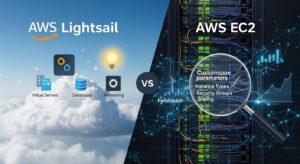
What AWS Lightsail Is and What It’s Not :
Lightsail is Amazon’s answer to the managed VPS market — think DigitalOcean, Vultr, or Linode, but built on the same physical infrastructure that powers EC2. It was introduced in 2016 specifically to lower the barrier to entry for developers, small businesses, and teams who want to deploy an application quickly without becoming AWS experts first.
The core value proposition of Lightsail is bundled simplicity. Every Lightsail plan packages a fixed vCPU allocation, a set amount of RAM, an SSD storage volume, and a generous monthly data transfer allowance into a single flat monthly price. The entry-level Linux plan starts at $3.50 per month for an IPv6-only instance, with the most popular plans (with IPv4 addresses) starting at $5 per month. There are no surprise charges from misconfigured monitoring, unexpected egress fees, or forgotten Elastic IPs. You know what you’re paying before the month starts.
Lightsail also ships with a management console that’s intentionally separate from the main AWS Management Console. It’s cleaner, purpose-built, and designed for users who shouldn’t need to understand IAM roles or VPC CIDR blocks to get an application running. The Lightsail console surfaces exactly what most users need: instance status, basic metrics, firewall rules, snapshot management, DNS, and static IP assignment — and nothing else.
Blueprints — Lightsail’s pre-configured application templates — handle the most common deployment scenarios: WordPress, LAMP stack, LEMP stack, Node.js, Django, Ghost, Rails, Magento, Plesk, cPanel, and basic Linux and Windows OS images. Deploying a full WordPress site from a blueprint to a running instance with SSH access takes under five minutes, with no Linux administration required.
The Critical Distinction Most People Miss :
Lightsail is not a simplified version of EC2. It is a separate product with its own management plane, its own pricing model, and its own feature set. Under the hood, Lightsail instances run on the same physical hardware as EC2 — the performance per unit of compute is roughly comparable to EC2’s T-series burstable instances. But the operational experience, the integration surface with the rest of AWS, and the scaling options are fundamentally different products. Understanding this distinction is the foundation of the entire AWS Lightsail vs EC2 decision.
One more important limitation that catches users off guard: Lightsail charges you for instances whether they’re running or stopped. Unlike EC2, where you only pay for compute when the instance is in a running state, Lightsail’s flat monthly fee applies regardless of instance state. If you’re running a development server that’s only needed during business hours, EC2’s on-demand pricing is more economical — you pay for the hours you actually use.
What EC2 Is and Why It’s More Complicated on Purpose :
EC2 (Elastic Compute Cloud) is AWS’s flagship compute service — the foundation on which most serious cloud architectures are built, and the infrastructure underpinning most of what AWS runs at scale. It offers more than 700 instance types across over 15 instance families, each optimized for different workload characteristics: general-purpose (M and T series), compute-intensive (C series), memory-intensive (R and X series), storage-optimized (I and D series), GPU-accelerated (G and P series), and ARM-based (Graviton-powered A and T4g series), among others.
Unlike Lightsail, EC2 doesn’t bundle simplicity into the product — and this is intentional, not an oversight. Networking, storage, security policies, monitoring, automatic scaling, and load balancing are all separate services that you configure independently and connect deliberately. That separation gives you fine-grained control over every layer of your infrastructure: you choose the exact right instance type for your workload characteristics, size your EBS volumes independently from your compute, attach the right IAM roles for service access, and tune your VPC routing to match your security requirements.
This modular architecture is what makes EC2 the backbone of complex, production-grade cloud systems — and it’s also what makes it significantly more demanding to set up correctly than Lightsail. The configuration surface area is large. Setting up an EC2 instance for production means making deliberate decisions about VPC, subnets, security groups, IAM instance profiles, key pairs, EBS volume type and size, CloudWatch monitoring, and more — before you’ve even installed your application.
The Ecosystem Integration Advantage :
EC2’s most significant advantage over Lightsail isn’t raw performance — it’s ecosystem integration. EC2 instances live as first-class citizens inside AWS’s full service ecosystem. Auto Scaling Groups dynamically adjust instance counts based on demand metrics. Application Load Balancers (ALB) distribute traffic with sophisticated routing rules. AWS Systems Manager provides fleet management, patch automation, and secure remote access. AWS RDS, ElastiCache, ECS, EKS, and every other VPC-native AWS service integrate with EC2 instances in the same VPC without any peering configuration.
This integration depth is what makes EC2 the right platform for production architectures that need to grow. You don’t just get a server — you get a compute layer that connects natively to the entire AWS service catalog.
AWS Lightsail vs EC2: The Full Comparison
| Dimension | AWS Lightsail | Amazon EC2 | Practical Edge |
| Pricing model | Fixed monthly bundles — all-inclusive | Pay-per-use — flexible but variable | Lightsail for predictability; EC2 for optimization at scale |
| Starting price | From $3.50/month (IPv6) or $5/month (IPv4) | Variable — depends on instance type, storage, transfer | Lightsail wins at small, steady-state scale |
| Data transfer | Generous allowance bundled in plan | Billed at $0.09/GB outbound after free tier | Lightsail for traffic-heavy simple sites |
| Billing when stopped | Charged regardless of instance state | Only charged when running (on-demand) | EC2 for intermittent-use workloads |
| Instance variety | Limited — general-purpose plans only | 700+ types across 15+ families | EC2 for any specialized workload |
| Storage | SSD bundled with instance plan | EBS volumes — any size, any type, separate billing | EC2 for flexible storage architecture |
| Networking / VPC | Simplified — Lightsail-managed VPC, peering optional | Full VPC control — subnets, routing, peering, endpoints | EC2 for complex network architectures |
| Auto Scaling | Not available natively | Native — Auto Scaling Groups, target tracking policies | EC2 only |
| Load balancing | Lightsail Load Balancer — simplified, flat $18/month pricing | ALB / NLB / CLB — full-featured, consumption-billed | EC2 for advanced routing; Lightsail for simple HA |
| Management console | Simplified — separate, beginner-friendly console | Full AWS console — powerful but complex | Lightsail for teams new to AWS |
| AWS service integration | Limited — VPC peering to connect to some AWS services | Deep — native integration with full AWS ecosystem | EC2 |
| Deployment templates | Blueprints — WordPress, LAMP, Node, Rails, etc. | AMIs, Launch Templates — fully customizable | Lightsail for fast start; EC2 for custom images |
| Cost optimization | Fixed pricing only | Reserved, Spot, Savings Plans — up to 90% off on-demand | EC2 at committed scale |
| Container support | Lightsail Containers — simplified, limited | ECS, EKS, or self-managed — full orchestration | EC2 for production container workloads |
| GPU / specialty instances | Not available | Full spectrum — GPU, ARM, HPC, storage-optimized | EC2 only |
| Multi-AZ redundancy | Single AZ per instance (load balancer spans AZs) | Full Multi-AZ control via Auto Scaling and placement groups | EC2 |
| Best for | Startups, developers, simple apps, WordPress | Production workloads, enterprises, complex architectures | Depends entirely on your use case |
AWS Lightsail vs EC2 Pricing: Where the Numbers Actually Land
Pricing is the first thing most people compare — and where the most misunderstandings live. Lightsail looks cheaper at face value. Whether it actually is cheaper depends on what you’re comparing and what your workload actually needs.
How Lightsail Pricing Works :
Lightsail instances are priced as flat monthly bundles. Each plan includes a fixed vCPU count, RAM, SSD storage, and a bundled data transfer allowance. The most popular Linux plans with IPv4 addresses run from $5/month for a nano instance (512 MB RAM, 1 vCPU, 20 GB SSD, 1 TB transfer) up through $160/month for the largest available plan (32 GB RAM, 8 vCPU, 640 GB SSD, 7 TB transfer). Windows plans are priced somewhat higher due to licensing.
That bundled data transfer allowance is a genuine pricing advantage for content-heavy sites. On EC2, outbound data transfer is billed at $0.09 per GB after the first GB of outbound traffic per month from EC2 instances — which accumulates quickly for applications serving significant traffic, image-heavy sites, or video streaming. A site serving 2 TB of outbound traffic monthly from EC2 would incur approximately $180 in data transfer charges alone, on top of compute and storage costs. The equivalent Lightsail plan bundles that 2 TB allowance into the flat monthly price.
The catch: Lightsail charges you even when your instance is stopped. If you’re running a development environment, a staging server, or any instance that doesn’t need to run 24/7, EC2’s on-demand pricing — where you pay only for hours the instance is actually running — is more economical. An EC2 instance running 8 hours per day costs roughly one-third of the equivalent 24/7 rate.
How EC2 Pricing Works :
EC2 pricing is consumption-based and multidimensional. You pay separately for:
- Compute: Per instance-hour on-demand, or at reduced rates with Reserved Instances and Savings Plans
- Storage: Per GB-month for EBS volumes (gp3 volumes run approximately $0.08/GB-month)
- Data transfer: $0.09/GB outbound after the first GB per month
- Optional add-ons: Elastic Load Balancers (from $0.008/LCU-hour), Elastic IPs when unattached ($0.005/hour), CloudWatch detailed monitoring ($0.014 per metric per month)
The on-demand rate for an EC2 t3.medium (2 vCPU, 4 GB RAM) in us-east-1 is approximately $0.0416/hour, or about $30/month if running continuously. Adding 40 GB gp3 EBS storage ($3.20/month), 1 TB of outbound transfer ($89.10/month), and a static Elastic IP adds up to significantly more than the comparable Lightsail bundle — which is why Lightsail often wins on pure cost for small, traffic-heavy, steady-state workloads.
But EC2 has cost optimization levers Lightsail entirely lacks:
- Reserved Instances with a 1-year commitment reduce on-demand EC2 compute costs by approximately 30–40% depending on instance type and region
- 3-year Reserved Instances push savings to 50–60% off on-demand rates
- Savings Plans provide similar discounts with more flexibility across instance families
- Spot Instances use spare AWS capacity at auction prices — often 70–90% below on-demand — for interruption-tolerant workloads like batch processing, data pipelines, rendering, and test environments
At meaningful scale — dozens of instances running continuously — EC2 with proper Reserved Instance purchasing is substantially cheaper than the equivalent Lightsail fleet. The Lightsail price advantage applies at the small end of the spectrum; EC2’s purchasing flexibility wins at scale.
The Hidden Cost of Lightsail Overprovisioning :
Because Lightsail’s fixed plans don’t scale dynamically, teams often overprovision — running a plan larger than their steady-state needs to accommodate occasional traffic spikes. On EC2, you’d handle those spikes with Auto Scaling: the baseline instance count runs at minimum cost, and additional instances spin up automatically under load. On Lightsail, you pay for the peak-ready capacity even during quiet periods. Over months and years, that overprovisioning cost can exceed the apparent savings from Lightsail’s lower nominal pricing.
Management Experience and Learning Curve: The Real Difference
The operational difference between these two products is larger than most pricing comparisons suggest — and it matters more than the compute cost for teams making their first AWS decision.
The Lightsail Console Experience :
Lightsail’s console is genuinely different from the main AWS Management Console. It’s purpose-built for clarity over comprehensiveness. Launching an instance means selecting a blueprint or plain OS image, choosing a plan tier, naming your instance, and clicking create. Within 60–90 seconds, you have a running server with an assigned IP address and SSH access available directly in the browser. No IAM role selection, no VPC configuration, no EBS volume type decision, no security group complexity.
Blueprints are where Lightsail delivers its most obvious value. The WordPress blueprint, for example, pre-configures Apache, PHP, MySQL, and phpMyAdmin on a Linux instance — everything you need to run WordPress without touching the command line. Additional blueprints handle LAMP, LEMP, Node.js, Django, Magento, Ghost, Plesk, and more. For developers who need a working application environment fast and don’t want to spend time configuring Linux servers, blueprints remove a meaningful amount of setup friction.
The built-in Lightsail console also includes DNS management (with five zones free for Lightsail customers), a simplified firewall interface with rule-based port management, a snapshot backup system with one-click restore, and static IP assignment. Everything is in one interface and accessible to someone with basic cloud literacy — no deep AWS expertise required.
The EC2 Console Experience :
EC2 lives inside the full AWS Management Console, which is powerful and comprehensive at the cost of significant complexity. The EC2 launch wizard has improved considerably over the years — AWS now surfaces the most common configuration options more clearly than it once did — but setting up an EC2 instance for production correctly still requires decisions about:
- VPC and subnet selection (which AZ is this instance landing in?)
- Security group rules (what traffic is allowed in and out, from which sources?)
- IAM instance profile (what AWS permissions does this instance need?)
- Key pair management (how will you SSH in? Who has the private key?)
- EBS volume type, size, and IOPS configuration
- Public IP assignment vs Elastic IP
- User data scripts for bootstrapping
- Whether to enable detailed CloudWatch monitoring
For teams with AWS expertise, every one of these decisions is an opportunity to configure infrastructure precisely. For teams new to AWS, each is a potential misconfiguration that results in security gaps, unexpected costs, or debugging sessions when the application doesn’t behave as expected.
This isn’t a criticism of EC2 — the complexity exists because the control surface is genuinely large. But it reinforces why the AWS Lightsail vs EC2 decision is really a question of where your team’s expertise sits and what level of infrastructure ownership you’re ready to take on.
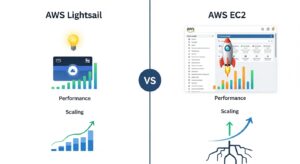
AWS Lightsail vs EC2: Performance and Scaling
Both Lightsail and EC2 run on AWS’s physical infrastructure, and at the same compute specifications, their raw performance is comparable — Lightsail instances are generally associated with EC2 T-series burstable instance types under the hood, though Amazon doesn’t officially disclose the mapping.
Lightsail’s CPU Burst Model and Its Limits :
Like EC2 T-series instances, Lightsail instances operate on a CPU burst model. Each instance accumulates CPU credits during periods of low utilization, which it can spend during bursts of high activity. For most web applications with variable traffic and periods of low load, this model works well — your site handles traffic spikes by spending accumulated credits.
The problem arises when an application sustains high CPU utilization consistently. If an instance exhausts its CPU credit balance, it throttles back to its baseline compute performance — which can be significantly lower than the burst ceiling. For CPU-intensive workloads, database-heavy applications, or sites that genuinely attract consistent high traffic, this throttling creates a performance ceiling that doesn’t exist with EC2 compute-optimized instances (C-series) or instances specifically selected for sustained performance.
Lightsail’s Single-AZ Limitation :
A significant architectural constraint in Lightsail that’s worth understanding clearly: each Lightsail instance runs in a single Availability Zone. The Lightsail load balancer can spread traffic across multiple instances in different AZs, but individual instances have no Multi-AZ redundancy. For high-availability architectures where you need to survive an AZ-level failure for a single instance, EC2 with Multi-AZ deployment via Auto Scaling Groups provides substantially stronger resilience guarantees.
EC2 Scaling: The Full Picture
EC2’s scaling story is comprehensive in a way Lightsail’s simply isn’t. Auto Scaling Groups allow you to define minimum, desired, and maximum instance counts, with automatic scale-out triggered by CloudWatch metrics — CPU utilization, request count, custom application metrics via CloudWatch custom metrics, or scheduled scaling for predictable traffic patterns (like a retail site that scales up every day at 9 AM).
Target tracking policies let you specify a target metric value (e.g., keep average CPU at 60%) and Auto Scaling automatically adjusts instance count to maintain it. Step scaling policies add or remove specific numbers of instances based on metric threshold breaches. Predictive scaling uses machine learning to forecast demand and pre-provision capacity before traffic arrives.
None of these capabilities exist natively in Lightsail. Lightsail does allow you to manually scale vertically — snapshot your instance, create a new larger instance from the snapshot, and reassign your static IP — but this process involves downtime and requires manual intervention. It’s a viable workaround for infrequent growth events, but it is not a substitute for automatic scaling.
AWS Lightsail vs EC2 for Specific Workloads :
WordPress Hosting :
WordPress hosting is the clearest, most legitimate use case for Lightsail — and the reason it’s AWS’s most common Lightsail recommendation. The Lightsail WordPress blueprint pre-configures Apache (or Nginx), PHP, and MySQL in one step, with no Linux configuration required. For a blog, small business site, portfolio, or low-to-medium-traffic content site, Lightsail’s WordPress setup is fast, affordable, and straightforward to maintain.
The bundled data transfer allowance is particularly valuable here. WordPress sites serving images, stylesheets, and HTML to thousands of visitors monthly can generate significant outbound transfer costs on EC2, while Lightsail’s bundled allowance absorbs this cleanly.
Where Lightsail WordPress hits its limits: High-traffic WordPress deployments — news sites, popular blogs, WooCommerce stores during sale events — need architectural capabilities that Lightsail doesn’t support well. Database separation (WordPress on EC2, MySQL on RDS), a CDN layer (CloudFront for static assets), Redis-based object caching (ElastiCache), and auto-scaling web tiers all require EC2-native infrastructure. Lightsail’s simplified VPC makes it possible to peer with some of these services, but it adds complexity that defeats Lightsail’s core simplicity advantage.
Startup MVPs and Early-Stage SaaS :
For early-stage startups deploying an MVP — a Node.js API, a Django web app, a Rails application — Lightsail is often the right starting point. The speed to deployment matters at this stage. The infrastructure budget is limited. The traffic is predictable and modest. Lightsail’s blueprint deployment and flat pricing map well to these constraints.
The decision point comes when the product finds traction. As traffic grows, as the team adds caching layers and job queues and background workers, as compliance requirements surface, as the database needs to be separated from the application tier — Lightsail’s integration limitations start creating friction. The smart play is to start on Lightsail knowing you’ll migrate to EC2 when the product warrants it, not to stay on Lightsail indefinitely because the migration feels like overhead.
Development and Staging Environments :
Lightsail is a genuinely useful platform for development and staging environments — with one important caveat. Because Lightsail charges for stopped instances, development environments that don’t run continuously are more economically served by EC2 on-demand instances that you stop when not in use. A t3.medium EC2 instance running 8 hours per day, 5 days a week costs roughly $6.50/month in compute — significantly less than the comparable always-on Lightsail plan.
For staging environments that closely mirror production and need to run continuously, Lightsail is a reasonable and economical choice as long as the production architecture is also Lightsail-compatible.
E-Commerce and Traffic-Spike Workloads :
E-commerce platforms are among the clearest EC2-first decisions. The combination of requirements — database-backed product catalogs, session-state management, payment processing integrations, and traffic spikes during sales events — makes Auto Scaling, RDS integration, and ElastiCache caching effectively mandatory for a reliable shopping experience. These capabilities require EC2. Building a WooCommerce or Magento store on Lightsail with the intention of eventually moving it to EC2 is planning a migration into your roadmap unnecessarily.
Data Processing and Analytics :
Any workload that requires GPU instances, memory-optimized instances for large in-memory datasets, compute-optimized instances for CPU-intensive processing, or storage-optimized instances for high-IOPS database workloads needs EC2. Lightsail offers general-purpose plans only — no specialized instance families. Data engineering pipelines, machine learning training, video transcoding, scientific computing, and large-scale analytics are all EC2-exclusive territory.
Security: Lightsail vs EC2
Security is handled differently between the two platforms, with meaningful practical implications.
Lightsail’s Security Model :
Lightsail provides a simplified firewall model — you define allow rules for inbound traffic (specific ports and protocols, from any IP or specific CIDRs), and Lightsail handles the rest. There’s no concept of security groups in the traditional EC2 sense, no network ACLs, and no VPC flow logs by default. For straightforward web applications with simple inbound requirements — HTTP/80, HTTPS/443, SSH/22 — this model is sufficient and easier to reason about than EC2’s more granular controls.
One important constraint: outbound SMTP (ports 25, 465, and 587) is blocked by default on Lightsail to prevent abuse. Applications that need to send email directly from the server — rather than via a relay like Amazon SES or SendGrid — will find this a meaningful restriction. EC2 handles this differently: outbound port 25 is throttled on new accounts but can be unblocked through an AWS support request.
Lightsail integrates with AWS’s broader security infrastructure for some functions — you can use AWS CloudTrail to audit Lightsail API calls, and some advanced monitoring integration is available — but the depth of security tooling available is substantially less than EC2’s.
EC2’s Security Model :
EC2 provides a layered security architecture. Security groups act as stateful firewalls at the instance level, controlling both inbound and outbound traffic with fine-grained rules by port, protocol, and source (IP CIDR or other security group IDs). Network ACLs at the subnet level provide a stateless second layer of traffic filtering. VPC flow logs capture metadata about all network traffic in your VPC for security analysis and incident investigation.
IAM instance profiles allow EC2 instances to authenticate to AWS services without storing credentials on the instance — a security best practice that Lightsail’s simplified model doesn’t easily accommodate. AWS Systems Manager Session Manager provides secure shell access to EC2 instances without opening SSH ports, reducing the attack surface. AWS Inspector performs automated vulnerability assessments on EC2 instances.
For regulated industries — healthcare (HIPAA), financial services (PCI-DSS), government (FedRAMP) — EC2’s security control surface is typically required for compliance. The audit trail, the network isolation controls, and the IAM-based access management are often explicit requirements in compliance frameworks that Lightsail’s simplified model can’t satisfy.
When to Migrate from Lightsail to EC2 :
Lightsail is a legitimate starting platform for many workloads. But it has clear ceilings, and recognizing them early prevents the migration from becoming urgent infrastructure debt.
Signs You’ve Outgrown Lightsail :
Your application is hitting resource ceilings on the largest available plan. The largest Lightsail instance provides 32 GB RAM and 8 vCPUs — meaningful, but well below what many production database servers or compute-intensive applications need. When you’re consistently running at CPU or memory limits, it’s time to evaluate specialized EC2 instance types.
You need automatic horizontal scaling. This is the clearest and most common signal. If your traffic is variable and you’re manually managing instance count — or worse, running overprovisioned instances to handle occasional peaks — the switch to EC2 Auto Scaling Groups pays for itself quickly in both cost and reliability.
You need to integrate deeply with VPC-native AWS services. Connecting Lightsail to RDS, ElastiCache, ECS, or other VPC-native services requires VPC peering — which is possible but adds configuration complexity that undermines Lightsail’s core simplicity value. Once your architecture requires multiple VPC-peered connections, you’ve lost the simplicity benefit and gained only the limitations.
Your security or compliance requirements have matured. Fine-grained IAM roles, VPC flow logs, AWS Inspector integration, Network ACLs, and Systems Manager access — if any of these are now requirements, EC2 is where they’re available natively.
Cost optimization through Reserved Instances would meaningfully reduce your bill. Once you’re running Lightsail instances that you’re confident will run continuously for 12+ months, Reserved Instance pricing on equivalent EC2 instances (and the ability to use Savings Plans across instance families) typically delivers better economics.
The Migration Path: Lightsail to EC2
AWS has made the Lightsail-to-EC2 migration relatively straightforward by design:
Step 1 — Create a Lightsail snapshot. Take a manual snapshot of your Lightsail instance from the console or CLI. This captures the full disk state including your OS, installed software, and application data.
Step 2 — Export the snapshot to EC2. Lightsail supports exporting instance snapshots directly to EC2 as Amazon Machine Images (AMIs). The export process creates a usable AMI in your EC2 image library. Note: this process is one-way — EC2 AMIs cannot be re-imported back to Lightsail.
Step 3 — Configure VPC, subnets, and security groups. Before launching from your exported AMI, set up the networking infrastructure: VPC selection or creation, subnet placement for your target AZ, and security group rules that replicate your Lightsail firewall configuration.
Step 4 — Launch an EC2 instance from the exported AMI. Select the appropriate instance type for your workload — this is your opportunity to right-size for actual requirements. Attach an EBS volume for storage and assign an IAM instance profile for any AWS service access your application uses.
Step 5 — Validate in parallel before cutting over. Run your application on the new EC2 instance and validate all functionality — application behavior, database connectivity, external API integrations — before updating DNS. Use an Elastic IP for a stable IP address during the validation period.
Step 6 — Update DNS and monitor. Point your domain at the EC2 instance or new load balancer. Keep the Lightsail instance running in parallel for 24–48 hours as a rollback option while you confirm stability. Monitor EC2 instance metrics and application logs closely during the transition window.
Step 7 — Decommission Lightsail. Once you’ve confirmed stable operation on EC2, terminate the Lightsail instance and any associated resources to stop incurring charges.
Decision Framework: AWS Lightsail vs EC2
After covering every dimension of the AWS Lightsail vs EC2 comparison, the decision framework comes down to a short set of clear criteria.
Start with Lightsail if:
- You’re new to AWS and want a manageable starting point without a steep learning curve
- You’re hosting a WordPress site, a simple blog, or a small business website
- Your traffic is consistent and modest — no spike requirements, no auto-scaling needed
- Predictable flat monthly billing is a genuine priority (not just nice to have)
- You don’t need deep integration with other AWS services in the near term
- You’re building an MVP, a staging environment, or an internal tool that needs to ship fast
- The application runs as a single server or simple load-balanced pair
Start with EC2 if:
- You need Auto Scaling to handle variable or unpredictable traffic
- Your application requires specific instance families — GPU, memory-optimized, compute-optimized, storage-optimized, or ARM-based (Graviton)
- You need deep AWS service integration from day one: RDS, ElastiCache, ECS, EKS, SQS, SNS
- Your team has AWS expertise and wants full infrastructure control from the start
- Security and compliance requirements demand fine-grained IAM, VPC controls, and audit tooling
- You anticipate Reserved Instance purchasing for cost optimization within 12 months
- You’re building for scale and want to avoid a migration project when you outgrow Lightsail
Consider Lightsail as a starting point with a planned migration if:
- You need to ship fast today but know your architecture will eventually require EC2 capabilities
- Your team is learning AWS and Lightsail provides a lower-stakes environment to build familiarity before moving to EC2 production workloads
Frequently Asked Questions :
Is AWS Lightsail cheaper than EC2?
At face value, yes — Lightsail bundles are typically cheaper than an equivalent EC2 configuration when you price EC2 on-demand with separate storage and data transfer. For a small, continuously-running, traffic-generating workload, Lightsail’s flat pricing frequently wins on total monthly cost. However, the comparison shifts significantly at scale: EC2 with Reserved Instances or Savings Plans delivers 30–60% savings over on-demand pricing, which makes EC2 substantially cheaper for long-running, predictable workloads.
Can I migrate from Lightsail to EC2 without downtime?
Yes, with proper planning. The cleanest approach is to export a Lightsail snapshot to an EC2 AMI, launch an EC2 instance from that AMI, validate the application thoroughly in the new environment, and then switch DNS or Elastic IP to point at the EC2 instance during a low-traffic window. By running both the Lightsail instance and EC2 instance in parallel during validation, you preserve a rollback path. The DNS cutover itself creates a brief resolution lag (dependent on your TTL settings), but with low TTLs set before cutover, actual downtime can be minimized to seconds.
Does Lightsail support Auto Scaling?
No — and this is one of the most important limitations to understand in the AWS Lightsail vs EC2 comparison. Lightsail has no native Auto Scaling Groups. Instance count adjustments require manual action: you can manually add instances to a Lightsail load balancer to scale out, but there is no automatic trigger-based scaling. If your application needs to handle traffic spikes without manual intervention — and most production applications do — you need EC2 Auto Scaling Groups, or managed container services like ECS or EKS. The absence of auto-scaling is one of the clearest signals that it’s time to migrate from Lightsail to EC2.
Can Lightsail handle high-traffic websites?
Lightsail can handle moderate traffic effectively for well-optimized applications. With a Lightsail load balancer distributing traffic across multiple instances (manually added), and a CDN like CloudFront handling static assets, many sites can serve tens of thousands of daily visitors on Lightsail without issue. The constraints become apparent when traffic is both high and unpredictable — viral spikes, sale events, news coverage — because there’s no automatic mechanism to scale out. AWS itself recommends EC2 with Application Load Balancer for workloads that exceed 5 GB of data per hour, 400,000 new connections per hour, or 15,000 active simultaneous connections. If your traffic patterns approach those thresholds regularly or intermittently, EC2 is the right platform.
What happens to my Lightsail data if I decide to cancel?
If you stop using Lightsail, you have a few options for preserving your data. Lightsail snapshots can be exported to S3 as disk images for long-term storage. Instance snapshots can be exported to EC2 as AMIs if you’re migrating to EC2. Lightsail’s managed databases support exporting data as standard database dumps (MySQL dump files or PostgreSQL pg_dump output), which can be imported into any compatible database engine. Lightsail block storage volumes can similarly be snapshotted for export.
Conclusion :
The AWS Lightsail vs EC2 decision is ultimately a question of where you are in your infrastructure journey and where you’re realistically headed. Lightsail solves a genuine problem: it makes getting an application running on AWS fast, affordable, and accessible to developers and founders who don’t want to spend their time learning IAM, VPC networking, and EBS volume management when they should be building their product. For that use case — small and medium websites, WordPress deployments, MVPs, staging environments, and development servers with consistent workloads — Lightsail is a well-built product that delivers on its promise.
EC2 is a different category of tool entirely. It doesn’t promise simplicity — it promises control, scale, integration depth, and cost optimization at a level that Lightsail structurally cannot match. Auto Scaling, hundreds of specialized instance types, Reserved Instance pricing, VPC-native connectivity to every AWS service, and granular security controls all exist because production infrastructure at scale genuinely requires them.
For teams planning to move beyond early-stage setups or optimize existing workloads, working with an experienced partner like GoCloud can help bridge the gap — from selecting the right architecture to implementing scalable, cost-efficient EC2 environments without unnecessary complexity.
