



If your platform depends on real time data, you have probably already had the Kafka conversation. Apache Kafka is the default backbone for event streaming, but running it yourself is a full time job. AWS MSK, short for Amazon Managed Streaming for Apache Kafka, exists to take that job off your plate. It gives you genuine open source Kafka, running inside your AWS environment, with the undifferentiated heavy lifting handled by AWS.
This guide goes deeper than a feature list. We will walk through how AWS MSK actually works, how the three deployment options differ, what really drives your monthly bill, how to secure and size a cluster properly, and how to decide whether MSK is the right choice for your team. It is written for the people who have to make and live with that decision: CTOs, cloud architects, DevOps engineers, and the developers who will be paged at 3 a.m. if the choice is wrong.
What Is AWS MSK and Why Does It Exist?
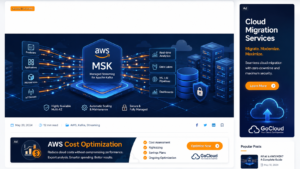
AWS MSK is a fully managed service for Apache Kafka. You get real Kafka brokers, real Kafka APIs, and full protocol compatibility with the open source ecosystem. What you do not get is the operational burden of keeping those brokers alive.
To understand why that matters, consider what self managed Kafka actually demands from an engineering team.
The Hidden Cost of Running Kafka Yourself
Kafka is famously durable and famously operationally heavy. A production grade self managed deployment requires you to:
- Capacity planning: Provision and size EC2 instances, EBS volumes, and network capacity for peak load plus failure headroom.
- Patching and upgrades: Apply Kafka version upgrades and OS patches with rolling restarts that do not drop in flight messages.
- Failure recovery: Detect failed brokers, replace them, restore replicas, and rebalance partitions, often under production pressure.
- Metadata management: Operate the metadata layer, whether that is ZooKeeper on older versions or KRaft controllers on newer ones.
- Observability: Build dashboards, alerting, and runbooks for dozens of broker level and topic level metrics.
None of this work differentiates your product. Every hour an engineer spends replacing a dead broker is an hour not spent on features. That is the gap AWS MSK fills. AWS manages the control plane, monitors cluster health, replaces unhealthy brokers without downtime, deploys patches, and runs the metadata nodes at no extra charge. Your team keeps full access to the Kafka data plane and admin APIs, so existing producers, consumers, and tooling work without modification.
What MSK Manages Versus What You Still Own
It is important to be precise here, because “fully managed” does not mean “zero responsibility.” A useful mental model is a shared responsibility line drawn through the Kafka stack.
AWS owns: broker infrastructure, automatic failure detection and replacement, multi AZ data replication, metadata node operation, software patching, and the orchestration of version upgrades.
You own: topic design, partition strategy, replication factor choices on Standard brokers, client configuration, schema governance, consumer group management, access control policy, and cost optimization.
Teams that treat MSK as a black box tend to get burned on partition skew, unbounded topic growth, or misconfigured producers. Teams that treat it as managed infrastructure with an application layer they still design tend to succeed. Keep that framing in mind for the rest of this article.
How AWS MSK Works: Architecture Under the Hood
An AWS MSK cluster is a set of Apache Kafka brokers distributed across multiple Availability Zones within a single AWS Region, with three AZs as the standard high availability layout. AWS provisions the underlying compute, attaches storage, wires up the networking, and runs the metadata layer.
Brokers, Availability Zones, and Replication
Each broker lives in its own AZ, and partitions are replicated across brokers in different AZs. When a producer writes a message, the partition leader accepts the write and follower replicas in other zones copy it. If an entire AZ has problems, leadership fails over to replicas in healthy zones and clients reconnect automatically. Critically, MSK does not charge for the data transfer used for replication between brokers or between metadata nodes and brokers, which is a meaningful saving compared with running the same topology yourself.
Metadata: KRaft and ZooKeeper
Kafka needs a metadata layer to coordinate the cluster, track partition leadership, and store configuration. Historically that was Apache ZooKeeper. Modern Kafka versions use KRaft, Kafka’s native Raft based consensus protocol, which removes the separate ZooKeeper dependency and speeds up metadata operations. MSK supports clusters in either mode depending on the Kafka version you select, and in both cases AWS runs the metadata nodes for you at no additional cost. For new clusters, KRaft is the sensible default: fewer moving parts, faster controller failover, and better scalability for high partition counts.
Networking and VPC Design
MSK brokers present elastic network interfaces inside subnets you choose in your VPC. Clients connect over private IP space using a bootstrap broker string, and traffic never needs to traverse the public internet. This design has three practical consequences worth planning for:
- Client placement: Place clients in the same Region and, where latency matters, be deliberate about cross AZ traffic, because client to broker data transfer follows standard AWS rates.
- Cross VPC access: If producers or consumers live in other VPCs or AWS accounts, MSK multi VPC private connectivity, powered by AWS PrivateLink, gives you a managed path without VPC peering sprawl, billed per cluster, per authentication scheme, and per GB processed.
- Network security: Security groups on the broker ENIs are your first firewall. Lock them to known client security groups rather than CIDR ranges wherever possible.
Storage: Provisioned Volumes, Tiered Storage, and Managed Storage
Storage is where MSK architecture varies most by deployment option. Standard brokers use provisioned storage that you size and can expand online, with optional provisioned storage throughput for high write workloads. Tiered storage adds a low cost tier: recent data stays on performance optimized primary storage while older segments move automatically to a cheaper tier, letting you retain data for weeks or months without adding brokers just for disk. Express brokers go further and remove storage management entirely, offering elastic, pay for what you use capacity with no sizing or provisioning. Serverless clusters also scale storage transparently based on usage.
The strategic implication is significant. On self managed Kafka, retention policy is often dictated by disk economics. On AWS MSK with tiered or managed storage, retention becomes a product decision rather than a hardware constraint, which opens up patterns like long replayable event logs and stream based backfills.
AWS MSK Deployment Options: Standard, Express, and Serverless
Choosing a deployment option is the single most consequential AWS MSK decision, because it shapes your operations, your pricing model, and your configuration freedom. MSK Provisioned offers two broker types, Standard and Express, and MSK Serverless is a separate cluster type with its own model.
Standard Brokers: Maximum Control
Standard brokers are the closest experience to classic Kafka. You choose instance types and counts, provision storage, and can tune a wide range of cluster configurations including replication factor, log segment sizing, and leader election behavior. Standard brokers also support flexible AZ layouts and give you the broadest Kafka version choice.
Choose Standard brokers when you need nonstandard configurations, when you are lifting and shifting a heavily tuned self managed cluster, or when compliance requirements force specific replication or retention settings that managed defaults do not allow.
Express Brokers: Managed Performance at Scale
Express brokers are a newer broker type within MSK Provisioned, purpose built to make Kafka easier and faster to operate. Compared with Standard brokers, AWS positions them at up to three times more throughput per broker, scaling up to twenty times faster, and recovering up to ninety percent quicker after failures. They ship preconfigured with MSK best practice defaults, enforce client throughput quotas so background operations like replication and repair always have reserved capacity, and include elastic storage that needs no provisioning at all. There are no maintenance windows; AWS updates the underlying hardware continuously.
There are tradeoffs to respect. Express brokers require a three AZ layout, are available on select instance sizes and supported Kafka versions, allow customization of only a curated set of configurations, and do not yet fully support the Kafka Streams API. You also cannot flip an existing Standard cluster to Express with an API call; moving between broker types is a migration, typically done with MSK Replicator.
MSK Serverless: Zero Capacity Management
MSK Serverless removes capacity questions entirely. You create a cluster, and AWS provisions and scales compute and storage automatically based on demand. Partition management, including monitoring and rebalancing to even out load, is handled for you. Authentication is IAM based, and you pay for cluster hours, partition hours, data written, data read, and storage consumed.
Serverless shines for spiky or unpredictable workloads, development and test environments, and teams that want streaming capability without any Kafka operational skill on staff. The pricing model punishes very high, sustained throughput, where provisioned brokers become substantially cheaper per GB, so it is rarely the right home for a large, steady state production firehose.
Side by Side Comparison
| Dimension | Standard Brokers | Express Brokers | MSK Serverless |
| Capacity model | You size brokers and storage | You size brokers; storage is elastic | Fully automatic |
| Configuration freedom | Widest range of Kafka settings | Curated set on best practice defaults | Minimal; managed defaults |
| Storage management | Provisioned, expandable, optional tiered storage | None required; pay for use | None required; pay for use |
| Scaling speed | Slower; rebalancing needed | Up to 20x faster than Standard | Automatic and transparent |
| Throughput per broker | Baseline | Up to 3x Standard | Managed by AWS, quota bound |
| Recovery behavior | Standard Kafka recovery | Up to 90% faster recovery | Fully managed |
| AZ layout | Flexible | Three AZs required | Managed by AWS |
| Maintenance windows | Yes, scheduled patching | None; continuous updates | None |
| Best for | Heavily tuned or compliance bound workloads | Most production Kafka workloads at scale | Spiky, variable, or low ops workloads |
A reasonable default position for new production workloads is Express brokers, dropping to Standard only when you need a configuration Express does not expose, and choosing Serverless when traffic is genuinely unpredictable or the team wants zero capacity involvement.
AWS MSK Pricing: What Actually Drives Your Bill
MSK pricing looks simple on the surface and surprises teams in practice. The published unit rates are only half the story; the other half is how your workload shape maps onto billable dimensions. Here is how each model is metered.
Pricing Dimensions by Deployment Option
| Cost Component | Standard Brokers | Express Brokers | MSK Serverless |
| Compute | Per broker hour, billed per second | Per broker hour, billed per second | Per cluster hour |
| Partitions | No direct charge | No direct charge | Per partition hour |
| Storage | Provisioned GB months, plus low cost tier if enabled | GB months actually used | GB months actually used |
| Data written | No direct charge | Per GB ingested | Per GB written |
| Data read | No direct charge | No direct charge | Per GB read |
| Optional throughput | Provisioned storage throughput per MBps month | Not applicable | Not applicable |
| Cross VPC access | PrivateLink hourly plus per GB processed | PrivateLink hourly plus per GB processed | Included in the model |
Replication traffic between brokers is free in every mode, which is one of the quiet economic advantages of AWS MSK over self managed Kafka, where cross AZ replication bandwidth is often the largest hidden line item.
How the Models Behave with Real Workloads
The three models are not a simple ladder from cheap to expensive. They respond differently to different workload shapes:
- Sustained throughput: Steady, high throughput streams favor provisioned brokers, since the per broker hour is fixed regardless of how hard you drive it within safe limits.
- Peak to average ratio: Serverless can win when traffic is bursty and average utilization of a provisioned cluster would sit below roughly a third, because you stop paying for idle headroom.
- Retention length: Long retention pushes you toward tiered storage on Standard brokers or the elastic storage of Express, where old data does not force you to add compute.
- Partition count: High partition counts add real cost on Serverless because of partition hour billing, while on provisioned clusters they cost operational attention rather than dollars.
- Read fan out: Heavy read fan out, where many consumer groups read the same data, adds per GB read charges on Serverless and cross AZ or cross VPC transfer costs everywhere, so consumer placement matters.
Practical Cost Optimization Tactics
- Model all three options against your actual workload profile before committing: write MBps, read MBps, retention days, partition count, and peak to average ratio. The winner changes as these change.
- Enable tiered storage on Standard broker clusters with retention beyond a few days. Paying primary storage rates for cold segments is the most common MSK overspend.
- Right size producer batching. Larger, compressed batches reduce request overhead, broker CPU, and, on Express and Serverless, the effective cost per useful byte.
- Use compression, typically lz4 or zstd, end to end. It reduces storage, replication volume, and data transfer simultaneously.
- Audit idle test clusters and forgotten topics quarterly. Provisioned brokers bill by the hour whether or not anyone is producing to them.
Security on AWS MSK: Authentication, Encryption, and Isolation
Streaming platforms carry some of the most sensitive data in a company: orders, payments, user events, and operational telemetry. MSK gives you a layered security model, but you have to assemble the layers deliberately.
Client Authentication and Authorization Options
| Method | How It Works | Best For | Considerations |
| IAM access control | Clients sign requests with IAM credentials; IAM policies define topic level permissions | AWS native teams; Serverless clusters, where it is the supported method | Simplest to govern; ties access to existing IAM practice |
| SASL/SCRAM | Username and password auth with credentials stored in AWS Secrets Manager | Third party tools and clients without IAM support | Requires secret rotation discipline |
| Mutual TLS | Client certificates issued via AWS Private CA | Regulated environments with existing PKI | Highest operational overhead; certificate lifecycle management |
| Kafka ACLs | Native Kafka authorization layered on TLS or SCRAM identities | Fine grained control on Standard clusters | Managed outside IAM; two permission systems to audit |
For most organizations already invested in AWS, IAM access control is the right default. It collapses authentication and authorization into one system your security team already audits, and cluster policies extend the same model to cross account private connectivity.
Encryption and Network Isolation
MSK encrypts data at rest using AWS KMS keys, either AWS managed or customer managed, and supports TLS for data in transit between clients and brokers as well as between brokers. Because clusters live inside your VPC with no public endpoint by default, network isolation is strong out of the box. Combine security groups scoped to client identities, private subnets, and VPC endpoints for control plane calls, and you have an architecture that satisfies most compliance frameworks without exotic engineering.
Sizing and Performance: Getting AWS MSK Right the First Time
Most MSK performance problems are design problems wearing a disguise. Before touching instance sizes, get the fundamentals right.
A Sizing Methodology That Works
- Step 1. Start from throughput. Estimate sustained write MBps and read MBps, including replay and reprocessing scenarios, not just steady state.
- Step 2. Add failure headroom. A three broker cluster must handle full load with one broker down, so plan for each broker carrying roughly half the total, not a third.
- Step 3. Check partition budgets. Every broker size has a recommended maximum partition count including replicas. Exceeding it degrades recovery time and metadata performance long before CPU maxes out.
- Step 4. Validate connection counts. Large fleets of microservices can exhaust connection limits on undersized brokers even at modest throughput.
- Step 5. Load test with production like message sizes and compression before launch. Synthetic 100 byte messages tell you very little about real behavior.
Partitioning Strategy
Partitions are Kafka’s unit of parallelism, and both too few and too many hurt. Too few caps consumer throughput and creates hot partitions; too many inflates metadata, slows failover, and, on Serverless, directly inflates cost. Choose partition counts from target consumer parallelism with modest growth headroom, and pick partition keys that distribute evenly. A customer ID key with one whale customer is the classic self inflicted hot partition.
Producer and Consumer Tuning That Actually Matters
- Durability: Use acks=all with an appropriate min.insync.replicas setting for data you cannot lose; the latency cost is usually smaller than teams fear.
- Batching: Tune linger.ms and batch.size together. A few milliseconds of batching delay routinely doubles effective producer throughput.
- Idempotence: Enable idempotent producers to eliminate duplicates from retries without building deduplication downstream.
- Lag: Watch consumer lag as a first class SLO, not just an ops metric. Lag is the earliest signal that sizing, partitioning, or downstream processing is falling behind.
Operating AWS MSK: Monitoring, Scaling, and Day 2 Reality
Monitoring and Observability
MSK publishes cluster, broker, and topic level metrics to Amazon CloudWatch, with enhanced monitoring tiers that go down to per partition detail. It also supports open monitoring with Prometheus via JMX and node exporters, so existing Grafana stacks plug in cleanly. The metrics worth alerting on from day one are under replicated partitions, active controller count, disk usage on Standard brokers, CPU above sustained safe thresholds, and consumer lag per critical consumer group.
Scaling and Rebalancing
Provisioned clusters scale vertically by changing broker size and horizontally by adding brokers, and storage on Standard brokers can grow online, including through auto scaling policies. The nuance is that adding brokers does not automatically move data onto them. Partition reassignment is your job on Standard clusters, either with native Kafka tooling or with Cruise Control, which MSK integrates with to automate partition balancing. Express brokers make this dramatically less painful through faster scaling and recovery, and Serverless removes the question entirely.
Upgrades and Patching
MSK performs rolling Kafka version upgrades that preserve availability, and you control when they happen on provisioned clusters. Express brokers remove maintenance windows entirely, with continuous transparent updates. Either way, keep clients within supported version ranges and test upgrades in a staging cluster that mirrors production topology, because client protocol edge cases are where upgrade pain actually lives.
The AWS MSK Ecosystem: Connect, Replicator, and Integrations
MSK Connect
MSK Connect is managed Kafka Connect. It runs source and sink connectors, for example streaming change data capture from databases into Kafka or landing topics into Amazon S3, on autoscaling worker capacity billed by MCU hours. It removes the connector infrastructure burden, though you still own connector configuration, error handling policy, and schema compatibility.
MSK Replicator
MSK Replicator copies data and metadata between MSK clusters, within or across Regions. It is the standard tool for three jobs: cross Region disaster recovery, migrating between cluster types such as Standard to Express, and feeding regional aggregate clusters. Budget for it explicitly, since replicator charges plus inter Region transfer commonly add a meaningful percentage to total streaming cost in DR architectures.
The Wider AWS Integration Surface
- AWS Lambda consumes MSK topics through event source mappings for event driven compute without consumer infrastructure.
- Amazon Managed Service for Apache Flink handles stateful stream processing, windowing, and real time analytics on MSK data.
- AWS Glue Schema Registry provides schema governance and compatibility enforcement for Kafka clients at no additional charge.
- Amazon S3, Redshift, and OpenSearch serve as common sink destinations via MSK Connect for lake, warehouse, and search use cases.
This integration surface is a large part of the MSK value proposition. The service is not just managed brokers; it is Kafka pre wired into the rest of your AWS architecture.
AWS MSK vs the Alternatives
MSK is rarely evaluated in a vacuum. The realistic shortlist usually includes self managed Kafka, Amazon Kinesis Data Streams, and a third party managed Kafka platform
| Criterion | AWS MSK | Self Managed Kafka | Kinesis Data Streams | Third Party Managed Kafka |
| Kafka API compatibility | Full, open source Kafka | Full | None; proprietary API | Full, often with extensions |
| Operational burden | Low to moderate | High | Very low | Very low |
| Configuration control | High on Standard, curated on Express | Total | Minimal | Moderate to high |
| Ecosystem portability | Strong; standard Kafka tooling | Strong | Weak; AWS specific | Strong |
| Data locality | Runs in your AWS account and VPC | Wherever you run it | AWS managed service | Vendor account or your account, varies |
| Cost profile at scale | Strong for sustained throughput | Lowest infra cost, highest people cost | Attractive for small or spiky streams | Premium pricing for premium ops |
| Typical fit | Kafka workloads on AWS wanting managed ops | Extreme customization or non cloud estates | AWS native apps without Kafka requirements | Multi cloud or Kafka platform as a product needs |
The decision usually resolves quickly once two questions are answered. First, do you need the Kafka protocol and ecosystem, for existing clients, connectors, or hiring reasons? If not, and your streams are modest, Kinesis is simpler. Second, if you do need Kafka, is your center of gravity AWS? If yes, MSK wins on integration depth, network economics, and keeping data inside your own account. Third party platforms earn their premium mainly in multi cloud strategies or when you want a vendor to own the entire streaming platform experience.
Migrating to AWS MSK Without Drama
Most MSK adoptions are migrations, either from self managed Kafka or between MSK cluster types. The pattern that works is dual running rather than cutover weekends:
- Prepare: Stand up the target MSK cluster and validate security, networking, and monitoring with synthetic traffic first.
- Replicate: Use MSK Replicator or MirrorMaker 2 to continuously copy topics and consumer group offsets from source to target.
- Shift reads: Move consumers first, reading from the target while producers still write to the source, and verify lag and correctness.
- Shift writes: Move producers in controlled batches, monitoring for client configuration mismatches such as TLS settings and authentication changes.
- Retire: Run the old cluster read only through one full business cycle before decommissioning it.
Two migration pitfalls recur constantly. The first is forgetting that authentication changes, moving from plaintext or SCRAM to IAM for example, require client library updates, not just endpoint swaps. The second is under budgeting the dual running period, during which you pay for two clusters plus replication. Plan both explicitly.
Common AWS MSK Pitfalls and How to Avoid Them
- Treating default configurations as production ready on Staandard brokers. Review replication factor, min.insync.replicas, and retention explicitly for every critical topic.
- Ignoring partition limits per broker size until failover slows to a crawl. Track partition counts as a capacity metric, not an afterthought.
- Letting one team own topic creation with no naming or ownership standards. Six months later nobody knows what half the topics do or whether they can be deleted.
- Skipping consumer lag alerting because throughput looks fine. Lag is where incidents announce themselves early.
- Choosing Serverless for a large steady workload because it sounded easiest, then discovering the per GB economics at sustained scale.
- Underestimating cross VPC and cross Region data transfer in the cost model. Broker pricing is visible; network pricing is where surprises live.
When AWS MSK Is the Right Choice: A Decision Framework
Pull the threads together and the decision becomes structured rather than instinctive.
Choose AWS MSK when: you need genuine Kafka compatibility, your workloads and consumers live primarily on AWS, you want data to remain inside your own VPC and account, and your team would rather invest in streaming applications than broker operations.
Within MSK, choose Express brokers when: you are building new production workloads, you value fast scaling and recovery, and MSK best practice defaults cover your configuration needs.
Choose Standard brokers when: you need deep configuration control, specific replication or retention behavior, or the widest Kafka version and feature coverage, including full Kafka Streams support.
Choose MSK Serverless when: traffic is spiky or unpredictable, environments are short lived, or the team explicitly wants zero capacity management and accepts consumption based pricing.
Look elsewhere when: you do not actually need the Kafka protocol, in which case Kinesis is simpler on AWS, or your strategy is genuinely multi cloud, where a third party Kafka platform may fit better.
Conclusion: Making AWS MSK Work for Your Architecture
AWS MSK has matured from a convenience wrapper around Kafka into a genuinely strategic piece of the AWS data platform. Between Standard brokers for control, Express brokers for managed performance at scale, and Serverless for elasticity without operations, there is now an MSK shape for almost every streaming workload, backed by free inter broker replication, tiered and elastic storage, deep IAM integration, and a managed connector and replication ecosystem.
The service does not remove your responsibilities; it changes them. Topic design, partition strategy, client tuning, access policy, and cost modeling remain squarely yours, and they are where MSK projects succeed or fail. Approach AWS MSK as managed infrastructure under an architecture you still own, model your workload against all three deployment options before committing, and instrument lag and cost from day one.
Do that, and MSK delivers exactly what a managed service should: your engineers building real time products on Kafka, while someone else carries the pager for the brokers.