


Why Teams Are Moving from Heroku to AWS in 2026
Heroku’s “PaaS tax” can cost engineering teams 3–5x more than equivalent AWS infrastructure at scale. Since Heroku eliminated its free tier in November 2022 and steadily increased pricing across its dyno and add-on portfolio, thousands of startups and mid-market SaaS companies have been executing Heroku to AWS migrations — and in 2026, the case for making the move has never been stronger.
Featured Snippet: Migrating from Heroku to AWS involves containerizing your application with Docker, mapping Heroku add-ons to AWS native services (Heroku Postgres → Amazon RDS, Heroku Redis → ElastiCache), setting up CI/CD pipelines, and executing a zero-downtime database cutover using logical replication or AWS Database Migration Service (DMS).
“Heroku to AWS migration is the process of moving applications, databases, and services from Heroku’s managed PaaS environment to Amazon Web Services IaaS infrastructure, enabling greater control, scalability, and cost efficiency.”
The PaaS Tax Problem: When Heroku Becomes Expensive
The “PaaS tax” is the cost premium you pay for Heroku’s managed abstraction layer. Let’s look at it in concrete terms.
A Heroku Standard-1X dyno delivers 512MB RAM for $25/month. An AWS EC2 t3.small instance delivers 2GB RAM — four times the memory — for approximately $15/month on-demand or $10/month with Reserved pricing. You’re paying 2.5x more for one-quarter of the resources before you even account for Heroku’s additional add-on costs.
Scale up to a Heroku Performance-L dyno (14GB RAM) at $500/month, and the gap widens further. An EC2 m5.2xlarge (8 vCPU, 32GB RAM — more than double the memory) costs approximately $280/month on-demand or $140/month on 3-year Reserved pricing. One developer who documented their migration publicly reported moving from $500/month on Heroku dynos to $80/month on EC2 instances — an 84% reduction.
That is the PaaS tax in action. You are paying for convenience, and at scale, that convenience costs more than most engineering teams realize.
The Compliance and Scaling Ceiling
Cost is only part of the story. Growing teams hit Heroku’s structural limitations in three other critical ways:
Database constraints. Heroku Postgres does not allow access to the superuser role, restricts the PostgreSQL extension ecosystem, and makes version upgrades painful — requiring planned downtime and manual migration processes. Ironically, in early 2025, Heroku itself migrated its own Essential PostgreSQL databases off self-managed infrastructure onto Amazon Aurora — a striking validation of AWS RDS’s superiority for managed PostgreSQL at scale.
Compliance requirements. Enterprise customers in healthcare (HIPAA), payments (PCI-DSS), and financial services (SOC 2) require network isolation, audit logging, and security controls that Heroku’s shared runtime cannot fully provide. Heroku Private Spaces offer a degree of isolation but at steep additional cost and without the granular configurability of AWS VPC, Security Groups, AWS CloudTrail, and Amazon GuardDuty.
Networking and architectural freedom. Heroku does not provide static IPs without add-ons. You cannot configure custom VPC networks, fine-grained routing tables, or place applications in specific subnets. AWS gives you complete control over your network topology — essential for enterprise customers, hybrid cloud architectures, and regulated industries.
Heroku vs AWS — Understanding the Core Difference
Before planning any migration from Heroku to AWS, you need to internalize the fundamental architectural shift you’re making. This is not just a hosting change — it’s a transition from a Platform as a Service (PaaS) model to an Infrastructure as a Service (IaaS) model, and that shift has real implications for developer velocity, operational burden, and long-term flexibility.
PaaS (Heroku) vs IaaS (AWS): What You’re Actually Giving Up and Gaining
On Heroku, you git push heroku main and your application is running. Heroku handles server provisioning, OS patching, runtime environment configuration, basic routing, and add-on lifecycle management. The developer experience is intentionally frictionless.
On AWS, you own the infrastructure stack: EC2 instances, VPC configuration, security groups, load balancers, Auto Scaling groups, IAM roles, and CI/CD pipelines. You gain complete control but accept more operational responsibility.
Many teams think they have to go fully serverless or container-native to leave Heroku. In reality, AWS Elastic Beanstalk offers a nearly identical developer experience — git push deployments, managed runtime updates, auto scaling — while giving you full IaaS control, your own VPC, and real EC2 instances underneath. It is the lowest-friction path off Heroku.
The trade-off is not binary. AWS provides multiple layers of managed abstraction — Elastic Beanstalk, ECS Fargate, App Runner — that reduce operational burden while preserving architectural control. The right choice depends on your team’s size, skills, and growth trajectory.
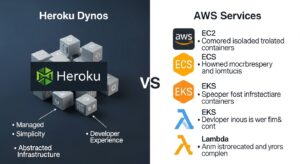
Heroku Dynos vs EC2, ECS, EKS, and Lambda
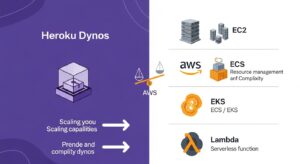
Heroku’s unit of compute is the dyno — a containerized process running your application code. AWS offers four primary compute equivalents, each at a different level of abstraction:
Amazon EC2: Raw virtual machines. Maximum control, requires the most operational management. Best for teams with existing Linux administration skills or workloads with specific CPU/memory/storage requirements.
AWS Elastic Beanstalk: PaaS-like wrapper around EC2 + Auto Scaling + ALB. The closest Heroku equivalent. Handles environment provisioning, application deployment, and basic scaling — but runs on real EC2 instances in your own VPC. AWS Elastic Beanstalk guide
Amazon ECS + Fargate: Run containerized applications without managing servers. You define container tasks, and AWS manages the underlying compute. Excellent for teams already using Docker who want container orchestration without Kubernetes complexity.
Amazon EKS: Managed Kubernetes. Maximum orchestration power for teams running complex microservices, needing advanced traffic management, or already operating Kubernetes elsewhere. Amazon ECS or EKS comparison
AWS Lambda: Event-driven, serverless execution for function-based workloads. Ideal for background jobs, event processors, and APIs — but requires meaningful application refactoring.
Heroku Add-ons vs AWS Native Services
Heroku’s marketplace model means third-party add-ons (Heroku Postgres, Heroku Redis, Apache Kafka on Heroku) are provisioned and managed through Heroku’s dashboard. When you migrate, those add-ons must be replaced with AWS native equivalents — which are generally more powerful, more configurable, and less expensive.
📊 Heroku Features → AWS Equivalents: Complete Mapping Table
| Heroku Feature / Add-on | AWS Equivalent | Migration Complexity |
| Dynos (Standard, Performance) | Amazon EC2 / Elastic Beanstalk | Low–Medium |
| Heroku Postgres | Amazon RDS for PostgreSQL | Medium–High |
| Heroku Key-Value Store (Redis) | Amazon ElastiCache for Redis | Low |
| Apache Kafka on Heroku | Amazon MSK (Managed Streaming for Kafka) | Medium |
| Heroku Scheduler | Amazon EventBridge + Lambda | Low |
| Heroku Review Apps | AWS CodePipeline + ephemeral environments | Medium |
| Heroku CI | AWS CodeBuild / GitHub Actions | Low |
| Heroku Private Spaces | AWS VPC + Security Groups | Medium |
| Heroku SSL (SNI) | AWS Certificate Manager (ACM) + ALB | Low |
| Heroku Logplex / logging add-ons | Amazon CloudWatch Logs | Low |
| Papertrail / Datadog on Heroku | Amazon CloudWatch / AWS X-Ray | Low |
| Heroku Config Vars | AWS Systems Manager Parameter Store / Secrets Manager | Low |
| Heroku Procfile | Dockerfile + ECS Task Definition | Low |
| git push heroku main | AWS CodePipeline / GitHub Actions / EB CLI | Low |
| Heroku Domains (custom DNS) | Amazon Route 53 | Low |
| Heroku Add-on: Elasticsearch | Amazon OpenSearch Service | Medium |
| Heroku Add-on: Sendgrid | Amazon SES (Simple Email Service) | Low |
| Heroku Add-on: CloudAMQP | Amazon MQ / Amazon SQS + SNS | Medium |
| Heroku File Storage (ephemeral) | Amazon S3 | Low |
| Heroku Shield (compliance) | AWS VPC + CloudTrail + GuardDuty + Security Hub | Medium |
Alt text: “Heroku add-ons to AWS native services mapping table 2026”
Why Migrate from Heroku to AWS? Key Reasons
Cost Savings — Eliminating the “PaaS Tax” (3-5x Cost Reduction)
The numbers are unambiguous. Here is a representative comparison for a production SaaS application:
| Component | Heroku | AWS (On-Demand) | AWS (Reserved) |
| 2× Standard-2X dynos (1GB RAM each) | $100/month | — | — |
| 2× EC2 t3.medium (2GB RAM each) | — | ~$60/month | ~$40/month |
| Heroku Postgres Standard-3 (15GB, 4 vCPU) | $200/month | — | — |
| Amazon RDS db.t3.medium (2GB, multi-AZ) | — | ~$100/month | ~$65/month |
| Heroku Redis Premium-1 (100MB) | $30/month | — | — |
| Amazon ElastiCache cache.t3.micro | — | ~$13/month | ~$9/month |
| SSL, logging, monitoring add-ons | ~$30/month | Included in CloudWatch | Included |
| Total | ~$360/month | ~$173/month | ~$114/month |
In this illustrative scenario, migrating to AWS on-demand pricing saves ~52%; Reserved pricing saves ~68%. For larger production environments with Performance dynos, the savings accelerate significantly. One documented migration reduced compute costs from $500/month to $80/month — an 84% reduction. Actual savings depend on workload configuration.
Pro Tip: Use AWS Compute Optimizer immediately after migration to get machine-learning-based right-sizing recommendations for your EC2 instances. Most teams discover they can downsize 30–40% after establishing 2 weeks of baseline metrics. Reduce AWS costs guide
Architectural Freedom — VPC, Custom Networking, Static IPs
Heroku runs all dynos in a shared multi-tenant network. You cannot assign static IP addresses without a paid add-on, cannot define custom routing rules, and cannot place dynos in specific network segments for compliance isolation. AWS VPC gives you complete control: CIDR block allocation, public and private subnets, NAT gateways, Internet Gateways, VPN connections, route tables, security groups, and Network ACLs. For any organization connecting to third-party systems that whitelist IP ranges, or for any PCI-DSS/HIPAA workload that requires network segmentation, this architectural freedom is not optional.
Database Flexibility — Heroku Postgres → Amazon RDS
Heroku Postgres’s limitations compound over time. The restricted extension set, mandatory downtime for version upgrades, fixed storage tiers (requiring complex migrations to increase disk allocation), and lack of superuser access create real operational friction for growing applications. Amazon RDS for PostgreSQL eliminates all of these constraints: upgrade PostgreSQL versions with a few clicks, enable any extension, choose from dozens of storage classes, configure multi-AZ for automatic failover, add read replicas for horizontal read scaling, and set your own maintenance windows. Amazon RDS guide
Compliance Requirements — HIPAA, PCI-DSS, SOC 2
Heroku Private Spaces provide a degree of network isolation with dedicated infrastructure, but they are an expensive add-on tier and still operate within Heroku’s compliance perimeter. AWS supports 143 security standards and compliance certifications — including HIPAA BAA, PCI-DSS Level 1, FedRAMP High, SOC 1/2/3, and industry-specific frameworks for UK, USA, and UAE markets. The combination of AWS VPC isolation, IAM least-privilege policies, AWS CloudTrail audit logging, Amazon GuardDuty threat detection, and AWS Security Hub provides a compliance architecture that Heroku’s shared runtime simply cannot replicate.
No More PostgreSQL Version Lock-In
One of the most documented pain points in Heroku PostgreSQL migrations is version upgrade friction. Checkly, the monitoring platform, documented precisely this problem: they were running PostgreSQL 10 and wanted to upgrade to PostgreSQL 13, but Heroku’s process required application downtime and a complicated migration workflow that involved senior engineers. On Amazon RDS, PostgreSQL major version upgrades are orchestrated through the console or CLI with controlled maintenance windows — and the process is repeatable and well-documented.
Heroku to AWS Service Mapping: Complete Equivalents
Understanding the Heroku alternatives on AWS is the intellectual foundation of any migration plan. This section details the key service-by-service mapping.
Compute: Dynos → EC2, ECS, EKS, or Elastic Beanstalk
Every Heroku Procfile process type (web, worker, clock) maps to an AWS compute target:
- Web dynos → EC2 behind an Application Load Balancer (ALB), Elastic Beanstalk web tier, ECS service with Fargate, or App Runner.
- Worker dynos → ECS Fargate tasks, EC2 Auto Scaling groups, or AWS Lambda for event-driven processing.
- Clock dynos → Amazon EventBridge Scheduler + Lambda for cron jobs, or ECS scheduled tasks.
The key decision is which AWS compute service to use — covered in detail in the migration strategy section below.
Database: Heroku Postgres → Amazon RDS
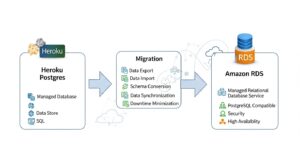
Amazon RDS for PostgreSQL is the direct, drop-in replacement for Heroku Postgres. Connection string format changes from postgres://user:pass@heroku-host:5432/db to a standard PostgreSQL connection URL pointing to your RDS endpoint — application code changes are typically zero or minimal. RDS supports all active PostgreSQL versions, the full extension ecosystem (including PostGIS, pgvector, pg_cron, and hundreds more), multi-AZ deployments for automatic failover, and automated point-in-time recovery for up to 35 days.
For teams willing to replatform, Amazon Aurora PostgreSQL delivers up to 3x the throughput of standard RDS PostgreSQL at similar cost — a compelling upgrade for high-traffic applications.
Cache: Heroku Key-Value Store (Redis) → Amazon ElastiCache
Amazon ElastiCache for Redis is the AWS equivalent of Heroku’s Key-Value Store (formerly Heroku Data for Redis). ElastiCache supports Redis 7.x, cluster mode, automatic failover, in-transit and at-rest encryption, and multi-AZ replication — all within your VPC. Migration is straightforward: export a Redis dump from Heroku, restore it to ElastiCache, and update your REDIS_URL environment variable.
Messaging: Apache Kafka on Heroku → Amazon MSK
Amazon MSK (Managed Streaming for Apache Kafka) replaces Apache Kafka on Heroku. MSK provides fully managed Kafka brokers in your VPC with automatic patching, broker replacement, and multi-AZ deployment. For teams using Kafka for event streaming, MSK eliminates the operational overhead of Kafka cluster management while delivering the same producer/consumer API your application already uses.
File Storage → Amazon S3
Heroku’s ephemeral filesystem means any files written to disk are lost when dynos restart. If your application stores uploads or generated files, you are already (or should be) using an add-on like Cloudinary or writing directly to S3. On AWS, Amazon S3 is the native object storage layer — and it’s the same S3 many Heroku apps already use. Migration of this dependency is typically zero-effort if you have already decoupled file storage from the dyno filesystem.
DNS: → AWS Route 53
Amazon Route 53 replaces Heroku’s custom domain DNS configuration. Route 53 offers health check-based routing, latency-based routing, geolocation routing, and failover routing — capabilities well beyond Heroku’s basic CNAME/A record DNS management. During migration, Route 53 weighted routing enables gradual traffic shifting from Heroku to AWS for low-risk cutovers.
Logging & Monitoring: → Amazon CloudWatch
Amazon CloudWatch replaces Heroku’s Logplex and third-party logging add-ons (Papertrail, Loggly). CloudWatch Logs ingests application logs from EC2, ECS, Lambda, and Elastic Beanstalk automatically. CloudWatch Metrics provides custom application metrics, dashboards, and alarming. AWS X-Ray provides distributed tracing equivalent to Heroku’s third-party APM add-ons.
CI/CD: git push heroku → AWS CodePipeline / GitHub Actions
Replacing Heroku’s beloved git push heroku main workflow is a key concern for developer experience during migration.
GitHub Actions is the most popular replacement: create a workflow file that builds your Docker image, pushes to Amazon ECR, and deploys to Elastic Beanstalk, ECS, or EC2 on every push to main. The developer workflow becomes git push origin main → GitHub Actions fires → AWS deployment executes. Virtually identical to Heroku from a developer perspective.
AWS CodePipeline + CodeBuild provides an AWS-native CI/CD alternative with deeper integration into AWS services, IAM-controlled pipeline execution, and audit trails via CloudTrail. Infrastructure as code guide
Choosing Your Heroku to AWS Migration Strategy
There is no single correct answer for how to migrate from Heroku to AWS. The right strategy depends on your application architecture, team skills, timeline, and long-term ambitions.
Option 1 — Lift-and-Shift to Amazon EC2 (Fastest)
Provision EC2 instances that match your current dyno configuration, install your application dependencies, configure your Procfile process types as systemd services or Docker containers, and point your DNS at the new instances behind an ALB. This is the fastest path to leaving Heroku — you can execute a basic Heroku to AWS EC2 migration in days for a simple application.
Best for: Small teams with tight timelines, legacy applications that are difficult to containerize, or workloads that will be refactored soon anyway.
Trade-off: Misses the opportunity to modernize. Raw EC2 management has more operational overhead than Elastic Beanstalk or ECS.
Option 2 — Containerize and Deploy to Amazon ECS or EKS
Convert your Heroku Procfile into a Dockerfile and docker-compose.yml, push images to Amazon ECR, and deploy containerized tasks to Amazon ECS with Fargate (serverless containers) or Amazon EKS (Kubernetes). This is the most common strategy for mid-size teams because it combines portability, reproducibility, and managed orchestration.
Best for: Teams already using Docker, applications with multiple process types (web + worker + clock), or organizations planning multi-cloud or multi-region deployments. Docker on AWS guide
Trade-off: Requires Docker knowledge and more upfront configuration than Elastic Beanstalk..
Step-by-Step Heroku to AWS Migration Process
The following ten-step process is the industry-standard execution framework for how to migrate from Heroku to AWS. It is ordered to minimize risk and preserve developer productivity throughout the transition.
(HowTo Schema: “How to Migrate from Heroku to AWS” — 10 steps)
Step 1 — Audit Your Heroku Environment (Apps, Dynos, Add-ons)
Before touching AWS, create a complete inventory of everything you are running on Heroku. Document every application, dyno type, dyno count, all add-ons and their plans, config vars, custom domains, and team access permissions.
Run these Heroku CLI commands to export your configuration:
Copy
# List all apps
heroku apps –all
# Export config vars for each app
heroku config –app your-app-name
# List all add-ons
heroku addons –app your-app-name
# Check dyno types and counts
heroku ps –app your-app-name
Create a migration workbook mapping each Heroku component to its AWS target. This document becomes your migration runbook.
Pro Tip: Identify add-ons that have no direct AWS equivalent early. Third-party Heroku add-ons (certain APM tools, payment processing integrations) may require separate vendor evaluation before the migration can be scoped.
Step 2 — Set Up Your AWS Account, VPC, and IAM
Establish your AWS governance foundation before provisioning any application resources:
- Create an AWS account (or AWS Organization if running multiple environments).
- Deploy a VPC with public subnets (for load balancers and NAT gateways) and private subnets (for EC2/ECS/RDS instances). A /16 CIDR block with /24 subnets across 2–3 Availability Zones is a good starting point.
- Configure IAM roles with least-privilege policies for EC2, ECS tasks, Lambda functions, and your CI/CD pipelines. Never use root credentials or overly broad AdministratorAccess roles in production.
- Set up AWS IAM Identity Center for team member access if managing multiple accounts.
- Enable AWS CloudTrail from day one — all API actions are logged and available for compliance audits.
Pro Tip: Define your entire VPC, subnets, security groups, and IAM configuration in Terraform from the start. Infrastructure defined as code is reproducible, reviewable, auditable, and avoids the “ClickOps” anti-pattern that creates technical debt.
Step 3 — Containerize Your Heroku App with Docker
Convert your Heroku Procfile into a Dockerfile. If your Heroku app uses a Procfile like:
web: bundle exec puma -C config/puma.rb
worker: bundle exec sidekiq -C config/sidekiq.yml
Your Docker targets become separate container definitions or ECS task definitions — one image per process type, or a single image with overridden CMD per service. Here is a minimal Ruby example:
Copy
FROM ruby:3.2-alpine
WORKDIR /app
COPY Gemfile Gemfile.lock ./
RUN bundle install –without development test
COPY . .
EXPOSE 3000
CMD [“bundle”, “exec”, “puma”, “-C”, “config/puma.rb”]
Push your Docker image to Amazon ECR:
Copy
# Authenticate to ECR
aws ecr get-login-password –region us-east-1 | \
docker login –username AWS \
–password-stdin 123456789.dkr.ecr.us-east-1.amazonaws.com
# Tag and push
docker build -t your-app .
docker tag your-app:latest 123456789.dkr.ecr.us-east-1.amazonaws.com/your-app:latest
docker push 123456789.dkr.ecr.us-east-1.amazonaws.com/your-app:latest
Step 4 — Migrate Your Database: Heroku Postgres to Amazon RDS
Database migration is the most critical, most complex, and most risk-laden step. It deserves its own deep-dive section (see below), but the high-level process is:
- Create your Amazon RDS PostgreSQL instance in a private subnet of your VPC.
- Choose a migration method: AWS DMS, logical replication, or pg_dump/restore.
- Perform dry run migrations to establish timing and validate integrity.
- Execute the production cutover during a planned maintenance window.
Migrating Heroku Postgres to Amazon RDS — Deep Dive
The Heroku Postgres to Amazon RDS migration is the highest-risk, highest-complexity step in any Heroku to AWS migration. Get it right and the rest follows. Get it wrong and you face data loss, extended downtime, or a failed rollback.
Why Heroku Postgres Has Limitations
Heroku Postgres was, for many years, considered the gold standard of managed PostgreSQL. But structural constraints have compounded over time:
- No superuser access. Heroku does not grant the superuser role, preventing certain administrative operations and extension installations.
- Restricted extension ecosystem. Not all PostgreSQL extensions are available on Heroku Postgres — particularly important for teams using PostGIS, pgvector, TimescaleDB, or other specialized extensions.
- Version upgrade complexity. Major version upgrades require either pg_upgrade (which requires application downtime) or a manual migration process. Checkly specifically cited PostgreSQL version lock-in as a primary driver of their migration.
- Fixed storage tiers. Increasing storage allocation requires a plan change, which itself requires a separate migration with additional downtime risk.
- No external logical replication. By default, Heroku Postgres does not support external logical replication slots — meaning you cannot set up a live replica on AWS without special arrangement through Heroku Support.
2025 Note: In a particularly telling development, Heroku itself migrated hundreds of thousands of its own Essential PostgreSQL databases from self-managed infrastructure to Amazon Aurora in early 2025 — citing reliability improvements and reduced operational burden. If Heroku’s own data team migrated off Heroku Postgres to Aurora, that is a strong signal about the platform’s relative capabilities.
Choosing Your RDS Instance Size (Capacity Planning)
Pro Tip: Always overprovision your RDS instance size during migration. It is much easier to downsize a db.m5.large to a db.t3.medium after 2 weeks of baseline data than to deal with performance degradation on migration day. Launch 2–3x the RAM of your current Heroku Postgres plan, validate performance, then rightsizing using AWS Compute Optimizer recommendations.
A rough capacity planning guide for common Heroku Postgres plans:
| Heroku Postgres Plan | RAM | vCPU | Recommended RDS Target | RDS On-Demand Cost |
| Basic ($9/mo) | 1GB | Shared | db.t4g.micro | ~$13/month |
| Standard-0 ($50/mo) | 4GB | 2 | db.t3.medium | ~$50/month |
| Standard-2 ($200/mo) | 16GB | 4 | db.m5.large or db.m5.xlarge | ~$115–$230/month |
| Standard-3 ($200/mo) | 32GB | 4 | db.m5.xlarge | ~$230/month |
| Premium-3 ($400/mo) | 120GB | 8 | db.m5.2xlarge | ~$460/month ($230 with RI) |
| Premium-4 ($750/mo) | 384GB | 16 | db.r5.2xlarge | ~$460/month ($230 with RI) |
Enable Multi-AZ for all production RDS instances — the cost doubles but provides automatic failover with typically < 60 seconds recovery time.
Data Migration Methods Compared
Option 1 — AWS Database Migration Service (DMS)
DMS is AWS’s purpose-built tool for database migrations with continuous replication. For most database migrations, it works excellently. However, DMS has a significant limitation with Heroku Postgres: Heroku does not grant access to the superuser or replication roles by default, and DMS’s CDC (Change Data Capture) mode requires logical replication WAL access. Teams attempting DMS with Heroku as a source often encounter permission errors that DMS cannot resolve without Heroku Support intervention. AWS Database Migration Service
Checkly’s engineering team tried AWS DMS and reported: “We tried this approach, but the process wasn’t seamless, and there were some errors we couldn’t overcome.” DMS is viable if you contact Heroku Support and obtain WAL access credentials — but add this lead time (typically 1–3 business days) to your migration planning.
Use when: You can secure Heroku Support WAL access, database is large (>50GB), and you need continuous replication with < 5 minutes of final cutover downtime.
Option 2 — pglogical / Logical Replication
PostgreSQL’s native logical replication (available from PostgreSQL 10+) and the pglogical extension both enable row-level change streaming from a source to a target database. This is the most powerful approach for near-zero-downtime migrations — but it has two key caveats with Heroku:
- Heroku Postgres does not natively support external logical replication subscriptions. You must contact Heroku Support for access.
- Native logical replication does not replicate DDL (schema changes) or sequence state. You must freeze schema changes before starting replication and manually sync sequences at cutover.
Set up logical replication with:
Copy
— On source (Heroku Postgres, via Heroku Support credentials):
SELECT pg_create_logical_replication_slot(‘migration_slot’, ‘pgoutput’);
— Create publication for all tables:
CREATE PUBLICATION heroku_pub FOR ALL TABLES;
— On target (Amazon RDS):
CREATE SUBSCRIPTION heroku_sub
CONNECTION ‘host=heroku-db-host.amazonaws.com dbname=your_db
user=your_user password=your_pass’
PUBLICATION heroku_pub;
Use when: You have PostgreSQL 10+ on Heroku, have obtained Heroku Support access, and want the most sophisticated replication setup with minimal final cutover window.
Zero-Downtime Heroku to AWS Migration: Real Playbook
This section presents the actual cutover playbook used by Checkly during their 2022 Heroku to AWS migration — adapted and generalized for broader use. Their planned 30-minute maintenance window used only 10 minutes in practice.
Step 1 — Pre-Migration Preparation (Partitioned Tables, Schema Freeze)
On the Friday before your planned Saturday or early-weekday maintenance window:
- Announce schema change freeze. No DDL changes (ALTER TABLE, CREATE INDEX, etc.) from this point until cutover is complete. Communicate this to all developers.
- Dump schemas to RDS. pg_dump the Heroku database schema (no data) and apply it to your RDS target instance: pg_dump –schema-only … | psql -h rds-endpoint …
- Pre-migrate immutable data. If your application has partitioned tables with historical, immutable data (old records that are never updated), you can migrate those partitions before the maintenance window — dramatically reducing the data set that must be synchronized during cutover. Checkly specifically credited this design decision for their efficient cutover.
- Provision and configure all AWS resources. Your EC2/ECS/EB instances, RDS, ElastiCache, and all networking must be fully deployed and tested before the maintenance window. No AWS configuration changes during the cutover window.
Step 2 — Set Up Replication Between Heroku Postgres and RDS
Using the WAL + intermediate EC2 approach (Checkly’s method, suitable for large production databases):
Copy
# On intermediate EC2 PostgreSQL instance:
# Configure wal-e recovery from Heroku WAL
# (Heroku Support provides AWS S3 WAL location)
restore_command = ‘envdir /etc/wal-e.d/env \
/usr/local/bin/wal-e wal-fetch “%f” “%p”‘
# Once EC2 Postgres catches up to production WAL position:
# Promote EC2 instance to standalone
pg_ctl promote -D /database/
# Grant replication rights
ALTER ROLE migration_user WITH REPLICATION;
# Set up logical replication from EC2 → RDS
CREATE PUBLICATION ec2_pub FOR ALL TABLES;
# On RDS: CREATE SUBSCRIPTION rds_sub CONNECTION ‘…’ PUBLICATION ec2_pub;
Monitor replication lag: SELECT now() – pg_last_xact_replay_timestamp() AS replication_lag;
Step 3 — Maintenance Window Planning
Choose your window carefully:
- When: Lowest traffic period for your user base. For B2B SaaS, early weekday morning (e.g., Monday 5:00–7:00 AM UTC) typically has lower traffic than weekends, and your support team is available.
- Communication: Send an email to customers 72+ hours in advance. Publish a status page update. Set a detailed internal calendar event with all participant roles.
- Dry runs: Execute the complete cutover sequence three times on a production data snapshot before the real window. Time each step. Checkly practiced three times and still found surprises during run two.
- Rollback trigger: Define the condition that immediately invokes rollback (e.g., error rate > 5% for 2 minutes after cutover). Keep Heroku running and traffic-capable until rollback window expires.
Step 4 — The Cutover Playbook (Full Checklist)
Here is the complete production cutover checklist, adapted from Checkly’s migration day playbook:
PRE-WINDOW (T-30 minutes):
☐ All team members confirmed on call
☐ Status page updated: “Scheduled maintenance in 30 minutes”
☐ RDS replication lag confirmed < 60 seconds
☐ AWS services (ECS/EB/EC2) confirmed healthy in staging
MAINTENANCE WINDOW STARTS:
☐ Scale all worker dynos to 0 (Heroku)
☐ Stop all Heroku Schedulers
☐ Set Heroku Postgres to read-only:
ALTER DATABASE <dbname> SET default_transaction_read_only = ON;
☐ Wait for all in-flight transactions to complete (monitor pg_stat_activity)
☐ Promote EC2 intermediary PostgreSQL:
pg_ctl promote -D /database/
☐ Allow replication to RDS to catch up fully
☐ Sync all table sequences to RDS:
— For each table: SELECT setval(seq_name, (SELECT MAX(id) FROM table_name))
☐ Drop replication subscriptions on RDS
☐ Update DATABASE_URL in all AWS services to RDS endpoint
☐ Update REDIS_URL to ElastiCache endpoint
☐ Update any other add–on connection strings
☐ Scale up all AWS services (ECS tasks / EB environment)
☐ Run smoke tests (3-5 critical user flows)
☐ Update DNS: Route 53 → AWS endpoints (TTL should be pre-reduced to 60s)
☐ Enable preboot on AWS load balancer health checks
POST-WINDOW:
☐ Monitor CloudWatch error rate and latency for 15 minutes
☐ Validate new data writing to RDS (check recent timestamps)
☐ Update status page: maintenance complete
☐ Scale down Heroku to minimum (do NOT delete yet)
MAINTENANCE WINDOW ENDS
Post-Cutover Validation and Rollback Plan
For 48–72 hours post-cutover, maintain rollback capability:
- Keep Heroku application scaled to minimum (1 eco dyno per app) — do not delete.
- Keep Heroku Postgres active with point-in-time recovery available.
- Define your rollback trigger and procedure: revert DATABASE_URL and DNS to Heroku if critical issues arise.
- After 72 hours of stable operation, begin Heroku decommissioning.
Heroku to AWS Cost Comparison
The Heroku to AWS cost comparison is the most frequently requested analysis for teams evaluating migration. Here are the numbers with real transparency.
Heroku Dyno Costs vs EC2 Instance Costs
| Heroku Dyno | Monthly Cost | RAM | AWS EC2 Equivalent | On-Demand | 3-yr Reserved |
| Standard-1X | $25 | 512MB | t3.small (2GB RAM) | ~$15 | ~$10 |
| Standard-2X | $50 | 1GB | t3.medium (4GB RAM) | ~$30 | ~$19 |
| Performance-M | $250 | 2.5GB | m5.large (8GB RAM) | ~$69 | ~$42 |
| Performance-L | $500 | 14GB | m5.2xlarge (32GB RAM) | ~$277 | ~$165 |
| Performance-XL | $1,500 | 64GB | m5.4xlarge (64GB RAM) | ~$553 | ~$331 |
Note: AWS EC2 instances consistently provide significantly more RAM for the price. The AWS instances above deliver 2–4× the RAM at 30–60% of the cost on Reserved pricing.
Heroku Postgres vs Amazon RDS Pricing
| Heroku Postgres | Monthly Cost | Storage | AWS RDS Equivalent | On-Demand | 3-yr Reserved |
| Basic ($9) | $9 | 10GB | db.t4g.micro | ~$13 | ~$8 |
| Standard-0 | $50 | 64GB | db.t3.medium | ~$50 | ~$31 |
| Standard-2 | $200 | 256GB | db.m5.large | ~$115 | ~$68 |
| Standard-3 | $200 | 512GB | db.m5.xlarge (Multi-AZ) | ~$460 | ~$270 |
| Premium-3 | $400 | 512GB | db.m5.2xlarge (Multi-AZ) | ~$460 | ~$270 |
Real-World Example: Full Application Stack Comparison
Scenario: Mid-size SaaS application (Rails backend, background workers, Redis, Postgres, ~50K monthly active users)
| Component | Heroku | AWS (On-Demand) | AWS (Reserved + Spot) |
| 3× Standard-2X web dynos | $150 | $90 (3× t3.medium) | $57 |
| 2× Performance-M worker dynos | $500 | $138 (2× m5.large) | $84 |
| Heroku Postgres Standard-2 | $200 | $115 (db.m5.large) | $68 |
| Heroku Redis Premium-1 | $30 | $13 (cache.t3.micro) | $9 |
| Heroku SSL + logging add-ons | $35 | $0 (ACM + CloudWatch) | $0 |
| Load balancer | Included | $18 (ALB) | $18 |
| Monthly Total | $915 | ~$374 | ~$236 |
| Annual Total | $10,980 | ~$4,488 | ~$2,832 |
| Annual Savings vs Heroku | — | $6,492 (59%) | $8,148 (74%) |
AWS Cost Optimization: Reserved Instances, Savings Plans, Spot
Three levers to maximize AWS savings post-migration:
Reserved Instances (1 or 3-year): Commit to specific EC2 or RDS instance types for 37–72% savings versus on-demand. Ideal for baseline web and worker capacity.
AWS Compute Savings Plans: Flexible commitment that covers any EC2 instance family, size, and region. Better than RIs for teams still evolving their instance configuration post-migration.
Spot Instances: For background workers and batch processing jobs that can tolerate interruption, Spot delivers 60–90% savings versus on-demand. Use a mixed capacity strategy: Reserved Instances for baseline, Spot for burst capacity. Detailed AWS cost optimization guide
Common Pitfalls and How to Avoid Them
Pitfall 1 — Underestimating Data Migration Complexity
The most common and costly mistake. Teams allocate 2 days for database migration and discover it takes 2 weeks of engineering time, three dry runs, and a Heroku Support ticket. The complexity stems from Heroku’s WAL/replication access restrictions, schema freeze requirements, sequence sync issues, and the need for intermediate infrastructure.
Solution: Allocate dedicated engineering time for database migration alone. Start database migration planning at project kickoff — it is the critical path. Run at least three full dry runs including timing, and do not compress the timeline.
Pitfall 2 — Recreating “ClickOps” Instead of IaC
Teams new to AWS often provision resources through the console — clicking through EC2 launch wizards, manually configuring Security Groups, creating RDS instances via the GUI. This creates undocumented infrastructure that is impossible to reproduce, difficult to audit, and prone to configuration drift.
Solution: Define everything in Terraform or AWS CloudFormation from day one. Your VPC, subnets, security groups, ECS cluster, RDS instance, ElastiCache cluster, ALB, and Auto Scaling configuration should all be version-controlled code. The upfront investment in IaC pays off within the first incident or the first new environment provisioning.
Real-World Case Study: Checkly’s Migration from Heroku to AWS
The Challenge
Checkly, the synthetic monitoring platform, had been running on Heroku since 2016. By 2022, the platform had accumulated 300GB of PostgreSQL data and was running on Heroku’s Premium 4 plan. Their decision to migrate was driven by a concrete, unavoidable problem: they needed to upgrade from PostgreSQL 10 to PostgreSQL 13, and Heroku’s process for doing so was neither straightforward nor safe at their scale.
Additional pain points included:
- Heroku Postgres had a smaller set of supported PostgreSQL extensions
- Version upgrades required application downtime with no guaranteed timeline
- Fixed storage tiers required a separate, complex migration to expand
- Many essential DBA tasks required senior engineer involvement
- Forced maintenance windows from Heroku conflicted with their 24/7 monitoring SLAs
The Solution and Timeline
Checkly planned a 4-week migration, which ultimately took 5 weeks — reflecting the complexity of large-scale database migration in a real production environment.
Their migration process:
- Capacity planning (Week 1): Evaluated RDS instance sizing and replication methods.
- Data replication method selection (Week 1–2): Evaluated AWS DMS (encountered unresolvable errors), pglogical (admin complexity + schema change issues), and ultimately used WAL replication to an intermediate EC2 PostgreSQL instance + logical replication to RDS.
- Dry run migrations (Week 2–4): Practiced the full production migration sequence three times, improving the playbook with each iteration.
- Staging migration (Week 3): Migrated dev and staging environments.
- Production cutover (Week 5): Executed on September 12, 2022 at 7:00 AM UTC.
Their exact cutover playbook (abbreviated from the full 24-step playbook documented in their public case study):
- Announced schema freeze on Friday
- pg_dump Heroku schemas and pushed to RDS
- Started EC2 PostgreSQL with WAL recovery from Heroku
- MAINTENANCE WINDOW: Set Heroku Postgres to read-only, promoted EC2 Postgres, started logical replication to RDS, waited for RDS to catch up, synced sequences, updated database URLs in all services, scaled up AWS services
- MAINTENANCE WINDOW ENDS: Total actual downtime — 10 minutes
The Result: Cost Savings, Performance Gains, and New Capabilities
Checkly achieved their primary objective — a clean PostgreSQL version upgrade path — and gained:
- Flexible maintenance windows they control, rather than Heroku’s forced schedule
- Broader PostgreSQL extension support on RDS
- Ability to perform DBA tasks with junior engineers rather than requiring senior engineer involvement every time
- Scalable storage without complex migration procedures
- Multi-AZ failover for higher availability than Heroku’s HA standby offered
- Reduced per-incident engineering overhead — tasks that took senior engineers on Heroku took junior engineers on RDS
Their key lessons: use partitioned tables for pre-migration, overprovision RDS instance size, conduct fire drills, configure timeouts carefully, accept that some downtime is inevitable and focus on minimizing it rather than eliminating it.
Frequently Asked Questions — Heroku to AWS Migration
(FAQ Schema JSON-LD markup to be applied to this section)
Q1: Why migrate from Heroku to AWS?
A: AWS reduces costs by 40–80%, removes platform limitations, and supports stronger compliance and customization than Heroku.
Q2: What is the AWS equivalent of Heroku Dynos?
A: AWS Elastic Beanstalk is the closest match; EC2, ECS Fargate, EKS, and Lambda are also options.
Q3: What is the AWS alternative to Heroku Postgres?
A: Amazon RDS for PostgreSQL, with Aurora PostgreSQL as a higher-performance option.
Q4: How long does a Heroku to AWS migration take?
A: Small apps take 2–4 weeks, medium apps 4–6 weeks, and large migrations 6–12 weeks.
Q5: Is downtime required during migration?
A: Downtime can be limited to 10–30 minutes with proper database replication and cutover planning.
Conclusion — Make the Move from Heroku to AWS
Heroku to AWS migration is no longer a niche exercise reserved for infrastructure-heavy teams—it has become a mainstream strategic move driven by cost efficiency, scalability, and long-term architectural control. While Heroku’s PaaS simplicity accelerates early development, its 3–5x cost premium becomes difficult to justify at scale. AWS offers equivalent developer-friendly workflows through Elastic Beanstalk while unlocking deeper networking, database, and compliance capabilities at a fraction of the cost.
Many organizations arrive at this decision after modernizing other legacy platforms. If you’re also evaluating broader infrastructure transitions, our VMware to AWS migration guide explores how enterprises move large-scale, virtualized environments to AWS using a structured, low-risk approach. At GoCloud, we help engineering teams plan and execute migrations across the full spectrum—from Heroku applications to VMware estates—ensuring minimal downtime, predictable costs, and production-ready AWS architectures.
