


Amazon S3 looks cheap at $0.023/GB — until you are storing 500TB and paying for 10 million daily requests. For data-heavy teams, S3 is frequently the #1 surprise item on their AWS bill, quietly compounding month after month through storage waste, orphaned data, unchecked data transfer charges, and the wrong storage class for the wrong workload.
S3 cost optimization is the discipline of aligning your storage architecture with your actual access patterns, retention requirements, and budget — and in 2026, it is more important than ever. Cloud spending is forecast to grow 28% year-over-year (Flexera 2025 State of the Cloud), and S3 storage sits at the foundation of nearly every data pipeline, analytics workload, log archive, and media delivery system in AWS.
This guide covers 12 proven S3 cost optimization strategies — from choosing the right storage class and implementing lifecycle policies, to eliminating orphaned data, reducing data transfer costs, and using S3 Storage Lens to surface hidden waste. Applied together, these strategies routinely cut Amazon S3 bills by 40–80%.
Why S3 Costs Spiral Out of Control (And What to Do About It)
How Amazon S3 Pricing Actually Works
Amazon S3 pricing has four separate dimensions — and most teams only think about one of them. Understanding all four is the first step in any serious amazon s3 cost reduction programme.
- Storage Costs — Charged per GB per month, varying by storage class. S3 Standard costs $0.023/GB/month for the first 50TB, dropping to $0.022/GB for the next 450TB and $0.021/GB beyond 500TB. AWS S3 Pricing
- Request Costs — Every API call costs money. PUT, COPY, POST, LIST requests cost $0.005 per 1,000. GET, SELECT, and all other requests cost $0.0004 per 1,000. At 10 million daily GET requests, that is $1.20/day or $438/year — from requests alone.
- Data Transfer Costs — Transferring data out of S3 to the internet costs $0.09/GB after the first 100GB/month free tier. Cross-region replication adds further data transfer charges. This is the most common source of S3 bill shock.
- Management and Analytics Costs — S3 Inventory, S3 Analytics ($0.10 per million objects), S3 Storage Lens advanced metrics, and S3 Object Tagging all carry separate fees.
The 5 Hidden S3 Cost Drivers Most Teams Miss
Even experienced cloud engineers consistently overlook these five cost drivers:
- Incomplete multipart uploads — Large files uploaded in parts leave behind partial uploads that are billed at S3 Standard rates indefinitely if the upload is never completed or aborted.
- Versioning accumulation — S3 versioning is essential for data protection, but every version of every object is stored and billed separately. A 1TB bucket with versioning enabled can silently become 5TB over time.
- Expired delete markers — In versioned buckets, deleting an object creates a delete marker. Thousands of expired delete markers add unnecessary LIST request overhead and storage costs.
- Cross-region replication data transfer — S3 Cross-Region Replication (CRR) charges for inter-region data transfer on every replicated byte — a significant cost for large datasets.
- Storing everything in S3 Standard — The default storage class is designed for frequently accessed, latency-sensitive data. Using it for logs, backups, and compliance archives that are never accessed is one of the most common and expensive S3 mistakes.
S3 Storage Classes Explained — Choose the Right Tier and Save
The single most impactful s3 storage optimization decision you can make is matching your data to the right storage class. AWS offers seven distinct storage classes, ranging from hot active storage to ultra-cold archival storage — each with a different cost and access profile.
S3 Standard vs. Standard-IA vs. One Zone-IA
S3 Standard ($0.023/GB/month) is designed for frequently accessed data — active application data, real-time analytics feeds, and content that users access regularly. It offers 11 nines of durability, millisecond access, and no minimum storage duration. Use it only for data you actually access frequently.
S3 Standard-IA (Infrequent Access) (~$0.0125/GB/month) is designed for data accessed less than once a month. It carries the same durability and millisecond access as Standard but adds a $0.01/GB retrieval fee and a 30-day minimum storage duration. Ideal for disaster recovery backups, older application assets, and compliance archives that are occasionally referenced.
S3 One Zone-IA (~$0.01/GB/month) is the same as Standard-IA but stores data in a single Availability Zone instead of three, reducing durability slightly. It is appropriate for infrequently accessed data that can be recreated if lost — such as processed thumbnails, derived datasets, or secondary backups.
S3 Glacier Tiers: Instant, Flexible, and Deep Archive
S3 Glacier Instant Retrieval (~$0.004/GB/month) is the newest Glacier tier — it stores data at archive pricing while still supporting millisecond retrieval. It is perfect for medical images, news archives, and genomics data: accessed quarterly but needing instant availability when retrieved. Retrieval cost: $0.03/GB.
S3 Glacier Flexible Retrieval (~$0.0036/GB/month) delivers retrieval in 1 minute to 12 hours, making it ideal for backup and disaster recovery archives where retrieval is infrequent and not time-sensitive. Bulk retrievals are free. Standard retrievals cost $0.01/GB.
S3 Glacier Deep Archive (~$0.00099/GB/month — approximately $1/TB/month) is the cheapest storage available in AWS. It is designed for data that must be retained for 7–10+ years for regulatory compliance but is almost never accessed. Retrieval takes 12–48 hours. Bulk retrieval is free.
Real Cost Example: Moving 10TB of log archive data from S3 Standard to Glacier Deep Archive reduces storage cost from approximately $235/month to just $10/month — a 96% reduction. For a 100TB compliance archive, that is $2,350/month vs. $101/month. Source: AWS S3 Pricing
S3 Intelligent-Tiering: The Hands-Off Optimization
S3 Intelligent-Tiering automatically moves objects between Frequent Access, Infrequent Access, Archive Instant Access, and Archive tiers based on actual access patterns — with no retrieval fees and no performance impact. It charges a monitoring fee of $0.0025 per 1,000 objects per month for objects 128KB and larger.
It is the ideal storage class for data whose access pattern you cannot predict — analytics datasets, user-generated content, and application assets with variable demand.
S3 Storage Class Comparison Table
| Storage Class | Cost/GB/Month | Min Duration | Retrieval Time | Best For |
| S3 Standard | $0.023 | None | Milliseconds | Frequently accessed, active data |
| S3 Standard-IA | ~$0.0125 | 30 days | Milliseconds | Monthly accessed backups, DR archives |
| S3 One Zone-IA | ~$0.01 | 30 days | Milliseconds | Recreatable infrequent data |
| S3 Intelligent-Tiering | Varies by tier | None | Milliseconds–hours | Unpredictable access patterns |
| S3 Glacier Instant Retrieval | ~$0.004 | 90 days | Milliseconds | Quarterly-accessed medical/media archives |
| S3 Glacier Flexible Retrieval | ~$0.0036 | 90 days | 1 min – 12 hrs | Backup, DR, infrequent archives |
| S3 Glacier Deep Archive | ~$0.00099 | 180 days | 12 – 48 hrs | 7–10 year regulatory compliance archives |
Pricing shown for US East (N. Virginia). Refer to AWS S3 Pricing for your region.
S3 Cost Optimization Strategy 1: Implement Lifecycle Policies
S3 Lifecycle Policies are automated rules that transition objects to cheaper storage classes — or delete them entirely — based on age, prefix, or object tags. They are the most impactful and lowest-effort s3 lifecycle policy cost savings mechanism available.
How to Set Up S3 Lifecycle Rules (Step-by-Step)
- Open the S3 Console and select your bucket
- Navigate to Management → Lifecycle rules → Create lifecycle rule
- Name your rule (e.g., log-archive-transition)
- Choose a scope: apply to all objects, specific prefix (e.g., logs/), or tag filter
- Select transition actions:
- Transition to Standard-IA after 30 days
- Transition to Glacier Instant Retrieval after 90 days
- Transition to Glacier Deep Archive after 365 days
- Add expiration action: permanently delete objects after 2,555 days (7 years) if retention policy allows
- Enable the rule and review estimated cost impact
Best Lifecycle Policy Templates for Common Use Cases
Application logs:
- Day 0–30: S3 Standard
- Day 30–90: S3 Standard-IA
- Day 90–365: S3 Glacier Flexible Retrieval
- Day 365+: S3 Glacier Deep Archive or delete
Database backups:
- Day 0–7: S3 Standard (recent, may need rapid restore)
- Day 7–30: S3 Standard-IA
- Day 30–365: S3 Glacier Instant Retrieval
- Day 365+: Glacier Deep Archive
Compliance archives (7-year retention):
- Day 0–30: S3 Standard
- Day 30+: S3 Glacier Deep Archive
- Day 2,555: Expire/delete
S3 Cost Optimization Strategy 2: Enable S3 Intelligent-Tiering
When Intelligent-Tiering Saves Money (and When It Doesn’t)
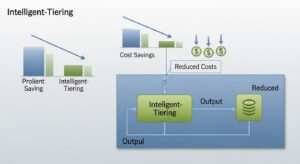
Intelligent-Tiering saves money when:
- Your data is 128KB or larger per object
- Access patterns are irregular or unpredictable
- You want to automate storage class management without manual lifecycle rule tuning
- You have datasets that are heavily accessed one month and untouched the next
Intelligent-Tiering does NOT save money when:
- Objects are smaller than 128KB (they stay in Frequent Access tier permanently — you pay the monitoring fee with no benefit)
- Your data is accessed regularly (it will simply stay in Frequent Access and cost more than Standard due to the monitoring fee)
- You have very small buckets (monitoring fee overhead exceeds savings for tiny datasets)
Break-even calculation: At $0.0025 per 1,000 objects/month, monitoring 1 million objects costs $2.50/month. If those objects move to Infrequent Access (saving ~$0.0115/GB/month), you need only about 218GB of data to transition to break even. For large, unpredictably accessed datasets, the ROI is immediate.
S3 Cost Optimization Strategy 3: Reduce Data Transfer Costs
Data transfer is one of the most misunderstood cost dimensions in amazon s3 cost reduction. Storage is often the first thing teams optimise, while data transfer quietly consumes an equal or greater share of the bill.
Use CloudFront to Eliminate Egress Charges
Transferring data from S3 directly to the internet costs $0.09/GB after the first 100GB/month free tier. Transferring data from S3 to Amazon CloudFront is completely free — and CloudFront serves content from edge locations, reducing latency and eliminating per-GB egress charges on S3.
A real-world example: one startup was paying $250/month in S3 data transfer costs on 2.6TB/month of direct S3 downloads. Routing delivery through CloudFront reduced their data transfer bill by 98% in a single day — paying only CloudFront’s lower distribution pricing instead.
Implementation steps:
- Create a CloudFront distribution with your S3 bucket as the origin
- Use an Origin Access Control (OAC) policy to restrict S3 bucket access to CloudFront only
- Update your application to use the CloudFront domain instead of direct S3 URLs
- Enable CloudFront caching to reduce the number of requests reaching S3
VPC Endpoints: Eliminate NAT Gateway Costs
If your EC2 instances, Lambda functions, or ECS tasks access S3 via a NAT Gateway, you are paying $0.045/GB processed in addition to S3 egress costs. Creating a VPC Gateway Endpoint for S3 routes all S3 traffic within your VPC directly to S3 — completely free, with no NAT Gateway processing fees.
S3 Cost Optimization Strategy 4: Clean Up Orphaned and Redundant Data
Delete Incomplete Multipart Uploads
When large file uploads fail or are interrupted, S3 retains the already-uploaded parts and bills you for them at S3 Standard rates indefinitely — until you explicitly abort the upload or a lifecycle rule cleans them up. One real-world team reduced their monthly S3 bill by approximately $350 simply by implementing a lifecycle rule to abort incomplete multipart uploads.
Fix it with a lifecycle rule:
- In S3 Console → your bucket → Management → Lifecycle rules
- Create a rule scoped to all objects
- Select “Delete incomplete multipart uploads”
- Set to 7 days (any incomplete upload older than 7 days is almost certainly abandoned)
- Save and apply
Manage Versioning Costs
S3 versioning protects your data from accidental deletion and overwrites — but every version of every object is stored and billed independently. A bucket with versioning enabled can accumulate 5–10x its visible storage cost in old versions over months or years.
Best practices for versioning cost management:
- Add a lifecycle rule to expire non-current versions after 30–90 days (depending on your recovery requirements)
- Use versioned lifecycle rules specifically: “Expire noncurrent versions of objects” after N days
- Set a maximum number of noncurrent versions to retain (e.g., keep the last 3 versions only)
Remove Expired Delete Markers
In versioned buckets, deleting an object creates a delete marker — a zero-byte placeholder that hides the object without removing it. When all versions of an object are deleted but the delete marker remains, it becomes an “expired delete marker” that still incurs LIST request overhead.
Add a lifecycle rule to “Delete expired object delete markers” to clean these up automatically.
💡 Pro Tip: For compliance data where versioning is mandatory, enable S3 Object Lock in Compliance mode to satisfy retention requirements — then set lifecycle rules to expire non-current versions and delete markers aggressively outside the lock period. This gives you compliance without version accumulation costs.
S3 Cost Optimization Strategy 5: Use S3 Storage Lens and Analytics
S3 Storage Lens Dashboard Setup
S3 Storage Lens provides organisation-wide visibility into your storage usage and activity across all buckets and accounts — the essential monitoring foundation for ongoing s3 bucket cost optimization strategies.
Free default dashboard includes:
- Total storage by bucket, region, and account
- Incomplete multipart upload bytes (cost efficiency metric)
- Non-current version bytes (cost efficiency metric)
- Object count and average object size
- % of buckets using lifecycle policies
To enable:
- Go to S3 Console → Storage Lens → Create dashboard
- Scope to your organisation (via AWS Organizations) or individual accounts
- The default dashboard is free — enable it for every account
In December 2025, AWS added the ability to export S3 Storage Lens metrics directly to S3 Tables with Apache Iceberg support, enabling SQL analysis of your storage trends over time using Amazon Athena.
S3 Analytics for Lifecycle Recommendations
S3 Analytics monitors object access patterns within a specific bucket or prefix for 30 days and then generates recommendations for transitioning data to S3 Standard-IA. It costs $0.10 per million objects monitored per month.
Enable S3 Analytics on any bucket where you are uncertain whether Standard-IA or Intelligent-Tiering is appropriate. After 30 days, it provides a data-driven recommendation — removing the guesswork from storage class decisions.
S3 Cost Optimization Strategy 6: Optimize Request Costs
Reducing GET, PUT, and LIST Request Fees
For buckets handling millions of daily requests, request fees can match or exceed storage costs. Key strategies:
- Batch small writes into larger objects — 10,000 small PUT requests for 10KB files cost the same as 10,000 requests for 10MB files. Batching small objects reduces request count without reducing data volume.
- Cache frequently retrieved objects — Use CloudFront caching or application-level caching to reduce repeat GET requests to S3.
- Avoid LIST operations in hot loops — S3 LIST requests are 12.5x more expensive than GET requests ($0.005 vs. $0.0004 per 1,000). Cache directory listings and avoid polling S3 prefixes in high-frequency loops.
- Use S3 Select for partial object retrieval — Instead of downloading an entire CSV or JSON file and filtering in your application, use S3 Select to push the filter down to S3. This reduces data transfer and GET request sizes, cutting both request and egress costs.
Use S3 Batch Operations for Bulk Changes
Manually triggering actions on millions of S3 objects one by one is slow and expensive (each operation = a separate API request). S3 Batch Operations enables you to run a single job across billions of objects — copying objects, tagging them, restoring Glacier archives, invoking Lambda functions, or changing storage classes — at a cost of $0.25 per job plus $1.00 per million objects processed.
💡 Pro Tip: Use S3 Batch Operations combined with an S3 Inventory manifest to apply a bulk storage class change to millions of objects at once. For example: generate a list of all objects in a bucket older than 365 days, then run a Batch Operations job to copy them to Glacier Deep Archive. This achieves in one job what lifecycle rules would take months to accomplish for existing data.
S3 Cost Optimization Strategies 7–12: Advanced Techniques
7. Cross-Region Replication Cost Management
Cross-Region Replication (CRR) is essential for disaster recovery but creates significant costs: you pay for inter-region data transfer on every replicated byte plus storage in the destination region. To reduce CRR costs:
- Replicate only what truly requires redundancy (use S3 replication filter rules to replicate specific prefixes or tags only)
- Use Glacier Deep Archive as the destination storage class for compliance replication
- Use S3 Replication Time Control (RTC) only when guaranteed 15-minute replication SLA is required — RTC carries an additional fee
8. Requester Pays Buckets for Shared Data
If your S3 bucket serves data to external users, partners, or other AWS accounts that run their own workloads against your data, enabling Requester Pays shifts all data transfer and request costs to the requester rather than you. This is particularly valuable for public datasets, data marketplace assets, and cross-organisation data sharing.
9. S3 Select to Reduce Data Retrieval Costs
S3 Select allows you to retrieve only the specific rows and columns you need from CSV, JSON, or Parquet files stored in S3 — instead of retrieving the entire object. For analytics workloads that scan large files to extract a small subset of records, S3 Select can reduce data transfer costs by 80–90% per query. For larger, more complex queries, pair this with Amazon Athena for using Athena to query S3 data cost-effectively with a pay-per-query model.
10. Tagging and Cost Allocation for S3 Buckets
Without cost allocation tags on S3 buckets, you cannot answer basic questions like “how much does the data platform team’s S3 usage cost?” or “what does production storage cost vs. staging?” Tag every bucket with at minimum: Environment, Team, Project, and CostCentre. Activate these tags in the AWS Billing Console to enable Cost Explorer filtering by dimension.
💡 Pro Tip: Use S3 Storage Lens with bucket-level tag filters to create team-specific storage dashboards — showing each engineering team their own storage consumption, incomplete multipart uploads, and versioning costs. This creates direct cost accountability without requiring centralised reporting.
11. Archive Infrequently Accessed Logs
Application logs, access logs, CloudTrail logs, ELB logs, and VPC Flow Logs are among the largest contributors to unmanaged S3 growth. These logs are rarely accessed after 30 days, almost never accessed after 90 days, and yet many teams store them in S3 Standard forever.
Apply a lifecycle rule to every log bucket:
- Day 30: Transition to S3 Standard-IA
- Day 90: Transition to S3 Glacier Flexible Retrieval
- Day 365: Transition to S3 Glacier Deep Archive
- Day 2,555 (7 years): Expire (or per your compliance requirements)
For log archiving at scale, AWS recommends using s3tar to aggregate small log files into larger TAR archives before transitioning to Glacier — reducing the per-object minimum storage duration penalty that applies to small objects.
12. Consolidate Buckets and Prefixes
Having hundreds of S3 buckets for granular separation is operationally convenient but creates management overhead and drives up request costs (each bucket-level LIST and management operation is billed). Teams that have grown organically often have 50–200 buckets where 20–30 would suffice. Consolidating similar workloads into shared buckets with prefix-based separation reduces:
- Cross-bucket data transfer costs (when moving data between buckets)
- Management API call frequency
- S3 Access Point complexity
S3 Cost Optimization Checklist (Quick Reference)
Use this checklist for your next S3 cost audit:
S3 Cost Optimization Checklist
☐ Enable S3 Storage Lens default dashboard on all accounts
☐ Identify buckets with no lifecycle policies — apply at minimum a 365-day archive transition
☐ Add lifecycle rules to abort incomplete multipart uploads after 7 days
☐ Add lifecycle rules to expire non-current object versions after 30–90 days
☐ Remove expired delete markers via lifecycle rule in all versioned buckets
☐ Audit all buckets storing data exclusively in S3 Standard — identify candidates for IA or Glacier transition
☐ Enable S3 Intelligent-Tiering for buckets with unpredictable access patterns (objects ≥128KB)
☐ Enable S3 Analytics on high-cost buckets to validate lifecycle recommendations
S3 Storage Class Decision Matrix
Use this decision matrix to quickly select the right storage class for any dataset:
Is your data accessed daily or in real time? → Yes → S3 Standard
Is your data accessed less than once per month, but needs millisecond access when retrieved? → Yes → S3 Standard-IA (if single AZ durability is acceptable: S3 One Zone-IA)
Do you have a mixed or unpredictable access pattern and objects ≥128KB? → Yes → S3 Intelligent-Tiering
Is your data accessed quarterly, but needs millisecond retrieval when called? → Yes → S3 Glacier Instant Retrieval
Is your data a backup or archive accessed rarely with hours-level retrieval acceptable? → Yes → S3 Glacier Flexible Retrieval
Is your data a long-term compliance archive (7–10 years) with 12–48 hour retrieval acceptable? → Yes → S3 Glacier Deep Archive — the cheapest storage available at ~$0.00099/GB/month
Frequently Asked Questions (FAQ)
Q: How do I reduce S3 data transfer costs?
The most effective method is delivering content through Amazon CloudFront, where data transfer from S3 to CloudFront is free and distribution costs are lower than direct S3 egress.
Additionally, use VPC Gateway Endpoints to avoid NAT Gateway fees and S3 Select to retrieve partial object data instead of full files.
Q: What are incomplete multipart uploads and how do they cost money?
Multipart uploads split large files into parts. If uploads fail or are abandoned, uploaded parts remain stored and billed at S3 Standard rates until deleted.
Cleaning these up and adding lifecycle rules to abort incomplete uploads can deliver immediate savings.
Q: What is S3 Storage Lens and how does it help with cost optimization?
S3 Storage Lens provides organisation-wide visibility into S3 usage and cost efficiency. The free dashboard highlights key waste areas such as incomplete uploads, non-current versions, and missing lifecycle policies.
Advanced metrics enable deeper analysis, including Athena-queryable datasets.
S3 Storage Lens documentation.
Q: Can I use Amazon Athena with S3 to optimize storage costs?
Yes. Amazon Athena allows SQL queries directly on S3 data without loading it into a database, reducing retrieval and transfer costs.
Using columnar formats like Parquet or ORC with compression can reduce scanned data by 60–80%, lowering both Athena and S3 request costs.
Conclusion — Start Your S3 Cost Optimization Today
S3 cost optimization is not a one-time task—it is an ongoing discipline that delivers measurable savings every month as data volumes grow. The 12 strategies covered in this guide provide a complete framework choosing the right storage class for each access pattern, enforcing lifecycle policies across all buckets, cleaning up orphaned data, reducing data transfer charges, and continuously monitoring usage.
At GoCloud, we see the strongest results when S3 cost optimization is treated as part of a broader cloud financial strategy rather than an isolated exercise. If you are looking to extend these storage-focused savings across your entire AWS environment, our guide on AWS cost optimization best practices explains how to align storage, compute, and data transfer decisions into a single, governed approach.
The tools to control S3 costs are already built into Amazon Web Services. With the right discipline, automation, and visibility, S3 cost optimization becomes a recurring advantage—not a reactive cleanup task.

