


At $5 per TB scanned, a single poorly-written Athena query on a large unpartitioned table can cost hundreds of dollars — and most teams do not even notice until the bill arrives. AWS Athena Costs Explained shows that Amazon Athena looks deceptively affordable for occasional, small-scale queries. But as data volumes grow and query frequency increases, Athena costs compound rapidly without a deliberate optimization strategy.
The root issue is that Athena’s pay-per-query pricing charges for every byte it reads from Amazon S3 — regardless of how much of that data is actually relevant to your query. An analyst running SELECT * FROM large_csv_table WHERE date = ‘2026-01-01’ on a 10TB unpartitioned CSV table will scan all 10TB and pay $50 for that single query, even if only 1% of the data matched the filter.
This guide covers everything you need to master aws athena costs in 2026: how Athena pricing works, real cost calculation examples, 8 proven optimization strategies, a comparison against Amazon Redshift and Snowflake, and a complete checklist. Applied together, these optimizations routinely reduce Athena bills by 85–99%.
Featured Snippet: AWS Athena costs $5 per terabyte of data scanned. To reduce Athena costs, use columnar formats like Parquet or ORC (reduces scan by 85–99%), partition your tables, compress data with Snappy or Gzip, enable query result reuse, and set workgroup data scan limits to prevent runaway queries.
What Is Amazon Athena and How Does Its Pricing Work?
Amazon Athena is a serverless, interactive query service that lets you run standard SQL queries against data stored in Amazon S3 — without provisioning infrastructure, managing clusters, or loading data into a separate database. Under the hood, it is powered by Apache Presto (now Trino), an open-source distributed SQL engine.
Because it is fully serverless, there is no compute to provision, no idle infrastructure to pay for, and no minimum monthly commitment. You pay only for what you query.
Athena Pay-Per-Query Pricing Model
Athena’s standard pricing model is elegantly simple — and deceptively dangerous without optimization:
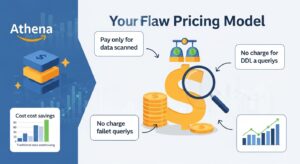
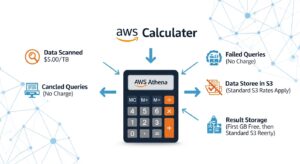
- $5.00 per terabyte (TB) of data scanned per query
- Minimum charge of 10 MB per query (queries scanning less than 10MB are rounded up)
- Failed queries are not charged — you only pay for queries that complete or are cancelled after scanning has started
- DDL statements (CREATE TABLE, DROP TABLE, ALTER TABLE) are free
- No free tier for Athena SQL queries
This means Athena cost per query is purely a function of how much data Athena reads from S3. A query that scans 1GB costs $0.005. A query that scans 1TB costs $5.00. A query that scans 10TB costs $50.00. Amazon Athena Pricing
Athena Provisioned Capacity Pricing
For teams running high-frequency analytics workloads with predictable query volumes, Athena offers provisioned capacity as an alternative to pay-per-query pricing:
- $0.30 per DPU-hour, billed per minute
- 1 DPU = 4 vCPUs and 16GB RAM
- Minimum 4 DPUs per capacity reservation
- Dedicated processing capacity that is always available — no cold starts or query queuing
- Best suited for consistently high query volumes where per-TB pricing would exceed the provisioned cost
For example: 24 DPUs reserved for 8 hours = 24 × 8 × $0.30 = $57.60 for a full analytical workday, regardless of how many queries you run or how much data you scan.
Hidden Athena Costs You Need to Know About
Beyond the per-TB query charge, several supporting costs are easy to miss:
- Amazon S3 storage costs — Athena reads from S3, and you pay for S3 storage separately ($0.023/GB/month in Standard). Large unoptimised datasets are expensive to store and expensive to query.
- AWS Glue Data Catalog costs — If using the Glue catalog for table metadata, the first million objects/month are free; beyond that you pay per million objects. Frequent partition metadata reads can add up.
- S3 GET request costs — Every Athena query generates S3 GET requests at $0.0004 per 1,000 requests. At high query volumes, this becomes measurable.
- Data transfer costs — Downloading query results from S3 to your local machine or BI tool incurs standard S3 egress charges.
- Athena for Apache Spark — Spark notebooks on Athena use the same DPU-based pricing ($0.30/DPU-hour) with a minimum session charge.
How AWS Athena Costs Are Calculated (With Real Examples)
Cost Calculation Formula
Query Cost = (Data Scanned in TB) × $5.00
Minimum charge: $0.00005 (10MB minimum)
The key variable is data scanned — not data returned, not data stored, not query complexity.
Example 1: Small Dataset Query (100GB)
You have 100GB of CSV log data in S3. A data analyst runs a query to count events by type for the past week.
- Data format: CSV (uncompressed)
- Data scanned: 100GB (full table scan — no partitioning, CSV has no column pruning)
- Cost: 0.1 TB × $5.00 = $0.50 per query
- If this query runs 50 times per day: 50 × $0.50 = $25/day = $750/month
Example 2: Large Dataset Query (10TB)
Your data engineering team has 10TB of raw JSON application events in S3. An analyst queries all records for a specific user segment from the past year.
- Data format: JSON (uncompressed)
- Data scanned: 10TB (no partitioning — Athena reads everything)
- Cost: 10 TB × $5.00 = $50.00 per query
- If a BI dashboard runs this query 20 times per day: 20 × $50 = $1,000/day = $30,000/month
This is the scenario that generates AWS bill shock. At scale, unoptimised Athena usage is not cheap.
Example 3: With vs. Without Optimization
The same 10TB dataset, optimised with Parquet format, Snappy compression, and date partitioning:
| Scenario | Data Format | Data Scanned | Query Cost | Monthly Cost (20 queries/day) |
| No optimization | JSON/CSV | 10TB | $50.00 | $30,000 |
| Parquet + Snappy only | Parquet | ~1TB (10x compression) | $5.00 | $3,000 |
| Parquet + partitioned (1 day out of 365) | Parquet | ~2.7GB | $0.014 | $8.40 |
| Parquet + partitioned + compressed | Parquet + Snappy | ~500MB | $0.0025 | $1.50 |
| Query result reuse (identical query) | Any | 0 (cached) | $0.00 | $0.00 |
The difference between zero optimization and full optimization on this workload is $30,000/month vs. $1.50/month — a 99.99% cost reduction. Even partial optimization (just converting to Parquet) reduces the bill from $30,000 to $3,000/month.
AWS Athena Cost Optimization: 5 Proven Strategies
1. Use Columnar File Formats (Parquet and ORC)
This is the single most impactful optimization available for athena cost optimization — and it simultaneously improves query performance.
CSV and JSON are row-based formats. When Athena queries a CSV file, it reads every row of every column to find the values your query needs — even if your SELECT clause only asks for 3 of 50 columns.
Apache Parquet and ORC (Optimized Row Columnar) are columnar formats. Data is stored column-by-column, meaning Athena can read only the columns your query references and skip the rest entirely. For a typical analytical query touching 3 of 50 columns, this alone reduces data scanned by ~94%.
Combined with compression, the impact is dramatic:
- CSV uncompressed: 100GB on disk → Athena scans 100GB
- Parquet + Snappy: Same data is typically 10–30GB on disk → Athena scans only the relevant columns → effective scan for a 3-column query could be 1–3GB
- Cost reduction: 80–99% on typical analytical queries
AWS officially states you can save up to 90% by converting to columnar formats. Apache Parquet documentation
💡 Pro Tip: Always use Snappy compression with Parquet as your default. Snappy provides a good balance of compression ratio (3–5x) and CPU performance. Use Gzip for archival data where query frequency is low and you want maximum compression (5–10x) at the cost of slightly slower decompression.
2. Compress Your Data
Even if you cannot immediately convert to columnar format, compressing your existing CSV or JSON data reduces the volume Athena scans and charges for.
- Gzip: 5–10x compression ratio; Athena can read Gzip-compressed files natively
- Snappy: 3–5x compression ratio; faster decompression, ideal for frequently queried data
- bzip2: AWS documentation notes that compressing an 8GB CSV dataset with bzip2 reduced it to 2GB — a 75% reduction
Converting 8GB of CSV to Gzip reduces your Athena query cost on that data from $0.04 to approximately $0.006 — an 85% reduction from compression alone, with zero schema changes.
3. Partition Your Tables
Table partitioning divides your S3 data into logical directories by partition key — typically date, region, or another high-cardinality filtering dimension. When a query includes a filter on the partition key, Athena uses partition pruning to read only the relevant partitions instead of the entire dataset.
For time-series data partitioned by day, a query filtering on WHERE date = ‘2026-01-15’ on a 10TB annual dataset would scan approximately 10TB / 365 = ~27GB instead of 10TB — a 99.7% reduction in data scanned.
Standard Hive-style partitioning in S3:
s3://my-bucket/events/year=2026/month=01/day=15/file.parquet
Register partitions in the AWS Glue Data Catalog and Athena automatically applies partition pruning for queries with matching WHERE clause filters.
4. Use CTAS to Convert and Optimize Data
CTAS (Create Table As Select) is a single Athena SQL statement that queries your existing raw data and writes the result as a new, optimized table in Parquet format with partitioning applied. It is the fastest way to migrate an existing CSV or JSON dataset to a cost-optimized format.
Copy
CREATE TABLE optimized_events
WITH (
format = ‘PARQUET’,
write_compression = ‘SNAPPY’,
partitioned_by = ARRAY[‘year’, ‘month’, ‘day’],
external_location = ‘s3://my-bucket/optimized-events/’
AS SELECT *
FROM raw_events_csv;
This single query transforms your entire raw dataset into a partitioned, Parquet-formatted, Snappy-compressed optimized table. All future queries run against the optimized table at a fraction of the original cost.
5. Enable Query Result Reuse
Athena’s Query Result Reuse feature (available in Athena engine v3) caches the result of a completed query and serves cached results for identical subsequent queries — without scanning any data at all. The cost for a reused result is $0.00.
This is transformative for BI dashboard workloads. If Amazon QuickSight or a reporting tool runs the same aggregation query 50 times per day, enabling result reuse means 49 of those 50 queries cost nothing.
- Reuse window: configurable up to 7 days
- Activation: enabled at the workgroup level in Athena settings
- Applies when: query text is identical, underlying data has not changed, and the reuse window has not expired
💡 Pro Tip: Enable query result reuse for your reporting and dashboard workgroups where the same queries run repeatedly on slowly changing data. For real-time analytics workgroups where data freshness is critical, keep reuse disabled or set a shorter window (e.g., 1 hour). The feature requires zero code changes — it is a single toggle in Workgroup settings.
AWS Athena Pricing vs. Competitors
Athena vs. Amazon Redshift — Cost Comparison
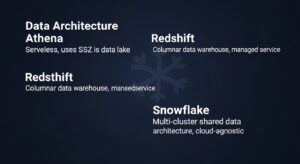
| Feature | Amazon Athena | Amazon Redshift | Snowflake |
| Pricing Model | $5/TB scanned | Per node/hour (ra3.xlplus ≈ $1.09/hr) | Per compute credit |
| Infrastructure | Fully serverless | Semi-managed cluster | Fully managed |
| Best For | Ad-hoc, infrequent queries on S3 | High-concurrency BI, complex joins | Multi-cloud analytics, variable workloads |
| Cost at 1TB/day | ~$5/day (1 query) | ~$26–$50/day (always-on cluster) | Depends on query frequency |
| Cost at 100TB/day | ~$500/day (if unoptimised) OR ~$5/day (optimised) | ~$26–$50/day (same cluster) | Variable |
| Idle cost | $0 | Charged while running | $0 (auto-suspend) |
| Concurrency | Limited (soft limit ~25 concurrent queries) | High (designed for hundreds of users) | High (per-warehouse scaling) |
When to Use Athena vs. Redshift vs. Snowflake
Choose Amazon Athena when:
- You have infrequent, ad-hoc query needs (a few queries per day)
- Your data lives in S3 and you want to query it without loading into a database
- Your budget is variable and you want zero idle costs
- You are querying log files, CloudTrail data, ALB access logs, or Cost and Usage Reports
- You want to analyze your CUR data with Athena for cost analysis
Choose Amazon Redshift when:
- You have high-concurrency BI reporting (50–1,000 concurrent users)
- Your workload is consistent and predictable (always-on cluster is economical)
- You need complex multi-table JOINs with sub-second latency
- You are building a data warehouse, not a data lake query layer
Choose Snowflake when:
- You are a multi-cloud organisation (AWS + Azure + GCP)
- You need automatic warehouse scaling and suspend/resume
- Your analytics workloads are bursty with periods of high and zero activity
AWS Athena Cost Management Tools
Using CloudWatch to Monitor Athena Query Costs
Amazon CloudWatch collects Athena metrics automatically. The most important cost-related metric is DataScannedInBytes — the total bytes scanned per query. Set up CloudWatch alarms to alert when any single query exceeds a threshold (e.g., alert when DataScannedInBytes > 100GB for a single query = potential $0.50+ charge).
Useful CloudWatch metrics for Athena:
- DataScannedInBytes — bytes scanned per query (the direct billing driver)
- QueryExecutionTime — query duration in milliseconds (long queries = likely large scans)
- QueryPlanningTime — time spent on partition metadata lookup (high = Glue catalog bottleneck)
Using AWS Cost Explorer for Athena Spend Analysis
In AWS Cost Explorer, filter by Service = “Amazon Athena” to see your daily and monthly Athena spend. Use the grouping dimensions to break down cost by Linked Account, Region, and Usage Type. The usage type AthenaDataScanned is the primary billing dimension for SQL queries.
Combine Cost Explorer with cost allocation tags on Athena workgroups to attribute query costs to specific teams, projects, or applications — making Athena spending accountable in your FinOps reporting.
Athena Workgroups for Cost Governance
Workgroups are the primary governance mechanism for controlling and attributing aws athena costs across an organisation:
- Create separate workgroups for production ETL, BI reporting, and analyst exploration
- Apply per-query scan limits to analyst workgroups (e.g., 10GB max)
- Tag workgroups with cost allocation tags for team-level attribution
- Configure query result locations per workgroup to control where results are stored (and by whom)
- Enable CloudWatch metrics per workgroup for granular cost monitoring
AWS Athena Cost Reduction Checklist
-
☐ Convert all CSV/JSON source data to Apache Parquet or ORC format
-
☐ Apply Snappy compression for frequently queried data; Gzip for archival data
-
☐ Partition tables by date (or the most common filter dimension)
-
☐ Register partitions in the AWS Glue Data Catalog
-
☐ Enable Partition Projection for tables with >10,000 partitions
-
☐ Enable Query Result Reuse in BI/reporting workgroups
-
☐ Set per-query data scan limits in all analyst-facing workgroups
-
☐ Review all queries for
SELECT *— replace with explicit column lists -
☐ Remove
LIKE '%keyword%'patterns where possible — use equality filters -
☐ Use CTAS to migrate existing raw tables to optimised Parquet format
Real-World Athena Cost Savings Case Studies
Case Study 1: Log Analytics Team (E-commerce, USA) A data engineering team at a US e-commerce company was running 200 daily analytical queries against 15TB of uncompressed JSON application logs. Monthly Athena bill: ~$45,000. After converting to Snappy-compressed Parquet with daily date partitioning, average data scanned per query dropped from 15TB to approximately 50GB. New monthly bill: ~$150. Savings: 99.7%.
Case Study 2: FinOps Team (Enterprise, UK) A UK financial services firm was using Athena to query their AWS Cost and Usage Report. Their CUR data was stored in the default CSV format. Monthly Athena query costs: $1,200. After converting CUR data to Parquet using CTAS and enabling query result reuse for their recurring daily reports, monthly costs dropped to $40. Savings: 96.7%.
Frequently Asked Questions (FAQ)
Q: Does Amazon Athena have a free tier?
No. Amazon Athena does not have a free tier for SQL queries. Every query that scans data is charged at $5.00/TB with a 10MB minimum. DDL statements (CREATE TABLE, DROP TABLE, SHOW PARTITIONS) are free. However, the first time you use Athena, your AWS Free Tier credits (if applicable for other services) do not offset Athena query charges — Athena is billed separately. For AWS cost optimization best practices, always optimise your Athena tables before querying at scale.
Q: How does Parquet reduce Athena query costs?
Parquet stores data column-wise, so Athena queries read only the columns referenced, skipping others — reducing scanned data by ~94%. Its high compression (3–10x vs CSV) further cuts the bytes read and query costs.
Q: Is Athena cheaper than Amazon Redshift?
It depends on query patterns. For infrequent, ad-hoc S3 queries, Athena is cheaper since you only pay per query. Redshift runs 24/7 unless using Serverless. For high-concurrency BI workloads, Redshift becomes more cost-effective as its hourly cost spreads across many queries. Break-even occurs when Athena’s daily query costs exceed the daily cost of the smallest Redshift node.
Q: How do I monitor my Athena query costs?
Use three tools together: CloudWatch metrics (DataScannedInBytes) for real-time query cost tracking with alarms, AWS Cost Explorer filtered by Amazon Athena to view daily/monthly spend, and Athena query history showing data scanned for each query (last 45 days). For team-level attribution, tag each workgroup and filter by tag in Cost Explorer.You can also use AWS cost management tools for broader cloud cost visibility.
Q: How does data partitioning reduce Athena scanning costs?
Data partitioning splits S3 data into prefixes (e.g., by date). Athena reads only the relevant partition for queries with a WHERE filter, drastically reducing scanned data — for example, a single-day query on a 10TB dataset may scan 27GB instead of 10TB, cutting costs by 99.7% before format or compression optimizations.
Conclusion — Master AWS Athena Costs in 2026
AWS Athena costs are entirely within your control — but only if you understand the pricing model and apply the right optimisations before your data volumes scale. Athena is a genuinely powerful and cost-effective analytics tool when used correctly. Without optimisation, it is one of the fastest ways to generate an unexpectedly large AWS bill.
At GoCloud, we recommend starting by converting your most-queried S3 datasets to Parquet today to see immediate savings. The CTAS query takes a few minutes to write and executes in hours, delivering cost reductions that compound every month. For teams looking to extend these savings across all S3 workloads, our guide on S3 Cost Optimization explains how to implement lifecycle policies, data tiering, and storage best practices to maximise efficiency.
