


If you’ve been running EC2 instances for a while, you’ve probably noticed Amazon pushing Graviton-based instances harder with each passing year. Lower on-demand pricing, bold performance claims, and a growing list of supported instance families — AWS clearly wants you on Graviton.
But switching processor architectures isn’t a casual decision. Your applications, dependencies, build pipelines, and team workflows all have opinions about that move. So when someone asks whether they should migrate from an Intel-based instance to Graviton3 or Graviton4, the honest answer isn’t “yes, always.” It’s “it depends — and here’s exactly what it depends on.”
This guide breaks down the AWS Graviton vs Intel comparison across five dimensions that actually matter: raw performance, price-performance, workload compatibility, latency sensitivity, and migration complexity. By the end, you’ll have a clear enough picture to make the call for your own infrastructure — not based on AWS marketing material, but on engineering reality.
What Is AWS Graviton, and Why Does It Exist?
To understand why the AWS Graviton vs Intel debate matters, you first need to understand what Graviton actually is and why Amazon built it in the first place.
Graviton is Amazon’s custom-designed processor, developed in-house by Annapurna Labs — a chip design company Amazon quietly acquired in 2015. Built on ARM’s 64-bit architecture (AArch64), Graviton was engineered with a single, ruthlessly focused goal: maximizing performance per dollar for cloud-native workloads running on AWS infrastructure. Amazon doesn’t sell chips. They sell compute time. If they can deliver more compute per dollar, they win — and so do their customers.
Intel, on the other hand, uses the x86-64 architecture — the dominant standard in enterprise computing for the better part of four decades. Intel Xeon processors power a massive portion of the world’s server infrastructure, from on-premises data centers to colocation facilities to public cloud providers. The software ecosystem built around x86 is staggeringly large: decades of compiled binaries, optimized libraries, ISV certifications, and institutional muscle memory. That legacy is both Intel’s biggest strength and, increasingly, its stiffest burden.
Graviton has gone through four major generational leaps:
- Graviton1 (2018): AWS’s first attempt — limited adoption, mostly a proof of concept at scale.
- Graviton2 (2020): The first serious contender. Up to 40% better price-performance than comparable x86 instances. This is when AWS customers started paying real attention.
- Graviton3 (2022): A major generational jump. Doubled floating-point performance, doubled memory bandwidth compared to Graviton2, and introduced BFloat16 support for machine learning workloads.
- Graviton4 (2024–2025): The latest evolution. Larger core counts, improved single-thread performance, and expanded instance family support including memory-optimized and storage-optimized variants.
The Critical Architecture Difference
Graviton uses ARM’s 64-bit instruction set. Intel uses x86-64. These two architectures are not compatible at the binary level — software compiled for x86 cannot run on Graviton without recompilation or emulation. This is not a footnote. This is the most important practical distinction for any team evaluating an AWS Graviton vs Intel migration.
Most modern interpreted languages (Python, Node.js, Ruby) and JVM-based languages (Java, Kotlin, Scala) handle this transparently through managed runtimes. Compiled languages like Go, Rust, and C++ require a recompile targeting ARM64 — usually straightforward, but not zero effort. Native extensions, pre-compiled binaries, and closed-source software are where things get complicated.
AWS Graviton vs Intel Performance: What the Data Actually Shows
Performance comparisons between Graviton and Intel are real — but they vary significantly by workload type, which is why sweeping statements in either direction tend to mislead more than they inform. The honest answer is: Graviton wins on most cloud-native workloads, Intel still wins on specific specialized cases.
Compute-Intensive Workloads
For CPU-bound tasks — batch processing, data transformation, media encoding, scientific computation, and general-purpose backend services — Graviton3 instances (C7g family) regularly benchmark at parity with or slightly ahead of Intel C6i instances at the same nominal compute allocation. In workloads that scale horizontally across many cores, Graviton frequently pulls ahead on throughput because it packs more cores per dollar.
The underlying reason is architectural efficiency. ARM’s instruction set is leaner. Graviton’s pipeline is optimized for sustained throughput rather than peak single-thread burst. For workloads that are inherently parallelizable — and most modern cloud-native workloads are — this trade-off works in Graviton’s favor.
Intel’s response has been to double down on per-core performance and specialized instruction sets. For workloads that genuinely benefit from Intel’s Advanced Matrix Extensions (AMX) or AVX-512 vector instructions, x86 can still outperform ARM — but the number of production workloads actually hitting those code paths is smaller than many teams assume.
Memory Bandwidth and Latency
This is where Graviton3 made one of its most dramatic improvements. Graviton3 doubled memory bandwidth compared to Graviton2, putting it in a competitive position against Intel Xeon for memory-intensive workloads.
For databases, analytics engines, and caching layers — where data throughput between CPU and RAM is often the binding constraint — Graviton3 and Graviton4 frequently deliver better throughput per dollar than equivalent Intel instances. In benchmarks for PostgreSQL, MySQL, and Redis, Graviton-based instances consistently show favorable throughput numbers, particularly at high concurrency.
The area where Intel still holds a genuine advantage is single-threaded latency-sensitive workloads. Intel Xeon’s higher base clock speeds and deeper single-core optimization can deliver better tail latency for workloads that cannot be parallelized — think certain financial transaction processing systems, real-time bidding engines, or legacy monolithic applications with no concurrency model.
Machine Learning Inference
Graviton3’s addition of BFloat16 (Brain Float 16) support was a meaningful step toward making ARM-based instances viable for CPU-side machine learning inference. For serving models that use FP32 or BF16 precision — a large portion of modern NLP and recommendation model deployments — Graviton3 delivers strong inference throughput at a lower cost than comparable Intel instances.
Intel counters with its own ML acceleration story: AMX (Advanced Matrix Extensions) are built into newer Xeon Scalable processors and are optimized for transformer-style attention workloads. For heavy matrix multiplication at large batch sizes, Intel’s AMX can be genuinely competitive — especially for teams already running Intel-optimized libraries like OpenVINO or oneDNN.
The practical verdict: for lightweight to medium inference workloads served via REST APIs or batch pipelines, Graviton is often the better cost choice. For heavyweight, high-throughput inference with large batch sizes and Intel-optimized runtimes, benchmark both before committing.
Workload Comparison Summary :
| Workload Type | Graviton3 / Graviton4 | Intel Xeon | Practical Edge |
| Web servers & APIs | Excellent | Solid | Graviton |
| Relational databases | Excellent | Competitive | Graviton |
| Microservices & containers | Excellent | Universal | Graviton |
| Legacy compiled apps | Limited | Better | Intel |
| Windows-based workloads | Not supported | Full support | Intel only |
| ML inference (general) | Strong | Competitive | Depends on stack |
| High-frequency trading / low-latency | Competitive | Often better | Intel |
| Big data / analytics | Strong | Competitive | Graviton |
| Media encoding | Competitive | Competitive | Benchmark both |
Graviton vs Intel Cost: The Real Price-Performance Picture
Cost is where the AWS Graviton vs Intel conversation gets most interesting for engineering leaders and FinOps teams. AWS typically prices Graviton-based instances approximately 10–20% cheaper than Intel-equivalent instances in the same instance family and region.
Take the most commonly compared pair: C7g (Graviton3) versus C6i (Intel Xeon Ice Lake). The C7g is priced lower on an on-demand basis while offering broadly comparable or better performance for general compute workloads. When you extend this to Reserved Instance pricing or AWS Savings Plans with 1-year or 3-year commitments, the absolute dollar savings become substantial at enterprise scale.
Consider a mid-sized engineering organization running 100 c6i.4xlarge instances continuously. Migrating to equivalent c7g.4xlarge instances would yield savings of $15,000–$25,000 per year in compute costs alone, at current pricing — before accounting for any performance improvements that might allow right-sizing to smaller instance types.
The cost advantage compounds in two places:
Lambda (AWS Serverless): arm64 Lambda functions are priced approximately 20% lower than x86 equivalents for both duration and requests. For organizations running millions of Lambda invocations per day, this alone can justify the migration effort. The recompilation requirement for Lambda is also lower-friction than EC2 — most Lambda runtimes handle ARM64 packaging transparently if your code and dependencies are ARM-compatible.
Spot Instances: Graviton instance families often have favorable Spot pricing and availability compared to equivalent Intel families, because the overall Graviton fleet is newer and AWS has been aggressively expanding capacity. This can further improve economics for fault-tolerant batch and analytics workloads.
The Honest Cost Caveat :
Cost savings on compute don’t exist in isolation. Migration has engineering costs: auditing dependencies, updating CI/CD pipelines, recompiling software, and testing behavior in production-like environments. For large monolithic applications with extensive native extension dependencies, the break-even timeline for migration investment versus compute savings can stretch to 12–24 months. For containerized microservices that already build multi-arch Docker images, it can be weeks.
The cost math is compelling — but it has to be weighed against the actual engineering investment required for your specific stack.
ARM vs x86 on AWS: Software Compatibility in Depth
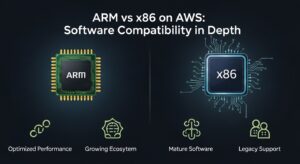
Software compatibility is the single biggest day-to-day friction point in any AWS Graviton vs Intel evaluation. Understanding exactly where things work seamlessly and where they break is essential for planning.
What Runs Well on Graviton (ARM64)
The good news is that the vast majority of the modern web application and data infrastructure stack runs natively on ARM64:
Programming languages and runtimes: Python, Node.js, Go, Java (all major JVM distributions), Ruby, PHP, Rust, .NET 6+, and Kotlin all have robust ARM64 support. If your application code is in any of these, recompilation or re-packaging is generally low-friction.
Databases: PostgreSQL, MySQL, MariaDB, Redis, Memcached, Cassandra, MongoDB, and ClickHouse all have ARM64 builds and are well-tested on Graviton. Amazon RDS and Aurora support Graviton-based instance classes directly, which is significant — moving your RDS instance to a Graviton class requires no application changes whatsoever.
Message queues and streaming: Apache Kafka, RabbitMQ, and Amazon SQS/SNS all work on ARM64. Kafka on Graviton has been benchmarked favorably in several public comparisons.
Containerization: Docker on ARM64 is mature and well-supported. AWS ECS and EKS both support Graviton-based node groups. The main consideration is ensuring your container images are built as multi-architecture (linux/amd64 and linux/arm64) so they can run on either architecture — a CI/CD configuration change, not an application change.
AWS services: Lambda arm64, Fargate on Graviton, RDS on Graviton, ElastiCache on Graviton, and OpenSearch on Graviton are all production-ready. AWS has invested heavily in ensuring their managed services support Graviton-based instances.
Where Compatibility Problems Appear :
x86-only third-party software: If your workload depends on a vendor-supplied binary that only ships as x86-64, you’re stuck — unless the vendor releases an ARM64 build or you can run under emulation (which eliminates most performance benefits). Enterprise software vendors have been slow to release ARM64 builds. Check ARM compatibility before committing to a migration timeline.
Native extensions and compiled C/C++ modules: Python packages with C extensions (NumPy, pandas, SciPy, cryptography, etc.) all have ARM64 wheels available via PyPI for current versions, but older pinned versions may not. Same for Ruby gems with native extensions and Node.js modules using N-API with compiled components. Audit your dependency manifests specifically for packages that include compiled components.
Windows workloads: Graviton does not support Windows. This is a hard stop. Any workload running Windows Server on EC2 remains on Intel (or AMD x86) instance families.
Intel-specific instruction optimizations: Some high-performance computing workloads are compiled with AVX-512 or other Intel-specific vector instruction sets baked in at the compiler level. These may need recompilation with different optimization flags for ARM’s NEON or SVE instruction sets — which may or may not recover the same performance.
Legacy Docker images: Older container images in your registry may only have an amd64 manifest. They will fail to launch on Graviton unless rebuilt. This is often the single largest CI/CD task in a migration project.
Graviton vs Intel for Databases: A Deeper Look
Databases deserve their own focused discussion in the AWS Graviton vs Intel comparison because they represent a large fraction of cloud compute spend for most organizations — and because Graviton’s advantages are particularly pronounced here.
PostgreSQL and MySQL on Graviton3 and Graviton4 have shown consistently strong benchmark results. The combination of Graviton’s high memory bandwidth and efficient core pipeline maps well onto the access patterns of OLTP databases, which alternate between memory-intensive index scans and CPU-intensive query planning. Several engineering teams that have documented public migrations from Intel to Graviton RDS instances report 15–30% throughput improvements at the same or lower cost.
Aurora on Graviton is particularly interesting because Aurora’s custom storage engine is already highly optimized for AWS infrastructure. Graviton-based Aurora instances combine Aurora’s storage-layer efficiencies with ARM’s compute efficiency for a cost-performance profile that’s hard to match with Intel-based Aurora.
Analytical workloads: For columnar analytics engines like ClickHouse, DuckDB, or Redshift (which uses its own infrastructure), Graviton’s high memory bandwidth translates directly into faster scan performance on wide table queries. ClickHouse on Graviton has received particularly positive community feedback.
The Intel database use cases that remain: Oracle Database and Microsoft SQL Server are not supported on Graviton — both require x86-64 infrastructure. If you run either of these, your database tier stays on Intel instances, full stop. MongoDB’s enterprise features and some of its Ops Manager tooling have had slower ARM64 support rollouts, so verify current compatibility if you’re running the enterprise tier.
Graviton vs Intel for Web Applications and Containers :
Container-based web applications running on Linux are the clearest, least controversial win for Graviton. This is where the AWS Graviton vs Intel comparison becomes almost one-sided for modern workloads.
Most popular web frameworks — Django, Rails, Spring Boot, Express.js, FastAPI, Laravel, and virtually every other framework in the top tier of adoption — run identically on ARM64 and x86-64. The application code doesn’t change. The runtime behavior doesn’t change. The only thing that changes is the compute infrastructure underneath, and it gets cheaper.
For container orchestration, AWS EKS with Graviton-based node groups is now a well-trodden path. You can run mixed architecture node groups — some Intel nodes for workloads with compatibility constraints, some Graviton nodes for everything else — within the same cluster. Kubernetes itself handles scheduling transparently via node selectors and tolerations.
The Lambda advantage for serverless: Lambda arm64 deserves special attention. If you’re running significant Lambda workloads, the migration effort is typically minimal — update your package.json or requirements.txt to ensure ARM64 compatibility, rebuild your deployment package or container image for arm64, and update the Lambda architecture setting. In most cases, this is a one-sprint project that delivers 20% ongoing cost reduction indefinitely.
When Intel Still Makes More Sense :
A balanced AWS Graviton vs Intel comparison requires being clear-eyed about the cases where Intel is genuinely the better choice — not just a legacy default.
Windows workloads: There is no path to running Windows Server on Graviton. EC2 instances running Windows Server, whether for .NET Framework applications (pre-.NET Core), Active Directory, MSSQL, or Windows-based tooling, remain on Intel (or AMD) x86 instance families. This is likely to remain true for the foreseeable future.
Closed-source x86-only software: Enterprise software with ISV licenses tied to x86 binary distributions — certain ERP systems, specialized analytics tools, security software, or vendor-supplied agents — may simply not have ARM64 releases. Check before planning. Some vendors have moved quickly on ARM64 support; others haven’t moved at all.
Highly optimized x86 workloads: Applications that were specifically compiled and tuned for Intel-specific instruction sets — particularly those using AVX-512 for SIMD-intensive signal processing, cryptography, or numerical computation — may see performance regressions on ARM64 if the ARM-equivalent optimizations haven’t been applied. These workloads require careful benchmarking before migration.
Limited engineering bandwidth: Migration is not free. If your team is at capacity on product work, the overhead of auditing dependencies, updating build pipelines, and validating production behavior on a new architecture may not be worth the compute savings in the short term. The right answer for a time-constrained team might be “migrate when you have capacity,” not “migrate immediately.”
Migrating from Intel to Graviton: A Practical Approach
Moving from Intel to Graviton successfully requires a structured approach. Teams that rush the migration and skip the validation steps tend to encounter production surprises that offset the cost savings in downtime and incident response time.
Step 1: Audit Your Dependency Stack
Before writing a single line of infrastructure code, inventory every dependency in your application stack and check ARM64 compatibility. This means:
- All OS-level packages (verify ARM64 availability in your distro’s package repository)
- All language-level dependencies (PyPI, npm, Maven, RubyGems) — specifically any with compiled native extensions
- All third-party binary tools bundled with your application
- All Docker base images used in your build and runtime containers
- Any vendor software or licensed binaries
Create a compatibility matrix. Categorize each dependency as: compatible, needs version update, needs rebuild, or incompatible. Incompatible dependencies are your blockers — address those before proceeding.
Step 2: Update Your CI/CD Pipeline for Multi-Architecture Builds
The highest-leverage CI/CD change is enabling multi-architecture Docker builds using Docker Buildx. With a properly configured CI pipeline, every image push produces both linux/amd64 and linux/arm64 manifests. This means you can run the same image on Intel nodes and Graviton nodes, which is essential for a gradual migration.
bash
docker buildx build \
–platform linux/amd64,linux/arm64 \
–push \
-t your-registry/your-image:latest .
GitHub Actions, GitLab CI, and AWS CodeBuild all support multi-arch builds with QEMU emulation for cross-compilation.
Step 3: Start with Low-Risk, High-Volume Workloads
Don’t migrate your critical production database as your first Graviton project. Start with stateless, horizontally-scaled, easily-replaceable workloads: background job processors, async API workers, batch pipelines, and internal tooling. These workloads have low blast radius if something goes wrong and high instance counts that make the cost savings immediately visible and measurable.
Step 4: Benchmark Rigorously Before Committing
For each workload category you plan to migrate, run parallel load tests against Intel and Graviton instances using production-representative traffic patterns. Don’t rely on synthetic benchmarks — they rarely reflect actual workload behavior. Measure:
- Throughput (requests per second, jobs per hour)
- Tail latency (p95, p99)
- Memory utilization
- CPU utilization at target load levels
Document the results. This data protects you if performance questions arise after migration.
Step 5: Execute a Staged Traffic Rollout
Use your load balancer or service mesh to gradually shift traffic from Intel to Graviton instances. Start at 5–10% of traffic, monitor error rates and latency for 24–48 hours, then increase. This approach catches any runtime compatibility issues that didn’t surface in testing before they affect your full user base.
For EKS workloads, this often means provisioning a Graviton node group alongside your existing Intel node group and gradually migrating deployments using node selector or topology spread constraints.
Decision Framework: AWS Graviton vs Intel
After everything above, the decision comes down to a few clear criteria.
Choose Graviton if:
- Your workload runs on Linux (a hard prerequisite)
- Your application stack has confirmed ARM64 compatibility
- Your workloads are containerized or use managed services (RDS, Lambda, ECS, EKS)
- Cost optimization is a priority and you have engineering capacity for migration
- You’re building new infrastructure and starting from scratch
Stay on Intel if:
- You run Windows Server workloads
- You depend on closed-source x86-only software with no ARM64 release
- Your application relies on Intel-specific instruction set optimizations (AVX-512, AMX) that have no ARM equivalent in your current codebase
- Your engineering team doesn’t have bandwidth for migration in the current planning cycle
Evaluate case-by-case if:
- You run a hybrid environment with both ARM-compatible and ARM-incompatible workloads
- You have mixed-architecture container images in your registry
- Your vendor software roadmap includes ARM64 support “soon” — get a committed release date before planning your migration
Frequently Asked Questions :
1. Is AWS Graviton faster than Intel for all workloads?
No. Graviton performs better in many cloud-native workloads like web servers, containers, and databases. However, Intel still has an edge in single-threaded, latency-sensitive tasks and workloads using AVX-512 or AMX. The best approach is to benchmark your specific workload before deciding.
2. How much cheaper is Graviton compared to Intel on AWS?
Graviton instances are typically 10–20% cheaper than comparable Intel instances. With Reserved Instances or Savings Plans, the total savings become more significant, especially at scale. For Lambda, arm64 is about 20% cheaper than x86.
3. Can I run Windows on AWS Graviton instances?
No. Graviton supports Linux only. Any Windows Server workload — including .NET Framework or SQL Server — requires Intel or other x86-based instances.
4. How difficult is migrating from Intel to Graviton?
It depends on your stack. Containerized apps using common languages are usually easy to migrate. More complex or legacy systems with x86 dependencies may require additional work like rebuilding binaries or updating pipelines.
5. Does Graviton work with AWS RDS and Aurora?
Yes. Graviton works well with RDS and Aurora for PostgreSQL and MySQL. Migration is simple since it’s an infrastructure-level change, and performance is often equal or better at a lower cost.
