


If you want the short version for AWS SageMaker vs Azure Machine Learning, here it is: AWS SageMaker is often the stronger choice for teams that are already deep in the AWS ecosystem and want a broad, production-oriented ML platform with strong training, deployment, and MLOps building blocks. Azure Machine Learning is often the stronger choice for organizations that are already aligned with Microsoft Azure, Microsoft Entra ID, and enterprise governance workflows, or that want a more centralized workspace model for ML assets and operations. Neither platform is universally “better”; the right choice depends on your cloud strategy, MLOps maturity, workload type, and operating model.
One note before we begin: AWS has renamed Amazon SageMaker to Amazon SageMaker AI, but the product, APIs, and namespaces still commonly use “SageMaker,” so most buyers and engineers still search for and refer to it that way. In this article, I’ll use the familiar term SageMaker while keeping the current AWS naming context in mind.
The real search intent behind AWS SageMaker vs Azure ML is not just “what do these platforms do?” It is usually one of these questions: Which is easier to adopt? Which is better for end-to-end MLOps? Which is more cost-transparent? Which is better for startups versus enterprises? And which one will age better as our ML practice moves from experimentation to production? The best comparison, then, is not a feature dump; it is a decision guide for the full ML lifecycle.
That’s especially important now because both platforms have expanded beyond “train a model and deploy it.” Buyers evaluating them in 2026 are usually also thinking about AutoML, experiment tracking, pipelines, model registry, feature engineering, governance, monitoring, and even generative AI workloads. In practice, this means your decision is partly about ML features and partly about platform fit: AWS-native flexibility versus Microsoft enterprise integration.
What Is Amazon SageMaker?
Amazon SageMaker is a fully managed ML service designed to help data scientists and developers build, train, and deploy ML and foundation models in a production-ready environment. AWS emphasizes that SageMaker provides managed infrastructure, built-in tools, flexible workflow options, and support for both AWS-managed algorithms and bring-your-own frameworks. That makes it a broad platform rather than a single-purpose training tool.
AWS now positions SageMaker as part of a wider unified analytics and AI experience, with capabilities spanning model development, data processing, governance, unified studios, and even adjacent services for generative AI. For ML buyers, the key point is that SageMaker is no longer just notebook instances plus training jobs—it is meant to support a larger production AI stack.
Core Capabilities :
SageMaker’s strongest capabilities are spread across the ML lifecycle. AWS highlights SageMaker Studio as a web-based development experience with multiple IDE choices, plus notebook experiences with fast startup and sharing support. On the model-building side, SageMaker offers managed training, distributed training options, training compiler support, bring-your-own frameworks, and deployment paths including serverless endpoints. On the MLOps side, AWS highlights SageMaker Model Building Pipelines, SageMaker Projects, Feature Store, and governance-oriented capabilities such as model cards and role management.
That breadth is one reason SageMaker is often favored by advanced ML teams. It has native concepts for reusable features, model registration, managed pipelines, CI/CD-oriented workflows, and a growing set of AI governance controls. It also has official positioning around generative AI, foundation model customization, and secure enterprise AI development.
Ideal Use Cases :
SageMaker is especially compelling when your organization is already standardized on AWS, uses Amazon S3 heavily, and wants ML workflows to integrate naturally with AWS-native identity, data, monitoring, and deployment patterns. It is also a strong fit for teams that need flexible training options, distributed compute, production-grade MLOps, and more control over how models move from experimentation to serving.
In practice, SageMaker tends to appeal to ML engineers, platform teams, and AI organizations that care about scaling beyond notebooks into robust pipelines, multi-stage deployment, and broader AI lifecycle management. For startups, it can still be a good fit—but usually when the startup is already committed to AWS and expects its ML stack to become sophisticated quickly.
What Is Azure Machine Learning?
Azure Machine Learning is Microsoft’s comprehensive machine learning platform for building, training, deploying, and governing ML models. Microsoft emphasizes Azure Machine Learning studio as the top-level centralized re where teams manage artifacts, workflows, and models, and it also highlights support for language model fine-tuning and deployment. Like SageMaker, Azure ML has evolved into a broader production platform rather than a narrow experimentation service.
A major architectural theme in Azure ML is the distinction between infrastructure res and versioned assets. Microsoft’s architecture guidance emphasizes the workspace as the central control plane, with history for jobs, logs, metrics, and outputs, while assets such as models, data, components, and environments are versioned for reproducibility and governance. That makes Azure ML feel especially structured from an MLOps and enterprise-control perspective.
Core Capabilities :
Azure ML’s key strengths include its centralized workspace, versioned assets, managed compute options, secure datastores, reproducible environments, pipeline-friendly reusable components, and enterprise deployment models. Microsoft also highlights managed online endpoints for real-time inference, along with autoscaling, traffic routing, mirroring/shadowing, managed identities, network isolation, and observability through Azure Monitor and related tooling.
From a user-experience standpoint, Azure ML also tends to be seen as approachable for mixed teams because it blends studio-driven workflows with code-based options. Competitor comparisons often note its appeal to beginners and visually oriented users, while also recognizing that it has serious enterprise MLOps depth once teams standardize on Azure res and DevOps practices.
Ideal Use Cases :
Azure Machine Learning is especially attractive for enterprises already invested in the Microsoft Azure ecosystem, especially where Azure Blob Storage, Azure DevOps, Microsoft Entra ID, and internal governance are already part of the standard operating model. It is also a strong fit for organizations that value centralized workspace governance, asset versioning, and enterprise-friendly deployment controls.
It tends to be a particularly good option for regulated or compliance-heavy teams that want a clear workspace model, consistent identity integration, and enterprise-aligned deployment controls without inventing their own platform conventions from scratch. It also fits well when ML adoption is broader than the data science team alone and includes platform engineers, IT, security, and operations stakeholders.
AWS SageMaker vs Azure ML: Key Differences
User Experience and learning Curve
SageMaker is powerful, but it can feel broader and more modular, which often means a steeper learning curve for teams that are new to AWS ML tooling. Azure ML often feels more centralized because the workspace and studio concepts pull many artifacts and workflows into one model. Competitor content consistently frames Azure ML as slightly more beginner-friendly, while SageMaker is often seen as stronger for advanced teams willing to manage more service-specific concepts.
That said, “easier” depends on ecosystem familiarity. For a team already fluent in AWS IAM, S3, and broader AWS service patterns, SageMaker may feel more intuitive than Azure ML. Likewise, a Microsoft-native organization may find Azure ML easier because it aligns more naturally with the identity, storage, and DevOps systems they already use.
Model Development and Experimentation :
Both platforms support notebooks, experimentation, and model-building workflows, but they emphasize them differently. SageMaker highlights Studio, multiple IDE choices, notebooks, distributed training options, and bring-your-own frameworks. Azure ML emphasizes workspace history, versioned assets, reproducible environments, and centralized management of artifacts and jobs.
In practical terms, SageMaker often feels stronger for teams that want maximum flexibility in how they build and train models, while Azure ML often feels stronger for teams that want experimentation to slot cleanly into a governed, reproducible workspace model. That distinction is subtle but important when you’re choosing for long-term MLOps, not just ad hoc experimentation.
Training and Compute Options :
SageMaker has a strong reputation for flexible training, including managed algorithms, distributed training, bring-your-own frameworks, and GPU-backed workloads. AWS also highlights optimizations such as the SageMaker Training Compiler and reservation-oriented training plans for large-scale AI workloads.
Azure ML supports a broad range of managed compute options too, including compute instances, clusters, serverless options, and managed online endpoints with CPU and GPU support. Where Azure stands out is not necessarily “more raw compute flexibility,” but a more explicit architecture around managed res, reusable components, and environment portability.
Deployment and Inference :
SageMaker supports multiple inference styles, including serverless endpoints, and is built to move models into secure, scalable hosted environments. Azure ML supports managed online endpoints and Kubernetes-backed options, with native support for traffic routing, mirroring, autoscaling, SSL, authentication, and network isolation.
Azure’s endpoint model is particularly strong in deployment governance and release-management patterns because it explicitly supports traffic splitting and mirroring/shadowing. SageMaker remains very capable, but Azure ML’s endpoint documentation makes its production deployment mechanics especially visible and enterprise-friendly.
MLOps and lifecycle Management :
This is one of the most important comparison areas. SageMaker includes Model Building Pipelines, Projects, Feature Store, and model-registry-adjacent governance tools. Azure ML emphasizes versioned assets, centralized history, reusable components, environments, and deployment controls that map cleanly to production MLOps workflows.
If your team thinks of MLOps as “we need mature production workflows, reusable pipelines, lineage, versioning, deployment control, and governance,” both platforms qualify. The difference is style: SageMaker often feels more engineering-flexible and service-rich; Azure ML often feels more governance-structured and workspace-centric. For many CTOs and platform teams, that stylistic difference matters as much as the checklist.
Security, Governance, and Enterprise Controls :
SageMaker inherits strength from the AWS model: IAM-based access control, governance services, cataloging, and increasingly explicit AI governance support. AWS now also positions SageMaker within a larger environment that includes governance, data lineage, cataloging, and secure AI development.
Azure ML, meanwhile, is especially compelling where Microsoft Entra ID / Azure Active Directory, managed identities, network isolation, and centralized enterprise re control are already standard. The platform’s versioned-asset model and workspace history also make auditability and reproducibility more visible. In many enterprises, that familiarity is a major adoption advantage.
Pricing and Cost Management :
Pricing is one of the least well-explained parts of most comparison articles, and that’s a mistake. Azure’s official pricing language is relatively straightforward: it emphasizes pay-as-you-go, Azure savings plans for compute, and reservations for stable workloads. Microsoft also notes that there is no additional charge for Azure Machine Learning itself, but you will pay for related Azure services such as storage, key vault, registry, and monitoring.
SageMaker pricing is also usage-based, but it can feel more fragmented because different capabilities—training, notebook environments, hosting, storage, feature-related services, and other components—can create a more distributed bill. That does not automatically mean SageMaker is more expensive; it means cost visibility depends on how many SageMaker capabilities you adopt and how disciplined you are with compute lifecycle management.
For both platforms, the hidden cost drivers are usually not just compute rates. They include idle notebooks or compute, always-on endpoints, storage growth, monitoring services, registry usage, and operational complexity. In production ML, the real question is less “what’s the cheapest hourly rate?” and more “which platform helps us control cost as our ML practice matures?”
Quick Comparison Table :
| Area | AWS SageMaker | Azure Machine Learning |
| Best ecosystem fit | AWS-native data/AI stack | Microsoft Azure enterprise stack |
| Primary UX style | Broad, modular ML platform | Centralized workspace model |
| Strength in training | Strong distributed and flexible training options | Strong managed compute and governed workflows |
| Deployment style | Managed endpoints incl. serverless options | Managed online endpoints with traffic controls |
| MLOps feel | Engineering-flexible, service-rich | Workspace-centric, asset/version-oriented |
| Governance fit | Strong AWS-native governance | Strong Entra ID / enterprise governance alignment |
| Best for | Advanced AWS ML teams, production scaling | Microsoft-aligned enterprises, governed ML ops |
Enterprises ?
For startups, the better choice is usually the one that matches the cloud they already run on. If the startup is AWS-first, storing data in S3 and building around AWS primitives, SageMaker is often the cleaner long-term fit. If the startup is already on Azure and relies on Microsoft tooling, Azure ML is usually the more natural choice. Startups should optimize for platform fit and speed of team learning, not for theoretical feature supremacy.
For enterprises, the comparison becomes more nuanced. Azure ML often has an edge in organizations that value centralized governance, identity integration, and cross-functional workspace controls. SageMaker often has an edge in organizations with advanced ML engineering needs, heavy AWS data gravity, or a desire to compose a richer AI platform out of multiple AWS services. Both are enterprise-grade; the decision is really about whether your enterprise is more Microsoft-governed or AWS-engineering-centric.
For regulated industries in the USA, UK, and UAE, governance, identity, auditability, and regional service fit often outweigh minor feature differences. In those cases, platform choice is usually strongest when it aligns with the cloud provider your security and platform teams already trust and operate well.
When to Choose SageMaker :
Choose SageMaker when:
- your organization is already deeply invested in AWS,
- your ML team needs flexible training and production tooling,
- you care about advanced MLOps building blocks such as pipelines and feature stores,
- you want a path from classical ML to foundation-model and generative-AI workflows,
- or your engineering team prefers flexibility over a tightly centralized workspace model.
It is also a strong choice when ML is likely to become a core product capability rather than just an internal analytics feature. In those environments, SageMaker’s breadth and extensibility can be an advantage rather than a burden.
When to Choose Azure ML :
Choose Azure ML when:
- your company is already standardized on Microsoft Azure,
- your identity and governance model centers on Entra ID,
- you want a centralized workspace approach to managing assets and jobs,
- you value enterprise deployment patterns like managed endpoints, traffic controls, and network isolation,
- or you want MLOps maturity with strong auditability and versioned artifacts.
Azure ML is often the better choice when the broader enterprise—not just the data science team—needs visibility and confidence in how ML systems are built, deployed, and governed.
Decision Matrix :
| If your priority is… | Better choice |
| Deep AWS ecosystem fit | SageMaker |
| Microsoft enterprise ecosystem fit | Azure ML |
| Broad ML/AI platform flexibility | SageMaker |
| Centralized workspace governance | Azure ML |
| Advanced ML engineering culture | SageMaker |
| Enterprise auditability and identity alignment | Azure ML |
| Foundation model / generative AI expansion within AWS | SageMaker |
| Structured production deployment controls | Azure ML |
This matrix is intentionally simple. In real buying decisions, you should also score each platform against your team skills, compliance requirements, data gravity, existing CI/CD stack, and cost-management discipline.
Best practices for Choosing an ML Platform :
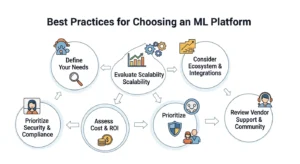
First, do not choose based on AutoML demos or notebook UX alone. Plenty of organizations make that mistake and then discover later that deployment, governance, monitoring, and cost control matter much more than the first-week experience. Your platform choice should be judged against the full ML lifecycle: experiment, train, register, deploy, monitor, retrain, and audit.
Second, model your likely production state, not your current proof-of-concept state. If you expect to run GPU training, managed endpoints, feature stores, and approval workflows, compare the platforms on those future needs now. The cheapest or easiest platform at prototype stage is not always the best platform at production scale.
Third, include generative AI and modern ML workloads in your decision even if you are not fully there yet. AWS is explicitly pushing SageMaker as a platform for foundation models and generative AI applications, while Azure ML also supports model catalog and language-model workflows. If your roadmap includes LLM fine-tuning, inference governance, or hybrid classical-ML plus GenAI operations, factor that in now.
FAQs :
Is AWS SageMaker better than Azure Machine Learning?
Not universally. SageMaker is often better for AWS-native teams that want flexible, production-grade ML tooling. Azure ML is often better for Microsoft-aligned organizations that want centralized workspaces and enterprise-friendly governance.
Which platform is easier for beginners?
Azure ML is often viewed as slightly more beginner-friendly because of its studio/workspace orientation and enterprise usability patterns, while SageMaker can feel more modular and engineering-heavy. But this depends heavily on whether your team already knows AWS or Azure.
Which is better for MLOps?
Both are strong, but in different ways. SageMaker is strong in pipelines, projects, feature stores, and flexible service composition. Azure ML is strong in versioned assets, centralized workspace history, managed endpoints, and governance-oriented workflows.
Is SageMaker more expensive than Azure ML?
It depends on workload shape and usage discipline. Azure has clearer official framing around pay-as-you-go, savings plans, and reservations. SageMaker can feel more complex to cost out because multiple features and compute types may contribute to the bill.
Which is better for generative AI?
SageMaker has strong official positioning for foundation models and generative AI workflows within AWS. Azure ML also supports model catalog and language model workflows. The better platform depends on which cloud ecosystem your broader AI stack lives in.
Which platform is better for enterprises?
Azure ML often has an advantage in Microsoft-centric enterprises. SageMaker often has an advantage in AWS-centric engineering organizations with advanced ML needs.
Conclusion :
According to GoCloud, if your company already operates heavily on AWS, wants a flexible and increasingly comprehensive AI/ML platform, and expects its ML practice to mature into serious production engineering, SageMaker is often the better strategic choice. It is broad, powerful, and increasingly aligned with end-to-end AI development, including generative AI and enterprise governance.
If your company is deeply invested in Microsoft Azure, values centralized governance and workspace-driven MLOps, and wants a strong enterprise operating model for ML assets, deployment, and identity management, Azure Machine Learning is often the better strategic choice.
The smartest way to decide is not by asking which platform has more features. It is by asking which platform best fits your ecosystem, team maturity, governance model, and production roadmap. For a related perspective on AWS services and how to choose between them, GoCloud’s guide on AWS AppSync vs Amazon API Gateway provides helpful insights. In ML platform selection, alignment usually beats raw feature count.
