


A customer places an order. Your email service, warehouse system, and billing app all need to know. If each one waits for the others, one slow service can hold up the whole chain.
Message queues and brokers fix that. One part of your system drops off a message and moves on, and another part picks it up when it is ready. On AWS, the two services people compare most are Amazon MQ, often called “AWS MQ,” and Amazon SQS.
The AWS MQ vs SQS decision comes up in nearly every cloud migration and microservices project. Both services move messages and both are managed by AWS. But they solve different problems and bill you in very different ways. Choose wrong and you may rewrite working code, or pay for a server that sits idle all night.
This guide covers what each service is, how features, security, and pricing compare, where IBM MQ, Anypoint MQ, and AWS IoT Core fit, and the mistakes that cost teams the most.
Facts and prices come from official AWS documentation and pricing pages, checked in September 2026. Prices are for US East (N. Virginia) unless noted.
What Is the Difference Between AWS MQ and SQS?
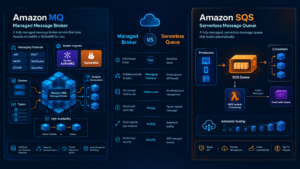
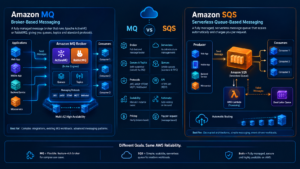
AWS MQ (officially Amazon MQ) is a managed message broker service that runs Apache ActiveMQ or RabbitMQ for you. Amazon SQS is a fully managed, serverless message queue. The core difference: Amazon MQ gives you a full broker with standard protocols and topics, while SQS gives you simple, elastic queues through an AWS API.
A simple way to picture it
Amazon MQ is like renting a fully staffed post office. It sorts mail, supports many delivery styles, and accepts the envelope formats your apps already use. You pay rent every hour, whether mail arrives or not.
Amazon SQS is like a drop box service. You drop a letter in, a worker picks it up, and you pay a tiny fee per letter. There is no building to rent.
Queue vs topic in one line each
- Queue: each message goes to one consumer. Both services handle this well.
- Topic (publish/subscribe): each message goes to every subscriber. Amazon MQ does this natively with ActiveMQ topics and RabbitMQ exchanges. SQS needs Amazon SNS or Amazon EventBridge to fan messages out.
That detail explains much of the AWS MQ vs AWS SQS debate. If your app expects a broker, Amazon MQ fits. If it just needs a dependable to-do list for background work, SQS fits.
What Is Amazon MQ (AWS MQ)?
Amazon MQ is the AWS managed message broker service for Apache ActiveMQ and RabbitMQ. AWS provisions the broker, applies patches, and handles failover. Your apps keep the APIs and protocols they already use, so you can move to AWS without rewriting messaging code. When people search for “mq in AWS” or an “AWS MQ broker,” this is the service they mean.
Two engines to choose from
- Amazon MQ for ActiveMQ (AWS ActiveMQ): supports JMS, OpenWire, AMQP 1.0, STOMP, MQTT, and WebSocket. It is popular in Java enterprise apps. ActiveMQ 5.19, added in February 2026, is the version AWS recommends.
- Amazon MQ for RabbitMQ: speaks AMQP 0-9-1, and AMQP 1.0 natively from RabbitMQ 4.2 onward. RabbitMQ 4.3 arrived on Amazon MQ in September 2026, and brokers on 4.2 and above can also run JMS workloads through the JMS topic exchange plugin.
Deployment modes and clusters
- Single-instance broker: one broker in one Availability Zone. Good for dev and test, but it goes offline during maintenance.
- Active/standby (ActiveMQ): two brokers in two Availability Zones. If the active one fails, the standby takes over.
- Cluster (RabbitMQ): three nodes across Availability Zones. This is what most people mean by an “AWS MQ cluster.”
- Network of brokers (ActiveMQ): several brokers linked together to spread load.
Ports you will see
ActiveMQ brokers use OpenWire on 61617, AMQP on 5671, STOMP on 61614, MQTT on 8883, WebSocket (WSS) on 61619, and the web console on 8162. RabbitMQ brokers use 5671 for AMQP and 443 or 15671 for the web console and management API.
Updating a broker and end of support (EOL)
Amazon MQ publishes a version support calendar for each engine and gives at least 90 days of notice before a version reaches end of support. After that date, it upgrades remaining brokers automatically in their maintenance window, within 45 days. You cannot create new brokers on a version within 30 days of its end-of-support date.
ActiveMQ 5.15, 5.16, and 5.17 have already reached end of support on Amazon MQ, and RabbitMQ 3.12 ended in March 2025. To update a broker yourself, change the engine version in the console, the CLI (aws mq update-broker), or your infrastructure code. The change applies at the next reboot or maintenance window. Note that RabbitMQ 4 runs only on mq.m7g instances.
Is Amazon MQ serverless?
No. You pick an instance type and pay for every hour it runs, even with zero traffic. AWS handles setup, patching, and failover, but sizing and maintenance windows are still your call.
What Is Amazon SQS (AWS SQS)?
Amazon Simple Queue Service (SQS) is a fully managed, serverless message queue. There is no broker to size, patch, or keep running. You create a queue, send messages through the AWS API or SDK, and pay only for the requests you make.
AWS SQS architecture in plain terms
A producer sends a message to the queue. SQS stores it redundantly across multiple Availability Zones. A consumer polls the queue, processes the message, and deletes it. That is the whole loop. The official AWS SQS icon for architecture diagrams comes in the free AWS Architecture Icons package.
Standard vs FIFO queues
- Standard queue: nearly unlimited throughput, at-least-once delivery, and best-effort ordering. A message can arrive twice or out of order, so your code should expect that.
- FIFO queue: strict first-in, first-out order and exactly-once processing. Each FIFO partition handles 300 transactions per second per API action, or 3,000 messages per second with batching. High throughput mode reaches up to 70,000 transactions per second in US East (N. Virginia). FIFO queues also drop duplicate sends within a 5-minute window, using your deduplication ID or a hash of the message body.
AWS SQS limits that matter most
- Message size limit: 1 MiB since August 2025 (up from 256 KiB). The SQS Extended Client Library stores bigger payloads in Amazon S3, up to 2 GB.
- Visibility timeout: default 30 seconds, maximum 12 hours. While one consumer works on a message, SQS hides it from others.
- Retention: default 4 days, adjustable from 1 minute to 14 days.
- Delay: up to 15 minutes per message.
- Batch size: up to 10 messages per send, receive, or delete call.
Dead letter queue (DLQ)
A dead letter queue catches messages that keep failing. You set a maximum receive count on the source queue. After that many failed attempts, SQS moves the message to the DLQ so it stops blocking healthy work. You can redrive those messages back later from the console or API.
AWS SQS Lambda trigger
SQS is the most common trigger for AWS Lambda background jobs. Lambda polls the queue for you and hands over messages in batches. The default batch size is 10. Standard queues allow up to 10,000 with a batching window of at least 1 second. FIFO queues cap the batch at 10.
Is there an AWS SQS priority queue?
No. The usual pattern is separate “high” and “low” queues, with consumers checking the high queue first. SQS fair queues, added in July 2025, solve a different problem: they stop one noisy customer from delaying everyone else in a shared standard queue.
Quick AWS SQS CLI examples
aws sqs list-queues
aws sqs send-message –queue-url <your-queue-url> –message-body “order-1042”
aws sqs receive-message –queue-url <your-queue-url> –wait-time-seconds 20
The –wait-time-seconds 20 flag turns on long polling, which cuts empty responses and cost.
AWS MQ vs SQS: Side-by-Side Comparison
Amazon MQ trades a higher fixed cost and more upkeep for protocol compatibility. SQS trades protocol choice for near-zero upkeep and pay-per-use pricing.
| Feature | Amazon MQ (AWS MQ) | Amazon SQS |
| Service type | Managed message broker | Serverless message queue |
| Engines | Apache ActiveMQ or RabbitMQ | AWS-native, no engine to pick |
| Protocols and APIs | JMS, OpenWire, AMQP, STOMP, MQTT, WebSocket | AWS API over HTTPS (SDK, CLI, console) |
| Messaging patterns | Queues and topics (publish/subscribe) | Queues only; add SNS or EventBridge for fan-out |
| Ordering | Broker keeps queue order; several consumers can process out of order | Best effort (standard) or strict (FIFO) |
| Scaling | You choose instance size; scale by resizing or adding brokers | Automatic; nearly unlimited for standard queues |
| Pricing model | Per broker-hour plus storage | Per request, billed in 64 KB chunks |
| Cost when idle | Full broker cost, 24/7 | Close to zero |
| High availability | Active/standby or 3-node cluster, at extra cost | Built in across multiple Availability Zones |
| Your ops work | Instance sizing, maintenance windows, version upgrades | Almost none |
| Best for | Moving existing broker-based apps to AWS | New cloud-native apps, microservices, background jobs |
For a brand-new app, this table usually points to SQS. For an app that already talks JMS or AMQP, it usually points to Amazon MQ.
Pricing: AWS SQS Pricing vs Amazon MQ Pricing
For low and medium traffic, SQS usually costs a few dollars a month, while Amazon MQ starts in the hundreds for a production setup. SQS bills per request. Amazon MQ bills for a broker that runs every hour of the month.
How AWS SQS pricing works
- The first 1 million requests each month are free, for every account, with no 12-month limit.
- After that, standard queues cost about $0.40 per million requests and FIFO queues about $0.50 per million in US East.
- Tiered discounts bring the price as low as $0.24 (standard) and $0.35 (FIFO) per million at very high volume.
- Each 64 KB chunk of a payload counts as one request, so a full 1 MiB message is billed as 16 requests.
How Amazon MQ pricing works (ActiveMQ and RabbitMQ)
- You pay per broker-hour, billed per second. An mq.m5.large costs $0.288 per hour as a single instance and $0.576 per hour as an active/standby pair.
- A RabbitMQ cluster bills three nodes. An mq.m7g.large node costs $0.2734 per hour.
- Storage is extra: $0.30 per GB-month on Amazon EFS (ActiveMQ only) and $0.10 per GB-month on Amazon EBS.
- Traffic between brokers across Availability Zones costs $0.01 per GB each way, plus standard data transfer and public IPv4 charges.
- New AWS customers since July 15, 2025 get up to $200 in Free Tier credits that can go toward Amazon MQ.
What a month actually costs
| Setup (US East, full month) | Approx. monthly cost |
| SQS standard: 10M small messages, no batching (30M requests) | $11.60 |
| SQS standard: same 10M messages in batches of 10 (3M requests) | $0.80 |
| Amazon MQ for ActiveMQ: mq.m5.large active/standby, about 6 GB on EFS | $428.73 |
| Amazon MQ for RabbitMQ: mq.m7g.large 3-node cluster, 15 GB per node | $614.73 |
The SQS rows assume one send, one receive, and one delete per message, minus the free million. The Amazon MQ rows match the examples on the official Amazon MQ pricing page. Confirm current rates for your Region in the AWS Pricing Calculator.
The takeaway: SQS wins when traffic is low or bursty. Amazon MQ starts to make sense when a broker is busy all day, or when rewriting apps for SQS would cost more than the broker.
Security, Reliability, and Monitoring
Both services can be very secure. They just give you different controls.
- Access and encryption: SQS uses IAM and queue policies, supports server-side encryption with SQS-managed or AWS KMS keys, and can be reached privately from your VPC through an interface endpoint. Amazon MQ uses broker users and permissions, encrypts data at rest with AWS KMS and in transit with TLS, and can run as a private broker inside your VPC.
- Reliability: SQS spreads messages across multiple Availability Zones automatically, at no extra cost. With Amazon MQ, resilience depends on your deployment mode. A single-instance broker is a single point of failure.
- Monitoring: both publish metrics to Amazon CloudWatch. On SQS, watch ApproximateAgeOfOldestMessage; a growing age means consumers are falling behind. On Amazon MQ, watch broker CPU, memory, and storage.
IBM MQ vs AWS SQS and Anypoint MQ vs AWS SQS
Many people searching AWS MQ vs SQS are really weighing a third option they already use.
IBM MQ vs AWS SQS
IBM MQ is IBM’s enterprise messaging middleware. Banks and insurers have relied on it for decades for once-and-only-once delivery, often to and from mainframes. It runs on premises, in containers, and since November 28, 2025, as IBM MQ SaaS, a single-tenant service managed by IBM on AWS.
IBM MQ offers transactional messaging and deep ties to IBM systems. SQS offers no licenses to plan, pay-per-request pricing, and native links to Lambda and other AWS services.
A common mix-up: Amazon MQ does not run IBM MQ. Apps written against standard JMS can often move to Amazon MQ for ActiveMQ, but code that uses IBM-specific APIs needs real rework. For AWS SQS vs IBM MQ, stay on IBM MQ when mainframe links or strict transactions drive the design, and choose SQS for new AWS-native services.
Anypoint MQ vs AWS SQS
Anypoint MQ is MuleSoft’s multi-tenant cloud messaging service, part of the Salesforce-owned Anypoint Platform. It offers standard and FIFO queues, dead letter queues, and message exchanges for publish/subscribe, including FIFO message exchanges added in April 2026.
It requires a paid Anypoint Platform subscription with the MQ add-on, while SQS works in any AWS account with a permanent free tier. Anypoint MQ suits teams whose integrations already run in MuleSoft. SQS suits teams whose apps live on AWS.
AWS MQTT: Where AWS IoT Core Fits In
If you searched for an “AWS MQTT broker” or “AWS MQTT server,” you most likely need AWS IoT Core, not Amazon MQ or SQS.
- AWS IoT Core runs a fully managed MQTT message broker built to connect sensors, vehicles, and appliances at large scale.
- Amazon MQ for ActiveMQ also speaks MQTT on port 8883. It fits when a few MQTT clients share a broker with JMS or AMQP apps.
- Amazon SQS does not speak MQTT. A common pattern is an IoT Core rule that forwards device messages into an SQS queue.
AWS MQTT ports: use 8883 for MQTT over TLS with X.509 client certificates. Use 443 with the ALPN protocol name x-amzn-mqtt-ca, or MQTT over WebSocket with AWS Signature Version 4, when a firewall blocks 8883.
AWS MQTT test client: the AWS IoT console includes one. You can subscribe to topics and publish test messages from your browser. For production devices, AWS recommends its AWS IoT Device SDKs as the MQTT client.
AWS MQTT pricing: in US East, messaging costs $1.00 per million messages for the first billion each month, metered in 5 KB increments. Connectivity adds $0.08 per million connection minutes, about $0.042 per always-connected device per year.
How to Choose Between AWS MQ and SQS: Step by Step
Use these eight steps to decide with facts instead of guesswork.
- List every app that sends or receives messages. Note the protocol or API each one uses today, such as JMS, AMQP, MQTT, or an AWS SDK.
- Check for existing broker protocols. If key apps use JMS, AMQP, STOMP, OpenWire, or MQTT and a rewrite would be costly, shortlist Amazon MQ.
- Decide if you need publish/subscribe. Amazon MQ does it natively. SQS needs SNS or EventBridge in front.
- Decide if order matters. For strict order or exactly-once processing, look at SQS FIFO or Amazon MQ, not SQS standard.
- Price both options in the AWS Pricing Calculator. Include high availability brokers for Amazon MQ, and 64 KB chunks and batching for SQS.
- Name who will run it. Amazon MQ needs an owner for sizing, maintenance windows, and upgrades. SQS needs almost none of that.
- Build a small proof of concept. Try an SQS queue with a dead letter queue and a Lambda trigger, or a single-instance broker, and test what happens when a consumer crashes.
- Set up monitoring before launch. Add CloudWatch alarms for message age on SQS, or broker CPU, memory, and storage on Amazon MQ.
If steps 2 and 3 both came back “yes,” Amazon MQ is usually the faster path. If both came back “no,” SQS is almost always simpler and cheaper.
Practical Examples: Which Service Fits Which Job
These are common architecture patterns, not specific customer stories.
- Online store orders (SQS standard + Lambda): checkout drops an “order placed” message into a queue. Lambda sends the receipt and updates inventory, and a dead letter queue catches orders that fail three times. Sale-day spikes cost only the extra requests.
- Account transactions (SQS FIFO): a fintech app uses the account ID as the message group ID, so each account’s transactions stay in order while different accounts process in parallel.
- On-premises Java app (Amazon MQ for ActiveMQ): a Spring app using JMS moves over by changing the broker URL and credentials. The messaging code stays the same.
- Smart home sensors (AWS IoT Core, then SQS): thermostats publish readings over MQTT, and an IoT rule forwards alerts into SQS for backend workers.
Moving Between Amazon MQ and SQS Later
Your first choice does not have to be forever. Many teams start on Amazon MQ to move fast, then shift parts of the system to SQS.
Can SQS replace RabbitMQ or ActiveMQ? For simple point-to-point work queues, yes. For JMS topics, AMQP exchanges and routing keys, or MQTT, no. Keep Amazon MQ for those parts.
A gradual path works best. AWS Lambda can read from an Amazon MQ queue, so a small function can copy selected messages into SQS while both systems run side by side. Move simple one-producer, one-consumer jobs first. The Amazon SQS Java Messaging Library covers part of the JMS 1.1 API for queues, which can reduce code changes. Retire the broker last, so you stop paying for idle hours.
Costly Mistakes to Avoid (and Real Limitations)
Most AWS messaging surprises, on the bill or in production, trace back to a few avoidable choices.
- Picking Amazon MQ for a new app by habit. You pay for the broker every hour and own its upgrades, even when SQS would cost a few dollars.
- Running high availability brokers in dev and test. Active/standby doubles broker cost and a RabbitMQ cluster triples it.
- Setting the SQS visibility timeout too short. Another consumer grabs the same message mid-processing. For Lambda triggers, AWS advises a queue visibility timeout of at least six times the function timeout.
- Skipping the dead letter queue. One bad message can retry until retention runs out, up to 14 days later.
- Leaving short polling on. Empty receive calls still count as requests. Long polling with a 20-second wait cuts them sharply.
- Assuming standard queues deliver once and in order. They promise neither. Make consumers idempotent, meaning safe to run twice on the same message.
- Ignoring end-of-support notices. AWS will upgrade the broker for you, and major versions such as RabbitMQ 4 include breaking changes.
- Sending huge payloads through SQS. A 1 MiB message bills as 16 requests. Store large files in Amazon S3 and send a pointer.
Each service also has honest limits. SQS has no native publish/subscribe, no priority queues, no MQTT or AMQP, a 1 MiB message cap, and 14 days of retention at most. Amazon MQ has no scale to zero, capacity tied to your instance size, and scheduled maintenance windows. Neither list is a deal breaker. It simply shows what each service was not built for.
Which One Should You Pick? A Simple Decision Guide
For most new projects on AWS, start with SQS. Move to Amazon MQ only when protocol compatibility or broker features give you a clear reason.
- Is this an existing app that already uses JMS, AMQP, STOMP, or MQTT with a broker? Yes: choose Amazon MQ. No: go to question 2.
- Are devices sending data over MQTT? Yes: choose AWS IoT Core. No: go to question 3.
- Does one message need to reach many readers? Yes: put SNS or EventBridge in front of SQS. No: go to question 4.
- Is strict order needed? Yes: choose SQS FIFO. No: choose SQS standard.
If none of these fit, look at AWS SQS alternatives. Amazon Kinesis Data Streams handles ordered, replayable streams of high-volume data, and Amazon MSK runs managed Apache Kafka for teams that already use Kafka.
Conclusion: Making the AWS MQ vs SQS Call
The AWS MQ vs SQS decision comes down to one question: do your apps need a broker, or just a queue?
Choose Amazon MQ when you are moving existing apps that already speak JMS, AMQP, STOMP, OpenWire, or MQTT, and a rewrite would cost more than running a broker. Choose Amazon SQS for new cloud-native work, where serverless scaling and pay-per-request pricing keep costs low and upkeep near zero. For device fleets that speak MQTT, look at AWS IoT Core first.
Your next step: list the protocols your apps use today, then price both options in the AWS Pricing Calculator with your real message volume. A one-day proof of concept will tell you more than any comparison chart.